AI News
26 Apr 2026
Read 10 min
Meta employee monitoring for AI training: Protect your data
Meta employee monitoring for AI training logs keystrokes and screens to improve agent skills securely
Meta employee monitoring for AI training will record clicks, keystrokes, mouse moves, and some screenshots on work apps to teach computer-use skills to new AI agents. Meta says safeguards apply. Here’s what that means for your privacy, your job, and the steps you can take to protect work and personal data.
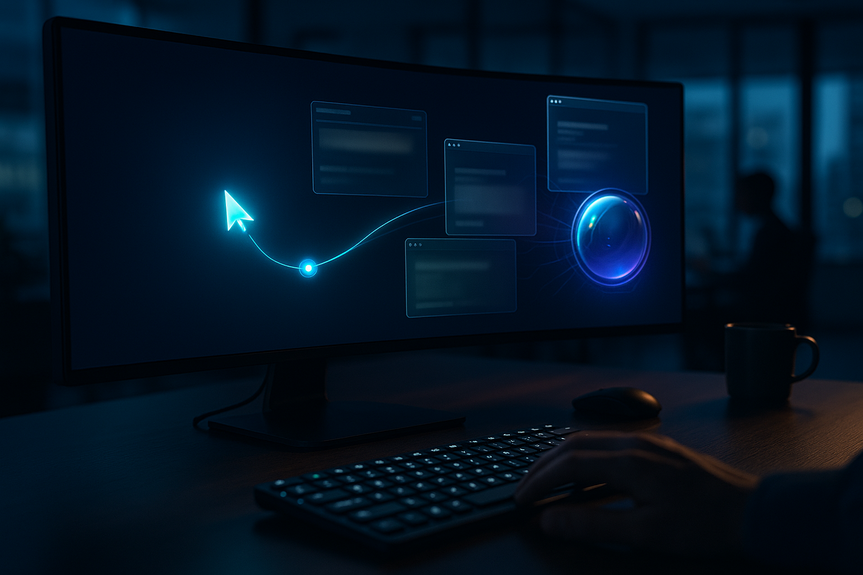
Meta plans to install new tracking tools on U.S. employee computers. The software will log mouse movements, clicks, keystrokes, and a limited set of screenshots on approved apps and sites. The company says the goal is to teach AI agents how people actually use computers so the agents can do office tasks on their own. This push comes as rivals also look for real workplace data to train models.
Mouse movements and clicks
Keyboard input
Some screenshots from approved apps and websites
Context about menus, buttons, and navigation paths
On a set list of work apps and websites
Installed on company devices in the U.S.
Limited to use cases tied to training computer-use behaviors
AI agents struggle with basic interface steps like menus and shortcuts
Real user sessions can teach timing, sequence, and error recovery
The aim is faster, more reliable agents for common white-collar tasks
Meta Superintelligence Labs is leading the rollout
The company has invested heavily in data and labeling capacity
Reports say AI capital spending could top $100 billion in the near term
Meta employee monitoring for AI training is framed as a way for everyday work to improve models without extra effort. The company says safeguards protect sensitive content and the data will not be used for other purposes.
Smarter assistants that complete routine computer tasks
Less time on clicks, formatting, and navigation
Clearer paths to automate repetitive workflows
Privacy: Screenshots can expose personal or sensitive data if personal accounts are open on work devices.
Security: Keystrokes may reveal secrets if typed into visible fields.
Scope creep: Data collected for one purpose could be used for others unless strict controls hold.
Morale and trust: Monitoring can erode confidence if details are vague or consent feels forced.
Compliance: Firms must align with data retention, employee notice, and cross-border rules.
Use a separate device for personal email, banking, and messaging.
Create a separate browser profile for work if you must use one machine.
Log out of personal accounts on your work laptop and phone.
Turn off notification previews for email, chat, and calendar.
Close non-work tabs before opening monitored apps.
Use windowed mode instead of full-screen when handling sensitive docs that do not need to be visible.
Do not paste passwords or tokens into chat or documents.
Use a company-approved password manager and secret vaults.
Avoid typing confidential info into fields that could be captured by screenshots.
Review the list of monitored apps and ask IT about exclusions.
Disable clipboard syncing between personal and work devices.
Store sensitive files in approved locations with access controls.
Read internal notices about what is collected, why, and for how long.
Ask for a point of contact to request redaction or deletion when needed.
Raise concerns to HR, IT, or an employee representative; document issues with time and examples.
If your company adopts Meta employee monitoring for AI training, being proactive can reduce the chance that personal or sensitive details end up in training logs.
Publish the exact list of monitored apps and what each capture includes.
Explain the business need, safeguards, and limits in plain language.
Offer pause controls for sensitive sessions and a clear opt-out path where feasible.
Minimize data by default: collect only what is essential to teach UI behavior.
Mask or hash identifiers; blur screenshots automatically; exclude chat and HR systems.
Set strict retention windows and document destruction processes.
Keep audit logs on who accesses training data and why.
Run a security review of the monitoring agent and data pipelines.
Use role-based access, encryption in transit and at rest, and data loss prevention.
Coordinate with privacy, legal, and (where applicable) works councils.
Large language models know facts but not precise app behavior.
Human sessions provide step-by-step sequences and error handling.
Competitors are also seeking real documents and task traces to close this gap.
More firms will try to collect interaction data on approved tools.
Vendors will add privacy features like real-time redaction and on-device filtering.
Regulators will look closely at consent, scope, and retention claims.
Change is moving fast. Ask for clarity, reduce exposure, and push for transparent controls. By doing this, you can benefit from smarter tools while protecting your privacy.
Stronger AI can help with work, but people need clear rights and guardrails. With Meta employee monitoring for AI training, the best outcome pairs narrow data collection with strong safeguards, worker notice, and real choice. Protect your data, use good digital habits, and hold your company to its promises.
What Meta employee monitoring for AI training means
What data gets captured
Where the tracking runs
Why Meta says it is doing this
Who is driving the effort
Benefits and risks for workers
Possible upsides
Key risks to watch
Protect your data: Practical steps you can take now
Set clear boundaries between work and personal
Reduce what appears on screen
Limit exposure of secrets
Control app access and data flow
Stay informed and speak up
What managers and IT should do to build trust
Make the program narrow and transparent
Apply strong data governance
Protect security and compliance
The wider race to train workplace AI
Why companies want real workflow data
What to expect next
For more news: Click Here
FAQ
Q: What specific data will Meta’s tracking software capture on employee computers?
A: Meta employee monitoring for AI training will capture mouse movements, clicks, keyboard input, and a limited set of screenshots on approved apps and websites. It also records context about menus, buttons, and navigation paths to teach interface behaviors.
Q: On which devices and in which locations will this monitoring be deployed?
A: The tracking tool will be installed on company devices used by U.S. employees and will run only on a designated list of work apps and websites. The company says the monitoring is limited to use cases tied to training computer-use behaviors.
Q: Why is Meta collecting interaction data from employee sessions?
A: Meta says the goal is to teach AI agents how people actually use computers so those agents can perform routine white-collar tasks and handle steps like dropdowns and keyboard shortcuts. Meta employee monitoring for AI training is intended to provide real examples of timing, sequence, and error recovery that models currently lack.
Q: What safeguards has Meta said it will apply to the collected data?
A: The company has said safeguards are in place to protect sensitive content and that the data will not be used for any other purpose. Meta also states the collection is limited to approved apps and focused on training computer-use behaviors rather than broad surveillance.
Q: What are the main risks to employees from this program?
A: Key risks include privacy (screenshots exposing personal or sensitive data), security (keystrokes revealing secrets), scope creep, reduced morale and trust, and compliance challenges around retention and notice. With Meta employee monitoring for AI training, employees should be alert to whether monitoring extends beyond approved apps or retention windows.
Q: What practical steps can employees take to protect personal and sensitive information?
A: Use a separate device or a separate browser profile for personal email, banking, and messaging, log out of personal accounts on work machines, and turn off notification previews. Avoid pasting passwords or tokens, use a company-approved password manager, and review the monitored apps list with IT to request exclusions or redaction contacts.
Q: How should managers and IT implement monitoring to maintain employee trust?
A: When implementing Meta employee monitoring for AI training, managers should publish the exact list of monitored apps, explain the purpose and safeguards in plain language, offer pause controls for sensitive sessions, and provide opt-out paths where feasible. IT should minimize collection by default, apply masking or blurring, set strict retention windows, keep audit logs, run security reviews, and use encryption and role-based access.
Q: What broader industry and regulatory developments should employees expect around workplace interaction data?
A: Expect more firms to collect interaction data on approved tools and for vendors to add privacy features such as real-time redaction and on-device filtering. Regulators are likely to scrutinize consent, scope, and retention claims as the race to train workplace AI continues.
Contents