AI News
29 Apr 2026
Read 8 min
Make AI emails sound human by adding subtle typos
Make AI emails sound human by intentionally adding small errors to increase authenticity and trust.
Want your messages to pass the “real human” sniff test? One new tool adds light mistakes on purpose to make AI emails sound human. It trims jargon, shortens long lines, and tweaks tone with three levels—from gentle to bold. Learn how it works, when to use it, and what to avoid.
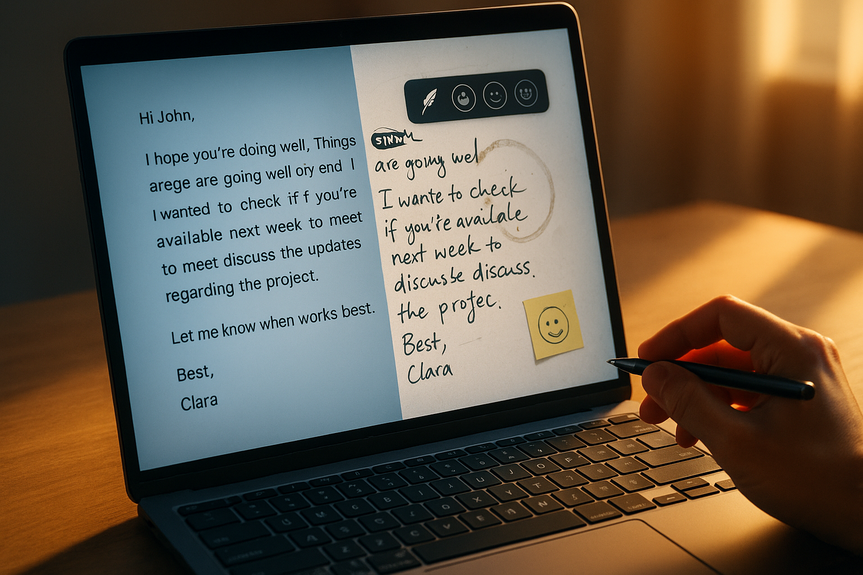
Perfect writing can feel robotic. Inboxes are full of polished, copy-paste text that reads like it came from a chatbot. A small dash of mess—short lines, casual words, even a tiny typo—can signal a real person. That is the idea behind Sinceerly, a satirical browser extension by Ben Horwitz that rewrites emails to sound less machine-made.
Short sentences feel like speech.
Minor quirks suggest a busy human at a keyboard.
Casual tone can build warmth and trust in low-stakes threads.
Of course, mistakes can also backfire. There’s a thin line between “human” and “careless.” The trick is control.
Trims fluff and condenses long paragraphs.
Keeps standard spelling and tone with light tweaks.
Good for first outreach, sales notes, and internal updates.
Adds mild slang, contractions, and a few imperfections.
Shortens lines further and drops stiff phrases.
Use for friendly follow-ups or informal team chats.
Goes sparse, punchy, and sometimes misspelled on purpose.
Reads like a rushed power user: short, direct, low-punctuation.
Use with caution; it can come off as curt or sloppy.
Created by Horwitz, a Harvard Business School student and VC investor, the project is tongue-in-cheek but timely: people want speed, clarity, and a voice that doesn’t scream “LLM.”
Faster than manual rewriting of AI drafts.
Makes templated outreach feel fresher.
Can reduce “AI smell” without heavy editing skills.
Typos can confuse readers or hurt credibility.
Accessibility matters: errors can add friction for people using screen readers or living with dyslexia.
Some workplaces expect clean, formal writing; norms vary by team and culture.
Use contractions: I’m, we’re, that’s.
Cut filler: remove “just,” “very,” “in order to.”
Write short lines: one idea per sentence.
Ask one clear question near the end.
Add one concrete detail: time, date, number, name.
Swap jargon for plain words: “help” beats “assist with.”
A single sentence fragment for emphasis. (Like this.)
Occasional lowercase “ok” or “hey” in casual threads.
One em dash or ellipsis to signal voice—sparingly.
A quick parenthetical aside to show intent (thanks!).
These tweaks often make AI emails sound human without relying on typos.
Draft with your AI tool: keep it short and simple.
Add facts only you know: names, timelines, prior context.
Run Sinceerly on “Subtle” first; escalate only if it still reads stiff.
Proof names, numbers, links, and the call to action.
Read aloud once; if it sounds like speech, you’re done.
Job applications, references, or executive briefs.
Legal, medical, or safety instructions.
Cross-cultural or high-stakes negotiations.
Messages to people who rely on assistive tech to read.
In these cases, use clear, standard English. You can still sound kind and human with brevity, specifics, and a warm sign-off.
Why small mistakes can read as human
Most people scan emails fast. They look for signs of intent and effort. Mechanical phrases, stiff syntax, and overlong lines tell readers, “AI wrote this.” But:How tools can make AI emails sound human
Sinceerly calls itself an “anti-Grammarly.” It’s a browser add-on that reshapes AI-sounding text into something more natural. You pick from three edit levels:“Subtle” mode
“Human” mode
“CEO” mode
Upsides
Risks
Human feel without hurting clarity
If you’d rather not add mistakes, you can still sound real. Try these moves that keep meaning crisp:Style shifts that work
Safe micro-imperfections
A quick workflow to make AI emails sound human
When not to fake imperfections
The bigger shift
The rise of AI means perfect grammar is no longer a unique signal. Intent, voice, and context are. Whether you use a tool like Sinceerly or simple style habits, the goal stays the same: be brief, be clear, and sound like a person who cares. You can use light imperfections to stand out, but treat them like spice. A pinch adds flavor; a handful ruins the dish. If you’re unsure, choose clarity, then add one small human touch. In the end, the best way to make AI emails sound human is to combine smart edits, real details, and empathy for the reader. Tools can help, but judgment matters more.For more news: Click Here
FAQ
Q: What is Sinceerly and how does it work?
A: Sinceerly is a satirical browser extension by Ben Horwitz that rewrites AI-sounding text to add light mistakes, trim jargon, and shorten lines. It offers three edit levels—Subtle, Human, and CEO—that adjust tone, slang, and intentional imperfections to make AI emails sound human.
Q: Who created Sinceerly and why?
A: It was created by Ben Horwitz, an investment partner at Dorm Room Fund and a Harvard Business School student, who built it as a tongue-in-cheek “anti-Grammarly” project. He developed it to “hold up a mirror” to our relationship with AI and to intentionally un-AI writing in email drafts.
Q: What do the Subtle, Human, and CEO modes do?
A: Subtle trims fluff and condenses long paragraphs while keeping standard spelling and tone. Human adds mild slang, contractions, and more casual phrasing. CEO mode goes sparse and punchy and sometimes introduces misspellings and low punctuation.
Q: When should I use Subtle, Human, or CEO edits?
A: Subtle is good for first outreach, sales notes, and internal updates where you want light polishing. Human works well for friendly follow-ups or informal team chats that benefit from a warmer tone. CEO mode should be used sparingly because its brevity and intentional errors can come off as curt or sloppy.
Q: What are the risks of intentionally adding typos to emails?
A: Intentional typos can confuse readers and damage credibility, especially in formal or professional contexts. They can also add friction for people using screen readers or living with dyslexia and may be inappropriate for teams or cultures that expect clean, standard writing.
Q: How can I make AI emails sound human without relying on typos?
A: Use contractions, cut filler, write short lines, ask one clear question near the end, add one concrete detail, and swap jargon for plain words to make AI emails sound human without adding mistakes. These adjustments keep meaning crisp while signaling a real person and caring about clarity.
Q: What workflow does the article recommend when combining AI drafts with a tool like Sinceerly?
A: Draft with your AI tool and add facts only you know, then run Sinceerly on “Subtle” first and escalate modes only if the text still reads stiff. Proof names, numbers, links, and the call to action, and read the message aloud to see if it sounds like natural speech.
Q: In which situations should I avoid faking imperfections in my writing?
A: Avoid deliberate mistakes in job applications, references, executive briefs, legal or medical instructions, high-stakes negotiations, or messages to people who rely on assistive technology. In those cases use clear, standard English with brevity, specifics, and a warm sign-off to remain professional and accessible.
Contents