Crypto
31 May 2026
Read 14 min
How to fix HTTP 407 proxy error in 5 quick steps *
Fix HTTP 407 proxy error fast and restore downloads by correcting proxy credentials and settings now
A 407 means your proxy wants authentication before it lets traffic through. Use these five quick checks to fix HTTP 407 proxy error: confirm you actually use a proxy, update your sign-in, correct system and app settings, trust the proxy’s security certificate, and test the route with simple tools to verify.
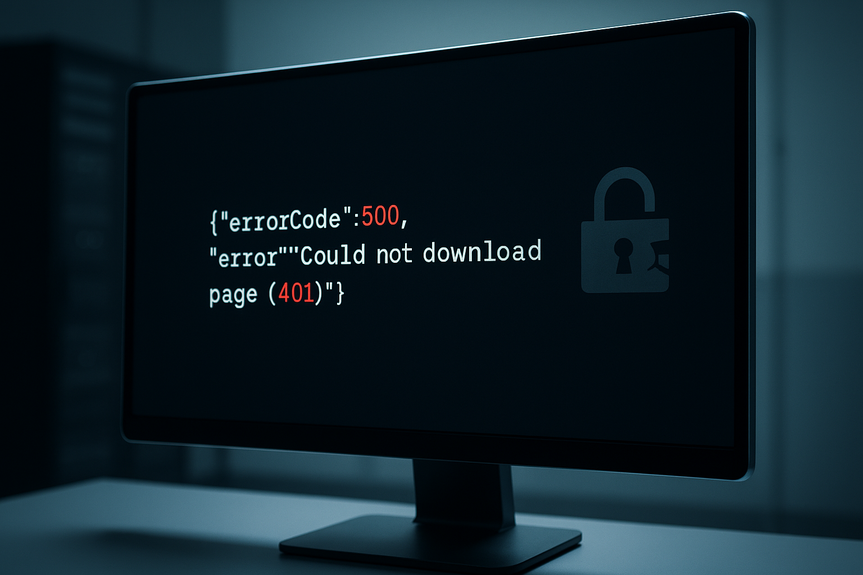
You tried to load a page or pull a package, and the app said something like “Could not download page (407).” That message points to a gatekeeper between you and the internet: a proxy. The proxy wants you to authenticate or adjust your settings. The good news: you can solve this fast if you follow a simple path.
This guide explains what the error means, why it shows up, and how to clear it in minutes. It covers Windows, macOS, browsers, and common developer tools. It keeps the steps short and direct so you can get back online without guesswork.
Web browsers when a company proxy filters traffic
Package managers (npm, pip, NuGet, Maven) pulling dependencies
Command-line tools like curl, wget, or Git
Apps that use system proxy settings
Common causes include:
Wrong proxy address or port
Missing or expired credentials
A PAC (proxy auto-config) file error
VPN or network changes that toggle proxy use
SSL inspection by the proxy without the right certificate installed
If your browser shows a sign-in page, enter your username and password. Use your organization account if asked.
If you already signed in but still fail, sign out and sign in again. Close the app and reopen it after you authenticate in the browser.
Clear stale credentials. On Windows, open Credential Manager and remove old proxy entries. On macOS, open Keychain Access and search for “proxy” or your proxy host.
Test with a browser first. If the browser works after you sign in, your network route is fine. The problem is likely with your app’s settings.
Tip: If you do not need a proxy (home Wi‑Fi), make sure it is turned off everywhere. Accidental proxy settings can trigger 407 on every request.
Windows: Settings > Network & Internet > Proxy. If your org uses a PAC file, enable “Use setup script” and paste the proper URL. For a fixed proxy, enable “Use a proxy server,” then enter address and port.
macOS: System Settings > Network > select your network > Details > Proxies. Enable Automatic Proxy Configuration (PAC) or Manual proxy with correct host and port. Check “Bypass proxy settings for these Hosts & Domains” for localhost, 127.0.0.1, and your intranet domains.
Browsers: Most use system settings, but double-check in Chrome (chrome://settings/system) or Firefox (Settings > General > Network Settings). In Firefox, choose “Use system proxy settings” or set the proxy manually.
Developer tools and environment:
Environment variables: set HTTP_PROXY and HTTPS_PROXY to your proxy (example: http://user:pass@proxy.company.com:8080). Use NO_PROXY to list domains you do not want to send through the proxy (example: localhost,127.0.0.1,.internal.company.com).
curl: curl -x http://proxy.company.com:8080 -U username:password https://example.com -v
Git: git config –global http.proxy http://username:password@proxy.company.com:8080 (or use a credential helper to avoid plain text)
npm: npm config set proxy http://username:password@proxy.company.com:8080 and npm config set https-proxy http://username:password@proxy.company.com:8080
pip: set in pip.conf/pip.ini: proxy = http://username:password@proxy.company.com:8080
Docker: add HTTP_PROXY, HTTPS_PROXY, and NO_PROXY to the Docker daemon config or your Dockerfile build args when needed.
PAC and auto-detection:
If your org uses a PAC file (ends with .pac) or WPAD auto-detection, make sure the PAC URL is reachable. If it is down, requests can fail with 407. Ask IT for the correct URL or a temporary static proxy.
Install your organization’s root certificate in the system trust store. On Windows, import it into Trusted Root Certification Authorities. On macOS, import into System keychain and set it to Always Trust.
Make sure your system clock is correct. Wrong date or time breaks TLS.
Match the proxy scheme to what your app supports. Many apps expect HTTPS over a proxy but still specify the proxy as http://proxy:port while the end site is https://. If your proxy supports an HTTPS listener, use https://proxy:port where required.
If you control the proxy, consider disabling SSL inspection for developer endpoints or package registries to reduce breakage.
You can also fix HTTP 407 proxy error by installing the correct certificate and restarting the app. This often clears stubborn 407 loops that appear only on HTTPS sites.
curl: curl -x http://proxy.company.com:8080 -U domain\user:password https://example.com -v
PowerShell: [System.Net.WebRequest]::DefaultWebProxy.Credentials = [System.Net.CredentialCache]::DefaultCredentials
Node.js (npm/yarn): set npm config for proxy and https-proxy; consider a .npmrc in your project without embedding passwords in code
Python requests: proxies={‘http’:’http://user:pass@proxy:8080′,’https’:’http://user:pass@proxy:8080′}
Java: pass -Dhttp.proxyHost, -Dhttp.proxyPort, -Dhttps.proxyHost, -Dhttps.proxyPort, and configure Proxy-Authorization via authenticators when needed
Git: use a credential helper (git-credential-manager) so you do not store plain text credentials
Integrated auth (NTLM/Kerberos):
On Windows domain-joined machines, enable “Use default credentials” in apps that support it. Some enterprise proxies accept your domain sign-in automatically (Negotiate/NTLM).
If SSO fails on Wi‑Fi but works on Ethernet or VPN, rejoin the domain network or sign in to the captive portal first.
If a tool keeps failing, run a verbose test to confirm the proxy asks for 407 and which auth scheme it offers. For curl, add -v to see Proxy-Authenticate headers like Basic, NTLM, or Negotiate.
Restart the app and the browser. Some cache proxy auth state.
Disconnect and reconnect VPN or Wi‑Fi. VPNs often change whether you need a proxy.
Flush DNS cache if you changed domains or PAC files (Windows: ipconfig /flushdns; macOS: sudo dscacheutil -flushcache; sudo killall -HUP mDNSResponder).
Test with curl -v https://example.com -x http://proxy:port to watch the 407/200 flow. If curl succeeds, the path is fine. Focus on your app’s config.
Try a direct connection (bypass proxy) to internal hosts using NO_PROXY or system bypass lists. Keep localhost, 127.0.0.1, and intranet domains out of the proxy path.
If nothing works, ask IT if the proxy credentials expired or if your account needs access to the destination site.
Set proxy settings in that tool (npm, pip, NuGet, Maven). Do not rely only on system settings.
Use NO_PROXY for your company’s artifact server if it is inside the network.
Confirm the tool supports your proxy’s auth scheme. Update the tool if it is old.
Turn off the proxy in system settings at home. Clear environment variables.
If a laptop uses a PAC file, disable it off-network or use a conditional PAC that returns DIRECT for non-corporate Wi‑Fi.
The browser can handle SSO and PAC scripts. CLI tools need explicit settings.
Export HTTP_PROXY/HTTPS_PROXY and set NO_PROXY. Then retry with verbose output.
The exact error and timestamp
Proxy host and port you use
Output from curl -v showing Proxy-Authenticate headers
Whether the browser can reach the same site
This data lets them check logs and fix policies or credentials fast.
You can fix HTTP 407 proxy error in minutes if you confirm you need a proxy, sign in, correct your system and app settings, trust the proxy certificate, and test the route. Take these five steps in order, and you will clear the block and get your tools and pages working again.
What HTTP 407 means and why it appears
HTTP 407 stands for “Proxy Authentication Required.” Your request reached a proxy server first. The proxy blocked it until you prove who you are. This is different from HTTP 401, which asks you to sign in to the website itself. With 407, the stop sign sits in the middle, not at the destination. You might see it in:5 quick ways to fix HTTP 407 proxy error
Step 1: Confirm you use a proxy and sign in
First, check if your network requires a proxy. At work or school, it likely does. At home, it usually does not.Step 2: Fix proxy settings in the system, browser, and apps
Most failures come from wrong or missing settings. Correct them once, then retest. This is often the fastest way to fix HTTP 407 proxy error. System settings:Step 3: Fix trust and SSL inspection
Many companies inspect HTTPS traffic using a trusted internal root certificate. If your device does not trust that certificate, TLS fails before or during the proxy handshake. Do this:Step 4: Send proper credentials from your app or script
Some tools do not prompt for a username and password. You must pass credentials or enable integrated authentication. Examples:Step 5: Reset and verify end-to-end
After you change settings, do a clean test. This helps you confirm the fix and spot any leftover issues. Quick checks:Common scenarios and quick answers
“Could not download page (407)” in a package manager
407 after moving from office to home
Browser works, CLI fails
When to contact support
If you tried every step and still see 407, the proxy may block your account, the PAC file may be wrong, or the proxy may be down. Share this info with IT:For more news: Click Here
FAQ
Q: What does HTTP 407 mean?
A: HTTP 407 stands for “Proxy Authentication Required.” Your request reached a proxy server that blocked it until you prove who you are, which is different from HTTP 401 that asks you to sign in to the destination site.
Q: Why did I see “Could not download page (407)” when pulling a package?
A: That message indicates a proxy between your machine and the internet is requiring authentication before allowing the download. Set the package manager’s proxy settings or use NO_PROXY for internal artifact servers, and confirm the tool supports your proxy’s authentication scheme.
Q: How can I quickly fix HTTP 407 proxy error?
A: Follow the five quick checks: confirm you actually use a proxy and sign in, update or clear stale credentials, correct system and app proxy settings, trust the proxy’s security certificate, and test the route with simple tools like curl. Doing these steps in order usually clears the block within minutes.
Q: How do I check proxy settings on Windows and macOS?
A: On Windows open Settings > Network & Internet > Proxy and enable “Use setup script” for a PAC file or “Use a proxy server” for a fixed proxy then enter the host and port. On macOS go to System Settings > Network > select your network > Details > Proxies and enable Automatic Proxy Configuration or set Manual proxy with the correct host, port, and bypass list.
Q: My browser works but CLI tools fail — what should I check?
A: Browsers often handle SSO and PAC scripts while command-line tools need explicit proxy settings, so export HTTP_PROXY and HTTPS_PROXY and set NO_PROXY for internal hosts. Then run your tool with verbose output (for example curl -v) to confirm whether the proxy is returning a 407 and which auth scheme it offers.
Q: Can SSL inspection by a proxy cause 407 errors and how do I fix it?
A: Yes, SSL inspection can break TLS if your device does not trust the proxy’s certificate, so import your organization’s root certificate into the system trust store (Trusted Root Certification Authorities on Windows or System keychain on macOS) and set it to always trust. Also verify your system clock and ensure the proxy scheme matches what your app supports (use https://proxy:port when required).
Q: How do I send proxy credentials from tools that don’t prompt?
A: Pass credentials explicitly or enable integrated authentication; for example use curl -x http://proxy.company.com:8080 -U domain\user:password, configure npm/pip/git proxy settings, or set HTTP_PROXY and HTTPS_PROXY with user:pass@proxy. Use a credential helper for Git or other tools when available to avoid storing plain text passwords.
Q: What information should I give IT if I still see 407 after trying fixes?
A: If the five steps don’t help, contact IT and provide the exact error and timestamp, the proxy host and port, curl -v output showing Proxy-Authenticate headers, and whether the browser can reach the same site. That information lets them check logs, PAC files, and account or policy issues quickly.
* The information provided on this website is based solely on my personal experience, research and technical knowledge. This content should not be construed as investment advice or a recommendation. Any investment decision must be made on the basis of your own independent judgement.
Contents