
AI News
04 Jun 2026
Read 10 min
Microsoft Build 2026 AI devices: How to prepare your team
Microsoft Build 2026 AI devices show how teams can deploy autonomous agents to boost productivity now.
Microsoft Build 2026 AI devices push work toward always-on agents on fast PCs and small connected gadgets. Expect Nvidia-powered developer boxes, cloud-linked badges and speakers, and a new reasoning model. Use this guide to prepare teams, refresh PCs, update data guardrails, and pilot agent workflows that save time.
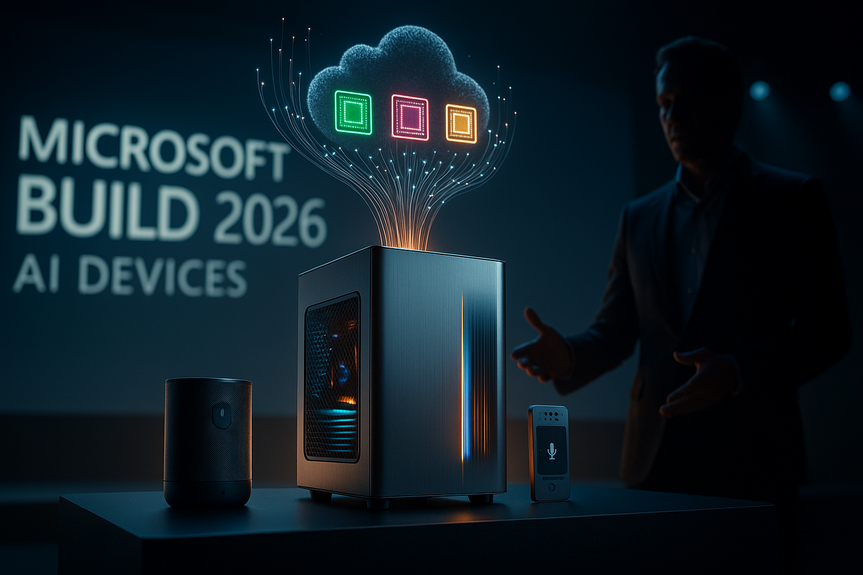
Microsoft’s developer event signaled a big shift. The company wants AI agents to do tasks across devices, PCs, and the cloud. It showed a Surface RTX Spark Dev Box with an Nvidia chip and a line of small prototypes, called Project Solara, that act like smart badges or speakers. These devices talk to cloud models and handle jobs like visit notes in a clinic. The message is clear: plan for agents to live on your desk, in your pocket, and in your apps.
Microsoft Build 2026 AI devices: What changed
From apps to agents
Traditional apps ask users to click and type. Agents watch context and act for you. Microsoft is building this into Windows, new PCs, and Azure. It also teased its own reasoning model to push longer, smarter chains of thought.New hardware, new edge
– Surface RTX Spark Dev Box runs large models locally, with help from Nvidia’s PC chip. – Project Solara devices use Qualcomm and MediaTek chips and connect to the cloud. – These devices have mics and screens. They focus on tasks, not app menus.Why it matters
– Faster response: On-device AI cuts latency for private data and offline work. – Lower costs: Some inference can move off the cloud and onto PCs. – Better UX: Agents handle steps across tools without manual clicks.How to prepare your team in 30–60–90 days
Day 0–30: Set the ground rules
– Map top 10 workflows by time spent. Flag where agents could help (meetings, tickets, reports). – Classify data. Define what can leave the device, the network, or your region. – Update policies for prompts, output review, and human sign‑off on critical actions. – Form an AI working group across IT, security, legal, and two business units.Day 31–60: Pilot and measure
– Pick two pilots: one knowledge task (meeting notes, summaries), one action task (ticket routing, draft replies). – Equip pilot users with higher‑spec PCs or a dev box if needed. – Create golden prompts and clear success metrics (time saved, quality score, error rate). – Add logging and red‑team tests for prompt injection and data leaks.Day 61–90: Scale the wins
– Expand pilots to a second team. Keep human review where risk is high. – Build simple runbooks: when to use the agent, how to correct it, how to escalate. – Start procurement planning for 12–24 months of device and PC refresh.Hardware decisions: PCs and edge devices
Who needs an RTX‑class PC
– Developers and data scientists running medium to large models. – Power users who need instant response, private data, or offline work. – Designers and analysts using AI video, image, or 3D tools.Specs that matter
– GPU VRAM for bigger models. – NPU for low‑power local inference. – RAM (32–64 GB), fast SSD, and Wi‑Fi 6E/7 for stable links. – Dual mics, good webcam, and privacy controls.Where small devices fit
– At the front desk to capture visit details. – On the factory floor for voice notes and task checks. – In meeting rooms for agenda, notes, and action items. Plan for device management, secure boot, and remote wipe. Treat these like any enterprise endpoint.Build the stack and guardrails
Architecture basics
– Put sensitive retrieval on the device or VPC. Send only what the model needs. – Use function calling or workflows so agents act through safe APIs. – Cache frequent prompts and results to cut cost and latency.Governance and risk
– Record all agent actions with user ID and time. – Set rate limits and budgets. Watch for runaway loops. – Add content filters. Block risky file types and URLs. – For regulated teams, keep humans in the loop and log consent where needed.Skills and training
– Teach prompt patterns, verification, and data hygiene. – Train managers to measure impact, not just usage. – Share a gallery of approved prompts and workflows.Use cases to pilot now
– Software engineering: code suggestions, test generation, and PR summaries. – Sales: call notes, CRM updates, and next‑step drafts. – Support: triage, draft replies, and knowledge suggestions. – Operations: SOP lookup, checklist tracking, and shift handoffs. – Healthcare admin: visit summaries and coding assistance with strict oversight. – Finance: variance notes and draft commentary with required reviews.Budgeting and change management
Costs to expect
– Hardware: a slice of users may need RTX‑class PCs or a shared dev box. – Cloud: model calls, vector DB, and observability tools. – Software: agent frameworks, security add‑ons, and MDM for new devices. – People: training, prompt libraries, and internal support.Make adoption stick
– Celebrate time saved, not just AI usage. – Rotate “agent champions” in each team. – Review metrics monthly and retire weak use cases fast.What this means for your roadmap
The shift is real: work will blend local AI on PCs with cloud agents that act across tools. The Microsoft Build 2026 AI devices show how the stack is coming together: reasoning models, fast PCs, and small connected gadgets. Start with safe pilots, invest in the right endpoints, and build guardrails that scale. The teams that learn now will move faster when these products ship in volume. If you plan your workflows, data rules, and hardware today, you will be ready to harness the Microsoft Build 2026 AI devices wave tomorrow. (Source: https://finance.yahoo.com/sectors/technology/articles/microsoft-expected-showcase-pc-cloud-100254999.html) For more news: Click HereFAQ
Q: What are Microsoft Build 2026 AI devices?
A: Microsoft Build 2026 AI devices include new PCs and a family of small edge prototypes showcased at the Build conference, such as the Surface RTX Spark Dev Box with an Nvidia chip and Project Solara badges and speaker-sized devices. Those devices host AI agents that run on-device or talk to cloud models to carry out tasks like documenting a medical visit and focus on tasks rather than traditional app menus.
Q: How do these devices change how work is done?
A: They move work from manual app interactions to always-on AI agents that observe context and act autonomously across PCs, edge gadgets, and the cloud. Microsoft Build 2026 AI devices are designed to pair fast, Nvidia-powered PCs with cloud models and on-device agents to reduce latency and handle multi-step tasks without repeated clicks.
Q: Which hardware should my organization consider upgrading for agent workflows?
A: Upgrade developers, data scientists, and power users to RTX-class PCs or dev boxes with high GPU VRAM and strong NPUs, since the Surface RTX Spark Dev Box and similar systems can run larger local models. Key specs to prioritize are 32-64 GB of RAM, fast SSDs, Wi-Fi 6E/7, and dual mics and a good webcam with privacy controls, while small Project Solara-style devices fit front-desk, meeting room, and factory floor roles.
Q: What should teams do in the first 30 days to prepare?
A: In day 0-30, map your top workflows and flag where agents could help, then classify data and define what can leave the device, network, or region. Update policies for prompts, output review, and human sign-off on critical actions, and form an AI working group across IT, security, legal, and two business units.
Q: How should pilots be run in days 31-60?
A: Run two pilots, one knowledge task such as meeting notes or summaries and one action task such as ticket routing or draft replies, and equip pilot users with higher-spec PCs or a dev box as needed. Create golden prompts, set clear success metrics (time saved, quality score, error rate), add logging, and perform red-team tests for prompt injection and data leaks.
Q: What governance and guardrails are recommended for agent deployment?
A: Keep sensitive retrieval on the device or in a VPC, use function calling or workflows so agents act through safe APIs, and record all agent actions with user ID and time. Also set rate limits and budgets, add content filters and file/URL blocks, keep humans in the loop for regulated teams, and log consent where required.
Q: Which use cases should we pilot first with AI agents?
A: Start with use cases that reduce repetitive work and have measurable outcomes, such as code suggestions and PR summaries for engineering, call notes and CRM updates for sales, and triage and draft replies for support. Other suitable pilots include operations SOP lookup and shift handoffs, healthcare admin visit summaries with strict oversight, and finance variance notes with required reviews.
Q: How should organizations budget and manage change for Microsoft Build 2026 AI devices adoption?
A: Budget for hardware (RTX-class PCs or shared dev boxes), cloud model calls and vector DBs, software agent frameworks and MDM, and people costs for training and internal support. Make adoption stick by celebrating time saved, rotating agent champions, reviewing metrics monthly, retiring weak use cases fast, and starting procurement planning for 12-24 months of device refresh in anticipation of Microsoft Build 2026 AI devices.
Contents





