AI News
04 Jun 2026
Read 11 min
Project Solara explained how to deploy AI agents
Project Solara explained helps businesses deploy ubiquitous AI agents on devices to automate tasks.
Microsoft is shifting from apps to AI agents that work across devices and the cloud. Project Solara explained in simple terms: it’s a set of small, screen-and-mic gadgets that run agents instead of a normal operating system. Paired with new Windows tools and Nvidia-powered PCs, Microsoft shows how to deploy safer, faster, and more capable AI in everyday work.
Pick one clear workflow (for example, IT ticket triage or note-taking in clinics).
Define data sources, approval paths, and success metrics.
– Build
Design the agent’s roles and tools (APIs, files, calendars, email).
Use small on-device models for wake/command and cloud models for reasoning.
– Secure
Apply least-privilege access with role-based controls and just-in-time tokens.
Turn on content filters, action confirmations, and “two-person rule” for risky steps.
– Deploy
Package the agent with Windows policies, registry controls, and signed components.
Use ringed release: dev → pilot → department → company.
– Monitor
Log every action, prompt, and tool call. Review anomalies.
Retrain with red-team findings; update allow/deny lists and templates.
This is Project Solara explained for IT teams: simple devices plus Windows guardrails let you ship useful agents faster, while keeping data safe.
Time saved: Agents handle multi-step work, not just single prompts.
Consistency: Standardized actions and notes improve quality.
Security options: Run parts locally, control cloud access, and log every step.
Scalability: Start small, add tools, and grow across devices and PCs.
Over-permissioned agents that can touch critical systems.
Prompt injection from files, emails, or web content.
Data leakage if logs or context windows include sensitive details.
Drift in behavior after model updates.
Define allowed tools per agent; deny everything else by default.
Use structured actions (function calls) with schema validation.
Add reversible steps and confirmation gates for high-impact actions.
Separate PII/PHI into encrypted stores; mask before sending to large models.
Track model, prompt, and tool versions; run canary tests after updates.
Train users: agents suggest; humans approve the final call.
Project Solara explained: what it is and why it matters
A new class of AI-first devices
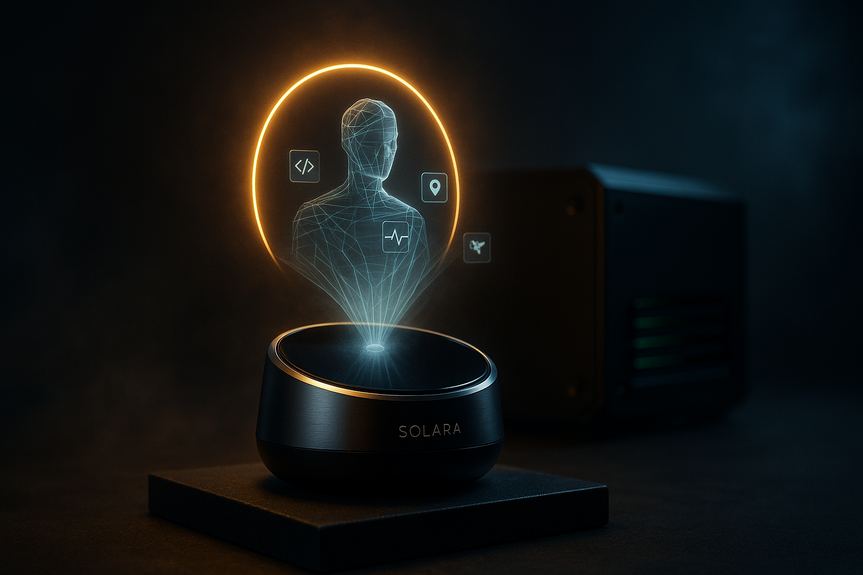
Microsoft’s Project Solara is a family of prototypes that look like a smart speaker or even a keycard badge. They have a screen and microphone. They do not run a full operating system with apps. They host AI agents that connect to the cloud to finish tasks, like writing a medical visit note while a nurse talks.Why this shift is important
– Agents reduce clicks and menus. You ask; they act. – Devices become purpose-built. Each form factor serves a job well. – Enterprises can manage where data lives and how agents behave. Project Solara explained another way: it is Microsoft’s plan to make agents the main way people use computing, not apps. That is a big change, and it favors companies that control devices, PCs, models, and cloud safety tools all together.How AI agents run on Solara devices
The architecture at a glance
– On-device smarts: A mobile AI chip (from Qualcomm or MediaTek) handles wake words, quick responses, and low-latency voice. – Cloud intelligence: Bigger models in Azure handle hard reasoning, long context, and secure data access. – Continuous context: The agent remembers the task and can switch from device to PC to cloud without losing the thread. – Guardrails: Policies decide what the agent may access, store, or change.Everyday use cases
– Clinical scribe: Capture a patient visit, summarize, and draft documentation for review. – Field work: Log safety checks or inventory by voice, add photos, sync to ERP. – Front desk: Verify identity with a badge device, trigger workflows, and message staff. – Personal assistant: Summarize messages, set meetings, and prep action lists.Deploying agents on Windows and the cloud
OpenClaw on Windows, with safety
Microsoft is building tools so Windows can run OpenClaw, an open-source system that coordinates groups of agents to finish tasks. The focus is safety. IT can set rules to stop harmful actions, like mass file deletion, and to contain what agents can touch.Step-by-step rollout guide
– PlanHardware for on-device AI: the Surface RTX Spark Dev Box
Microsoft also showed the Surface RTX Spark Dev Box, powered by an Nvidia chip aimed at local AI. It ran a 120-billion-parameter model during the demo, which most PCs cannot load. Why this matters: – Faster response: Many tasks run on the PC, not just the cloud. – Lower cost: Fewer round-trips to big models. – Better privacy: Sensitive steps can stay local. – Developer speed: Test, fine-tune, and profile models on a single machine. If you build or run agent apps, this box gives you a strong local lab to measure latency, GPU memory use, and model choices before broad rollout.Microsoft’s growing AI stack: agents, models, and partnerships
New agent inside Copilot
Microsoft is adding Scout, an agent that gathers messages and emails that need decisions. It pulls the right items together and helps you act, trimming time spent hunting through inboxes and chats.Frontier models and efficiency
– MAI Thinking-1: Microsoft’s first in-house reasoning model. The company says it matches a leading rival’s results in tests. – Speech and vision: A new transcription model focused on efficiency and an image model aimed at high quality. These moves show Microsoft wants to depend less on partners and more on its own frontier AI.Healthcare focus with Mayo Clinic
Microsoft’s team is working with Mayo Clinic to build AI that supports diagnosis and care. The aim is safer, faster decisions with AI acting as a teammate under clinical oversight. Expect strong emphasis on audit trails, role access, and human-in-the-loop review.Benefits, risks, and best practices
Key benefits
Risks to manage
Best practices
Project Solara explained for developers and leaders
For builders, it means designing clear agent roles and tool APIs, testing on the Spark Dev Box, and enforcing policy on Windows. For leaders, it is a path to measurable wins: reduce ticket backlogs, speed clinical notes, or cut email toil. Start with one workflow, instrument it well, then scale. This is Project Solara explained in practice: pick a job, give the agent only the tools it needs, run parts locally for speed, push hard problems to the cloud, and keep humans in control.Conclusion
Microsoft is betting big on agents, from tiny Solara devices to powerful Windows PCs and new in-house models. The playbook is clear: safer deployment, shared context, and real outcomes. With Project Solara explained here, teams can move from pilot to production and turn AI from a demo into daily work.For more news: Click Here
FAQ
Q: What is Project Solara and how does it differ from traditional devices?
A: Project Solara explained: it is a family of small prototype devices, like smart speakers or keycard badges, that host AI agents instead of running a full operating system with apps. These devices have screens and microphones, use on-device chips from Qualcomm or MediaTek for quick responses, and connect to cloud models to complete tasks such as documenting a medical visit.
Q: How do AI agents run on Project Solara devices?
A: On Solara devices, small on-device AI chips from Qualcomm or MediaTek handle wake words, low-latency voice and quick responses while larger models in the cloud (Azure) handle heavy reasoning and secure data access. Agents keep continuous context across device, PC and cloud and operate under enterprise guardrails that decide what the agent may access and change.
Q: What are common use cases for Project Solara devices?
A: Project Solara devices are designed for tasks such as acting as a clinical scribe to capture and summarize patient visits, logging field work or inventory by voice, running front-desk verification and workflows, and serving as a personal assistant to summarize messages and set meetings. Each device is purpose-built to run an agent that connects to cloud services and enterprise systems to finish those workflows.
Q: How does Microsoft aim to make OpenClaw safe to run on Windows?
A: Microsoft is developing tools and Windows policies to let companies run OpenClaw while limiting risky actions, and demonstrated how IT can prevent users from inadvertently deleting all desktop files. Enterprises can apply least-privilege access, content filters, action confirmations and multi-person controls as guardrails for agent behavior.
Q: What is the Surface RTX Spark Dev Box and why is it important?
A: The Surface RTX Spark Dev Box is a Microsoft PC powered by an Nvidia RTX Spark chip intended to run more AI locally; executives showed it running a 120-billion-parameter model during a demo. Running models on such PCs can speed responses, reduce cloud round-trips for cost and privacy, and give developers a local environment to test and profile models before rollout.
Q: How should IT teams plan and deploy agents built for Project Solara?
A: IT teams should start with one clear workflow, define data sources and metrics, design agent roles and use small on-device models for wake/commands and cloud models for reasoning. They should secure agents with least-privilege controls, package them with Windows policies, deploy in ringed releases, and monitor logs to retrain models and update allow/deny lists.
Q: What benefits and risks should organizations consider with Project Solara?
A: Benefits include time saved through multi-step automation, more consistent outputs, options to run sensitive steps locally for privacy, and scalable rollout from small pilots to enterprise deployment. Risks include agents being over-permissioned, prompt injection, data leakage from logs or context windows, and behavior drift after model updates.
Q: How does Project Solara fit into Microsoft’s wider AI strategy for enterprises?
A: Project Solara is part of Microsoft’s push to move computing from apps to AI agents by pairing small devices with Nvidia-powered PCs, in-house models and cloud tools to build an end-to-end AI stack. The company is adding agents like Scout, developing models such as MAI Thinking-1, and partnering with institutions like the Mayo Clinic to focus on enterprise and healthcare use cases.
Contents