AI News
11 Jun 2026
Read 9 min
Protect Instagram from AI hack with 5 quick steps
Protect Instagram from AI hack by enabling 2FA, auditing logins, and locking recovery paths today.
Want to protect Instagram from AI hack fast? Turn on two-factor authentication, lock down your email, review active sessions, rotate strong passwords, and secure recovery options. These five steps block the bug-driven takeover method used against 20,000 accounts and keep your DMs, posts, and profile safe.
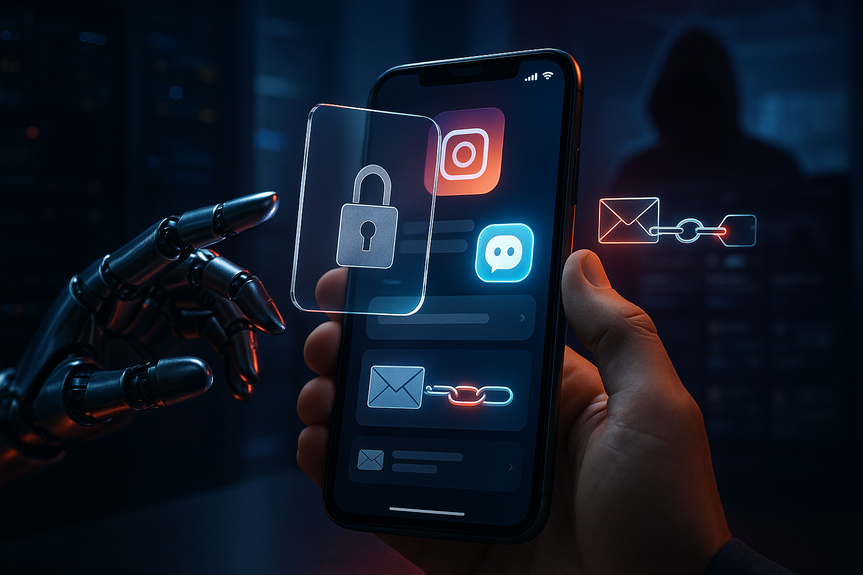
Hackers recently hijacked Instagram accounts by abusing an AI-powered support tool. A bug let attackers request a password reset link be sent to their own email, then take over any account without 2FA. High-profile pages, including major brands and public figures, were hit. Meta has disabled the flawed tool and invalidated the bad reset links, but you should not wait. With a few quick moves, you can protect Instagram from AI hack attempts and stop copycat attacks.
What happened—and why it matters
An AI-assisted recovery system, called High Touch Support, was supposed to help locked-out users. Due to a bug, it sometimes sent a reset link to a new email that was not on the account. Attackers then changed passwords and logged in if the victim had no 2FA. Meta says around 20,225 users may have been affected. The company has paused the tool, reset affected passwords, and will notify users. Still, your best defense is strong security settings you control.5 quick steps to protect Instagram from AI hack
1) Turn on 2FA the right way
- Use an authenticator app or a passkey instead of SMS when possible.
- Generate backup codes and store them offline (not in your email).
- Confirm 2FA works on every device you use.
2) Lock down your email and recovery options
- Secure the email tied to Instagram with a strong, unique password and 2FA.
- Check your inbox for suspicious filters or forwarding rules and remove any you did not create.
- In Instagram settings, confirm your email and phone number are correct. Remove any unknown contacts.
3) Review active logins and sessions
- Go to Settings > Security > Login activity. Sign out of devices you do not recognize.
- Disable “Saved login info” on shared or old devices.
- If anything looks off, change your Instagram password immediately.
4) Rotate passwords and clean connected apps
- Change your Instagram password to a long passphrase (at least 14 characters) and store it in a password manager.
- Use a different password for your email, Instagram, and other social accounts.
- Go to Settings > Security > Apps and websites and remove apps you no longer use or trust.
5) Watch for reset links and turn on alerts
- Do not click password reset links you did not request.
- Check Settings > Security > Emails from Instagram to verify real messages.
- Enable login alerts and push notifications so you know when someone tries to access your account.
Signs your account was targeted
- Unexpected “password reset” or “new email added” messages.
- New devices or locations in Login activity you do not recognize.
- Followers report strange DMs or posts you did not make.
- Locked out of your account, or your 2FA method suddenly fails.
If you lost access, act now
- Use the official Instagram in-app recovery flow and verify your identity.
- Secure your email first: change its password and enable 2FA to stop more resets.
- Once back in, change your Instagram password, review devices, and re-check 2FA and backup codes.
- Delete unknown recovery emails or phone numbers and remove shady connected apps.
Extra safeguards for brands and creators
- Use Business Manager with role-based access. Limit admin rights.
- Require 2FA for every team member on every connected account.
- Keep a response plan: who to notify, how to lock down accounts, and how to inform followers.
(Source: https://www.securityweek.com/meta-says-20000-instagram-accounts-hacked-via-ai-tool-abuse/)
For more news: Click Here
FAQ
Q: What happened in the Instagram AI-powered account recovery incident?
A: Meta says attackers abused a bug in its AI-powered High Touch Support (HTS) account recovery tool to obtain password reset links for accounts and then log in if the victim lacked two-factor authentication. Meta discovered the exploitation on May 31, disabled the tool, invalidated the bad reset links, reset affected passwords, and enrolled impacted accounts in a mandatory security checkpoint.
Q: How did hackers gain access to accounts using the AI support tool?
A: Attackers asked Meta’s support chatbot to link their email to a target account, and a bug caused the system to send a password reset link to that unassociated email instead of rejecting the request. After receiving the link, attackers could reset the password and log in to accounts that did not have 2FA enabled.
Q: How many Instagram accounts were affected and could that number change?
A: Meta reported that roughly 20,000 Instagram accounts may have been affected and told the Maine Attorney General’s office the total is 20,225. The company also cautioned the number could be smaller because some password resets counted might have been performed by legitimate account owners rather than attackers.
Q: What quick actions should I take right now to protect my account?
A: Turn on two-factor authentication (use an authenticator app or passkey), secure the email tied to your Instagram with its own strong password and 2FA, review active logins and sign out unknown devices, rotate to a long unique password stored in a password manager, and remove untrusted connected apps. Following these five quick steps will help protect Instagram from AI hack attempts and reduce the risk of copycat attacks.
Q: How should I set up two-factor authentication for the best protection?
A: Prefer an authenticator app or passkey over SMS, generate backup codes and store them offline, and confirm 2FA functions on every device you use. Even if an attacker receives a password reset link, they still cannot log in without your second factor.
Q: What signs indicate my Instagram account may have been targeted in this attack?
A: Look for unexpected “password reset” or “new email added” messages, unfamiliar devices or locations in Login activity, followers reporting strange DMs or posts, or sudden loss of access or 2FA failures. If you see any of these signs, change your password immediately, review active sessions, and secure your email.
Q: If I lost access to my Instagram account, what steps should I follow to regain control?
A: Use Instagram’s official in-app recovery flow to verify your identity and regain access, and secure your email first by changing its password and enabling 2FA to prevent further unauthorized resets. Once you regain access, change your Instagram password, review login activity and devices, re-check 2FA and backup codes, and remove any unknown recovery emails, phone numbers, or connected apps.
Q: What extra safeguards should brands and creators use to reduce risk?
A: Use Business Manager with role-based access and limit admin rights, require 2FA for every team member on all connected accounts, and remove untrusted third-party apps. Maintain a response plan that specifies who to notify, how to lock down accounts, and how to inform followers, as these measures help protect Instagram from AI hack for team-managed accounts.
Contents