Crypto
02 Jul 2026
Read 13 min
How to fix HTTP 401 unauthorized error and regain access *
How to fix HTTP 401 unauthorized error to restore failed downloads and regain site access quickly.
How to fix HTTP 401 unauthorized error: Quick checks
- Confirm the URL. Check spelling, path, and trailing slash. Make sure you use https, not http.
- Reload the page. Click Refresh or press Ctrl/Command + R. Sometimes a fresh request works.
- Sign out and sign back in. Use the site’s Log out link if you can reach it. Then log in with the right account.
- Reset your password if needed. Use the “Forgot password” link. Watch for case and extra spaces when you paste.
- Clear site cookies for this domain only. In your browser, open Site settings, delete cookies and local storage, then try again.
- Try a private window. Open an Incognito/Private tab to bypass cached sessions and add-ons.
- Disable extensions. Turn off ad blockers, privacy tools, and script blockers. These can hide login cookies or headers.
- Turn off VPN or proxy. Some sites block VPN IPs. Connect directly or use a trusted network.
- Sync your device time. Wrong date or timezone can break tokens and SSO. Enable automatic time.
- Switch browser or network. Test on another browser, or use mobile data to rule out network rules.
- Check 2FA or account status. Approve prompts, enter codes, and confirm the account is active and has access.
- Contact support if access was removed. You may need an invite, a role, or an IP allowlist update.
What a 401 really means
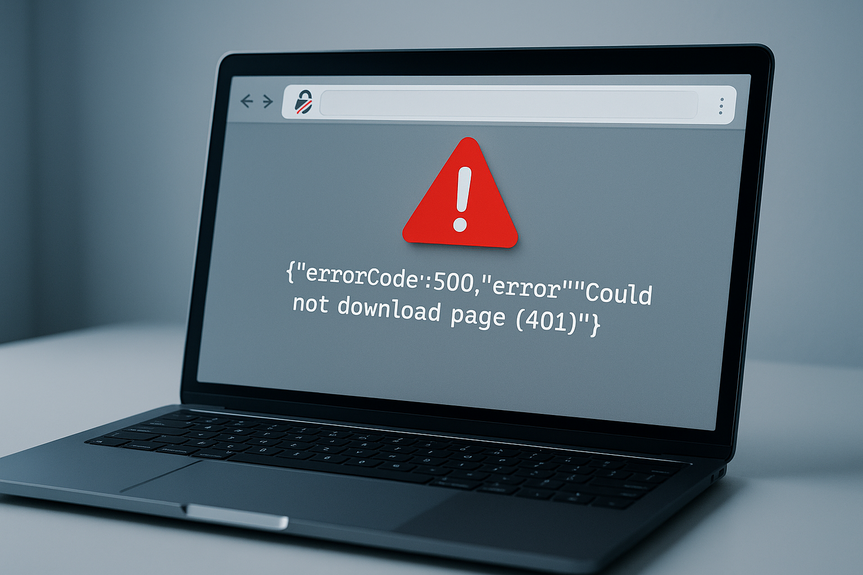
HTTP 401 means “Unauthorized.” The server asks you to prove who you are. Your request did not include valid credentials, or the login expired. This is different from 403 “Forbidden,” which means the server knows who you are but still will not allow you in.
401 often shows when a session times out, a cookie becomes invalid, a password changes, or an API token expires. It can also happen when a browser blocks third-party cookies, when a VPN changes your IP mid-session, or when a proxy removes your Authorization header.
Browser and mobile app fixes that work
If you want a clean, repeatable way to learn how to fix HTTP 401 unauthorized error in a browser or app, follow these steps in order.
Sign out everywhere and sign back in
Open the site and find Log out. If you cannot reach it, clear cookies for that site. Then log in again with the correct account. If your company uses single sign-on, close the browser fully, reopen it, and start the login flow from the site’s main page. Approve any 2FA prompts or codes.
Clear site cookies and cache only
Do not wipe your whole browser. Clear data for the site you use:
- Chrome/Edge: Click the lock icon in the address bar > Cookies and site data > Manage > Remove.
- Firefox: Click the lock icon > Clear cookies and site data.
- Safari: Settings > Advanced > Website Data > search the domain > Remove.
Reload and try again.
Disable blockers, VPN, and privacy DNS
Ad blockers and privacy tools can strip cookies or headers. Turn them off for the site. Pause your VPN or proxy. If you use a privacy DNS that blocks trackers, switch to your ISP DNS and test. Some login pages load from a different subdomain; blocking that domain can break sign-in.
Fix your device time
Open your system time settings. Turn on “Set time automatically” and “Set time zone automatically.” Close your browser and reopen it. Tokens often fail if the device time is off by more than a few minutes.
Try another browser, profile, or network
Use another browser or a clean profile to rule out corrupt settings. If you are on office Wi‑Fi with strict rules, test on mobile data. If mobile data works, ask IT to review firewall rules or captive portal blocks.
Developer and API troubleshooting
Building or calling an API? Here is how to fix HTTP 401 unauthorized error from the engineering side.
Validate the request you send
- Check the Authorization header. Example: Authorization: Bearer YOUR_TOKEN
- Ensure a space after “Bearer”. Header names are case-insensitive, but token content is case-sensitive.
- Verify the base URL, path, and trailing slash. Some APIs treat /v1/resource and /v1/resource/ differently.
- Use curl to see the raw exchange:
curl -i -v -H “Authorization: Bearer $TOKEN” https://api.example.com/v1/me - If you use Basic auth, send a proper header:
Authorization: Basic base64(username:password)
Check tokens, scopes, and time
- Confirm the token is not expired. For JWT, inspect exp (expiry) and nbf (not before).
- Fix clock skew between client and server. Allow a small leeway (e.g., 60 seconds).
- Verify audience (aud) and issuer (iss) match what the API expects.
- Request the right scopes/permissions for the endpoint.
- Rotate tokens that were revoked or created for another environment.
Review server and gateway config
- Check Nginx/Apache/reverse proxy rules. Make sure they do not strip Authorization.
- Send 401 with a WWW-Authenticate header. For Basic auth, include a realm. Without it, some clients cannot prompt.
- Return 403 (Forbidden) when auth is fine but access is blocked. Use 401 only when auth is missing or invalid.
- Inspect .htaccess, nginx location blocks, and upstream settings for mismatched auth schemes.
Mind cookies and CORS in browsers
- If you use cookie sessions across domains, set SameSite=None; Secure on cookies.
- Enable Access-Control-Allow-Credentials: true and echo the exact origin in Access-Control-Allow-Origin (not “*”) when sending cookies.
- Respond to preflight (OPTIONS) with the right allowed headers (Authorization), methods, and credentials.
- On the client, send credentials with fetch or XHR:
fetch(url, { credentials: “include” })
Consider caching, rate limits, and SSO quirks
- Do not let a CDN cache 401 for authenticated paths. Set Cache-Control: no-store on 401 responses.
- Differentiate 401 from 429 (Too Many Requests). Send clear error bodies to help clients react.
- With SSO, ensure the login redirect preserves state and nonce. Mismatches can lead to silent 401s.
Log the right clues (not secrets)
- Log request ID, user ID (if known), auth scheme, scopes, and reason for failure (expired, missing, invalid).
- Never log tokens or passwords. Mask them if you must record headers.
- Add server time to help spot clock skew.
- Use structured logs and trace IDs to follow redirects and proxy hops.
Prevent 401 headaches before they start
For everyday users
- Use a password manager to avoid typos and wrong accounts.
- Keep device time synced and your browser up to date.
- Avoid flaky VPNs when you work with strict sites. If needed, allowlist stable egress IPs.
- Store 2FA backup codes in a safe place so you can log in after a reset.
For teams and developers
- Set clear session lifetimes and refresh tokens. Renew sessions before they expire.
- Give helpful 401 messages: say “token expired” or “missing scope” without exposing secrets.
- Document required headers, scopes, and sample requests. Keep Postman/HTTPie examples current.
- Align environments. Do not mix dev tokens with prod APIs.
- Monitor auth failure rates and alert on spikes. Keep a short runbook for on-call engineers.
You now have a simple plan to diagnose and resolve a 401. Start with a clean sign-in, remove bad cookies, and test without blockers or VPN. For APIs, verify headers, tokens, and server rules. With these steps, you can handle how to fix HTTP 401 unauthorized error quickly and get back to work.
(Source: https://www.barrons.com/articles/microstrategy-bitcoin-sale-dividends-510346f0)
For more news: Click Here
FAQ
* The information provided on this website is based solely on my personal experience, research and technical knowledge. This content should not be construed as investment advice or a recommendation. Any investment decision must be made on the basis of your own independent judgement.
Contents