
AI News
09 Jul 2026
Read 9 min
How to fix third-party content timeout error in 3 steps
Fix third-party content timeout error to restore fast page loads by increasing request timeout now.
Step 1: Find the real bottleneck
Reproduce and capture details
- Re-run the same request. Note the full URL, method, and the exact time.
- If your tool supports it, copy the request ID or trace ID.
- Record how long it waited before failing (for example, 10s, 30s, 60s).
Check your side first
- Network path: Try curl or a browser from the same region as your server. If local works but server fails, it is likely routing or firewall.
- DNS: Resolve the vendor hostname twice. Slow DNS adds delay. Consider caching or a faster resolver.
- TLS: Make sure certificates are valid and the server supports your TLS version. Bad handshakes waste time.
- Proxy/firewall: Confirm egress rules allow the target host and port.
Check the vendor side
- Status page: Look for outages, maintenance, or rate limits.
- Endpoint health: Test a simple, fast endpoint (like /ping) to compare latency.
- Payload: If you request large data or heavy transforms, expect longer waits.
Read the error hint
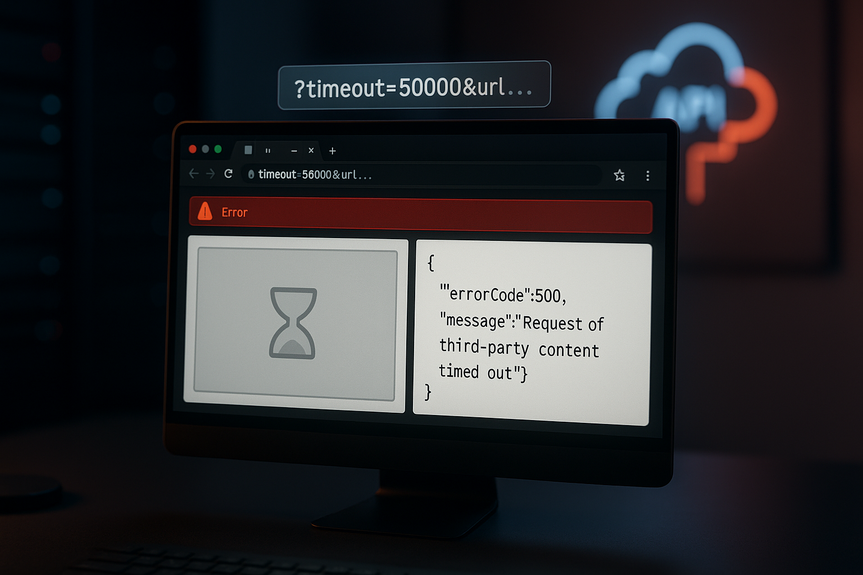
- Many services allow a “timeout” query parameter in milliseconds. For example, add timeout=50000 to wait up to 50 seconds.
- Confirm the provider’s max timeout. Do not set higher than their cap.
Step 2: Tune timeouts and retries to fix third-party content timeout error
Set the right timeout per call
- Match timeout to the job. For light calls, keep 3–10 seconds. For heavy reports, allow 20–60 seconds.
- Use per-endpoint timeouts. Do not give every call a huge global limit.
- If your tool supports a querystring, raise it safely. Example: add ?timeout=50000 for 50 seconds.
- Set a total request cap at the edge or load balancer so one slow call does not lock the whole app.
Add retries with backoff (only when safe)
- Retry 2–3 times on timeouts and 502/503/504. Wait longer each time (for example, 200 ms, then 500 ms, then 1 s) with a little randomness.
- Retry only idempotent requests (GET, HEAD). Be careful with POST/PUT to avoid duplicate actions.
- Stop retrying if the vendor sends rate-limit errors. Respect Retry-After headers.
Fail gracefully with fallbacks
- Use cached data if the live call times out. Show “last updated” so users understand.
- Show a lightweight placeholder or hide the widget instead of blocking the whole page.
- Queue non-urgent work for later (for example, background refresh).
Speed up the connection
- Enable HTTP keep-alive or connection pooling to skip repeat handshakes.
- Use HTTP/2 where possible to reuse connections and send requests in parallel.
These settings often fix third-party content timeout error without touching vendor code, while keeping your app responsive under load.
Step 3: Optimize and monitor for long-term health
Make the request lighter
- Request only the fields you need. Filter or paginate large responses.
- Enable compression (gzip/br) on both sides.
- Push large, static assets behind a CDN close to users.
Call smarter, not harder
- Batch small calls into one request when the API allows it.
- Debounce repeated queries (for example, typeahead after the user stops typing).
- Load third-party content asynchronously so it never blocks your main render path.
- Set a UI budget (for example, 2 seconds). If the call exceeds it, show cached content and continue.
Log and measure what matters
- Metrics: success rate, timeouts, p95/p99 latency, retry counts, and error codes.
- Logs: URL or endpoint name, request ID, timeout value used, duration, and outcome.
- Alerts: trigger when timeout rate rises above a set threshold (for example, >3% for 5 minutes).
- Monitoring: use synthetic checks from multiple regions and compare with vendor SLAs.
Work with your vendor
- Ask for recommended timeout values and rate limits.
- Request pagination, field selection, or lighter endpoints if you only need a subset of data.
- Share trace IDs so support can pinpoint slow nodes.
Quick wins and watch-outs
- Do not set timeouts to “infinite.” Long hangs tie up threads and users leave.
- Do not retry forever. Cap attempts and total wait time.
- Cache smartly with short TTLs to cut load during spikes.
- Guard your keys. Some timeouts come from hitting hidden rate caps after leaked tokens.
If the error message suggests a “timeout” query parameter, start there. Validate that your network path is clean, then raise the timeout just enough to cover normal vendor latency under load. Add 2–3 safe retries and a fallback to cached content. Finally, reduce payloads, parallelize where you can, and track p95 latency with alerts. Follow these three steps to fix third-party content timeout error and keep your app fast and reliable, even when outside services slow down.
For more news: Click Here
FAQ
Contents





