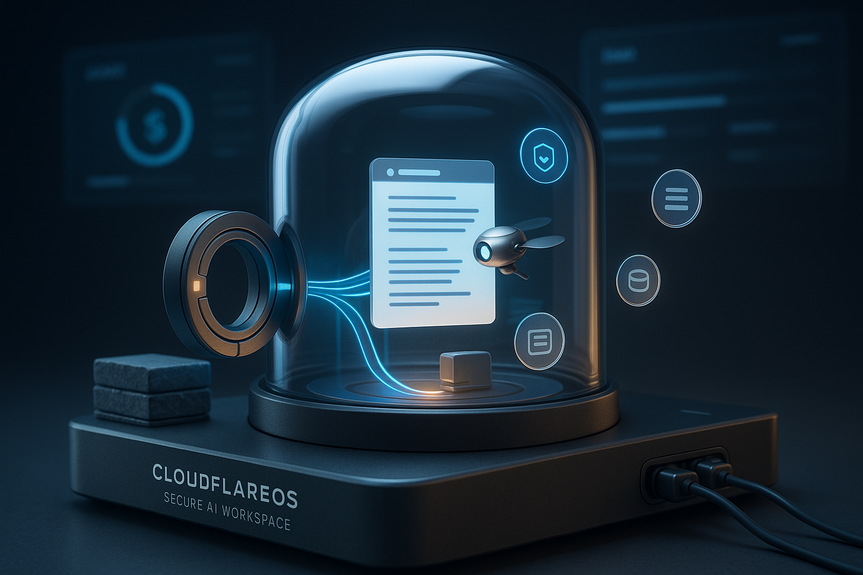
 AI-generated
 AI News
12 Aug 2026
Read 10 min
CloudflareOS secure AI workspace How to protect your data
CloudflareOS secure AI workspace gives employees controlled access to live internal systems and data.
What changes compared to virtual desktops
Old VDI streamed the same apps to everyone. Modern VDI added app masking and streaming, but it still shipped a fixed set of tools. CloudflareOS goes further. It lets people and agents build and run new apps on the fly, each with its own storage and access guardrails. It keeps live links to data and logs every action.
CloudflareOS secure AI workspace: how it protects data
Capability-based access beats raw API keys
Handing an agent a broad API key is risky. With CloudflareOS, a user grants a narrow capability to a single resource or action. The system records what the agent saw and did. It also checks that anyone who views the output has rights to the source. This closes a common data leak path.
Gatekeepers speak the language of each service
A Gatekeeper sits between CloudflareOS and an external API. It knows the API’s resources and allowed operations. It exposes only what the granted capability permits. Outbound network calls are off by default. This reduces blast radius if an agent goes off the rails.
Dynamic Workers and Durable Objects Facets
Dynamic Workers load code for each mini-app only when needed. Durable Objects Facets give each app isolated SQLite storage with platform-level supervision. Together, they let you run thousands or even millions of small, stateful apps safely and efficiently.
Zero trust by default
Every user, app, and agent request is verified before access. Resources are visible only when a capability exists. Logs show who asked for what, when, and why. This fits security teams that already enforce least privilege and continuous verification.
Why unmanaged AI creates risk
Teams often paste data into random AI tools or bake API keys into one-off agents. That can move sensitive data out of controlled systems. It can also spread access far wider than intended. CloudflareOS pulls this activity back into a monitored space. It gives IT a way to approve, limit, and audit without stopping work.
Context is the real asset, not the model
Models are commodities. Your written processes, terms, and decisions are not. Capturing this context in a form that agents can use is the hard part. It also decays over time. The winning teams will keep their context fresh. They will document approvals, steps, and guardrails so agents can act with less confusion and fewer risks.
Turn spend into an engineering signal
Price-per-token is not the best meter. Through Cloudflare AI Gateway, teams can use many models and route tasks to the right one. Leaders can see spend by person, team, and app. They can set rate limits or budgets. They can move routine work to smaller models and reserve premium models for high-value tasks.
Practical steps to protect your data with CloudflareOS
Map the first wave of agent tasks
Enforce least privilege with capabilities
Wrap external services with Gatekeepers
Treat context like code
Make cost visible and actionable
What teams can build safely
Living documents and dashboards
People and agents can create docs, slides, and sheets that stay linked to live data. Rights carry through to anyone who views the output.
Micro-apps that do one job well
Spin up small apps with their own storage, real-time updates, and tight access. Retire them when the job is done. Keep the logs.
Workflows that match real approvals
Capture the true approval path. Let agents move tickets, update systems, and notify owners under watchful logs and limits.
Getting started without lock-in
CloudflareOS is open source and runs in your Cloudflare account. You own what you build. You can use any model provider and switch as needs change. This lowers vendor lock-in while keeping security controls in one place.
In closing, the CloudflareOS secure AI workspace brings company context, strict capabilities, and spend controls into one flow. It helps people and agents work faster without leaking data. The key is to treat your processes as the product. Keep them current, keep access narrow, and let the platform enforce the rest.
(Source: https://thenewstack.io/cloudflare-os-agentic-workspace-security/)
For more news: Click Here
FAQ
Keep reading, keep building
Three things from our own workshop that fit this topic:
- Diktly Free is our dictation app for Mac: speech becomes text entirely on your own machine, nothing goes to the cloud. Free version, Basic 14.99 €.
- 1000+ Prompts to Level Up Your Life is our most downloaded pack. Pay what you want, including 0.
- OpenAI Agent Mode for Beginners walks you through letting AI agents handle tasks for you. 19.99 $.
Our own products. Tech Moments is our newsletter on AI and tech in plain language, one email, no noise. Subscribe below.
Contents