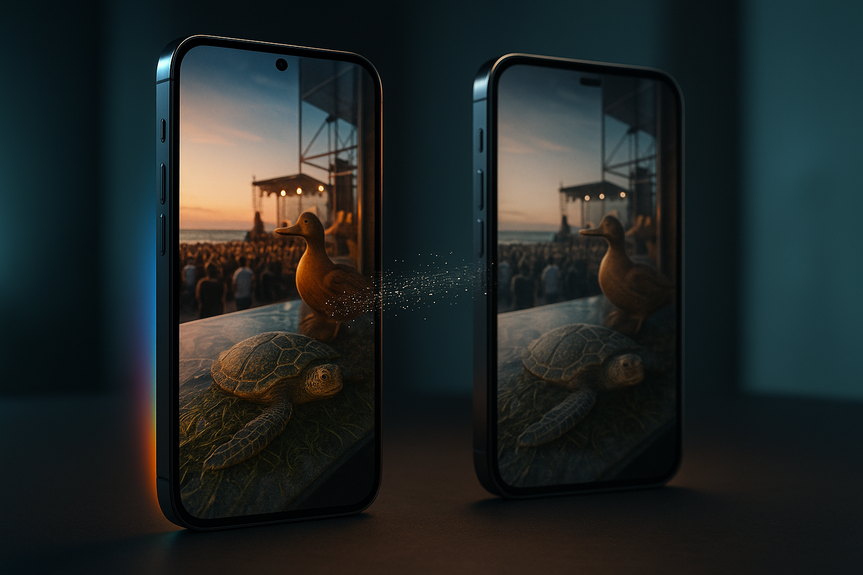
 AI-generated
 AI News
14 Aug 2026
Read 9 min
Best phone for AI photo editing: Discover why Pixel wins
Best phone for AI photo editing, the Pixel makes complex fixes fast so your shots are ready to share.
Google’s Pixel beats Apple’s iPhone for fast, reliable AI photo fixes. In side-by-side tests across concerts, beach shots, and family trips, the Pixel made cleaner object removals, handled reflections in glass, and boosted detail with smart Enhance tools. If you want the best phone for AI photo editing for quick, share‑ready results, pick Pixel.
AI is now built into our phones, and that makes editing faster than bouncing to extra apps. I tested an iPhone 16 and a Pixel 10 Pro XL on the same photos. I asked for simple, real edits: remove photobombers, fix bad fills, reduce window glare, and lift detail. Both phones had wins and fails, but one stood out.
Concerts with hands and heads in frame
Bright beach days with harsh light and glare
Family trips with strangers in the background
How clean object removal looked on close inspection
Whether the fill matched lighting, texture, and lines
If the tool handled glass reflections without cropping
How often I hit a dead end or weird error
Stronger generative remove with more natural fills
Reflection handling that can clean glass without obvious artifacts
AI Enhance for texture, contrast, and color
Optional text prompts for quick creative tweaks
Clean Up is fast and simple for clear, small distractions
Great base camera quality on newer Pro models helps non-AI edits
Stable workflow inside Photos with minimal menus
Zoom in after every edit to spot warped lines or repeated textures.
Do removals first, then enhance. Enhancing before remove can lock in artifacts.
Use smaller brushes around edges to help the model detect boundaries.
Save versions so you can roll back one bad step without starting over.
Real-world tests that matter
Scenes you actually shoot
What I judged
Best phone for AI photo editing: Pixel takes the lead
Photobombers and objects: cleaner fills on Pixel
At a concert, I removed hands blocking the stage. The Pixel stitched the scene back together well enough to post. The iPhone left a warped patch where the hands were. On a second shot with people in the background, both removed them, but the Pixel handled fuzzy edges and overlap better.Reflections in glass: Pixel finally nails it
Window reflections are a hard edit. The Pixel muted bright backlight, deepened the interior, and revealed the display behind the glass without a crop. It was the first time a phone tool cleared glare in a way that looked natural. The iPhone could not match it.Enhance and style control: more on Pixel, less on iPhone
The Pixel’s AI Enhance pulled texture from algae on water and balanced contrast for a punchy look. You may prefer lighter edits, but having that control helps. On iPhone, Clean Up is the main AI tool today, and it focuses on removal, not scene-wide enhancement.Text prompts and limits
The Pixel also supports text prompts for edits. It is handy, but not perfect. It sometimes misplaces items (a requested hat landed on the wrong person) and often refuses to change text in images. Still, it gives you more ways to try a fix without leaving the Photos app.Tools and workflow: what you actually get
Pixel strengths
iPhone strengths
Where Apple still works
When the subject and background are simple, the iPhone’s Clean Up can do a tidy job. In a portrait with a few background heads, it removed distractions well. The catch is scale: once you need multiple fixes or a tough fill, errors show and progress stalls.Practical buying advice
If you edit a lot on your phone
Choose the Pixel. It solves more problems in fewer steps. It is the best phone for AI photo editing if you often remove objects, fix glare, or want quick scene enhancement without third-party apps.If you edit a little and shoot mostly portraits
An iPhone can be fine, especially if you keep edits small. But know you may hit limits and need extra apps for tougher fixes.General tips to improve results
Why Pixel wins today
In head-to-head tests, the Pixel handled more edit types and made fewer obvious mistakes. It removed crowd clutter with better fills, cleared window reflections, and boosted detail with AI Enhance. The iPhone’s simpler approach is friendly, but it lacks the breadth and reliability for heavy mobile editing. The bottom line: if you want the best phone for AI photo editing for fast, share-ready photos with minimal fuss, go with Pixel. Apple may catch up later, but right now Google’s tools save more shots, more often.For more news: Click Here
FAQ
Q: Which phone performed better in the CNET side-by-side AI photo editing tests?
A: The Pixel outperformed the iPhone in those tests, producing cleaner object removals, better reflection handling and more robust enhancement tools. The article concludes that the Pixel is the best phone for AI photo editing for quick, share-ready results.
Q: What kinds of real-world scenes were used to compare AI photo editing on Pixel and iPhone?
A: The comparison used concert shots, bright beach days with harsh light and glare, and family-trip photos with strangers in the background. These scenes were chosen because they reflect situations where quick, on-phone fixes are often needed.
Q: What AI editing features does the Pixel offer that helped it win the comparison?
A: The Pixel offers a stronger generative remove with more natural fills, reflection handling that can clear glass without obvious artifacts, and an AI Enhance tool for texture, contrast and color. It also supports optional text prompts for edits, though those prompts are not always perfect.
Q: How does the iPhone’s Clean Up feature compare in capability and workflow?
A: Clean Up is fast and simple for small, clearly defined distractions and fits a stable Photos workflow, but it’s the only built-in AI photo tool mentioned and doesn’t offer scene-wide enhancements like the Pixel’s AI Enhance. When edits grow in scale or require complex fills the iPhone can produce visible distortions or stall the workflow.
Q: Can the Pixel edit photos taken on an iPhone and still improve them?
A: Yes — the article reports exporting an iPhone-captured image to the Pixel, where Google’s tools handled edits better than the phone that originally took the picture. That suggests Pixel’s AI can improve images regardless of which device captured them.
Q: Are Pixel’s text-prompt editing features reliable for precise changes like adding clothing or altering text in images?
A: Pixel’s text-prompt edits are handy but inconsistent; the article describes an instance where a requested hat landed on the wrong person and notes the Pixel often refuses to change text in images. Those limitations mean text prompts can be useful for quick experiments but aren’t foolproof.
Q: What practical tips does the article give to get better results from phone AI photo editors?
A: Zoom in after edits to spot warped lines or repeated textures, do object removals before enhancements to avoid locking in artifacts, use smaller brushes around edges, and save versions so you can roll back a bad step. Following that workflow helped the tester catch problems and preserve good results.
Q: If I only make small portrait edits occasionally, is the Pixel still necessary, or is an iPhone sufficient?
A: For light, simple portrait touch-ups the iPhone can be sufficient because Clean Up handles small background distractions quickly, but the article warns you may hit limits and need third-party apps for tougher fixes. If you regularly remove objects, fix glare or want scene-wide enhancement, the Pixel is described as the better choice and called the best phone for AI photo editing in the comparison.
Keep reading, keep building
Three things from our own workshop that fit this topic:
- Diktly Free is our dictation app for Mac: speech becomes text entirely on your own machine, nothing goes to the cloud. Free version, Basic 14.99 €.
- 1000+ Prompts to Level Up Your Life is our most downloaded pack. Pay what you want, including 0.
- OpenAI Agent Mode for Beginners walks you through letting AI agents handle tasks for you. 19.99 $.
Our own products. Tech Moments is our newsletter on AI and tech in plain language, one email, no noise. Subscribe below.
Contents