Crypto
19 Aug 2026
Read 11 min
How to fix 429 errors and restore site access fast *
how to fix 429 errors and regain control of blocked pages fast with quick diagnostics and simple fixes
Seeing ‘Too Many Requests’ can lock you out at the worst time. Here’s how to fix 429 errors fast: slow your request rate, clear client issues, check rate-limit headers, and tune server, CDN, or API settings. Follow these steps to restore access and keep traffic flowing.
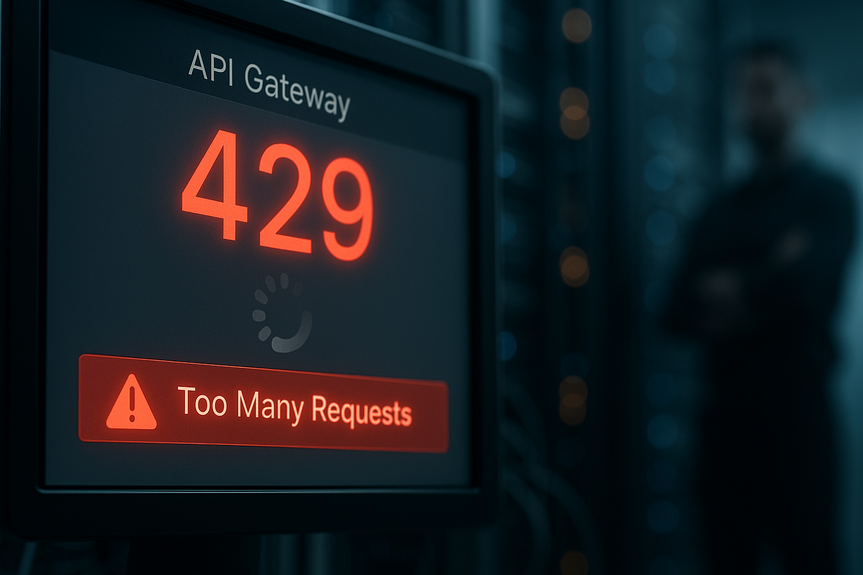
A 429 status means the server is blocking extra requests for a short time. It is rate limiting. This protects the site from overload or abuse. You might see it after many quick page loads, an aggressive crawler, a script loop, or spikes from plugins and bots. Good news: you can clear the block and prevent it next time with simple steps and a few smart settings.
How to fix 429 errors: Quick wins
If you are a visitor
- Wait and retry. Many servers send a Retry-After header. Try again after that time, or wait 30–60 seconds.
- Slow your clicks. Do not refresh fast. Space requests a few seconds apart.
- Open a private window. This removes cookies and extensions from the test.
- Clear cache and cookies. Then log in again if needed.
- Disable extensions that rewrite requests (ad blockers, privacy tools, downloaders).
- Switch networks. Try mobile data or a different Wi‑Fi. Shared IPs can hit limits.
- Check status pages. The site, CDN, or host may be rate limiting due to a spike.
If you own or manage the site
- Check your firewall or CDN dashboard for rate-limit events, blocked IPs, or bot rules.
- Review server logs for bursts from one IP, a user agent, or a path.
- Lower request pressure with caching and asset optimization.
- Relax limits a bit, but keep protection. Tune per path and per IP.
- Whitelist your office IPs and trusted integrations.
Understand what triggers 429
Common causes
- Rapid clicks, auto-refresh, or scripts that loop.
- SEO tools, uptime monitors, or crawlers set too fast.
- Plugins that call APIs on every page load.
- CDN or WAF rules that cap requests per IP, country, or user agent.
- API quotas from third parties (mail, payment, maps).
How to spot the pattern
- Scope: Is it one user, one IP range, or site-wide?
- Timing: Does it start at a certain minute or during cron jobs?
- Headers: Look for Retry-After and rate-limit headers (X-RateLimit-Remaining, etc.).
- Paths: Login, search, or API endpoints often trigger limits first.
- Agents: Bad bots often show empty or fake user agents.
Server-side fixes and tuning
Right-size your rate limits
- Set sane per-IP limits for normal pages and stricter limits for heavy endpoints.
- Use sliding windows (per minute) and burst tokens so occasional spikes pass.
- Apply different limits to logged-in users than guests.
Cache to cut request volume
- Enable page caching for guests and edge caching on your CDN.
- Cache API responses that do not change per user.
- Compress and combine assets so each page needs fewer files.
Block noise, not customers
- Firewall obvious bots and abusive IPs at the edge.
- Challenge high-risk traffic with CAPTCHA on login and search.
- Throttle scrapers by user agent, not broad countries when possible.
Design your app to be polite
- Debounce search and autosave events in the browser.
- Batch API calls. Avoid N requests for N items; request in pages.
- Implement exponential backoff: wait 1s, 2s, 4s, up to a cap after a 429.
- Honor Retry-After headers. Do not hammer again before that time.
Platform and tool playbooks
WordPress
- Audit plugin calls. Heavy SEO, security, and backup plugins can spike requests.
- Stagger cron tasks. Use real cron on the server instead of WP-Cron on visits.
- Add page caching (e.g., server cache, plugin, or full-page CDN).
- Limit login attempts and protect wp-login.php with a WAF.
- CDN + WAF: Set reasonable thresholds for /wp-admin/ and search endpoints.
Cloudflare and other CDNs
- Check Rate Limiting or Bot Management logs for blocked paths.
- Raise thresholds on safe paths; keep stricter rules for login and API routes.
- Use Rules to bypass rate limiting for your monitoring IPs.
- Turn on caching for static assets and consider APO or edge cache for HTML.
APIs you call
- Read the provider’s rate docs. Note per-key and per-IP limits.
- Queue requests and apply exponential backoff on 429 or 503.
- Spread traffic across regions or keys if allowed by the terms.
- Cache responses when possible, with proper TTLs.
Mobile and desktop apps
- Use local caches and sync in batches.
- Retry with jitter to avoid thundering herds when users come online.
- Feature-flag high-churn endpoints during peak events.
Monitoring and alerts
What to watch
- Count of 429s per minute by path, IP, and user agent.
- Latency and error budgets alongside 429 trends.
- Rate-limit remaining values from APIs you use.
- Bot and WAF action counts in your CDN or firewall.
Alert patterns to catch early
- Sudden rise in 429s on login or checkout pages.
- Spike in 429s tied to a new release or plugin update.
- Drop in cache hit ratio followed by more 429s.
Reduce request load at the source
SEO and crawl control
- Use sitemaps and clean internal links to guide crawlers.
- Set crawl rate in Google Search Console and Bing Webmaster Tools.
- Block low-value pages with robots.txt and noindex where needed.
Content and UX choices
- Lazy-load images and videos to cut initial requests.
- Paginate long lists and defer heavy widgets below the fold.
- Preload only the assets users will need next.
When it’s not you
- Shared hosting neighbors can trigger stricter limits at the host. Ask support.
- ISP or office NAT may share one IP for many users. Consider whitelisting.
- Third-party API outages can force retries that hit your own limits. Add circuit breakers.
A simple action plan
In the next 10 minutes
- Pause and retry after 30–60 seconds while watching headers.
- Open a private window or switch networks to rule out client issues.
- Check CDN/WAF dashboards for blocks and raise thresholds if safe.
In the next hour
- Enable or tighten caching for heavy routes.
- Whitelist trusted IPs and rate-limit only risky endpoints.
- Reduce plugin or script calls that fire on every page.
This week
- Add backoff and retries to apps and integrations.
- Set monitoring for 429 counts and cache hit ratio.
- Tune crawler settings and publish a clear sitemap.
For more news: Click Here
FAQ
Q: What does a 429 “Too Many Requests” error mean and why does it occur?
A: A 429 status means the server is temporarily blocking extra requests because it is rate limiting to protect the site from overload or abuse. Common triggers include many quick page loads, aggressive crawlers, script loops, or spikes from plugins and bots.
Q: As a visitor, what quick steps can I take to restore access when I see a 429 error?
A: As a visitor, simple steps for how to fix 429 errors are to pause and retry—many servers send a Retry-After header or you can wait 30–60 seconds. You can also slow your clicks, open a private window, clear cache and cookies, disable request‑rewriting extensions, or switch networks to avoid shared IP limits.
Q: How should site owners begin diagnosing a sudden rise in 429 responses?
A: Start by checking your firewall or CDN dashboard for rate‑limit events, blocked IPs, and bot rules, and review server logs for bursts from a single IP, user agent, or path. Inspect headers like Retry-After and X-RateLimit-Remaining to understand timing and remaining quotas.
Q: What server-side changes can reduce 429s while keeping protection in place?
A: Right‑size rate limits with sane per‑IP thresholds, sliding windows, and burst tokens, and apply different limits to logged‑in users versus guests. Combine that with page and edge caching, compressing and combining assets, and whitelisting trusted IPs or integrations to lower request pressure without removing protection.
Q: How should apps and integrations behave when they receive 429 responses from an API?
A: Implement exponential backoff and jitter (for example 1s, 2s, 4s up to a cap) and honor Retry‑After headers so clients do not hammer the server. Also batch or queue calls and cache API responses when possible to reduce repeat requests.
Q: How can CDNs and WAFs be configured to avoid blocking legitimate users with 429s?
A: Check Rate Limiting or Bot Management logs, raise thresholds on safe paths, and use rules to bypass rate limiting for monitoring IPs. Turn on edge caching for static assets and consider HTML edge caching while keeping stricter rules for login and API routes.
Q: What monitoring metrics and alerts help catch rate‑limit problems early?
A: Monitor the count of 429s per minute by path, IP, and user agent alongside cache hit ratio, latency, and error budgets. Set alerts for sudden increases on login or checkout pages, spikes after a release or plugin update, or drops in cache hit ratio that precede more 429s.
Q: What should I do if 429s are caused by factors outside my site, like shared hosting or third‑party APIs?
A: If shared hosting neighbors, ISP NAT, or third‑party API outages are triggering limits, contact your host or provider to ask about whitelisting or relaxed thresholds. Implement circuit breakers to stop retry storms and coordinate with the API vendor or host to resolve external limits.
* The information provided on this website is based solely on my personal experience, research and technical knowledge. This content should not be construed as investment advice or a recommendation. Any investment decision must be made on the basis of your own independent judgement.
Contents