Crypto
19 Aug 2026
Read 11 min
How to handle HTTP 429 when scraping and avoid bans *
how to handle HTTP 429 when scraping with adaptive backoff and request rotation to keep crawls safe
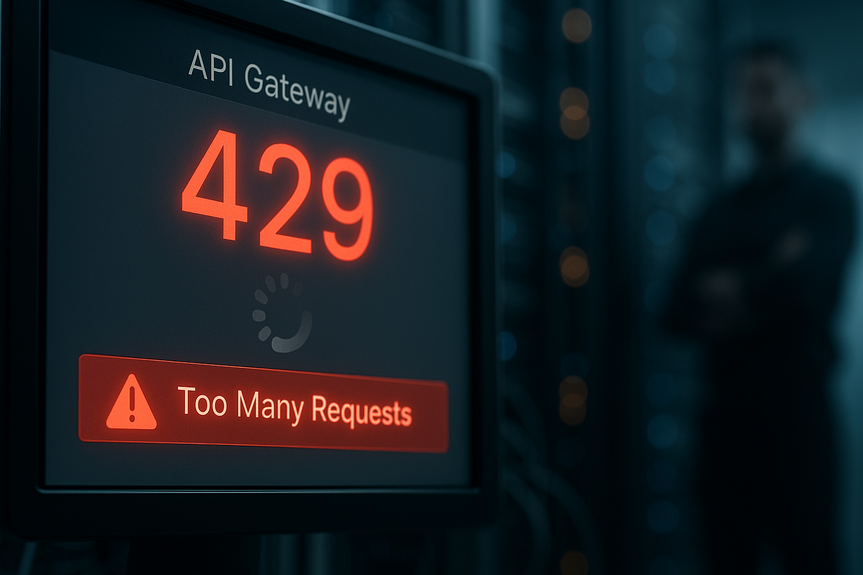
When you hit “Too Many Requests,” you need to slow down, listen to the server, and spread out your load. Here is how to handle HTTP 429 when scraping: respect the Retry-After header, add backoff with jitter, cap concurrency, rotate identities with care, and cache results to cut duplicate hits.
A 429 response means you are sending requests too fast or in a way the site sees as risky. It is not a crash. It is a warning with rules. If you want steady data and a clean IP, you must think like a good neighbor. In this guide, we will walk through how to build a polite, stable scraper that the site will allow to keep running.
High request rate from one IP or account
Large bursts after a period of silence
Many parallel connections from the same source
Missing or fake headers that do not look like a browser
Ignoring robots.txt or hammering endpoints like search
First 429: wait 2–5 seconds
Next 429: wait 5–15 seconds
Keep adding time up to a cap, like 60–120 seconds
Add ±20–30% jitter to each wait
Start with 1–3 concurrent workers per domain
Measure error rate; if 429s rise, lower concurrency
Use a central queue to throttle global rate
Group URLs by path (e.g., /api/, /search)
Set a lower rate limit for sensitive paths
Use reputable proxy providers
Avoid residential IP abuse and botnets
Keep session stickiness when needed (same IP for same account)
Do not rotate so fast that you look like a bot swarm
Pick a modern, real browser string
Do not switch it on every request
Add a contact email in a From or custom header when allowed
Store and send cookies between requests
Handle CSRF tokens if forms or APIs need them
Reuse a session per identity
User-Agent, Accept, Accept-Language, Accept-Encoding
Referer for in-site navigation when natural
Connection keep-alive to reduce TCP churn
Add small, random delays between pages
Follow links like a person would (lists to details, then back)
Avoid request bursts at the same second mark
Store fetched pages and ETags; re-use when still fresh
Use If-None-Match or If-Modified-Since to get 304 instead of 200
Skip pages you already processed
Check robots.txt and sitemap.xml to find the right URLs
Prefer public APIs when they exist and allow your use
Ask the site owner for access or higher limits
429 rate per domain and per route
Average wait time from Retry-After
Concurrency and request rate over time
Proxy/IP reputation signals and block events
On 429: log, pause, and back off with jitter
Honor Retry-After exactly
After recovery, restart with a lower rate
Read robots.txt; avoid disallowed paths
Review the site’s terms of service
Do not collect personal data without clear legal basis
Set a clear User-Agent and contact email where allowed
Provide a way for site owners to reach you
Honor removal or block requests
Disable images, video, and heavy scripts if you do not need them
Limit parallel tabs and set a polite delay
Reuse browser contexts to keep sessions stable
Check for an official API or data export
Ask for whitelisting or a paid plan
If blocked, do not try to bypass; change approach or stop
Start at 1 request per second with 1–2 workers per site
On any 429, read Retry-After and wait that full time
Apply exponential backoff with jitter for repeated 429s
Lower concurrency after recovery and keep it lower
Cache responses and enable conditional GETs
Group by route and throttle hot endpoints
Rotate IPs modestly and keep sessions sticky
Log every 429 with URL, headers, and timing for review
Run against a small URL sample
Cap at 0.25–0.5 requests per second at first
Scale up only when errors stay low for hours
Inject fake 429s to test your backoff logic
Randomly drop connections to test retries
Verify no tight loops or hot spins occur
What 429 Means and Why Sites Use It
The status “429 Too Many Requests” tells your client to pause. Sites use it to protect speed, cost, and uptime. It kicks in when a rate limit or behavior rule is crossed.Common triggers
Read the Retry-After header
Many sites send a Retry-After header with 429. It is a wait time in seconds or a date. Honor it. Waiting what the server asks is the fastest way back to healthy scraping.How to handle HTTP 429 when scraping
Think in steps: detect the 429, wait as told, slow your pace, and change the pattern that caused it. Many ask how to handle HTTP 429 when scraping without getting banned. The answer is to reduce pressure and increase trust.Control Your Speed With Smart Backoff
Use exponential backoff with jitter
Do not retry in a tight loop. On a 429, wait longer each time. Add randomness so you do not sync with other clients.Cap your concurrency
Too many threads or async tasks can flood a host.Respect per-route limits
Search, login, and API routes often have stricter limits than static pages.Rotate Identities the Right Way
Rotation helps spread load, but it must be legal and respectful.Rotate IPs with care
Use honest, stable User-Agent headers
Speak Like a Browser: Headers, Sessions, and Cookies
Many bans come from “robot smell,” not just speed. Make your client behave like a normal visit.Keep session state
Send the right headers
Vary timing and click paths
Reduce Unneeded Requests
The best way to dodge 429 is to ask for less.Cache and deduplicate
Use sitemaps and APIs
Prefer off-peak hours
Sites are more permissive when traffic is low. Schedule scraping at night or weekends in the target timezone when allowed.Detect, Log, and Learn From 429s
You can only fix what you can see.Track key metrics
Build automatic recovery
Respect Rules: Robots.txt, Terms, and Ethics
Responsible scraping protects users and the web.Check permission before you crawl
Identify yourself
Headless Browsers and Anti-Bot Systems
Some pages need JavaScript. Use headless tools only when needed, and still go slow.Be gentle with headless tools
When you hit advanced defenses
Practical Recipe: From 429 to Stable
Here is a simple plan you can apply today:Testing and Staging Your Crawler
Dry runs can reveal pressure points before you hit them in production.Throttled rehearsal
Chaos testing
Mindset Shift: “Not Now,” Not “Never”
A 429 is the server saying, “Not now.” Treat it with respect and patience. If you wonder how to handle HTTP 429 when scraping, start with this mindset. When you slow down, you get more data over time, and you build a process that lasts. Strong scrapers are polite. They wait when told. They stay within safe limits. They share their identity and aim for off-peak hours. They cache. They retry with care. Do this, and you will see fewer blocks and a long, steady flow of clean data. In closing, the best answer to how to handle HTTP 429 when scraping is simple: obey the signal, ease the load, and act like a good guest. With smart backoff, stable identities, honest headers, and less waste, you protect your access and avoid bans.For more news: Click Here
FAQ
Q: What does a “429 Too Many Requests” response mean?
A: A 429 response is the server telling your client to pause because you are sending requests too fast or in a way the site sees as risky. Sites use it to protect speed, cost, and uptime and it indicates a rate limit or behavior rule has been crossed.
Q: What should I do immediately when I receive a 429?
A: When you ask how to handle HTTP 429 when scraping, read the Retry-After header and honor its wait time exactly. Log the 429, pause requests, and apply exponential backoff with jitter for repeated errors.
Q: How does exponential backoff with jitter work and what wait times are suggested?
A: Exponential backoff increases the wait time after each 429 while adding randomness so clients do not synchronize and cause bursts. For example, wait 2–5 seconds for the first 429, 5–15 seconds for the next, and continue increasing up to a cap like 60–120 seconds while adding about ±20–30% jitter.
Q: How should I control concurrency to reduce 429s?
A: Limit parallel workers per domain and start conservatively with 1–3 concurrent workers, measuring error rates and lowering concurrency when 429s rise. Use a central queue to throttle global rate and consider starting at about 1 request per second with 1–2 workers per site.
Q: Can I rotate IPs and headers to avoid 429s, and what precautions are recommended?
A: Rotation can spread load but must be done legally and respectfully by using reputable proxy providers and avoiding botnets or abusive residential IP use. Keep session stickiness when needed, do not rotate identities so fast that you look like a bot swarm, and use honest, stable User-Agent headers without changing them on every request.
Q: How can caching and conditional requests help prevent 429s?
A: Cache fetched pages and ETags to reuse responses when fresh, and use If-None-Match or If-Modified-Since so you receive 304s instead of full 200 responses. Deduplicate requests and skip pages you already processed to lower total request volume and reduce chances of hitting limits.
Q: What’s the best way to test a crawler to avoid hitting 429s in production?
A: Do throttled rehearsals on a small URL sample at low rates (for example 0.25–0.5 requests per second) and scale up only when errors remain low for hours. Use chaos testing by injecting fake 429s and dropped connections to verify your backoff logic and ensure there are no tight retry loops.
Q: What metrics and logs should I track to recover from and learn about 429s?
A: Track the 429 rate per domain and per route, average Retry-After times, concurrency and request rate over time, and proxy/IP reputation signals. Log every 429 with the URL, headers, and timing so you can pause, honor Retry-After exactly, and restart at a lower rate after recovery.
* The information provided on this website is based solely on my personal experience, research and technical knowledge. This content should not be construed as investment advice or a recommendation. Any investment decision must be made on the basis of your own independent judgement.
Contents