AI News
26 Oct 2025
Read 16 min
Instagram AI parental controls: How to protect teens
Instagram AI parental controls let parents block AI chats and view topics to keep teens safer online
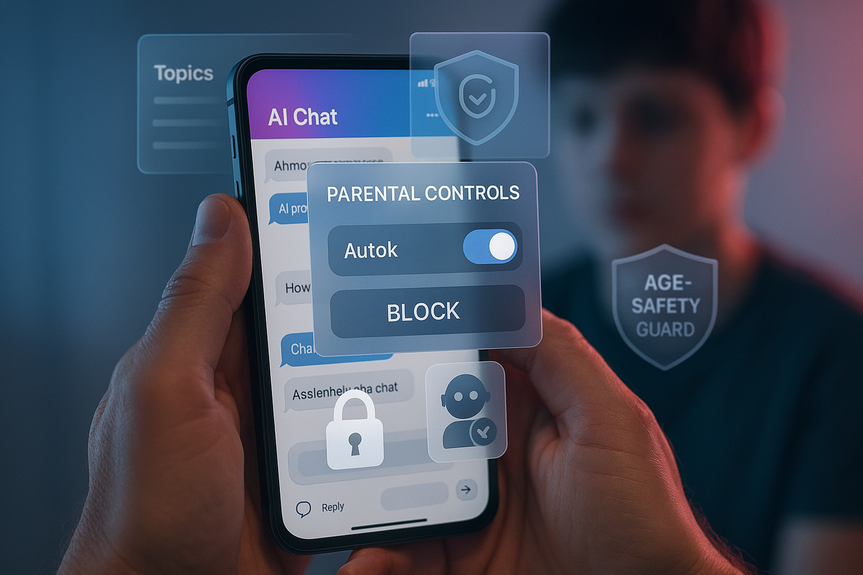
Meta is adding Instagram AI parental controls that let families turn off one-on-one chats with AI characters, block certain assistants, and review conversation topics. The tools promise clearer oversight, PG-13 guidance, and extra safeguards for suspected underage accounts, rolling out in English early next year in the US, UK, Canada, and Australia.
Meta is expanding safety tools for teens as AI features spread across social media. The first wave lands on Instagram, where parents will gain new ways to manage how teens interact with AI assistants and characters. You will be able to switch off direct chats with AI, block specific assistants, and see a high-level list of topics your teen discusses. Existing protections, like PG-13 responses and limits on sensitive content, stay in place. Meta also says it uses detection to add safeguards if a suspected minor misreports their age. The company plans to roll these updates in English to the US, UK, Canada, and Australia early next year, and to keep improving based on parent feedback.
Open Instagram on your phone and update to the latest version.
Go to Settings and look for Supervision or Family Center.
Choose “Add teen” and send an invite to your teen’s account.
Your teen must accept the invite. This creates a supervised connection.
In your supervision dashboard, select your teen’s profile.
Look for a section labeled AI, Assistant, or Chats with AI.
Toggle off one-on-one chats with AI if you want a full block.
Use the “Blocked assistants” list to restrict specific AI characters.
Enable “View topics” to see general subjects your teen discusses with AI.
If you cannot find these options yet, they may not be live in your region. Use existing supervision tools in the meantime, and revisit when the rollout completes.
Screen time limits to cap daily app use.
Quiet hours to pause notifications at night or during homework.
Sensitive content controls to reduce mature or risky material.
Message controls to limit who can DM your teen.
Your teen is new to Instagram or is under 14.
Your teen tends to overchat with AI or shows signs of overuse.
There has been recent stress, bullying, or risky behavior online.
Homework help: Ask the AI to explain a concept but verify facts with a textbook or teacher.
Idea prompts: Brainstorm essay topics or project outlines, then draft without AI.
Language practice: Use AI for vocabulary drills, not for writing full assignments.
No private chats about mental health, dieting, or medical issues—talk to a trusted adult instead.
Always double-check facts from AI with two reliable sources.
Never share personal details, photos, or location with any assistant.
Keep usage visible: Use AI chats at the kitchen table or during co-use sessions.
Use these habits along with the Instagram AI parental controls to set a clear, healthy routine.
Explain why you set these controls: to support learning and safety, not to spy.
Agree on boundaries: which assistants are allowed, which topics are off-limits, and how long AI use can last.
Review the topic list together weekly and talk about any concerns.
Ask “What sources did you use?” and “Could there be another answer?”
Compare the AI’s answer with a school resource or trusted website.
When the topic is health, relationships, or safety, talk to a human first.
Use device-level parental controls to limit app installs.
Keep open dialogue so your teen tells you when a friend suggests a workaround.
Explain why rules apply across devices, not just one app.
“What do you like most about chatting with an AI? What seems off?”
“If an AI gives two different answers, how would you decide which to trust?”
“Which topics should be human-only in our family?”
“If the AI says something that upsets you, what will you do next?”
Set a weekly 10-minute check-in. Review the topic list, look at time spent, and celebrate good choices. Add or relax rules based on how your teen uses the tool.
Purpose: “AI is for learning ideas and practice, not for personal problems.”
Time: “Max 20 minutes per day for AI chats, in shared spaces.”
Escalation: “If a topic feels heavy or secret, stop and talk to a parent.”
Revisit the rules each month. As trust grows, settings can evolve. As new features arrive, read the update notes together and adjust.
Teachers can set clear rules about when AI is allowed in classwork.
Caregivers can use the same terms as parents: verify, cite, and ask for help.
Community groups can host short sessions on AI literacy for families.
When adults use the same language and values, teens get a steady message from home and school.
What the new Instagram AI parental controls do
Turn off one-on-one AI chats
Instagram will let parents disable direct messages between a teen account and AI characters. This is the strongest setting. It blocks private back-and-forth chats with AI, which reduces the risk of overuse, dependence, or exposure to confusing answers without guidance.Block specific AI assistants
You may be comfortable with your teen using a study helper but not a role-play character. The feature lets you block certain AI assistants while allowing others. This gives you control by type and purpose, not just an all-or-nothing choice.See conversation topics, not full transcripts
Parents will be able to view broad topics teens discuss with AI, such as “homework,” “fitness,” or “relationships.” This promotes transparency without revealing every word. It is a middle ground that respects privacy while signaling when you may want to check in and talk.PG-13 guidance and sensitive-topic limits
Instagram AI features already steer responses to a PG-13 level. They also restrict content on areas like self-harm and eating disorders. These rules lower the chance of harmful suggestions or age-inappropriate detail. They are not perfect, but they act as guardrails.Extra safeguards for suspected underage users
Meta says it uses AI signals to identify when an account may belong to a minor who entered an older age. If flagged, the system applies stricter protections by default. This helps catch cases where teens try to bypass age rules.Where and when the tools arrive
Meta plans an English-first rollout across the US, UK, Canada, and Australia early next year. Features can change during testing. Names of menu items may shift. If you do not see the options yet, update the app and check again later.Why controls for AI chats matter
AI can sound confident but be wrong
AI assistants are trained on large amounts of data. They can give quick answers that sound right. But they make mistakes, mix facts, or miss context. Teens may trust a fluent answer and skip further checks. Controls and coaching help teens pause and verify.Private chats can drive overuse
Nonstop access to a friendly assistant can encourage long private chats. Teens may vent or look for advice that an AI is not designed to provide. Turning off one-on-one chats, or limiting them, protects time, mood, and balance in daily life.Some topics need human support
When a teen asks about self-harm, eating disorders, or abuse, a machine is not enough. The AI will try to deflect and point to help, but real support requires a trusted adult or a professional. The new settings make it easier to keep adult guidance in the loop.How to get started and set them up
You will manage these tools through Instagram’s supervision features. Exact labels may change at launch, but the process will be similar to current parental supervision on Instagram.Set up supervision
Adjust AI chat settings
Set age, time, and content limits
Alongside AI settings, review other supervision controls:Smart settings that balance safety and learning
AI can support learning when used with guidance. Create a plan that fits your child’s age and maturity.When to use a full block
When limited access might help
Rules that make AI use safer
Privacy, data, and your family’s expectations
What parents can see
Parents will see general topics of AI chats. You will not see the full word-by-word conversation. This gives a nudge to talk when a subject needs attention, while giving teens some space.What parents cannot see
Instagram does not show private details or full transcripts of AI conversations. Also, if your teen uses a different account or another app, you will not see those chats. Your best defense is a mix of settings, routine check-ins, and a strong family agreement.Set clear expectations
Limitations to know—and how to fill the gaps
AI is fallible
Even with PG-13 guidance, AI can be wrong or biased. Teach your teen these simple checks:Workarounds exist
Teens can try a second account or another platform. Reduce this risk:Age signals are not perfect
Meta’s detection aims to catch suspected minors with older ages. It helps, but it will not detect every case. Keep supervising, especially when a new phone or account enters the picture.AI cannot replace mental health care
If a teen asks heavy questions, an AI may show a crisis message or refuse the topic. That is good, but it is not enough. If you see worrying topics, ask open questions and seek professional help when needed.Conversation starters for families
Good questions work better than strict lectures. Try:Build a simple family agreement
Write down three short rules. Post them where everyone can see them.How schools and caregivers can help
Teachers, coaches, and caregivers can support healthy AI use too.What to watch as the rollout begins
Feature placement and naming
As Instagram tests the new settings, labels may change. Look for updates in the Supervision or Family Center area, and check the app’s “What’s New” notes.Regional availability
If you live outside the US, UK, Canada, or Australia, expect a later schedule. Until then, use existing tools: time limits, sensitive content limits, and DM controls.Ongoing improvements
Meta says it will keep tuning these features based on parent and teen feedback. Consider sending constructive feedback after you try the settings. Ask for clearer labels, better summaries of topics, or stronger blocks for certain assistant types.The bottom line for families
AI will be part of your teen’s digital life. Instagram’s new tools move control from the app to the family. You can block private AI chats, restrict certain assistants, and view conversation topics at a glance. Pair these features with open talks, simple rules, and steady check-ins. When used this way, the technology supports learning without becoming a hidden voice in your teen’s daily routine. As the rollout reaches more regions, keep your app updated, revisit settings, and use the new Instagram AI parental controls to guide safe, balanced use. (p(Source: https://dig.watch/updates/meta-expands-ai-safety-tools-for-teens)For more news: Click Here
FAQ
Q: What are Instagram AI parental controls?
A: Instagram AI parental controls let parents disable one-on-one chats between teens and AI characters, block specific AI assistants, and view high-level topics teens discuss with AI. They also include PG-13 guidance, limits on sensitive discussions, and extra safeguards when accounts are flagged as suspected minors.
Q: How do I set up supervision to use these Instagram AI parental controls?
A: Update the Instagram app, go to Settings and look for Supervision or Family Center, then add your teen and send an invite that they must accept. Once connected you can access the AI settings to toggle off one-on-one chats, block assistants, or enable topic viewing.
Q: What exactly can parents see about their teen’s AI conversations?
A: Parents will see a high-level list of topics teens discuss with AI, such as “homework” or “relationships,” but not full transcripts or private details. This aims to promote transparency while preserving some teen privacy.
Q: Can parents completely block private AI chats between teens and AI characters?
A: Yes, the strongest Instagram AI parental controls setting lets parents disable direct one-on-one chats between teen accounts and AI characters, which blocks private back-and-forth conversations. This option is intended to reduce overuse and exposure to unmoderated answers.
Q: Do the controls stop AI from discussing sensitive topics like self-harm or eating disorders?
A: Instagram’s teen protections steer responses to a PG-13 level and restrict sensitive discussions such as self-harm and eating disorders, so AI assistants avoid giving harmful or detailed guidance. The platform also uses AI detection to apply stricter safeguards if an account is suspected to belong to a minor who misreported their age.
Q: When and where will Instagram AI parental controls be available?
A: Meta plans an English-first rollout of these Instagram AI parental controls early next year across the US, UK, Canada, and Australia, with features subject to change during testing. If you don’t see the options yet, update the app and check the Supervision or Family Center area later.
Q: Will I be able to read my teen’s full AI chat transcripts?
A: No, parents will not see full word-for-word transcripts or private details; they only get broad topic summaries to signal when a check-in might be needed. For chats on other accounts or apps you will not see those conversations, so existing supervision tools and family conversations remain important.
Q: How can families use these controls without blocking beneficial learning from AI?
A: Pair Instagram AI parental controls with open conversations, simple family rules, and weekly check-ins so teens learn to verify AI answers and use assistants for study or practice. Encourage sharing topics, co-use in common spaces, and rules like no private chats about mental health or personal details to keep AI use safe and educational.
Contents