AI News
06 Nov 2025
Read 15 min
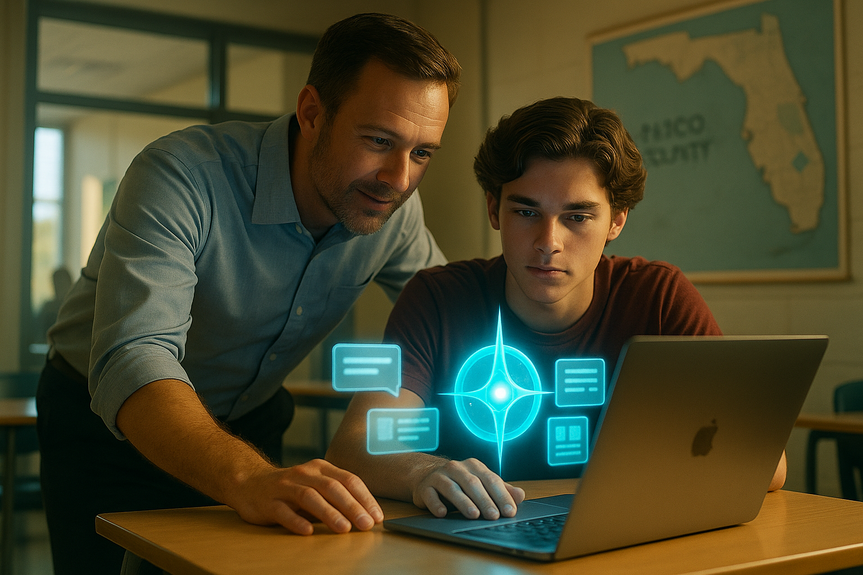
Pasco schools Microsoft Copilot access boosts student essays
Pasco schools Microsoft Copilot access gives students fast, guided essay drafting and research help.
Pasco schools Microsoft Copilot access starts December 1 for high school students, offering a safe, limited way to use AI for research, notes, and writing support. The district will update guardrails often, aiming to boost learning, save time, and protect integrity and privacy across classrooms.
Students in Pasco County will soon get a powerful new study tool. Microsoft Copilot, a secure AI assistant, will be available to high school students in a limited form. Teachers in the district already use the tool for lesson plans and guided tutorials. Now students can try it under rules set by the district. Leaders say new rules will change as AI changes. They want the tool to help learning, not replace it.
Summarize a long reading and highlight key points for review
Generate an outline before writing an essay
Ask for a list of credible sources and then go read those sources
Create a study schedule with small, daily goals
Practice with quiz-style questions before a test
Students must still do the thinking. Copilot does not replace reading, note-taking, or writing. It is a helper, not a shortcut.
Allowed: brainstorming topics, outlining, and summarizing sources
Allowed: practice questions and step-by-step explanations
Not allowed: submitting Copilot-written essays or lab reports
Not allowed: using AI to complete quizzes or tests
Teachers will coach students on how to cite AI use when it contributes to their process. That transparency builds trust and good habits.
Always verify facts with class materials or trusted sources
Do not copy AI text into your assignment
Use AI to learn, not to cheat
Keep personal data private when using any online tool
Tell your teacher how you used AI in your process, if asked
Parents and guardians can help by talking with students about honesty, privacy, and good study habits. Ask what the student learned, not just what the tool produced. Encourage the student to compare AI answers with textbooks and notes.
Generate multiple versions of practice questions
Create scaffolds for students who need extra help
Design enrichment tasks for advanced learners
Outline station activities or group projects
Draft rubrics and checklists for clarity
These uses do not replace the teacher’s judgment. They simply speed up routine tasks. Teachers still decide what to teach and how to assess learning.
Review your school’s AI guidelines when released
Ask your teachers how they want you to use Copilot
Practice with prompts that ask for summaries, outlines, or study plans
Keep a log of how AI helped you during an assignment
Learn to cite sources and note where AI played a role
Parents can support smart use by:
Talking about honesty and ownership of work
Encouraging reading the original sources
Asking the student to explain what they learned in their own words
Checking that privacy settings and school accounts are used
Students use Copilot to plan, study, and revise while keeping their own voice
Teachers spend more time coaching and less time on repetitive prep
Fewer late-night cramming sessions and more steady progress
Better citations and stronger critical thinking about sources
Transparent classroom norms about when and how to use AI
These are realistic outcomes when rules are clear and support is steady.
Why the district is opening AI access now
Pasco County Schools sees AI in college, the workplace, and daily life. District leaders want students to learn how to use it well. They see two goals. First, help students write, read, and research more efficiently. Second, teach students to think critically about AI answers. They also plan to teach students how to check facts and cite sources. Superintendent John Legg said the guidelines will need updates often. AI changes fast. What works today may not fit tomorrow. The district will review the rules and improve them. This flexible plan helps schools stay safe while students learn new skills. Nearby districts, like Hillsborough and Pinellas, are also working on AI guidance. Pasco has reviewed those policies to align its approach. There is no statewide rule in Florida yet, so districts must set their own paths. That makes Pasco’s move timely and important.Pasco schools Microsoft Copilot access: what it means for students
Students will get a limited version of Copilot. That means the tool will help with common school tasks, but within clear boundaries. It will not do full assignments for them. It will assist with research, notes, outlines, and study plans. The district is drafting the final rules so teachers and students know what is allowed.How the tool works day-to-day
Microsoft Copilot can summarize long articles, explain topics in simple terms, and help students brainstorm ideas. It can draft sample outlines for essays or projects. It can offer alternative ways to solve a math or science problem. It can suggest study guides for upcoming tests. Used well, this can save time and reduce stress. Here are practical ways students might use Copilot:Where the line is drawn
The district plans to limit the tool to learning support. Students should not submit AI-generated essays as their own work. Teachers will monitor usage. Plagiarism and academic integrity rules still apply. The goal is to build skill, not inflate grades. Expect clear classroom rules, such as:Benefits for writing and research
Students often struggle with the blank page. They may also get lost in long research articles. Copilot can help students get started and stay organized. This reduces frustration and frees time for deeper learning.Support for essays without doing the work
Copilot can suggest an outline with a thesis, topics, and supporting points. It can recommend transitions between paragraphs. It can also point out where evidence is missing. That feedback helps students revise and improve their own drafts. The student stays in control of the writing. For research, Copilot can list relevant topics, key terms, and major sources. It can explain a complex topic in clear language, then link to more reading. Students should still verify facts and read original sources. The tool is a guide, not a final answer.Saving time, staying focused
Time management is a major challenge for teens. Copilot can break down big tasks into smaller steps with deadlines. It can help plan weekend study time and set reminders. It can suggest how long to spend on each section. This keeps students focused and reduces last-minute cramming.Risks and responsibilities
AI is powerful, but it is not perfect. Sometimes it gives wrong or outdated answers. It can miss context from a specific class or assignment. Students must double-check information and ask their teachers when unsure. Key cautions for students:How teachers are already using AI
Pasco teachers use Copilot to draft lesson plans and create guided tutorials. This helps them tailor materials to student needs and save hours of prep time. With that time, teachers can focus more on feedback and face-to-face support. Teachers also use AI to:Regional and policy context
Hillsborough and Pinellas districts are shaping their own AI policies. Pasco has reviewed those plans to keep a consistent approach across the region. There is no statewide Florida directive on AI in schools yet. That makes local leadership key. Pasco’s decision sends a signal: students must learn to use AI responsibly now, not later.Digital literacy and academic integrity
AI literacy is part of modern digital literacy. Students need to know how AI tools create answers, what bias is, and why source checking matters. They should learn simple prompts that get better results. They should also know when not to use AI, like during assessments. Academic integrity remains a bedrock principle. Schools will continue to use plagiarism checks and class discussions to set expectations. Teachers can ask for process steps, like outlines and drafts, to see student thinking. Copilot can help with these steps, but students must show their own understanding.Preparing for December 1: steps for students and families
Students can get ready for the launch with a few simple actions:Classroom examples that work
Imagine a history class. The teacher assigns a research paper on local events. With guidance, a student uses Copilot to brainstorm subtopics, like key figures, timelines, and impacts. Copilot suggests an outline. The student then finds sources, reads them, and writes the draft in their own voice. Copilot later helps suggest three ways to improve the conclusion. The student revises and adds citations. In a science class, a student prepares for a test. Copilot generates a study schedule and creates practice questions based on textbook chapters. The student answers, checks with notes, and asks Copilot to explain the steps they got wrong. The student goes to class ready to ask better questions. In English, a student struggles with a first paragraph. Copilot offers three hooks and a possible thesis. The student picks one, adapts it, and writes the paragraph. The teacher reviews it and gives feedback. The student’s writing grows stronger, not because the AI wrote it, but because the AI helped the student get started and stay focused.Measuring impact and improving over time
The district will review how well the approach works. Teachers can watch for changes in writing quality, research depth, and study habits. They can also track student confidence and time management. If issues arise, the district can adjust rules. This ongoing improvement cycle will help Pasco make AI an asset, not a problem. Data privacy and safety will remain priorities. Using school-managed accounts and limited features reduces risk. Clear reporting lines help address misuse quickly. Training for teachers, students, and families will also support safe adoption.What success looks like this school year
By spring, success could look like this:The bottom line for students and families
Pasco’s move is cautious and practical. It recognizes the real world and the classroom need. It supports learning while protecting integrity. It teaches students how to use new tools and how to think for themselves. That balance will matter in college, careers, and life. In short, Pasco schools Microsoft Copilot access gives students a helpful, guided start with AI. With thoughtful use, strong teacher support, and clear rules, it can boost writing, research, and study skills across the district.For more news: Click Here
FAQ
Q: When will high school students get access to Microsoft Copilot in Pasco County?
A: Pasco schools Microsoft Copilot access begins Dec. 1 for high school students. The district says the student version will be limited and governed by guidelines that the district is still finalizing.
Q: What kinds of tasks can Copilot help Pasco students with?
A: Copilot can summarize long readings, explain topics in simpler terms, draft outlines, generate practice questions, and help create study schedules. Teachers intend it to assist with research, notes, and writing support without completing assignments for students.
Q: Are students allowed to submit Copilot-generated work as their own?
A: No; students are not allowed to submit Copilot-written essays or lab reports as their own work under the district’s rules. Teachers will monitor usage and academic integrity and plagiarism policies still apply.
Q: How are Pasco teachers already using Copilot?
A: Teachers are using Copilot to draft lesson plans, create guided tutorials, generate multiple versions of practice questions, scaffold support for learners, and draft rubrics and checklists. They say the tool speeds routine prep so they can spend more time on feedback and face-to-face instruction.
Q: What privacy and safety measures will the district use for the tool?
A: The district plans to use school-managed accounts, limit features, and provide training for staff, students, and families to reduce privacy and safety risks. Clear reporting lines and monitoring are planned to address misuse quickly.
Q: Will Pasco follow a statewide AI policy for schools?
A: No; there are no statewide directives in Florida yet, so Pasco is setting its own policy while reviewing nearby Hillsborough and Pinellas guidelines for regional consistency. District leaders also say they will revisit and update guidelines frequently as AI changes.
Q: How can students and families prepare before December 1?
A: Students should review the district’s AI guidelines when released, ask teachers how they expect Copilot to be used, and practice prompts for summaries, outlines, and study plans. Families can support honesty and privacy by discussing expectations, encouraging original-source reading, and asking students to explain what they learned.
Q: How will the district measure whether Copilot use is successful?
A: The district will look for changes in writing quality, research depth, study habits, and teacher time spent coaching to measure impact. If issues appear, officials say they will adjust rules to keep Pasco schools Microsoft Copilot access an asset rather than a problem.
Contents