AI News
07 Feb 2026
Read 8 min
How K-12 AI usage guidelines ensure student safety
K-12 AI usage guidelines ensure student privacy, require human oversight, and teach responsible use.
K-12 AI usage guidelines help students learn with safety, fairness, and honesty. They set clear rules for when to use AI, what to share, and who checks the results. With human oversight, privacy limits, and clear levels of use, schools can boost learning while protecting kids.
Artificial intelligence is now part of school, from brainstorming to research help. Bethlehem Central School District shows how K-12 AI usage guidelines work in real classrooms. The district uses approved tools like MagicSchool and Google NotebookLM to support learning while protecting student privacy.
Their plan keeps people in charge. Students learn to use AI as a helper. They still think, check, and decide. Teachers set clear expectations. Families know what tools are safe and why.
Human oversight: A person checks AI output for accuracy, fairness, and context.
Privacy and safety: Do not share student PII or confidential data with unapproved tools.
Transparency: Say when AI helps with school work or district communication.
Academic integrity: Students own their work and must cite or disclose AI use when required.
This approach builds trust. It also teaches critical thinking, a skill that helps in every class.
Post the expected usage level on every major assignment.
Ask students to show evidence of thinking when AI is used: what they asked, what they changed, and why.
Use only district-vetted, age-appropriate tools.
Review AI outputs before sharing with students or families.
Assess reasoning and revision, not just the final product.
The district also offers guidance documents and a detailed scale. If you cannot access district PDFs, contact the BC Communications Office at 518-439-3650.
Use AI as a helper, not a replacement for learning.
Check for mistakes, missing context, and bias.
Follow the posted usage level and disclose AI help when required.
Do not share personal or private information.
Own your final work. If it is wrong, you are still responsible.
Approved tools like MagicSchool AI and Google’s NotebookLM can make study time more effective. They can help with outlines, summaries, and practice questions. Always verify before you trust.
Encourage your child to explain their thinking, not just show a final product.
Ask what the tool got right, what it missed, and how they checked it.
Remind them not to share private details with unapproved apps.
Use AI for practice, organization, and accessibility supports like text-to-speech.
If you have questions about school AI use, email Dr. David F. Hurst, Deputy Superintendent, at dhurst@bethlehemschools.org.
K-12 AI usage guidelines: a human-first model
Schools can welcome AI and still protect students by making people responsible for final choices. This model is simple and strong.The AI Usage Scale explained
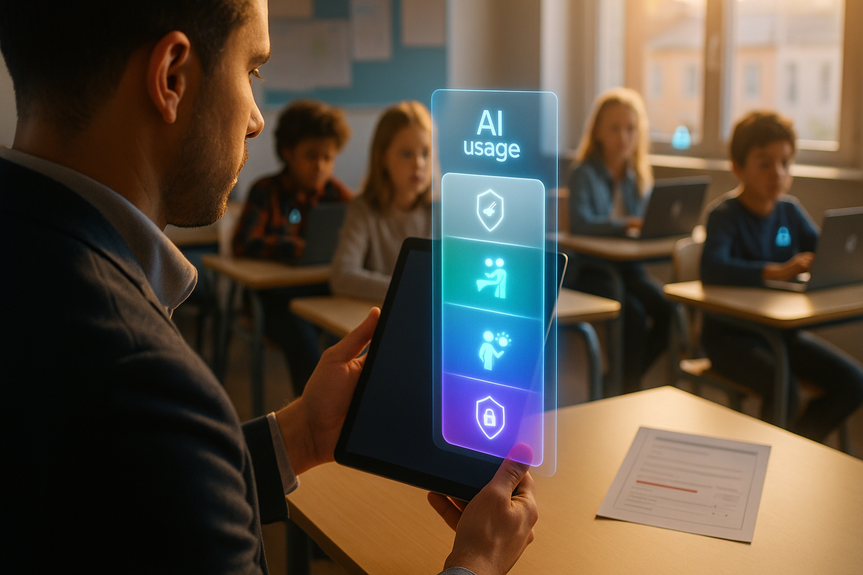
AI is not all-or-nothing. The district’s scale matches AI use to the goal of the assignment. Teachers post the K-12 AI usage guidelines level on major tasks to remove confusion.Level 0 — AI Free
Students do the work without AI. This is best for in-class writing, tests, and skills checks.Level 1 — AI Assisted
Students can use AI to brainstorm, plan, or get feedback. No AI-generated sentences belong in the final draft.Level 2 — AI Enhanced
Students can use AI to improve clarity, structure, or speed. They must verify facts, edit for voice, and take full responsibility for the final result.Level 3 — AI Empowered
Students can use AI to create products not possible before, like data visualizations or rapid prototypes. They still must check for accuracy, fairness, and originality.What this looks like for teachers
Teachers can set the tone with clear instructions and visible thinking.What students should do
Students learn more when they use AI with care and purpose.How families can support safe use
Families can help students build healthy AI habits at home.Why clear rules matter in schools
When schools set strong rules, students feel safe to experiment and learn. They gain speed and support from AI without losing their voice. They build judgment, which is more important than any single tool. And they learn that ethics are part of every subject, every day. Students who learn with guidance now will lead with wisdom later. Clear rules protect privacy, support honesty, and keep the focus on learning. In the end, smart use of AI comes down to people. With strong K-12 AI usage guidelines, schools can keep students safe while they learn the skills they need for the future. (Source: https://www.bethlehemschools.org/artificial-intelligence-in-bethlehem/) For more news: Click HereFAQ
Q: What are K-12 AI usage guidelines in Bethlehem CSD?
A: K-12 AI usage guidelines in Bethlehem CSD establish a human-first model where AI supports learning but people remain responsible for judgment, accuracy, fairness, and final decisions. They emphasize human oversight, transparency about AI use, limits on sharing student PII with unapproved tools, and clear expectations for academic integrity.
Q: Which AI tools are approved for students in Bethlehem Central School District?
A: Students have access to district-approved tools such as MagicSchool AI and Google NotebookLM, which are intended to support learning while upholding student privacy and academic integrity. The district requires use of only vetted, age-appropriate tools and asks teachers to review AI outputs before sharing them with students or families.
Q: How does the AI Usage Scale work under these guidelines?
A: The AI Usage Scale matches AI use to learning outcomes with four levels—Level 0 (AI Free), Level 1 (AI Assisted), Level 2 (AI Enhanced), and Level 3 (AI Empowered)—and teachers will name the expected level on major assignments. Under the K-12 AI usage guidelines, each level specifies what is allowed and the responsibilities students have for verifying, editing, and owning their final work.
Q: What responsibilities do teachers have when students use AI?
A: Teachers must post the expected AI Usage Scale level on every major assignment, require visible thinking when AI is involved (what students asked, what they changed, and why), and use only district-vetted, age-appropriate tools. They should review AI outputs before sharing them and assess students’ reasoning and revision, not just the final product.
Q: How should students use AI to maintain academic integrity?
A: Students should use AI as a helper, not a replacement for learning, check AI outputs for mistakes, bias, and missing context, and follow the posted usage level and disclosure expectations. They remain responsible for anything they submit and must verify and edit AI-generated material to ensure accuracy and originality.
Q: What privacy rules apply to student AI use?
A: Privacy rules prohibit entering student PII or confidential data into unapproved AI tools, and the district limits classroom use to vetted platforms to protect student information. Families and students are reminded not to share private details with unapproved apps and can contact Dr. David F. Hurst at dhurst@bethlehemschools.org with questions.
Q: How can families support safe and responsible AI use at home?
A: Families can support safe AI use by encouraging children to explain their thinking, asking what the tool got right or missed, and reminding them not to share private information with unapproved apps. The district recommends using AI for practice, organization, and accessibility supports while following the K-12 AI usage guidelines and verifying outputs.
Q: What are examples of allowed and disallowed AI use on school assignments?
A: Allowed uses include Level 1 brainstorming and feedback (no AI-generated content in final submissions), Level 2 edits that improve clarity with student verification, and Level 3 full integration for projects that require AI. Disallowed uses include submitting AI-generated sentences where prohibited, using unapproved tools, and inputting student PII into AI platforms.
Contents