AI News
10 Feb 2026
Read 15 min
How to disable ads in ChatGPT and regain privacy
how to disable ads in ChatGPT to stop interruptions, protect your chats, and delete ad data in seconds
Want a quick fix? Here’s how to disable ads in ChatGPT in under a minute: upgrade to Plus or Pro to remove ads fully, or use the Free-tier opt-out (you’ll get fewer daily messages). Then open Settings > Ads controls to turn off personalization, stop using past chats and memory for ads, and delete your ad data.
OpenAI is testing ads in ChatGPT for logged-in adults on the Free and Go tiers in the U.S. Ads help keep these tiers fast and available. But you still control what you see and how your data is used. This guide explains every practical step to reduce ads, protect your privacy, and keep a clean chat flow without guesswork.
Upgrade to Plus or Pro to remove ads completely.
Use the Free-tier opt-out (available during the test) to stop ads in exchange for fewer daily free messages.
Open Settings > Ads controls to turn off Ad personalization and disable “Use past chats and memory.”
Delete your ad data with one tap and clear Ads History.
Dismiss individual ads and send feedback to reduce irrelevant placements.
Manage ChatGPT Memory and avoid storing details you do not want used for ad matching.
Ads appear for logged-in adults on the Free and Go tiers (U.S. test).
Plus, Pro, Business, Enterprise, and Education do not have ads.
OpenAI matches ads to the topic of your current chat, your past chats, and your past ad interactions.
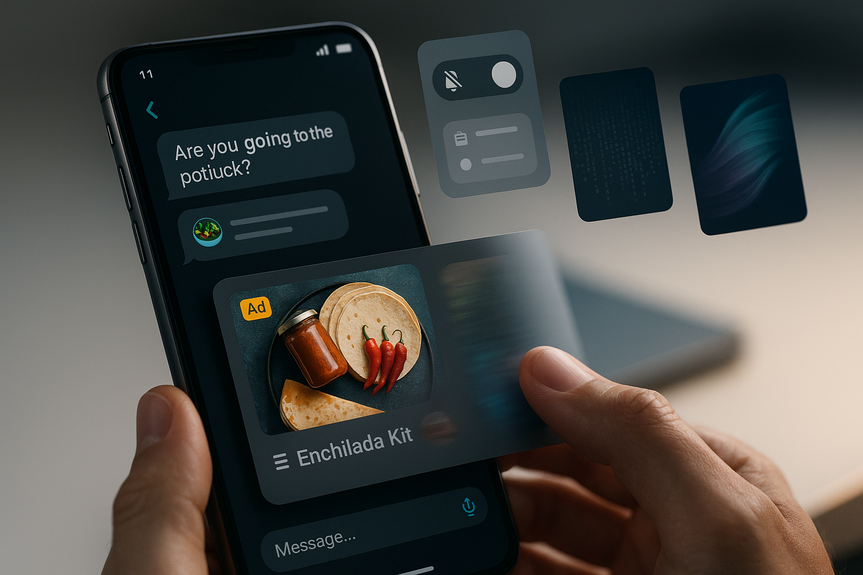
You may see a single sponsored card separated from the assistant’s answer, clearly labeled as “Sponsored.”
Advertisers do not see your chats, chat history, memories, or personal details.
They only receive aggregated metrics like views and clicks.
No ads for users who say they are under 18 (or where OpenAI predicts they are under 18).
Ads are not eligible to appear near sensitive or regulated topics like health, mental health, or politics.
Open ChatGPT and sign in.
Select Upgrade (usually in the sidebar or account menu).
Choose Plus or Pro, complete checkout, and refresh the app.
After upgrading, ads should disappear. If you still see a sponsored card, log out and back in, or contact support.
Open Settings in ChatGPT.
Find Ads or Ads controls (names may vary during the test).
Choose the option to opt out of ads. Confirm you accept fewer daily messages.
Note: This feature is rolling out in the U.S. during the test and may not appear for everyone at the same time.
Open Settings > Ads or Ads controls.
Toggle off Personalize ads.
Toggle off Use past chats and memory for ads.
When you turn these off, OpenAI should stop using your previous chats and memory to match ads. You may still see ads, but they will rely more on the current chat topic and less on your history.
Go to Settings > Ads controls.
Find Delete ads data (label may vary).
Tap Delete to clear ad data linked to your account.
This removes your past ad interactions from affecting future ad matching. It does not erase your normal chat history. To manage chat history and Memory, see below.
Open Settings > Ads History.
Review entries from today or recent days.
Select Clear or Delete history.
This helps you audit which advertisers appeared and reset your ad view record.
Advertisers never see your personal details or conversations.
OpenAI shares only aggregated ad performance with advertisers.
Ads are separated from answers, and ads do not change how ChatGPT responds to your prompts.
Turn off Personalize ads and the Use past chats and memory setting in Ads controls.
Delete your ad data and clear Ads History regularly.
Use Memory carefully. If you store facts about yourself, check whether Ads controls allow disabling memory use for ads (toggle off if available).
Dismiss irrelevant ads and send feedback. This reduces noise and improves your feed without sharing personal details.
Open Settings and look for Memory and Ads controls.
Disable Use past chats and memory for ads.
Periodically review or clear saved memory items you no longer need.
This keeps your long-term preferences from shaping ad selection.
What you are discussing right now (the current chat topic).
Past chats (if allowed in Ads controls).
Your past ad interactions (for example, ads you hid or clicked).
They do not change ChatGPT’s answers. Answers remain optimized for helpfulness.
They do not give advertisers access to your chats, chat history, or memory.
They do not appear near sensitive or regulated topics like health, mental health, or politics.
Remove: Upgrade to Plus or Pro.
Reduce: Opt out on Free (fewer daily messages), or switch off personalization and memory use in Ads controls.
Go to Settings (account menu or sidebar).
Select Ads or Ads controls.
Turn off Personalize ads.
Turn off Use past chats and memory for ads.
Delete ads data.
Review and clear Ads History.
Check Ads controls.
Delete ad data and clear Ads History.
Scan Memory settings and remove saved details you no longer want.
This keeps your ad profile lean and your privacy tight.
Opt out of ads on the Free tier (you will accept fewer daily messages).
Turn off ad personalization and the memory/chat-history toggle in Ads controls, then delete your ad data.
This combination strips back ad matching and stops ad delivery if the opt-out is active for your account during the test.
ChatGPT’s answers are independent and unbiased by ads.
Your chats stay private from advertisers.
You keep meaningful control: dismiss ads, manage ad settings, and delete ad data anytime.
As the program expands, OpenAI plans to keep privacy and safety as core design rules, limit narrow targeting, and keep scammers out of the ad ecosystem.
How to disable ads in ChatGPT: quick paths that work
What changes with this ad test
Who sees ads
How ads are chosen
What advertisers can see
Built-in safeguards
Remove ads completely by upgrading
Plus and Pro have no ads
If you want a zero-ad experience, upgrading is the most direct route. The Plus and Pro tiers remove ads, keep your chats private from advertisers, and unlock more powerful models, faster responses, and more reliable access during peak times.How to upgrade
What about Go vs. Plus/Pro?
Go is designed to be low cost, and it participates in the ad test. If you are on Go and want no ads, move to Plus or Pro.Prefer to stay Free? Reduce or stop ads
If you want to keep your free plan, you still have strong control over ads and privacy.Opt out of ads on the Free tier
During the test, OpenAI offers a Free-tier opt-out from ads in exchange for fewer daily free messages. If it is available to you:Turn off ad personalization
Personalization does not cause more ads, but it can make ads more relevant. Turning it off reduces how your past behavior shapes ad matching.Delete your ad data with one tap
You can wipe previously stored ad-related data and start fresh.Review and clear Ads History
Ads History shows what you recently saw, with timestamps and brand names. You can clear it at any time.Regain privacy while you chat
What OpenAI says about privacy
Practical privacy steps you can take
Manage what stays in Memory
Memory helps ChatGPT remember recurring preferences. During the ad test, ad controls may include a toggle related to memory. If you prefer not to connect memory with ads:Understand how ads show up (and what they do not do)
What shapes the ads you see
What ads do not do
Why you might still see an ad with personalization off
Turning off personalization limits how your history shapes ads. It does not remove ads entirely. To fully stop ads, use the Free-tier opt-out (fewer daily messages) or upgrade to Plus or Pro.Step-by-step: Clean up ads in minutes
1) Decide: remove or reduce
2) Open Ads controls
3) Keep an eye on sensitive content
OpenAI already blocks ads near sensitive topics. If you ever see an ad that looks out of place, dismiss it and submit feedback so it can be reviewed.4) Repeat monthly
Make a quick monthly routine:If you only want to know how to disable ads in ChatGPT without paying
Use both of these steps:Troubleshooting and edge cases
I turned off personalization but still see ads
That is expected. Personalization affects relevance, not the presence of ads. To stop them, upgrade to Plus/Pro, or use the Free-tier opt-out when available.I’m under 18 and I see an ad
OpenAI says ads should not appear for users who tell them or are predicted to be under 18. Check your account age or ask a parent/guardian to contact support. If you still see ads, submit feedback on the ad card.I saw an ad next to a sensitive topic
Ads are not eligible to appear near sensitive topics like health, mental health, or politics. If you believe one slipped through, dismiss it and report it. This helps improve the safeguards.I live outside the U.S. or use a VPN
The ad test is rolling out in the U.S. If you are outside the U.S., your experience may differ or you may not see Ads controls yet. Features can change as the test evolves.Why OpenAI is testing ads (and what stays true)
OpenAI says ads help fund free and low-cost access while growing model quality over time. Key promises remain:Final take: regain control in minutes
If you want a clean, private chat flow, you have options right now. Upgrade to Plus or Pro to remove ads fully, or use the Free-tier opt-out if it is available to you. Then open Ads controls to switch off personalization, disable memory/chat-history use, and delete your ad data. With these steps, you know exactly how to disable ads in ChatGPT and keep your privacy front and center.(Source: https://openai.com/index/testing-ads-in-chatgpt/)
For more news: Click Here
FAQ
Q: How can I completely remove ads from my ChatGPT account?
A: If you want to know how to disable ads in ChatGPT completely, upgrade to Plus or Pro, which do not show ads. After upgrading, refresh the app or sign out and back in if you still see a sponsored card.
Q: Can I stop ads on the Free tier without paying?
A: During the U.S. test you can opt out of ads on the Free tier in exchange for fewer daily free messages, and the option appears in Settings > Ads controls when available. This opt-out is rolling out and may not be visible to every user at the same time.
Q: Where do I change ad personalization and prevent ads from using my chat history?
A: Open Settings > Ads controls to toggle off Personalize ads and disable “Use past chats and memory” for ads, then delete your ad data with one tap. You can also review and clear Ads History from the Ads History section.
Q: Do advertisers have access to my conversations or Memory?
A: No, advertisers do not have access to your chats, chat history, memories, or personal details; they only receive aggregated metrics like views and clicks. OpenAI also separates sponsored content from assistant answers and states that ads do not influence ChatGPT’s responses.
Q: Why am I still seeing ads after I turned off personalization?
A: Turning off personalization limits how your past behavior shapes ad matching but does not remove ads entirely. To stop ads completely you must upgrade to Plus or Pro or use the Free-tier opt-out when it is available.
Q: Will ads appear for under-18 users or next to sensitive topics like health?
A: During the test, OpenAI does not show ads for accounts where the user says or is predicted to be under 18, and ads are not eligible to appear near sensitive or regulated topics such as health, mental health, or politics. If you believe an ad slipped through, dismiss it and report it so it can be reviewed.
Q: How are ads matched to my chats and how can I reduce irrelevant ads?
A: Ads are matched to the topic of your current chat, past chats (if allowed), and your past interactions with ads, so relevance comes from those signals. To reduce irrelevant ads, dismiss ad cards, send feedback, turn off personalization and memory use for ads, and delete your ad data.
Q: What quick steps should I follow now to regain privacy and clean up ad matching?
A: Decide whether to remove ads by upgrading to Plus or Pro or reduce them by opting out on the Free tier, then open Settings > Ads controls to turn off Personalize ads, disable use of past chats and memory for ads, delete ad data, and clear Ads History. If ads persist after those steps, sign out and back in or contact support.
Contents