AI mockup tool for ecommerce lets sellers create photorealistic product images fast to validate demand
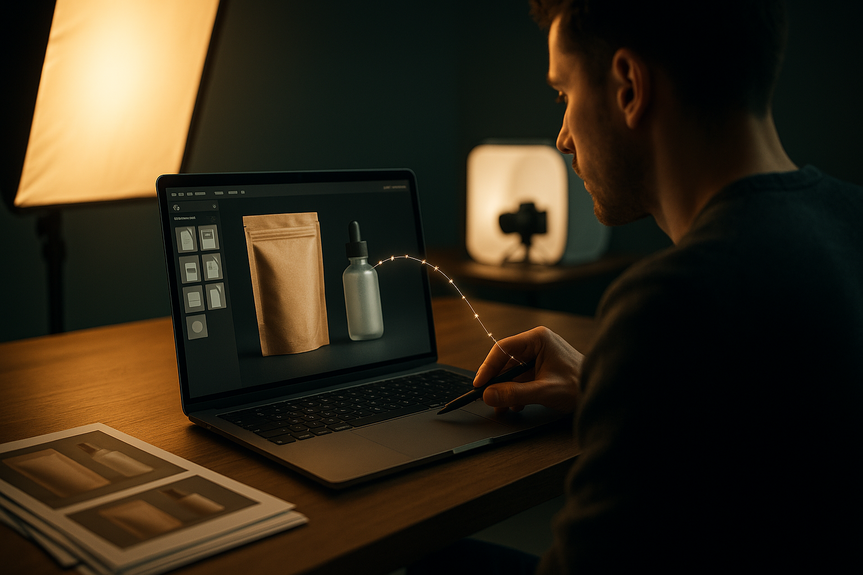
An AI mockup tool for ecommerce helps you turn ideas into shop-ready images in minutes. Use it to design packaging, place logos on products, test variations, and validate demand before you spend on photoshoots. Follow these steps to speed launches, improve listings, and drive more conversions.
Great visuals sell products. But pro photos can cost thousands and slow your launch. New AI design platforms let you create photorealistic mockups, apply your branding, and produce full listing images fast—while you keep creative control. Many small businesses now test demand, collect pre-orders, and standardize their brand look using this simple workflow.
Why an AI mockup tool for ecommerce is your new growth lever
AI speeds up the messy middle of design. It helps you sketch options, visualize products, and produce market-ready images without waiting on studios or samples. Creators still lead the work. AI just removes blocks and gives you more high-quality choices, faster.
What it replaces
Expensive test samples and prototypes
Paid studio sessions and long edit timelines
One-off vendor dependencies
What it adds
Photorealistic product and packaging mockups in minutes
Quick iteration for multiple styles, colors, and angles
Consistent, brand-ready assets for all channels
Step-by-step: From idea to listing with an AI mockup tool for ecommerce
1) Define the offer
Write a one-sentence value prop for the product
Pick 3 features and 3 benefits to highlight
Choose your main use case or scene (kitchen, gym, desk)
2) Gather brand inputs
Logo files (SVG/PNG), color codes, fonts
Any reference photos, packaging dielines, or competitor angles you like
3) Create core mockups
Use the generator to produce front, back, and lifestyle images
Apply your logo to the product or packaging with realistic lighting and shadows
Export marketplace-ready sizes (e.g., square 2000×2000 for thumbnails)
4) Build a conversion-focused image set
Image 1: Clean hero shot on white
Image 2: Close-up detail (texture, material, or feature)
Image 3: Lifestyle or in-use scene
Image 4: Benefit callouts with simple text
Image 5: Size chart or what’s included
Optional: Comparison or before/after (clearly labeled)
5) Validate before you spend
Run a quick A/B test on thumbnails
Share concepts with your audience and collect votes
Open pre-orders if interest is clear
6) Finalize and launch
Export for each channel (Shopify, Amazon, Etsy, social)
Compress files for speed and add alt text for SEO
Keep a central brand kit so future images match
Design best practices that lift conversions
Make the product the hero
Use a clean or white background for the main image
Keep edges sharp and avoid busy props
Sell the benefit, not just the feature
Add simple callouts like “Spill-proof lid” or “30% lighter”
Use plain language and large, readable text
Match real-world scale
Show common objects for context (hand, phone, notebook)
Include a clear size chart when helpful
Use consistent lighting and angles
Pick a lighting style and stick with it
Repeat the same angle across color variants
Show the product in action
Create lifestyle scenes that reflect true use
Include diverse hands, faces, and spaces when relevant
Prepare files for every platform
Use high-res (at least 2000 px on the shortest side)
Name files with keywords and add alt text
Export square and 4:5 versions for social
Test, learn, and scale with data
Run simple experiments
Thumbnail A vs. B (angle, crop, background color)
Benefit callouts vs. no text
Lifestyle scene vs. clean studio look
Track the right metrics
CTR on product thumbnails
Product page conversion rate
Return rate and review keywords (to refine visuals)
Roll out winners everywhere
Update all marketplaces and ads with the winning set
Save presets inside your design tool to repeat success
Real-world use cases you can try today
Print-on-demand and apparel
Place your designs on tees, hoodies, and hats at multiple angles
Generate on-model and flat-lay options for more clicks
CPG and packaging
Test label concepts on bottles, jars, and boxes before printing
Show shelf context and close-up detail to build trust
Crowdfunding and pre-orders
Create a full page of visuals without a prototype
Use scenes to tell a clear story of daily use
Seasonal refresh
Swap backgrounds and props for holidays fast
Keep the same product angle to maintain brand consistency
Marketplace upgrades
Meet Amazon/Etsy image rules while still standing out
Localize text overlays for international listings
Ethics, ownership, and transparency
Keep trust high as you use AI-generated visuals. Use clear labels if required by a marketplace. Avoid using protected logos or designs you do not own. Choose tools that respect privacy and give opt-in control for training. Favor platforms that review templates and put creators in charge of edits and outcomes.
Tools like Kittl show how “human-led, AI-accelerated” design works at scale: you stay in control of taste and direction while AI speeds iteration. Many sellers now skip costly photoshoots for early testing, then move to production with confidence when the market signals demand.
Bottom line: an AI mockup tool for ecommerce lets you ship faster, test smarter, and present a consistent brand across every channel. Start with a clear offer, follow the image set framework, and use data to refine. With the right process, your AI mockup tool for ecommerce becomes a reliable engine for higher clicks and more sales.
(Source: https://usatoday.xpr-gannett.com/press-release/story/21651/kittl-reaches-10-million-users-with-ai-tools-that-put-creators-first/)
For more news: Click Here
FAQ
Q: What is an AI mockup tool for ecommerce and how can it help my product listings?
A: An AI mockup tool for ecommerce turns ideas into shop-ready images in minutes, letting you design packaging, place logos on products, and create photorealistic listing images. It helps sellers validate demand and iterate on visuals before spending on prototypes or photoshoots.
Q: How can small businesses replace costly photoshoots using an AI mockup tool for ecommerce?
A: Pro photoshoots and production can cost thousands and delay launches, so many small brands now use an AI mockup tool for ecommerce to create photorealistic product and packaging mockups quickly. That lets entrepreneurs test concepts, collect pre-orders, and maintain creative control without manufacturing samples first.
Q: What step-by-step workflow should I follow when using an AI mockup tool for ecommerce?
A: Start by defining a one-sentence value proposition and choosing the main use case, then gather brand inputs like logo files, color codes, and reference photos for your AI mockup tool for ecommerce. Next create core mockups (front, back, lifestyle), build a conversion-focused image set, validate with A/B tests or audience feedback, and export marketplace-ready files for channels like Shopify, Amazon, and Etsy.
Q: Which image types are essential for ecommerce listings created with an AI mockup tool for ecommerce?
A: A strong image set created with an AI mockup tool for ecommerce usually includes a clean hero shot on white, a close-up detail image, a lifestyle scene, benefit callouts, and a size chart or what’s included. Including these variations helps present the product clearly across marketplaces and social channels.
Q: How should I validate mockups from an AI mockup tool for ecommerce before committing to production?
A: Run simple experiments using your AI mockup tool for ecommerce like thumbnail A vs. B (angle, crop, background) and benefit callouts vs. no text, or share concepts with your audience to collect votes. If interest is clear, open pre-orders and track CTR, product page conversion rate, and return-rate signals before producing physical samples.
Q: What design best practices improve conversions when using an AI mockup tool for ecommerce?
A: When using an AI mockup tool for ecommerce, make the product the hero with a clean background, sharp edges, and readable callout text, and match real-world scale by showing common objects for context. Use consistent lighting and angles across variants, export high-resolution files for each platform, and add keyword-rich file names and alt text for SEO.
Q: What ecommerce business types benefit most from an AI mockup tool for ecommerce?
A: An AI mockup tool for ecommerce benefits print-on-demand and apparel sellers who need on-model and flat-lay options, and CPG brands testing labels and packaging before printing. It’s also useful for crowdfunding campaigns, seasonal refreshes, and updating marketplace listings to meet platform rules.
Q: What ownership, privacy, and ethical issues should I consider when using an AI mockup tool for ecommerce?
A: When using an AI mockup tool for ecommerce, avoid using protected logos or designs you do not own and label AI-generated visuals when required by marketplaces to keep trust high. Choose tools that give opt-in control for training and that human-review templates, and note that some platforms state user designs aren’t used to train models unless you opt in.