AI News
15 Mar 2026
Read 9 min
WhatsApp device linking warning: How to avoid scams
WhatsApp device linking warning alerts you to suspicious linking requests so you can avoid takeover.
Meta has added a new WhatsApp device linking warning that flags risky attempts to connect your account to another device. Watch for alerts, never share linking codes, and review linked devices often. Learn how Facebook and Messenger also help stop scams, and what steps you can take today.
Scammers move fast, but safety tools are catching up. Meta is rolling out smarter protections across WhatsApp, Facebook, and Messenger. New warnings help you spot red flags before you click. Advanced AI finds fake profiles, bad links, and impersonation at scale. Meta says it removed over 159 million scam ads last year and worked with global partners to disrupt large scam networks.
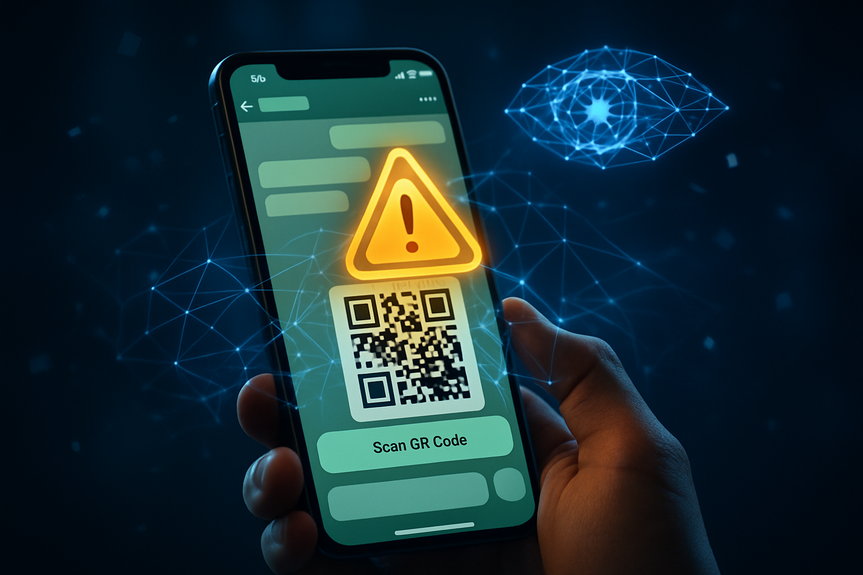
A scammer tries to link your WhatsApp to their phone by pushing you to share your number and a linking code.
They may send a QR code and claim it is for “verification,” “support,” or a prize.
If you enter the code or scan the QR, their device links to your account.
When the WhatsApp device linking warning appears, it uses behavior signals to spot risky requests and shows where the request came from. This gives you a moment to pause, think, and stop the link before it happens.
Do not share any linking code or scan any QR someone sent you.
Tap away from the request and review your Linked Devices inside WhatsApp.
Remove any device you do not recognize.
Turn on two-step verification in WhatsApp to add a PIN to your account.
Report the chat or number that asked for the code.
Tip: Even if you trust the person, never share codes. Real support teams will not ask for them.
Over 159 million scam ads were removed in 2025, with 92% taken down before anyone reported them.
In India, more than 12.1 million ad pieces were banned for fraud and deceptive practices, 93% proactively.
10.9 million accounts tied to criminal scam centers were removed across Facebook and Instagram.
In a joint operation with global law enforcement, over 150,000 accounts linked to Southeast Asia scam networks were disabled.
Meta also invests in education, like the “Scam se Bacho” campaign with India’s I4C and SEBI, to help people recognize and avoid scams.
Enable two-step verification in WhatsApp and pick a strong PIN.
Open Linked Devices and remove any device you do not recognize.
Update the app to the latest version for the newest protections.
Never share one-time codes, device linking codes, or QR codes—no exceptions.
Be wary of urgent requests, prizes, or “support” messages that ask you to act fast.
If you get an unexpected link, do not click. Visit the official site directly.
On Facebook, look for mutual friends and a realistic profile history.
Be cautious if the profile shows a different country or odd details.
Use built-in warnings to block or report suspicious requests.
Heed the WhatsApp device linking warning. Pause and verify before you act.
On Messenger, allow AI review of recent messages when prompted if a new chat looks risky.
Report scams. Your report helps remove bad actors faster.
How the WhatsApp device linking warning protects you
How this scam works
What to do when you see the alert
New protections on Facebook and Messenger
Facebook alerts for suspicious friend requests
Facebook is testing warnings when a request looks risky. You may see alerts if you have few mutual friends or the profile shows a different country than expected. These alerts help you decide to ignore, block, or report before you engage.Advanced scam detection on Messenger
Messenger is expanding AI checks that scan for common scam patterns in new chats, like fake job offers. If you choose to share recent messages for review, the system can flag likely scams and offer steps, such as blocking or reporting the account.AI tackles impersonation and fake links
Scammers often pose as celebrities, public figures, or trusted brands. Meta’s AI scans text, images, and context to catch these tricks. It looks for misleading bios, phony fan signals, and off-platform links that send you to sites that copy real ones. This helps stop celeb-bait, brand impersonation, and domain spoofing before people click.Ads transparency and real-world crackdowns
Meta is expanding advertiser verification so that by the end of 2026, verified advertisers account for about 90% of ad revenue, up from 70% today. This helps keep identities clear and reduces abuse in the highest-risk categories. Enforcement is ongoing:Smart habits to keep your accounts safe
Strengthen your WhatsApp settings
Practice safe chat behavior
Check identities before you connect
Use the tools when something feels off
What this means for you
You now have extra protection at the exact moment scammers try to trick you. The WhatsApp device linking warning gives you a clear signal to stop and check. Facebook and Messenger add early alerts and guided actions. Behind the scenes, AI hunts impersonation and fake sites, while verification and enforcement shrink the space for criminals. Scams will keep changing, but simple habits work: do not share codes, check linked devices, question strange requests, and report what you see. With the WhatsApp device linking warning and other new tools, you can stay one step ahead and keep your accounts secure. (p(Source: https://about.fb.com/news/2026/03/meta-launches-new-anti-scam-tools-deploys-ai-technology-to-fight-scammers-and-protect-people/)For more news: Click Here
FAQ
Q: What is the WhatsApp device linking warning and how does it protect my account?
A: The WhatsApp device linking warning alerts you when behavioral signals suggest a linking request might be suspicious and shows where the request is coming from. This gives you a chance to pause and reconsider before linking your account to another device, helping prevent scammers from taking control of your WhatsApp.
Q: How does a typical device-linking scam work?
A: Scammers try to trick you into sharing your phone number and a linking code or ask you to scan a QR code under false pretenses like “verification,” “support,” or a prize, which would link your account to their device. The WhatsApp device linking warning is designed to flag these risky requests so you can avoid entering codes or scanning unknown QR codes.
Q: What should I do immediately if I see a WhatsApp device linking warning?
A: When you see the WhatsApp device linking warning, tap away from the request and do not share any linking code or scan a QR someone sent you. Review your Linked Devices inside WhatsApp, remove any device you do not recognize, and turn on two-step verification to add a PIN to your account.
Q: How can I report or block someone who asked me for a linking code?
A: Report the chat or number that asked for the code and consider blocking the contact to stop further messages. Reporting helps Meta detect and remove malicious accounts more quickly.
Q: What warnings does Facebook show for suspicious friend requests?
A: Facebook tests alerts when a request shows signs of suspicious activity, such as having few mutual friends or indicating a different country location in the profile. These warnings help you decide whether to ignore, block, or report the request before connecting.
Q: How does Messenger’s advanced scam detection and AI review work?
A: Messenger can warn you if a chat with a new contact contains patterns of common scams like suspicious job offers and will ask if you’d like to share recent messages for an AI scam review. If the system detects a potential scam, it provides information on common scams and suggests actions like blocking or reporting the account.
Q: How is Meta using AI to stop impersonation and deceptive links?
A: Meta’s advanced AI analyzes text, images, and surrounding context to detect fake profiles, misleading bios, and off-platform links that mimic legitimate sites. This helps identify celeb-bait, brand impersonation, and domain spoofing at scale to reduce exposure to these scams.
Q: What broader measures has Meta taken to combat scams beyond app warnings?
A: Meta removed over 159 million scam ads in 2025, taking down 92% of them before anyone reported them, and in India banned more than 12.1 million pieces of ad content with over 93% removed proactively. It also removed 10.9 million accounts tied to criminal scam centers, participated in joint law enforcement operations that disabled over 150,000 accounts, expanded advertiser verification, and launched public education efforts like the Scam se Bacho campaign with I4C and SEBI.
Contents