
AI News
13 May 2026
Read 10 min
How to make best AI tools for creativity spark ideas
best AI tools for creativity turn rough ideas into ready visuals, designs and story-driven assets fast
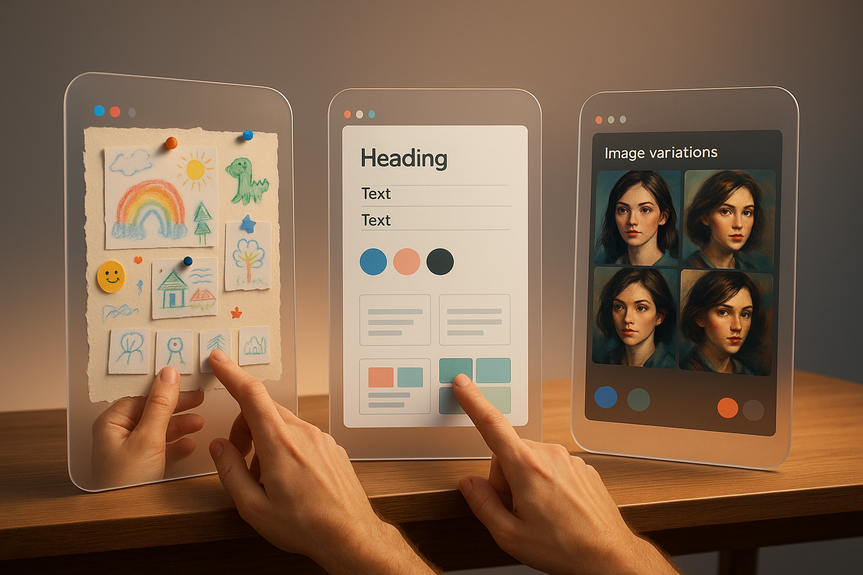
Looking for the best AI tools for creativity? These three apps turn messy ideas into real work fast. Use Google Mixboard to sketch and collect thoughts, Canva Magic Design to turn a seed into a clean design, and NightCafe to explore styles and characters. Here’s how to get results today.
AI is in everything, but not every tool helps you make something new. After testing a bunch, these three stood out because they help you think, design, and finish. They take you from “hmm” to “done” without heavy prompts or long edits. Try them together for even better flow.
Best AI tools for creativity: the trio that sparks ideas
The best AI tools for creativity share three traits: they make starting easy, they help you see options fast, and they give you results you can use right away. Here’s how Google Mixboard, Canva Magic Design, and NightCafe do exactly that.Google Mixboard: build ideas you can see
Use Mixboard as a visual workspace. It feels like a canvas, not a chatbot. Dump notes, photos, PDFs, and doodles in one place, then move pieces around until the plan clicks. It’s great for project hubs, mood boards, and even a simple visual journal.- Quick start: Create a new board. Drag in notes, screenshots, and PDFs. Add sticky notes for tasks or headlines.
- Make it visual: Snap photos of whiteboards, sketches, or your kid’s art. Add dates and short captions to track progress.
- Shape the story: Group items, draw arrows, and test layouts. When it feels right, export or hand off to a slide tool like NotebookLM.
- Use one board per project and name sections clearly, like “Research,” “Draft,” and “Next.”
- Do 10-minute idea dumps. Don’t judge, just place. Edit later.
- Keep photos bright and flat to make them easier to read and arrange.
- Pitch and storyboard planning
- Content calendars and campaign maps
- Home or classroom keepsakes as monthly “visual logs”
Canva Magic Design: turn a seed into a finished design
Magic Design takes a short idea and delivers polished options. You enter a few words and pick a format (slide, poster, social post). In seconds, you get layouts, fonts, and visuals you can tweak. It’s the fastest bridge from concept to shareable asset.- Quick start: Type 5–10 words that include goal, audience, and vibe (for example: “Back-to-school flyer for parents, friendly, bold”).
- Pick a format and a style pack, then generate. Swap colors, fonts, and images.
- Add your copy, drop in a logo, and export in the right size.
- Lead with action and audience. “Convince new runners to try a 5K, upbeat, bright.”
- Keep text short. Let layout and images do the work.
- Use grids and alignment. Zoom in to fine-tune spacing.
- Slides for quick pitches or classes
- Social posts and ads
- Flyers, one-pagers, and event graphics
NightCafe: explore styles and keep characters consistent
NightCafe helps you test looks fast. You can generate variations, try art styles, and now keep the same character across scenes using Consistent Characters. This is great for storyboards, comics, ads, or any project that needs visual continuity.- Quick start: Write a clear prompt with subject, action, setting, and style. Example: “Teen girl on a bike at sunset, soft cinematic light, watercolor style.”
- Generate 4–8 images. Use variations to push the idea in new directions.
- For character continuity: Save the character and place them in new scenes and styles.
- Set aspect ratio before you generate (16:9 for slides, 4:5 for social).
- Use seeds or saved prompts to repeat a look later.
- Anchor characters with 3–5 fixed traits (hair, clothing item, color palette, age, mood).
- Storyboards with consistent heroes
- Mood frames for video planning
- Cover art and scene explorations
Workflow: from spark to share in under an hour
Link the tools to move fast and keep momentum. With the best AI tools for creativity, you can jump from rough idea to final file without getting stuck.- Sketch in Mixboard: Drop notes, references, and a simple outline. Circle 3 key beats.
- Visualize in NightCafe: Generate a hero image and two alternates for each beat. Lock your character if needed.
- Finish in Canva Magic Design: Paste your outline, choose a format, and pull in NightCafe images. Tweak layout and colors. Export.
- Canva: “One-slide pitch for a weekend pop-up coffee stand, friendly, bold type, warm colors, includes hours and location.”
- NightCafe: “Barista handing coffee across a counter, cozy cafe, golden morning light, painterly, 16:9, depth of field.”
- Mixboard note: “Audience: parents + commuters. Hook: ‘Hot coffee, zero wait.’ Visuals: warm browns, smile, steam.”
Troubleshooting creative roadblocks
- Idea feels flat: In Mixboard, add five wild “what if” notes. Keep the best one and test it in NightCafe.
- Design looks busy: In Canva, cut text by 30%. Increase white space. Use one accent color only.
- Character drifts: In NightCafe, repeat the same 3–5 anchor traits and reuse the same seed or character profile.
- Can’t choose: Place top three options side by side in Mixboard. Pick based on goal and audience, not mood.
Why this combo works
- Mixboard removes the fear of starting. You see the idea take shape.
- NightCafe opens paths you did not imagine and keeps visual logic.
- Canva Magic Design gets you across the finish line with clean assets.
For more news: Click Here
FAQ
Q: Which three apps does the article highlight as the top picks for creative work?
A: The article highlights Google Mixboard, Canva Magic Design and NightCafe as three of the best AI tools for creativity. These tools help turn messy ideas into usable visuals, polished designs and style explorations you can use right away.
Q: How does Google Mixboard help with idea development?
A: Google Mixboard functions as a visual workspace or canvas where you can upload notes, photos, PDFs and doodles and then move pieces around until a plan clicks. It’s useful for mood boards, project hubs and simple visual journals because it makes starting and rearranging ideas feel more natural than typing.
Q: What does Canva Magic Design do and when should I use it?
A: Canva Magic Design takes a short idea and generates finished layout options; you enter a few words, pick a format, and it produces layouts, fonts and visuals you can tweak within seconds. It acts as a fast bridge from concept to a usable, exportable design.
Q: How does NightCafe support visual exploration and character consistency?
A: NightCafe generates multiple variations from a single concept so you can experiment with styles and directions quickly. Its Consistent Characters feature lets you save a character look and reuse it across different scenes and styles to maintain visual continuity.
Q: What simple workflow does the article recommend to move from a rough idea to a finished file?
A: The article recommends sketching and collecting notes in Mixboard, generating hero images and alternates in NightCafe, and assembling and exporting the final layout in Canva Magic Design. Following that sequence helps you go from a rough outline to a final file without getting stuck.
Q: What quick-start prompts can I try today to save time?
A: The article lists ready prompts such as the Canva example “One-slide pitch for a weekend pop-up coffee stand, friendly, bold type, warm colors, includes hours and location,” the NightCafe example “Barista handing coffee across a counter, cozy cafe, golden morning light, painterly, 16:9, depth of field,” and the Mixboard note “Audience: parents + commuters. Hook: ‘Hot coffee, zero wait.’ Visuals: warm browns, smile, steam.” Use these as starting points to generate designs, images and notes quickly.
Q: How can I troubleshoot common creative roadblocks using these three tools?
A: If an idea feels flat, add five wild “what if” notes in Mixboard and then test the best one in NightCafe to see new directions. If a design looks busy, cut text and increase white space in Canva, and if a character drifts, reuse 3–5 anchor traits and the same seed or character profile in NightCafe while comparing options side by side in Mixboard.
Q: Why does combining Mixboard, NightCafe and Canva work better than using a single AI tool?
A: Combining them leverages complementary strengths: Mixboard removes the barrier to starting and visualizes fragments, NightCafe opens paths and preserves visual logic, and Canva Magic Design produces polished layouts you can export. This trio is a practical example of the best AI tools for creativity because together they move you from spark to shareable output efficiently.
Contents





