Microsoft Guardian Agents security guide enforces least privilege and oversight to stop data breaches.
Microsoft is rolling out automated watchdogs that keep AI bots from going rogue. This Microsoft Guardian Agents security guide shows how the tools watch agent behavior, enforce least privilege, and pause or stop risky actions. Use it to set up guardrails, link with Defender and Entra, and protect sensitive data without slowing teams down.
AI can move faster than any manager. That speed helps, but it also raises risk. Microsoft now says companies should not trust AI models to police themselves. Instead, treat agents like new employees: give them a job, limit their access, and watch their actions. This approach blends automated checks with human approval when stakes are high.
Microsoft Guardian Agents security guide: what changed and why
Microsoft leaders say AI intelligence must be separate from the systems that control it. VP Nadim Abdo notes agents do not intend harm, but they make high-speed mistakes. CEO Satya Nadella stresses that the team that trains a model should not also be the final safety layer. Enter Guardian Agents—external watchdogs that monitor, restrict, and if needed, shut down bots to protect data.
How Guardian Agents work
Separate brains from brakes
Guardian Agents sit outside the worker bot. They do not do the task. They enforce the rules. This split means the “brain” can stay smart, while the “brakes” stay firm and simple. If a bot drifts off-task or reaches for data it does not need, the guardian steps in.
Runtime monitoring across cloud and devices
Microsoft is expanding Project Perception to watch agents across your cloud, network, and endpoints. The system looks for odd sequences, like massive file reads, code changes outside a repo, or silent data exports. It flags actions in real time, not hours later in a log review.
Dynamic least privilege
With Microsoft Defender and Entra Agent ID, the platform can detect local AI tools such as Claude Code, OpenAI Codex, and GitHub Copilot. It then gives each bot the least access needed for the current task and pulls that access back when the task ends. If risk spikes, it can require human approval or cut access on the spot.
Setup checklist for IT and security teams
1) Map agents and data
List all AI agents, copilots, and scripts across teams.
Tag sensitive data: source code, customer info, keys, and finance docs.
Identify high-risk actions: bulk export, repo writes, policy edits.
2) Turn on identity and device signals
Enable Entra Agent ID to give each agent a unique identity.
Require device health checks for any machine running agents.
Bind agent identities to approved runtimes and projects.
3) Enforce least privilege by task
Create task-scoped roles (read-only logs, single-repo write, one-bucket read).
Use just-in-time access that auto-expires after minutes or hours.
Block wildcard permissions and shared secrets.
4) Add human-in-the-loop for high risk
Route code merges to reviewers when changes are agent-made.
Require approval for data exports over a set size.
Use step-up verification for policy, billing, or IAM changes.
5) Detect and contain
Set rules to auto-pause an agent for abnormal spikes or new data paths.
Quarantine the process and cut network egress on suspicious behavior.
Alert owners in Teams/Email with one-click approve, deny, or kill.
6) Log, learn, improve
Capture full audit trails: prompts, actions, resources touched, outcomes.
Feed incidents into training: tighten roles, add deny lists, refine patterns.
Review weekly: top denied actions, mean time to contain, recurring triggers.
Use this Microsoft Guardian Agents security guide as a living playbook. Update it as your agents, data, and risks change.
Use cases and policy patterns
Code assistants
Allow read to multiple repos; write to feature branches only.
Block credential files and production configs.
Require human review for dependency changes or CI/CD edits.
Data analysts
Grant query-only access to approved datasets.
Mask personal data by default; unmask via approval.
Throttle exports and forbid external shares without a ticket.
RPA and workflow bots
Scope to one app or queue per bot identity.
Rotate secrets automatically and bind to device posture.
Pause on UI drift or unexpected screen flows.
Integrations and ecosystem
Nvidia Open Agent Safety Platform
Microsoft is partnering with Nvidia to push a common safety layer for agents. This helps vendors align on signals, policies, and response actions so your controls work across clouds and hardware.
Hardware-level kill switches
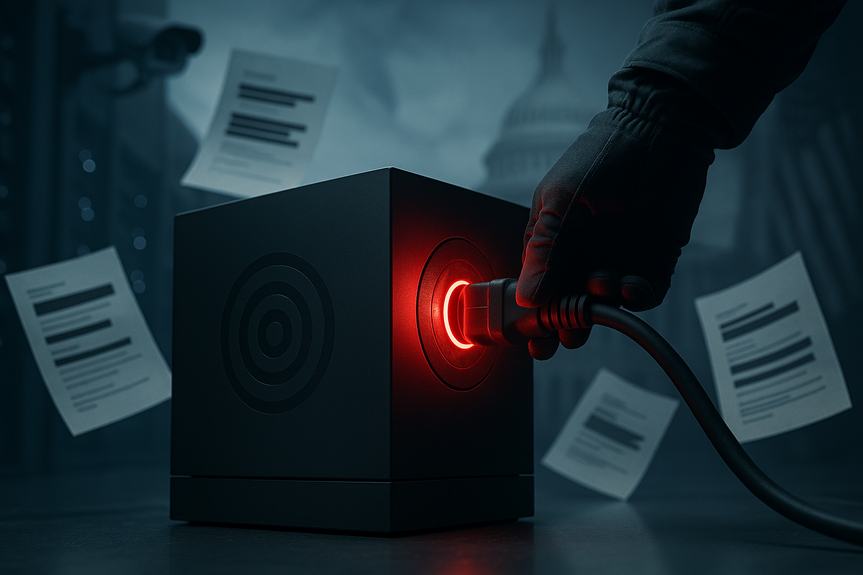
New devices like Surface Laptop Ultra include silicon-level controls. If a bot goes off the rails, hardware can cut access to mic, camera, or network. This adds a final barrier under the OS.
Risks, limits, and what to watch
False positives: Start with monitor-only, then tighten rules as you learn.
Model drift: Re-audit permissions after model updates or prompt changes.
Prompt injection: Sanitize inputs from docs, websites, and chats.
Data exfiltration: Restrict egress domains; inspect and log outbound traffic.
Shadow AI: Hunt for unapproved agents using Defender device and network signals.
Supply chain: Keep an agent SBOM; verify plugins, tools, and API versions.
Metrics that matter
Time to detect and time to contain agent incidents.
Percent of tasks completed with least-privilege roles.
Rate of denied high-risk actions per 1,000 agent steps.
Human approvals required vs. auto-approved safe actions.
Coverage of agent discovery across endpoints and clouds.
Getting started today
Inventory agents and rank data sensitivity.
Enable Entra Agent ID and Defender signals.
Apply task-scoped roles with just-in-time access.
Set auto-pause rules and human approval for high-risk steps.
Pilot with one team, measure, then roll out company-wide.
Your teams can keep speed without risking crown jewels. Guardian Agents add the brakes your AI needs, while engineers and analysts keep moving. Use this Microsoft Guardian Agents security guide to put eyes on every action, enforce least privilege, and build a clear path to safe, predictable automation.
(p(Source:
https://www.androidheadlines.com/2026/10/microsoft-ai-agent-security-tools.html)
For more news: Click Here
FAQ
Q: What are Guardian Agents and how do they work?
A: Guardian Agents are external automated watchdogs that monitor active worker bots across cloud, network, and endpoints and step in when a bot behaves erratically. This Microsoft Guardian Agents security guide explains they enforce rules from the outside, apply runtime checks, and can pause or shut down bots to protect data.
Q: Why does Microsoft recommend separating AI intelligence from security control?
A: Microsoft warns that AI agents rarely intend harm but can make high-speed mistakes, and the team that trains a model should not be the final safety layer. The Microsoft Guardian Agents security guide advises treating agents like employees by assigning tasks, limiting access, and using independent controls to prevent unchecked actions.
Q: How do Guardian Agents enforce least privilege at runtime?
A: They use Microsoft Defender and Entra Agent ID to detect local AI tools and bind agent identities, then grant only the exact files or permissions needed for a single task before revoking access. The Microsoft Guardian Agents security guide recommends task-scoped roles, just-in-time access that auto-expires, and blocking wildcard permissions.
Q: What should IT teams include in a setup checklist for Guardian Agents?
A: The checklist in the Microsoft Guardian Agents security guide recommends mapping all agents and sensitive data, enabling Entra Agent ID and device health checks, creating task-scoped roles with just-in-time access, and adding human-in-the-loop approvals for high-risk steps. It also advises setting auto-pause rules, quarantine actions, full audit trails, and weekly reviews to iterate on controls.
Q: How do Guardian Agents respond when an agent starts acting strangely?
A: When an active agent acts strangely the system can restrict its access, request human approval, auto-pause or shut the bot down, and quarantine the process while cutting network egress. This Microsoft Guardian Agents security guide also notes hardware-level kill switches on devices like the Surface Laptop Ultra as a final barrier to cut mic, camera, or network access.
Q: Which AI tools can Defender and Entra detect according to the guide?
A: Microsoft Defender and Entra Agent ID can detect dozens of local AI tools, with the guide explicitly mentioning Claude Code, OpenAI Codex, and GitHub Copilot. The Microsoft Guardian Agents security guide emphasizes discovery across endpoints so identities can be bound and dynamic permissions applied.
Q: What integrations and ecosystem partnerships support Guardian Agents?
A: Microsoft is partnering with Nvidia on the Open Agent Safety Platform to align signals, policies, and response actions across vendors, clouds, and hardware. This Microsoft Guardian Agents security guide also highlights hardware integrations and device posture checks to extend containment beyond the operating system.
Q: What risks and metrics should teams monitor when deploying Guardian Agents?
A: Teams should watch for false positives, model drift, prompt injection, data exfiltration, shadow AI, and supply-chain issues as listed in the Microsoft Guardian Agents security guide. Key metrics to track include time to detect and time to contain incidents, percent of tasks completed with least-privilege roles, rate of denied high-risk actions per 1,000 agent steps, and coverage of agent discovery across endpoints and clouds.