 AI-generated
 AI News
23 Jul 2026
Read 9 min
DeepStream 9.1 features guide Discover faster pipeline setup
DeepStream 9.1 speeds setup with natural-language prompts via AutoMagicCalib, cutting days to hours.
NVIDIA DeepStream 9.1 goes open source and adds natural-language pipeline building, 13 agentic skills, Multi-View 3D Tracking, and AutoMagicCalib with JetPack 7.2 support. This DeepStream 9.1 features guide explains what changed, where it helps (retail, warehouses, smart buildings), and how to start faster with GitHub samples and prompt-driven workflows.
NVIDIA’s latest release aims to cut setup time and remove roadblocks in video analytics. You can describe a pipeline in plain language and let the SDK build it. It now ships as open source in a unified GitHub repo. Multi-View 3D Tracking keeps IDs across cameras. AutoMagicCalib speeds multi-camera setup. This DeepStream 9.1 features guide breaks down the key updates, use cases, and steps to get hands-on.
DeepStream 9.1 features guide: what’s new and why it matters
Natural-language pipelines and 13 agentic skills
You can now tell DeepStream what you want in simple words. The SDK turns that into a working pipeline. NVIDIA says work that took weeks can take hours. The 13 new agentic skills focus on building, changing, and managing pipelines, so teams move faster with less manual wiring.Open source on a unified GitHub
DeepStream 9.1 is open source on NVIDIA’s unified GitHub repository. That helps teams adopt, review changes, and stay current. It also supports shared contributions and easier updates across versions.Multi-View 3D Tracking (MV3DT)
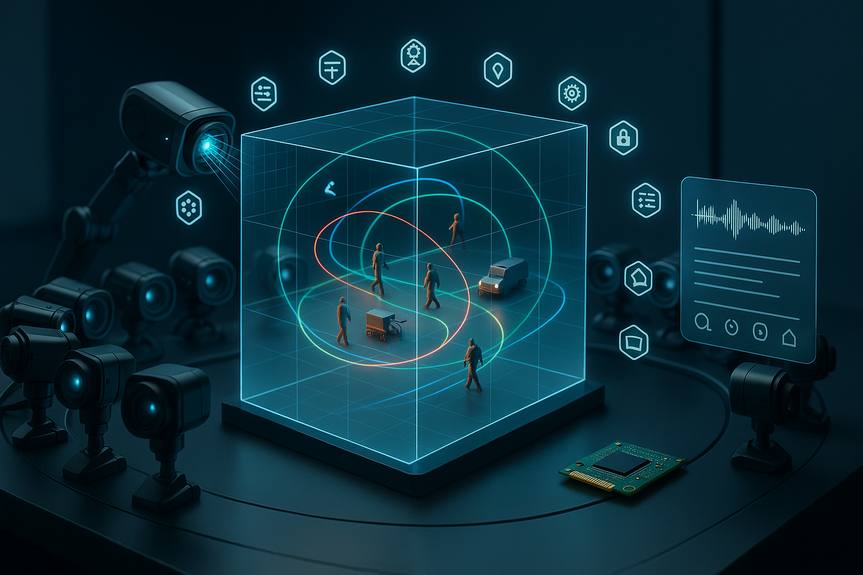
MV3DT gives cameras a shared 3D coordinate system. A person, cart, or vehicle keeps the same identity as it moves between views. This is useful for:- Warehouse safety and zone alerts
- Retail traffic and dwell measurement
- Smart-building occupancy and flow
- Campus and yard operations
AutoMagicCalib for faster setup
Calibration is a common pain in multi-camera projects. AutoMagicCalib automates one of the hardest steps, which can reduce onsite time and mistakes. Better calibration also boosts MV3DT reliability.JetPack 7.2 and edge-to-cloud reach
DeepStream 9.1 supports JetPack 7.2 for NVIDIA Jetson devices. It fits NVIDIA’s Metropolis stack, from data center GPUs to Jetson Orin and NVIDIA Thor at the edge. You can prototype on a dev kit and scale to production hardware.Where the updates help most
Security and safety
- Track people across many cameras and alert on restricted zones
- Watch walkways near forklifts and trigger warnings
- Detect loitering or after-hours motion
Retail and venues
- Measure foot traffic and dwell by area or hour
- Follow carts or baskets to study shopper flow
- Optimize staff placement based on heat maps
Logistics and smart buildings
- Follow vehicles through gates and docks across views
- Monitor occupancy trends for HVAC and lighting
- Log events with short video clips for audits
How to get started quickly
- Confirm hardware and drivers. If you run on Jetson, install JetPack 7.2.
- Clone the unified GitHub repo and read the release notes.
- Run the sample pipelines to confirm your camera feeds and codecs.
- Try simple prompts to build a baseline pipeline.
- Add MV3DT when you have multiple cameras with overlap.
- Use AutoMagicCalib to speed camera alignment and reduce drift.
- Log outputs, measure frame rates, and check latency end-to-end.
Example prompts to try
- “Detect and track people across three lobby cameras. Send an alert when someone enters the maintenance zone.”
- “Count customers near the checkout area every 5 minutes and export a CSV report.”
- “Track vehicles moving from Gate A to Dock 3 and keep the same ID across cameras.”
Performance and quality tips
- Use consistent camera heights and angles to improve MV3DT results.
- Keep lighting stable; avoid glare and deep shadows.
- Place calibration markers or use known scene geometry when possible.
- Start with conservative thresholds, then tune to reduce false alerts.
- Log sample clips for quick review and model tuning.
What to watch out for
NVIDIA’s agentic tools look promising, but independent real-world tests are still limited. Also, the usual hard parts of production do not vanish:- Infrastructure: plan compute, storage, and network budgets
- Data quality: poor camera placement leads to poor results
- Security: protect streams, models, and logs
- Governance: set retention and audit rules for video data
- Legacy integration: expect adapters for older VMS and sensors
Roadmap fit: from lab to large rollouts
DeepStream 9.1 works across NVIDIA’s Metropolis stack. That helps teams move the same logic from a single node to many sites. Open source code and prompt-driven setup lower the bar for new users while letting experts fine-tune pipelines for speed and accuracy.Pricing, licensing, and support
DeepStream 9.1 ships as open source in the unified GitHub repo. You still need to follow licenses for any models, codecs, or third-party plugins you add. Check the repository README and release notes for details, supported OS images, and example apps. This release makes it easier to go from idea to working video AI. Natural-language prompts reduce setup time. MV3DT and AutoMagicCalib improve multi-camera results. Open source access simplifies updates and collaboration. Bookmark this DeepStream 9.1 features guide while you test samples, tune calibration, and plan rollouts with clear goals and guardrails. Conclusion: DeepStream 9.1 brings prompt-built pipelines, 13 agentic skills, MV3DT, AutoMagicCalib, and JetPack 7.2 support into an open source package. Use this DeepStream 9.1 features guide to speed pilots today and build stable, scalable video analytics for tomorrow.(Source: https://en.softonic.com/articles/nvidia-deepstream-9-1-is-now-open-source-13-new-ai-tools)
For more news: Click Here
FAQ
Q: What are the key updates in DeepStream 9.1?
A: DeepStream 9.1 introduces natural-language pipeline building, 13 new agentic skills, Multi-View 3D Tracking (MV3DT), AutoMagicCalib, and JetPack 7.2 support. The release is open source on NVIDIA’s unified GitHub repository, and this DeepStream 9.1 features guide explains the changes and use cases.
Q: How do natural-language prompts change pipeline building in DeepStream 9.1?
A: You can describe the pipeline in plain language instead of wiring stages manually, and the SDK converts that description into a working pipeline. NVIDIA says work that used to take weeks can now be done in hours.
Q: What is Multi-View 3D Tracking (MV3DT) and why is it useful?
A: MV3DT gives multiple cameras a shared 3D coordinate system so a person, cart, or vehicle keeps the same identity as it moves between views. NVIDIA highlights use cases such as warehouse safety, retail traffic measurement, and smart-building monitoring.
Q: What problem does AutoMagicCalib solve?
A: AutoMagicCalib automates a common and frustrating multi-camera calibration step to reduce onsite time and setup errors. Better calibration also improves MV3DT reliability.
Q: Is DeepStream 9.1 open source and where can I get it?
A: DeepStream 9.1 is released as open source through NVIDIA’s unified GitHub repository. You can clone the repository and use the included samples and release notes to get started.
Q: Which hardware and software platforms does DeepStream 9.1 support?
A: It supports JetPack 7.2 for NVIDIA Jetson devices and fits within NVIDIA’s Metropolis stack from data center GPUs to Jetson Orin and NVIDIA Thor edge devices. Confirm drivers and supported OS images listed in the repository README and release notes before deploying.
Q: How can I get started quickly with DeepStream 9.1?
A: Confirm hardware and drivers, install JetPack 7.2 if running on Jetson, clone the unified GitHub repo, and run the sample pipelines to verify camera feeds and codecs. Try simple natural-language prompts to build a baseline pipeline, then add MV3DT and use AutoMagicCalib for multi-camera setups while logging outputs to measure frame rates and latency.
Q: What limitations or risks should I watch for when deploying DeepStream 9.1?
A: Independent real-world testing of the new agentic tools is still limited, and the usual production challenges—infrastructure, data quality, security, governance, and legacy integration—remain. The article recommends piloting first, measuring outcomes, and expanding to more sites and cameras once results are validated.
Keep reading, keep building
Three things from our own workshop that fit this topic:
- Diktly Free is our dictation app for Mac: speech becomes text entirely on your own machine, nothing goes to the cloud. Free version, Basic 14.99 €.
- 1000+ Prompts to Level Up Your Life is our most downloaded pack. Pay what you want, including 0.
- OpenAI Agent Mode for Beginners walks you through letting AI agents handle tasks for you. 19.99 $.
Our own products. Tech Moments is our newsletter on AI and tech in plain language, one email, no noise. Subscribe below.
Contents