AI News
31 Aug 2026
Read 10 min
ChatGPT Edu teacher training: Save hours with AI
ChatGPT Edu teacher training helps St. Cloud educators cut clerical work and reclaim planning time.
ChatGPT Edu teacher training gives teachers time back by automating busywork like formatting syllabuses and mapping lessons to standards. In St. Cloud, MN, staff are learning to use a closed, privacy-first AI, reviewing outputs with a simple framework so educators teach, students learn, and AI assists.
St. Cloud Area Public Schools is training teachers on a new AI helper before students return. The district is joining the second year of OpenAI’s ChatGPT Edu program. Leaders say the goal is simple: AI should assist, not replace, the teacher. The focus is on saving time on clerical tasks while keeping student data safe.
The training is optional. Some teachers are ready. Some are curious. Some prefer to wait. All of that is fine. The district wants careful rollout, steady support, and strong review habits. ChatGPT Edu is a large language model, like Gemini or Claude, but the setup here is private and built for schools.
Draft a first version of a syllabus, then refine it for voice and accuracy
Map a lesson plan to state standards, with sources the teacher can verify
Reformat existing content into clear outlines that are easy to present
Spot-check citations and standards alignment before use
ChatGPT can produce a clean format and a starting point. Teachers then review the output, correct it, and add their professional touch. The aim is speed plus quality. ChatGPT Edu teacher training shows where AI helps most and where human judgment must lead.
Accuracy: Are facts, standards, and sources correct? Fix errors or stop.
Neutrality: Is the tone fair and balanced? Remove bias or slant.
Usefulness: Will this help learning? If not, revise or start over.
When a draft passes, teachers still add their expertise. They adjust for class goals, student needs, and local standards. If it fails, they edit or regenerate with a better prompt.
Link existing lesson plans to state standards and flag missing pieces
Format a clean, readable syllabus from your rough notes
Turn a long document into a short teaching outline
Produce variant examples or practice prompts you will review and edit
These uses cut setup time. They do not replace the teacher’s voice or judgment. They free space for deeper planning and better feedback.
Pick one prep task that drains your time each week
Write a safe prompt with no personal data
Ask for a structured output (bullet list, table, outline)
Run the PAUSE It review (accuracy, neutrality, usefulness)
Fact-check standards and sources before classroom use
Edit for your voice and your students’ needs
Note what worked and share with a colleague
A small start builds skill. Over time, you learn where AI saves the most minutes and where it needs tighter review.
Why this district moved fast—and stays careful
Teachers face heavy prep each fall. They align lessons to state standards, set up syllabuses, and format materials. These jobs take hours. With AI, much of that formatting and first-draft work can go faster. That gives teachers more time for lesson design and for giving feedback to students. St. Cloud leaders also hear parent questions about screen time and AI. So they set guardrails. The tool is for teachers only. It helps behind the scenes. Students are not using it. The district trains staff first, then measures impact, and expands only when it is safe and useful.ChatGPT Edu teacher training: what it covers
The district’s sessions focus on practical tasks that save time without risking privacy. Teachers learn how to:Privacy and data protection come first
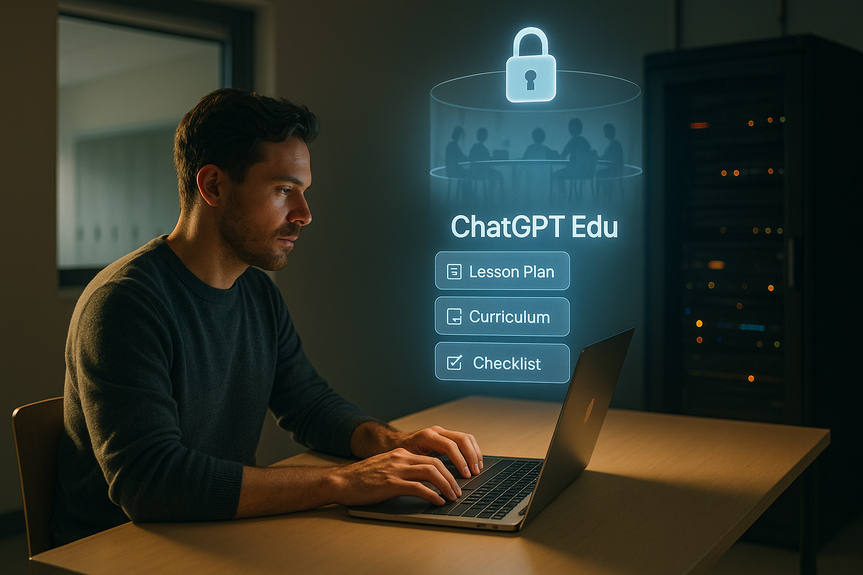
St. Cloud set strict rules to protect personal data. Staff learn to keep all personal and student details out of prompts. No names. No IDs. No health or discipline notes. The model does not pull from district records. The district’s ChatGPT Edu setup is a closed system. Only the district can access its workspace. Even other schools in the national cohort cannot see St. Cloud data. As part of ChatGPT Edu teacher training, staff practice safe prompts and learn when to work fully offline.Teacher-only, not for students
Leaders stress that students do not use this tool. The goal is to speed up teacher prep, not add more student screen time. The district is moving slow on any student-facing AI, with careful checks at each step.How teachers check AI work: the PAUSE It review
After AI creates a draft, St. Cloud teachers run a simple review called PAUSE It. The goal is to test the output before it reaches students. The steps focus on three key points: accuracy, neutrality, and usefulness.Opt-in adoption builds trust
The district made AI use optional. This respects different comfort levels and teaching styles. It also reduces pressure and risk. Early users can share wins and lessons. New users can start small. Skeptical staff can wait and watch. This steady, opt-in path helps the culture grow in a healthy way. Leaders also keep families informed. They explain what the tool does, how data is protected, and how teachers remain in control. Clear messages build trust over time.Practical time savers you can try now
Here are low-risk tasks where AI often helps first:Getting started checklist
What success looks like this year
Early wins often show up as fewer late nights on formatting and faster alignment to standards. Teachers gain time to plan stronger activities and give clear feedback. Students benefit from better-organized lessons. Families gain confidence when they see that privacy is protected and the teacher is still in charge. This approach fits a simple rule: AI assists. Educators teach. Students learn. In short, St. Cloud’s plan is thoughtful and firm. It limits risk, sets review steps, and keeps control in the classroom. Used this way, ChatGPT Edu teacher training can save hours while keeping privacy and pedagogy first. (p Source: https://kstp.com/kstp-news/top-news/from-lesson-plans-to-syllabuses-st-cloud-teachers-test-ai-tools/)For more news: Click Here
FAQ
Q: What is ChatGPT Edu teacher training and who is it for?
A: ChatGPT Edu teacher training prepares St. Cloud Area Public Schools teachers to use OpenAI’s ChatGPT Edu, a large language model, and it is intended for teachers only, not students. The program focuses on practical tasks like drafting syllabuses and mapping lessons to standards while keeping control in the classroom.
Q: How does the district protect student and staff data when using ChatGPT Edu teacher training?
A: As part of ChatGPT Edu teacher training, the district uses a closed workspace where only the district can access its data, and staff are trained to keep personal and student details out of prompts. Teachers practice safe prompts and work offline for any sensitive information.
Q: Is using ChatGPT Edu mandatory for teachers in St. Cloud?
A: No. ChatGPT Edu teacher training is optional; some teachers are comfortable using generative AI, some are just beginning, and others choose not to participate. The district emphasizes voluntary, steady adoption and support.
Q: What classroom tasks can ChatGPT Edu help teachers complete more quickly?
A: ChatGPT Edu teacher training shows teachers how the tool can draft first versions of syllabuses, map lessons to state standards, reformat materials into clear outlines, and produce variant examples to edit and use. These uses cut setup time so teachers can focus more on lesson design and feedback.
Q: What is the PAUSE It review and why is it used after AI drafts?
A: As part of ChatGPT Edu teacher training, teachers run a PAUSE It review focusing on accuracy, neutrality, and usefulness to test AI outputs before they reach students. After PAUSE It they decide to edit, use, or discard the draft and then add their professional judgment.
Q: Can students access ChatGPT Edu through this district rollout?
A: No. ChatGPT Edu teacher training is for teachers only, and the district is moving slowly on any student-facing AI with careful checks at each step.
Q: How does the district help teachers new to AI start using ChatGPT Edu?
A: The district offers optional, practical ChatGPT Edu teacher training sessions that focus on low-risk tasks like formatting syllabuses or linking lesson plans to standards. Teachers are encouraged to start with one draining prep task, use safe prompts, run the PAUSE It review, and share what works with colleagues.
Q: What should teachers do to safely prompt and verify AI-generated content?
A: ChatGPT Edu teacher training recommends teachers write prompts that omit any personal or student data and request structured outputs like bullet lists or outlines. After generation they must run the PAUSE It review, fact-check standards and sources, and edit the output for accuracy and their own voice.
Contents