AI News
22 Sep 2026
Read 10 min
how to use AI privately without being tracked
how to use AI privately: concrete steps to prevent services logging your chats and protect data now
Want to know how to use AI privately without losing the benefits of smart tools? Start by assuming chats are saved, then choose services with zero data retention, hardware-backed protections, or on‑device models. Strip personal details, disable training, and use privacy modes. Here’s a simple plan to keep your prompts from becoming profiles.
AI chatbots feel like a safe place to think out loud. But most tools record your prompts by default. Companies may use that data to improve models, sell insights, or share with partners. Police or lawyers can also request chat logs. Treat chats like emails: They can follow you.
Assume no privacy unless a service gives you a real, technical guarantee.
Remove names, addresses, face photos, account numbers, and work secrets from prompts.
Turn off chat history and model training where possible.
Use separate accounts for sensitive work and personal tasks.
Avoid sending health, finance, or legal details to cloud models.
Prefer tools that can prove they don’t keep logs, not just promise.
With ZDR, an AI provider contracts to delete your chats right after processing.
Major vendors offer ZDR for enterprise and developer tiers, not for most free users.
Some top models are excluded from ZDR for “misuse” risks (like fraud or hacking).
Vendors may still run abuse checks before deletion. They say they strip IDs, but your prompt can still identify you.
ZDR reduces exposure, but it does not equal invisibility. Logs may exist for short windows. Abuse flags may alert staff.
If you care about how to use AI privately at work, ZDR is often the best mainstream option. But it works best under a signed enterprise deal and clear internal policies.
Some consumer chatbots pledge not to store prompts. That’s good, but it relies on trust.
Privacy‑minded brands have better records, yet a policy can change later.
Tools that forward your request to ChatGPT, Claude, or others can hide your account info from the base model.
But your text can still reveal identity. “Best coffee near 12th and Pine” narrows you down fast.
Routing across multiple back ends can be opaque. If you don’t know who runs the model, you don’t know who sees the prompt.
If you wonder how to use AI privately with consumer tools, remember: proxies improve anonymity but do not erase what your words reveal.
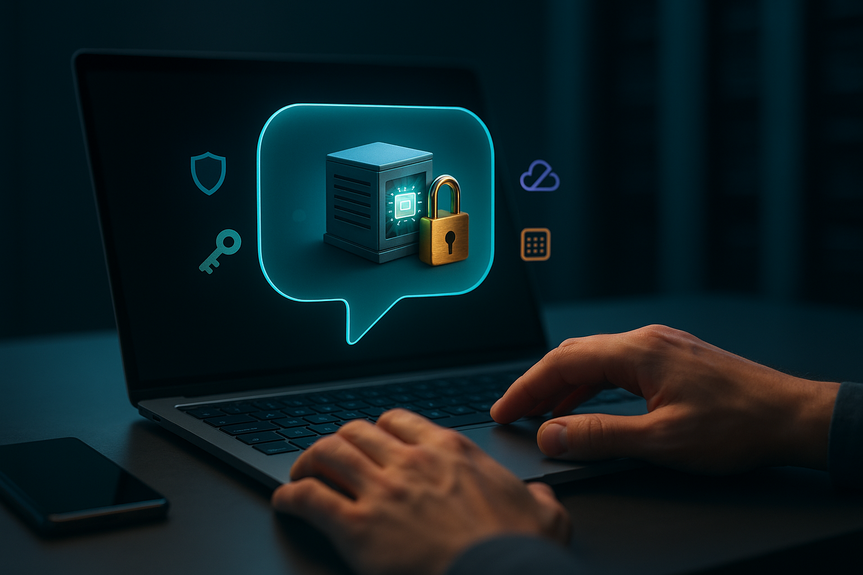
A TEE runs your prompt inside a locked hardware “enclave.” Even the server operator can’t peek inside.
Some private chatbots use Nvidia Confidential Computing plus passkeys and open code for extra assurance.
Messaging apps are adding “incognito” AI modes that use TEEs and claim no retained records.
Apple’s Private Cloud Compute checks that servers run audited code with no logs, and many tasks run fully on your device.
Local tools (like Ollama, LM Studio, or LocalAI) keep data on your machine. This is the strongest privacy path because nothing leaves your device.
Trade‑off: Local models can be slower, less accurate, and hallucinate more than top cloud models.
For many people asking how to use AI privately, TEEs and on‑device models are the most concrete technical shields available today.
Work with compliance needs: Use enterprise accounts with ZDR and clear retention terms.
Very sensitive topics (health, finances, legal, relationship notes): Prefer TEE‑protected chats or local models. Do not rely on policy promises alone.
Everyday brainstorming: A privacy‑promise chatbot or a proxy can be fine. Still strip personal data.
Apple user: Use on‑device Apple Intelligence when possible; allow third‑party model sharing only when needed.
WhatsApp user: Use the “incognito” AI mode that runs in a TEE, not the default chat.
Traveling or offline: Use local models so no data leaves your laptop.
Running strong models is expensive. Services that don’t monetize your data must charge more.
Expect fewer free queries, higher monthly fees, or both. That premium often buys real privacy features.
Vague privacy policies or no retention timelines.
“We log for safety” without limits, access controls, or deletion windows.
Unclear third‑party sharing, or silent routing between multiple providers.
Default settings that train models on your chats.
No technical proof (like TEEs, audits, or verifiable builds) behind privacy claims.
Swap names for roles: “taxpayer,” “client,” “vendor.”
Generalize places: “my city” or “a midwestern town,” not a full address.
Delay details: Ask for a plan first. Add specifics later, and only if needed.
Summarize documents locally. Share only the parts you must, not full files.
Keep a redacted “safe prompt” template you reuse for sensitive tasks.
How to Use AI Privately: Quick Wins
Change habits before you change tools
Zero Data Retention (ZDR): Helpful, but Not Perfect
What ZDR means
Read the fine print
Policies, Promises, and Proxies
“We don’t log your chats” is a promise, not a guarantee
Proxies that relay your prompts
Hardware‑Backed Privacy: TEEs and On‑Device AI
Trusted Execution Environments (TEEs)
On‑device and private clouds
Choose the Right Setup for Your Risk
Match the tool to the task
Cost, Trade‑offs, and Red Flags
Why private AI can cost more
What to watch for
Practical Prompting to Reduce Exposure
Make your text safer
The Bottom Line
You can get real work done and still protect your data. Mix smart habits with the right tech. Use enterprise ZDR when you can. Prefer TEEs and on‑device models for private tasks. Be wary of soft promises. If you focus on how to use AI privately at each step, your prompts stay useful—and far less exposing.(Source: https://www.wired.com/story/how-to-use-ai-with-your-privacy-intact/)
For more news: Click Here
FAQ
Q: What are the simplest habit changes to protect my privacy when using AI?
A: When learning how to use AI privately, start by assuming chats are saved and strip names, addresses, face photos, account numbers, and work secrets from prompts. Turn off chat history and model training where possible, use separate accounts for sensitive tasks, and avoid sending health, finance, or legal details to cloud models.
Q: What is Zero Data Retention and does it make AI interactions private?
A: Zero Data Retention (ZDR) is a contractual promise where an AI provider deletes your chats immediately after processing, usually offered to enterprise or developer customers rather than most free users. It reduces exposure but isn’t perfect—vendors may exclude certain models, run abuse checks before deletion, and sanitized logs can still identify a person when prompts contain identifiable information, so for many workplaces ZDR is the best mainstream option.
Q: Are promises by AI companies that they “don’t log chats” reliable?
A: Claims like “we don’t log your chats” are policy promises, not mathematical guarantees, and depend on trusting the company rather than a technical proof. A privacy-minded provider’s track record can make a promise more credible, but policies can change and a promise is weaker than cryptographic protections like TEEs or on‑device models.
Q: How do proxies and relay services affect my privacy when using AI?
A: When thinking about how to use AI privately, know that proxy services can hide your account metadata from the underlying model but still forward your text to cloud models like ChatGPT or Claude. Because prompts often contain location or other identifying details, relays can improve anonymity but do not erase what your words reveal.
Q: What are Trusted Execution Environments (TEEs) and how do they help privacy?
A: TEEs run your prompts inside a hardware enclave that cryptographically isolates processing so the server operator cannot access the unencrypted data. Services like Confer use Nvidia Confidential Computing along with passkeys and open-source code, and messaging apps’ “incognito” AI modes or Apple’s Private Cloud Compute offer similar TEE-like protections to reduce server-side logging.
Q: Is running AI models on my device a reliable way to keep data private, and what are the downsides?
A: For people asking how to use AI privately, running models locally is the strongest privacy path because nothing leaves your device, with examples like Ollama, LMStudio, and LocalAI. The trade-off is that these self-hosted models are often less capable, slower, and prone to more hallucinations than modern cloud-hosted models.
Q: How should I choose the right AI setup for different sensitivity levels of my tasks?
A: Match the tool to the task: use enterprise accounts with ZDR and clear retention terms for compliance needs, prefer TEEs or local models for very sensitive health, finance, or legal topics, and use privacy-promise chatbots or proxies for everyday brainstorming while stripping personal data. If you focus on how to use AI privately at each step—by delaying specifics, redacting details, and keeping a safe-prompt template—you can keep prompts useful while reducing exposure.
Q: Why do private AI services often cost more, and what red flags should I watch for?
A: Private AI tends to cost more because running strong models without monetizing user data requires significant hardware, energy, and operational expenses, which often means fewer free queries or higher monthly fees. Watch for vague privacy policies, “we log for safety” claims without limits, unclear third‑party routing, defaults that train on your chats, and absence of technical proof like TEEs, audits, or verifiable builds.
Contents