AI News
22 Sep 2026
Read 9 min
AI chatbot privacy guide: 5 ways to protect your data
AI chatbot privacy guide: redact sensitive files, use temporary chats and opt out to protect your data
Use this AI chatbot privacy guide to keep your personal data safe when you chat with tools like ChatGPT, Gemini, or Claude. Learn what data gets stored, how training works, and five simple steps—redact, use temporary chats, opt out, delete history, and review policies—to reduce risk.
Millions of people now use AI chatbots for health, money, school, and work. These tools often save your chats and may use them to train their models. Companies can also keep flagged chats longer for safety or legal reasons. This AI chatbot privacy guide explains what that means and gives you clear steps to protect your information without losing the benefits of AI.
Quick win: Paste only the text you need help with, not the whole document.
Quick win: Start a temporary chat when you handle anything personal.
Quick win: Find “Data controls” or “Privacy” in settings and switch off training.
Quick win: Set a monthly reminder to clean your chat history.
Quick win: Skim the “What changed” summary and act on any new data controls.
Example: Ask for a template email, then fill in names later.
Use different emails and strong, unique passwords for each account.
Turn off plug-ins for private tasks.
Enable multi-factor authentication
Use a lock screen and keep software up to date
AI chatbot privacy guide: What chatbots keep and why it matters
Chatbots may store: – Your messages and file uploads – The time, device, and app version you use – Feedback you send and how you rate answers Many providers use chats to improve their systems unless you change settings. Even if you delete a chat, backups or flagged items may remain for a time. So you should avoid sharing anything you would not email to a stranger. Think before you paste. Once you share a secret, you cannot pull it back from every system that might have seen it.The 5 essential steps to protect your data
1) Redact before you share
Do not upload medical records, tax forms, contracts, or IDs without removing personal details first. If you must share a file, strip or blur anything that can identify you. – Remove names, addresses, phone numbers, emails, and account numbers – Delete metadata from PDFs and images – Replace details with placeholders like [Client A] or [City]2) Use temporary chats or “no training” modes
Some tools offer temporary chats, incognito modes, or settings that reduce or stop training on your data. These sessions may still be stored briefly, but they are less likely to be used for model improvements. – Turn on “do not train” or “temporary chat” when available – Use browser sessions that auto-clear cookies – Avoid logging in for one-off, sensitive questions3) Opt out of training and tune your privacy settings
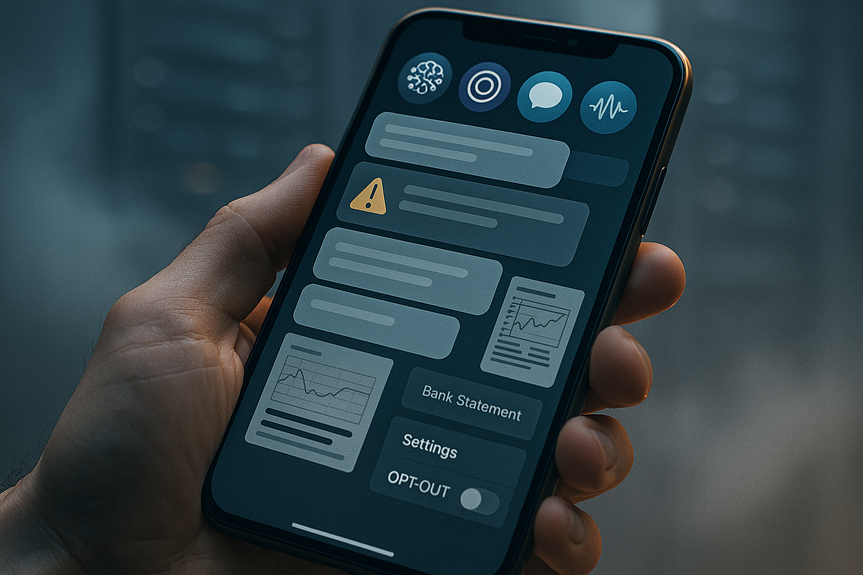
Go to your chatbot’s settings and change the defaults. Many services let you opt out of training, control data retention, or limit human review. – Opt out of model training where possible – Disable chat saving or lower the retention period – Turn off data sharing with third parties, plug-ins, or extensions you do not need4) Delete and manage your history
Make a routine to clear your chat history. Deleting old threads reduces exposure if an account is compromised. It also shrinks the pool of data a provider can use. – Delete chats you no longer need – Remove file uploads and images from past sessions – Request data export and then prune what you keep5) Review policies and updates regularly
Policies change. New features may collect more data or share it in new ways. Stay current so you can adjust your privacy choices. – Recheck privacy policies after big product updates – Watch for emails about changes to data use – Update your settings when new controls appearSmart habits that lower risk
Keep secrets offline
Do not share passwords, one-time codes, full card numbers, Social Security numbers, or private keys. If you need help with a sensitive task, describe the structure, not the secret.Use separate accounts
Keep work and personal chats apart. If your job involves sensitive data, use approved tools and settings from your IT team.Limit plug-ins and third-party apps
Extra tools can see your prompts and data. Only enable what you need, and review permissions often.Secure your device
Good device security protects your chats too.How to use this AI chatbot privacy guide day to day
– Before you paste, pause: Can you remove IDs or use placeholders? – Pick the right mode: Temporary chat or “do not train” when it’s personal. – Control your data: Opt out of training and disable unneeded sharing. – Clean as you go: Delete old chats and files. – Stay informed: Check for policy or setting changes after major updates. Use this AI chatbot privacy guide as a simple checklist you can follow in under five minutes. Small habits add up and make a big difference. Your data is valuable. Chatbots can help you write, learn, and work faster, but you should share with care. If you redact details, use temporary chats, opt out of training, clear history, and review policies, you can enjoy AI with less risk. Keep this AI chatbot privacy guide handy and update your choices as tools evolve. (Source: https://abcnews.com/GMA/News/ai-chatbots-privacy-personal-info-secure/story?id=136614308) For more news: Click HereFAQ
Q: What kind of information do AI chatbots usually store?
A: AI chatbots may store your messages and file uploads, timestamps, device and app version data, and any feedback or ratings you provide. This AI chatbot privacy guide explains that providers often use those chats to train their models unless you change settings.
Q: How should I redact sensitive files before uploading to a chatbot?
A: Remove names, addresses, phone numbers, emails, account numbers, and delete metadata from PDFs and images before sharing. Replace details with placeholders like [Client A] or [City] and paste only the text you need help with.
Q: If I delete a chat, is it gone permanently?
A: Not necessarily; backups or flagged items can remain even after you delete a chat. Companies may also retain flagged conversations for longer periods for safety or legal reasons.
Q: What are temporary chats and do they prevent my data from being used for training?
A: Temporary chats or “do not train” modes reduce the chance your conversation will be used to train models, but sessions may still be stored briefly. They are less likely to be used for model improvements, though not guaranteed to be excluded entirely.
Q: How can I opt out of model training and adjust data retention settings?
A: Go to your chatbot’s settings and look for privacy or data controls to opt out of model training, disable chat saving, or lower retention periods. Many services also let you limit human review and turn off data sharing with third parties or plug-ins.
Q: What daily habits does the AI chatbot privacy guide recommend to lower privacy risks?
A: The guide recommends redacting personal details, using temporary chats, opting out of training, deleting old history, and regularly reviewing policies and updates. It also advises keeping secrets offline, using separate accounts, limiting plug-ins, and securing your device with multi-factor authentication and software updates.
Q: Should I share medical, tax, or ID documents with a chatbot?
A: You should not upload sensitive files like medical records, tax forms, contracts, or IDs without first redacting all personal information. If possible, describe the structure or paste only the necessary text and use placeholders rather than full documents.
Q: How often should I review chatbot privacy policies and settings?
A: Review policies and updates regularly, especially after major product changes, and act on any new data controls. Skim “what changed” summaries, watch for emails about policy updates, and update your settings when new controls appear.
Contents