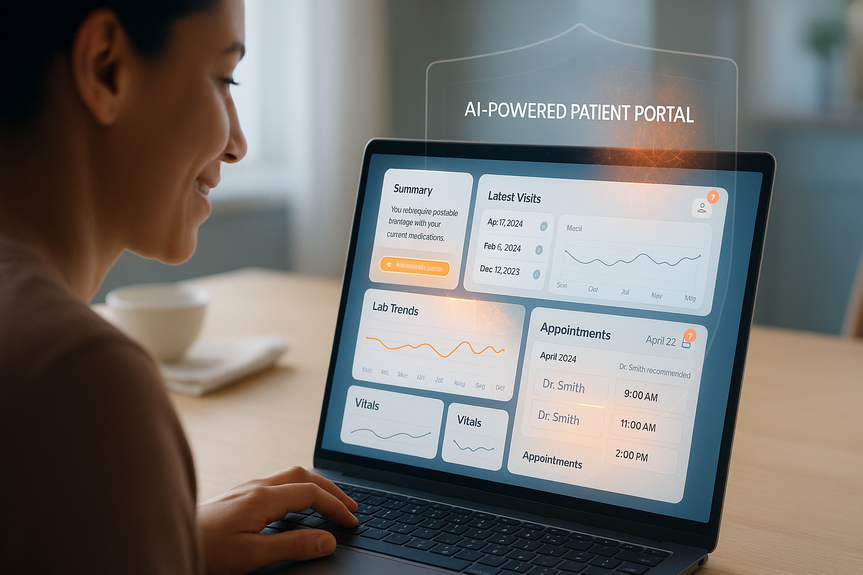
 AI-generated
 AI News
18 Aug 2026
Read 10 min
AI-powered patient portal guide: Boost patient adherence
AI-powered patient portal helps users grasp care plans, complete labs and boost treatment adherence.
Use this AI-powered patient portal guide to improve patient adherence with clear summaries, smart reminders, and safe in-app prompts. Oracle Health’s new portal features explain conditions in plain language, highlight lab trends, recommend follow-ups, and keep data inside the EHR—helping patients act sooner while easing staff workload.
Read plain-language summaries of visits, conditions, and medications.
See reminders for appointments, labs, and follow-up screenings.
Ask about lab trends and vitals over time (for example, cholesterol or A1C patterns).
Get appointment options and clinician suggestions based on prior visits.
Draft messages to care teams with AI help while keeping a clear tone.
View AI-generated text that cites its sources and shows what data it used.
Get safety guidance: the AI does not diagnose and directs urgent issues to 911 or the nearest ER.
Lab completion within 14–30 days after an order.
No-show rate and late cancellations.
Refill timeliness for long-term medications.
Portal activation and repeat use.
Message response time and call volume for general questions.
Use short, direct messages with a single next step and a button to act (Schedule, View Result, Request Refill).
Send reminders near decision points: 7 days before, 24 hours before, and same-day for appointments.
Explain “why it matters” in one sentence tied to the patient’s record (for example, “This lab helps track your blood sugar control”).
Offer quick scheduling options inside the message to reduce drop-off.
Support multiple languages and screen readers. Keep reading level at about 6th–8th grade.
Use standard templates for common replies (refill checks, prep instructions, normal result follow-ups).
Set triage rules for routing messages by topic and urgency.
Teach staff to reference the portal’s cited sources when answering patient questions.
Document what the AI can and cannot do; remind patients that medical advice comes from clinicians.
Pilot with one clinic, one chronic condition, or one workflow (such as lab follow-ups).
Run A/B tests on reminder timing and message wording.
Collect patient feedback in-app after key tasks (Was this helpful? Could you complete your task?).
Review exceptions weekly: messages that needed escalation, missed reminders, or unclear responses.
Send a plain summary of the visit plan 48 hours before the appointment, with parking, prep steps, and a reschedule button.
Trigger a same-day check-in prompt with a “Running late?” link that offers a new slot.
When a provider orders a test, generate a simple explanation and a “Find a lab near me” link with hours and walk-in guidance.
Send a progress nudge at day 7 and day 14 if not yet completed.
Show trend cards (A1C, BP, LDL) with one-line context and the next due step.
Pair med reminders with refill status and a one-tap refill request.
Define 3–5 metrics: lab completion, no-shows, refill timeliness, portal use, call volume.
Map 2–3 patient journeys: new diagnosis, test follow-up, chronic care check-in.
Create short message templates with clear actions and links.
Enable in-message scheduling and lab finder tools.
Set privacy language and safety disclaimers in every AI pane.
Train staff on triage, templates, and reviewing sources.
Pilot, measure weekly, adjust, then scale to new clinics and journeys.
Over-reliance on AI: keep clinicians in the loop and set escalation paths.
Misunderstanding AI outputs: highlight citations and label AI text clearly.
Digital divide: offer SMS or phone options; support caregivers; provide kiosk help on-site.
Language and accessibility gaps: translate key flows and test with assistive tech.
Data governance: confirm that PHI stays in the EHR; log prompts and responses for audits.
AI-powered patient portal guide: What changed and why it matters
Oracle Health has made its AI patient portal widely available for U.S. EHR customers. The portal pulls data from clinical notes and test results, then gives each patient an easy view of their health. It answers common questions, explains medical terms in plain English, and nudges patients to complete next steps. It also reduces routine calls so care teams can focus on higher-value work.What patients can do now
Privacy and safety you can explain in one sentence
All personal health data stays in the EHR; it is not stored in third-party models. Guardrails block medical advice. The system shows its sources so patients and clinicians can verify statements.Turn AI features into better adherence
This AI-powered patient portal guide focuses on simple steps that raise completion rates for labs, refills, vaccines, and follow-up care.1) Set clear goals and metrics
Pick a small set of measures and track them weekly:2) Design nudges that drive action
3) Train care teams to work with AI
4) Launch small, then iterate
Workflow plays that lift adherence
Prevent no-shows
Close the lab and imaging loop
Support chronic care routines
Your quick-start checklist from this AI-powered patient portal guide
Risks and how to manage them
What success looks like
Expect steady movement, not instant change. Look for more patients completing labs on time, fewer routine calls, faster scheduling, and higher portal engagement. Share results with teams and patients to build trust and momentum. Done well, an AI portal becomes a companion that explains, reminds, and connects care—without crossing into diagnosis. It helps patients do the right thing at the right time and frees staff to focus on care. This AI-powered patient portal guide shows how to turn new Oracle Health features into real adherence gains with simple messages, smart timing, and strong guardrails. (p) (Source: https://www.healthcareitnews.com/news/ai-tools-now-widely-available-oracle-healths-patient-portal)For more news: Click Here
FAQ
Q: What does Oracle Health’s AI patient portal do and who can access it?
A: This AI-powered patient portal guide explains that Oracle Health’s portal aggregates clinical documentation and test results to give patients plain-language summaries, reminders for appointments and labs, and self-service tools to ask questions and book follow-ups. Oracle said the portal is generally available to its electronic health record customers in the U.S., and all health data remains in the EHR rather than in third-party models.
Q: How does the portal protect patient privacy and safety?
A: All personal health data stays in the EHR and is not stored outside the Oracle system or in third-party models, the company said. Guardrails prevent the AI from providing diagnoses or treatment recommendations and instead direct patients to consult their clinicians or call 911 in an emergency.
Q: What patient tasks can the portal help with to improve adherence?
A: Patients can read plain-language summaries of visits, conditions, and medications; view lab trends and vitals over time; and receive reminders and prompts to complete labs, screenings, or follow-up visits. They can also draft messages to care teams with AI help, get clinician suggestions and appointment time slots, and see AI-generated text that cites its sources.
Q: How does the portal reduce administrative burden for care teams?
A: The portal lowers routine calls and general inquiries by giving patients clear summaries, automated reminders, and in-message scheduling options, which lets care teams focus on higher-value work. The guide advises training staff on templates, triage rules, and reviewing the portal’s cited sources when answering questions.
Q: How should organizations implement the portal to raise completion rates?
A: This AI-powered patient portal guide recommends starting with a small pilot, defining 3–5 metrics (for example lab completion within 14–30 days, no-show rate, refill timeliness, portal activation, and call volume), and running A/B tests on timing and wording. It also advises creating short messages with a single next step, enabling in-message scheduling and lab-finder links, collecting in-app feedback, and reviewing exceptions weekly.
Q: What transparency and labeling features does the portal use for AI output?
A: AI-generated text in the portal is highlighted with a visual bar and cites the sources of its information so statements can be verified, the company said. The portal also marks what the AI used and includes safety disclaimers that the AI will not provide diagnoses or medical advice.
Q: How can the portal support chronic disease management and medication adherence?
A: The portal shows trend cards for measures like A1C, blood pressure, and LDL with one-line context and a next due step so patients can track progress. It pairs medication reminders with refill status and one-tap refill requests to help maintain treatment adherence.
Q: What early outcomes should teams monitor after launching the portal?
A: Use the AI-powered patient portal guide’s quick-start checklist to define metrics, map patient journeys, and pilot one clinic or workflow while measuring weekly. Teams should look for steady improvements such as more on-time lab completions, fewer routine calls, faster scheduling, and higher portal engagement rather than expecting instant change.
Keep reading, keep building
Three things from our own workshop that fit this topic:
- Diktly Free is our dictation app for Mac: speech becomes text entirely on your own machine, nothing goes to the cloud. Free version, Basic 14.99 €.
- 1000+ Prompts to Level Up Your Life is our most downloaded pack. Pay what you want, including 0.
- OpenAI Agent Mode for Beginners walks you through letting AI agents handle tasks for you. 19.99 $.
Our own products. Tech Moments is our newsletter on AI and tech in plain language, one email, no noise. Subscribe below.
Contents