AI News
16 Feb 2026
Read 10 min
Claude free plan features 2026: How to unlock pro tools
Claude free plan features 2026 deliver pro file creation, Connectors and Skills to get real work done.
Claude free plan features 2026 open pro tools to everyone: file creation for slides, spreadsheets, PDFs, and docs; powerful Connectors for calendars, email, and Canva; and saved Skills that keep your preferences. You also get longer chats, better voice, improved image search, and richer displays—all without ads. Here’s what changed and how to start fast.
Anthropic just moved several premium Claude abilities to the free plan. That means students, creators, and teams can do real work inside a chat without paying or juggling extra apps. You can create files, act inside your tools with Connectors, and save Skills that shape Claude’s style and outputs over time.
Create or sign in to your free Claude account on the web or mobile app.
Open a new chat and look for options to create files (slides, sheets, docs, PDFs) from your prompt.
Enable Connectors in settings or the chat sidebar. Choose services like your calendar, email, or Canva.
Grant permissions so Claude can read and take limited actions in those apps. You can revoke access anytime.
Set up Skills by giving Claude reusable rules (tone, format, brand points). Name and save each Skill.
Test your setup: ask for a two-slide deck, a budget spreadsheet, and a drafted email from your inbox.
Start with one Connector and one Skill. Add more once you see the flow.
Keep Skills short and clear: “Use US English, friendly-professional tone, short sentences, bullet lists.”
Review actions before sending or scheduling. Ask Claude to explain what it’s about to do.
Iterate: give quick feedback like “make the table narrower” or “cut jargon.”
Turn research notes into an outline, then into slides with speaker notes.
Create study sheets and reading trackers as spreadsheets with automatic totals.
Save Skills for citation styles or assignment formats.
Draft client emails from your inbox with a set tone.
Build a one-page proposal as a PDF, then a matching slide deck.
Use Canva via Connectors to turn a brief into social graphics.
Spin up meeting agendas, budgets, and roadmaps in files you can share.
Set brand Skills once for consistent docs, pitches, and updates.
Link calendars and email so follow-ups and scheduling happen faster.
Template a weekly plan: Claude generates a fresh spreadsheet with carryover tasks and dates.
Pitch cycle: outline → slides → follow-up email drafted from your sent folder.
Content loop: research → article draft → social posts in Canva via Connectors.
Use short prompts that name the audience, goal, and deliverable (example: “10-slide sales deck for non-technical buyers; focus on outcomes; include one case study”).
Ask Claude to show assumptions and sources when helpful.
Run quick revisions: “tighten to 200 words,” “add a cost table,” “switch to a friendlier tone.”
With the Claude free plan features 2026, Anthropic gives everyone the key tools to plan, write, design, and ship work from one place. If you want fewer tabs, faster drafts, and outputs that match your style, turn on Connectors, save a few Skills, and start creating files directly in chat. It’s a simple change with everyday impact.
(Source: https://www.techradar.com/ai-platforms-assistants/claude/claude-just-made-its-most-powerful-tools-free-from-file-creation-to-app-integration-all-without-ads)
For more news: Click Here
Claude free plan features 2026: What just became free
File creation inside chat
You can now generate usable PowerPoint slides, spreadsheets with formulas, PDFs, and Word documents directly from a prompt. Ask for a monthly budget, and Claude returns a working sheet with categories and totals. Outline a presentation, and it drafts slides with speaker notes. This turns a quick idea into a finished file you can download and share.Connectors that act in your apps
Connectors let Claude work where you already do. You can have Claude draft emails from your inbox, schedule events in your calendar, or spin up graphics in Canva. Instead of copying text back and forth, Claude can take action through these links. You stay in control and review changes before anything goes live.Skills you can save
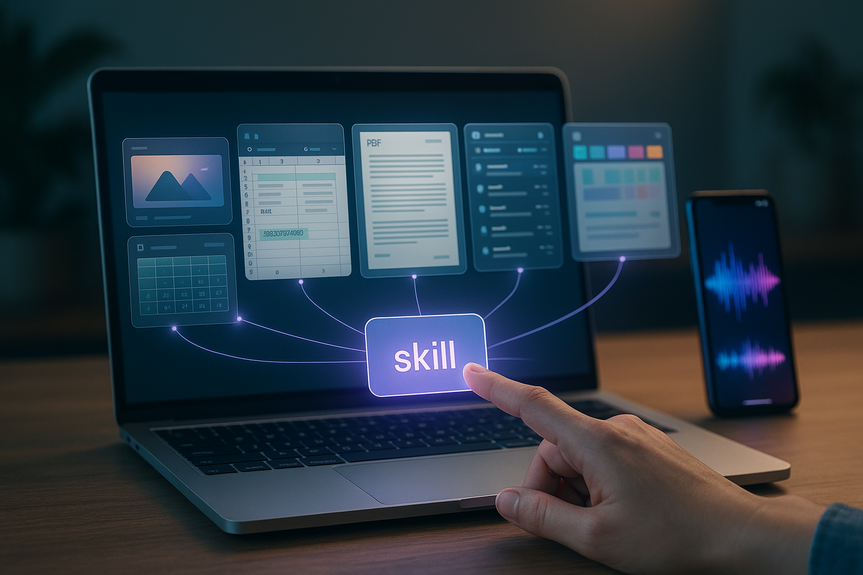
Skills store your ongoing instructions. Teach Claude once, and it remembers. You can set how to format reports, what tone to use in emails, or which brand rules to follow in documents. Over time, Claude learns your style and applies it across tasks, so your outputs stay consistent without repeating yourself. With these Claude free plan features 2026, everyday tasks feel faster. You move from prompt to product in one place, with less friction and fewer tabs.Upgrades to the free experience
Longer conversations and better displays
Free users can hold longer chats without losing context. That helps for multi-step work like planning, revising, and polishing a document. You’ll also see improved interactive displays, which make it easier to scan tables, outlines, and visual elements in your thread.Stronger voice and image search
Voice features now respond more smoothly, so you can talk through tasks hands-free. Image search is sharper as well. You can drop in an image and ask questions about it, find details, or use it to guide a design or a document draft.How to unlock these pro tools in minutes
Quick start checklist
Tips for smooth setup
Who benefits and what to build first
Students and educators
Freelancers and solo creators
Small teams and startups
How it compares to rivals
Many AI platforms are adding new paywalls and even testing ads. This rollout takes the opposite route: high-utility tools, no ads, and broad access. It raises the bar for what “free” should include. If you mainly need to create files, act in your apps, and keep style steady, this free tier now checks those boxes.Make the most of the new toolkit
Build repeatable workflows
Keep quality high
FAQ
Q: What are the main Claude free plan features 2026?
A: The free plan includes file creation for PowerPoint slides, spreadsheets with formulas, PDFs and Word documents, plus Connectors for calendars, email and Canva, and saved Skills that remember your preferences. It also adds longer conversations, improved voice and image search, richer interactive displays, and is offered without ads.
Q: How does file creation inside chat work for free users?
A: Free users can generate usable PowerPoint decks, spreadsheets with built-in formulas, PDFs, and Word documents directly from a text prompt. For example, asking for a monthly budget can return a working sheet with categories and totals, and outlining a presentation yields slides with speaker notes.
Q: What are Connectors and what can they do in the free tier?
A: Connectors let Claude act inside apps you already use, such as drafting emails from your inbox, scheduling events in your calendar, or creating designs in Canva. You stay in control because you grant permissions and can review any actions before they go live.
Q: What are Skills and how do they change Claude’s behavior?
A: Skills store ongoing instructions so Claude remembers formatting, tone, and brand guidelines and applies them across tasks. This reworks one-time instructions into long-term memory and brings customization that was traditionally limited to enterprise or business tiers in other AI ecosystems.
Q: What chat and media upgrades does the free plan include?
A: The free tier supports longer conversations without losing context and shows improved interactive displays for scanning tables and outlines in a thread. Voice features respond more smoothly and image search is sharper, letting you ask questions about images or use them to guide a design or document draft.
Q: How do I enable file creation, Connectors, and Skills in my free Claude account?
A: Create or sign in to a free Claude account on the web or mobile app, open a chat and look for file-creation options, then enable Connectors in settings or the chat sidebar and grant the necessary permissions. After that, set up and save Skills with reusable rules and test the setup by requesting a slide deck, a budget spreadsheet, or a drafted email.
Q: Who benefits most from these free pro tools?
A: Students and educators can turn research notes into outlines, slides with speaker notes, and study trackers, while freelancers and solo creators can draft client emails, one-page proposals and social graphics via Canva. Small teams and startups can spin up meeting agendas, budgets and roadmaps and use saved Skills to keep brand documents consistent.
Q: How does Claude’s free tier compare with rival AI platforms?
A: Many competitors are adding paywalls, subscriptions or ads, whereas Anthropic moved several pro tools into Claude’s free plan with no ads and broader access. This rollout raises expectations about what “free” AI assistants can provide for everyday work.
Contents