AI News
01 Feb 2026
Read 9 min
Gemini JEE Main mock tests How to ace exams fast
Gemini JEE Main mock tests give instant feedback and a personal study plan to boost exam readiness
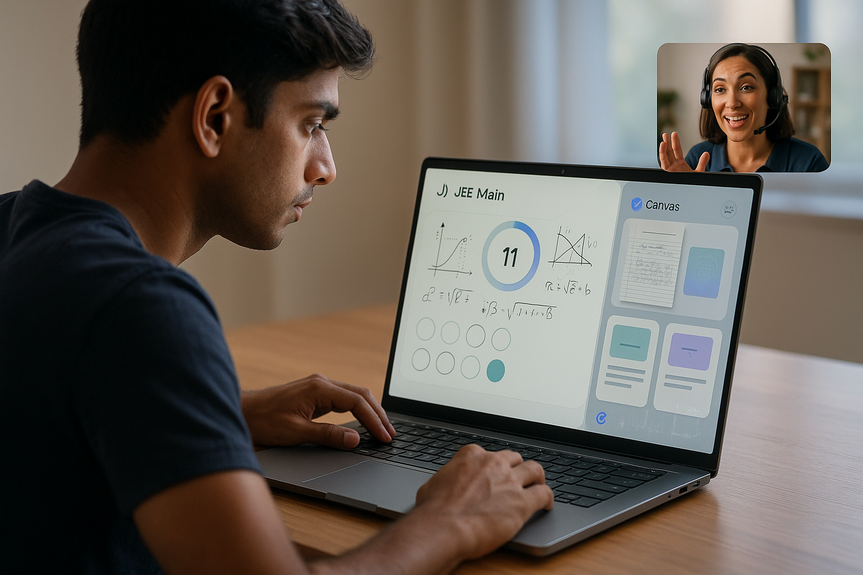
Gemini JEE Main mock tests give you full-length practice, instant feedback, and clear next steps. Built with vetted content from PhysicsWallah and Careers360, these tests mirror the real exam. Pair them with AI Mode in Search and Canvas to build study guides and quizzes fast, so you improve each day with less guesswork.
Getting into a strong JEE Main rhythm is hard. AI can cut the clutter. Google’s new learning tools help you practice smarter, review faster, and turn weak spots into wins. You get real exam-level practice, clear explanations, and a study guide you can build in minutes.
Open Gemini and say: “I want to take a JEE Main mock test.”
Pick a full test or a subject/topic set. Turn on a timer if you want exam mode.
Submit your answers. Review the score report. Ask Gemini to explain each wrong answer.
Spot gaps: See question types and chapters that cost you marks.
Fix them: Ask for a short explanation, then a deeper one with steps and formulas.
Make a plan: Tell Gemini your exam date and target score. Get a simple day-by-day schedule.
Repeat with purpose: Rebuild a quiz from your weak topics and retest after 48 hours.
With Gemini JEE Main mock tests, you practice like the real exam, then turn feedback into a focused plan. This cycle helps you cut wasted time and grow speed and accuracy.
Chapter cheat sheets with formulas, laws, and key shortcuts
Mixed-topic quizzes for endurance training
Error logs that track your most common mistakes
Revision timelines that fit your school schedule
Tell AI Mode what you need, tap Get started to open Canvas, and fine-tune the output. You can ask to raise or lower difficulty, add diagrams in Slides, or switch to step-by-step solutions. When you finish a Canvas quiz, you get feedback and insights into correct answers.
10 minutes: Warm-up quiz on last session’s weak topics
30 minutes: Timed Physics section from a mock test
15 minutes: Review wrong answers and log errors in Canvas
5 minutes: Update tomorrow’s plan (add two target drills)
Train with time blocks: 45–60 minute blocks mirror real test stress.
Study your misses first: Fix one pattern per day (units, sign errors, algebra slips).
Switch modes: Alternate full mocks and short topic drills to avoid burnout.
Use voice: Dictate doubts to keep momentum, then save answers into your notes.
Mix question sources: Add past years to see trends and improve judgment.
Google Classroom app in Gemini: Draft assignments, summarize class progress, and give audio/video feedback inside Classroom.
Workspace upgrades: Summarize long emails in Gmail and create helpful images in Slides to explain tough ideas.
Workspace Studio: Build no-code AI agents to handle complex workflows, like generating weekly practice sets or parent summaries.
These tools reduce admin work and free teachers to focus on one-to-one support and targeted practice.
Only taking tests: Always review every wrong answer and update your error log.
Skipping timing: Practice under time to build pacing and decision skills.
Overusing hints: Try first, then ask for steps; this builds recall and confidence.
Messy notes: Keep a single Canvas guide for formulas, errors, and key tricks.
No rest: Short breaks prevent careless mistakes and improve memory.
Why Gemini JEE Main mock tests change your prep
JEE needs precision and stamina. The new mock tests in Gemini meet that need. You get full-length tests based on trusted sources. The questions feel like the real paper. The platform shows what you did well and where you struggled. You can ask for an explanation for any question on the spot.How to start in 3 steps
Smarter review, faster progress
Use AI Mode and Canvas to build guides and quizzes
AI Mode in Search now includes Canvas, a workspace where you can create study guides and interactive quizzes. You can attach class notes or PDFs to give context. AI Mode brings in trusted web info plus your files to produce clean, structured material you can edit and refine.What to build in Canvas
A one-hour sample session that works
Pro tips to boost accuracy and speed
Tools for teachers and coaching centers
Google is bringing AI into the classroom to save time and improve feedback.Trust what you see: AI content checks
To keep learning safe, Google offers SynthID, an invisible watermark for images and videos made or edited by Google AI. Upload media to the Gemini app and ask, “Is this AI-generated?” You get a clear signal. Google plans to extend checks to audio and more models over time.Common pitfalls and how to avoid them
Make every session count
Use Gemini JEE Main mock tests for realistic practice and fast, clear feedback. Use AI Mode and Canvas to turn mistakes into a simple plan you can follow. Add steady timing drills and clean notes. With this loop, you build accuracy, speed, and confidence for test day.(Source: https://blog.google/intl/en-in/new-ai-tools-to-support-indias-next-generation/)
For more news: Click Here
FAQ
Q: What are Gemini JEE Main mock tests?
A: Gemini JEE Main mock tests are full-length practice exams in Gemini built with vetted content from partners like PhysicsWallah and Careers360 that mirror the real JEE Main paper. They provide immediate feedback and let you ask Gemini to explain any question you don’t understand.
Q: How do I start a Gemini JEE Main mock test?
A: Open Gemini and say “I want to take a JEE Main mock test,” then choose a full test or a subject/topic set and enable the timer for exam mode if you want simulated conditions. After completing the test, submit your answers, review the score report, and ask Gemini to explain any wrong answers.
Q: What feedback and follow-up do Gemini JEE Main mock tests provide?
A: When you finish a mock test you receive immediate feedback that highlights where you excelled and where you need more study, and you can request explanations for specific questions. Gemini can also help convert those insights into a customized study plan, such as a simple day-by-day schedule based on your exam date and target score.
Q: How can I use AI Mode and Canvas with Gemini JEE Main mock tests?
A: Use AI Mode in Search to open Canvas by tapping “Get started,” attach class notes or PDFs for context, and let AI Mode combine web content and your files to build study guides or quizzes. You can refine the output’s depth and format in Canvas and then use the Canvas quizzes and feedback alongside Gemini JEE Main mock tests to guide your revision.
Q: How should I structure practice sessions using Gemini JEE Main mock tests?
A: A one-hour sample session suggested in the article is 10 minutes of warm-up on weak topics, 30 minutes on a timed Physics section from a mock test, 15 minutes reviewing wrong answers and logging errors in Canvas, and 5 minutes updating the next day’s plan. More generally, train in 45–60 minute blocks, alternate full mocks with short topic drills, and focus on fixing one mistake pattern per day.
Q: What common mistakes should students avoid when using Gemini JEE Main mock tests?
A: Avoid only taking tests without reviewing every wrong answer; update an error log and keep a single Canvas guide for formulas, errors, and key tricks. Also practice under timed conditions, resist overusing hints before attempting questions, and take short breaks to reduce careless mistakes.
Q: How can teachers and coaching centers use Gemini and related AI tools?
A: Educators can use the Google Classroom app in Gemini to draft assignments, summarize student progress using class context, and provide native audio/video feedback within assignments. Additionally, Workspace upgrades like AI-powered email summarization, creative image generation in Slides, and Workspace Studio’s no-code AI agents can help automate tasks such as generating practice sets or summarizing parent communication.
Q: How do SynthID and AI verification tools help with learning materials used alongside Gemini JEE Main mock tests?
A: Google offers tools like SynthID so you can detect images and videos created or edited by Google AI by uploading media to the Gemini app and asking “Is this AI-generated?”. Over time Google plans to expand these checks to audio files and non-Google models, which can help educators and students verify the provenance of learning materials used alongside Gemini JEE Main mock tests.
Contents