 AI-generated
 AI News
26 Jul 2026
Read 11 min
How AI tools for indie game development boost productivity
AI tools for indie game development speed workflows and help small studios ship polished games faster.
AI tools for indie game development cut busywork, speed prototyping, and help small teams ship features faster. From coding agents and placeholder art to smarter NPCs, the right guardrails keep quality high while costs stay low. This guide shows how one studio applies them and what steps any indie can take next.
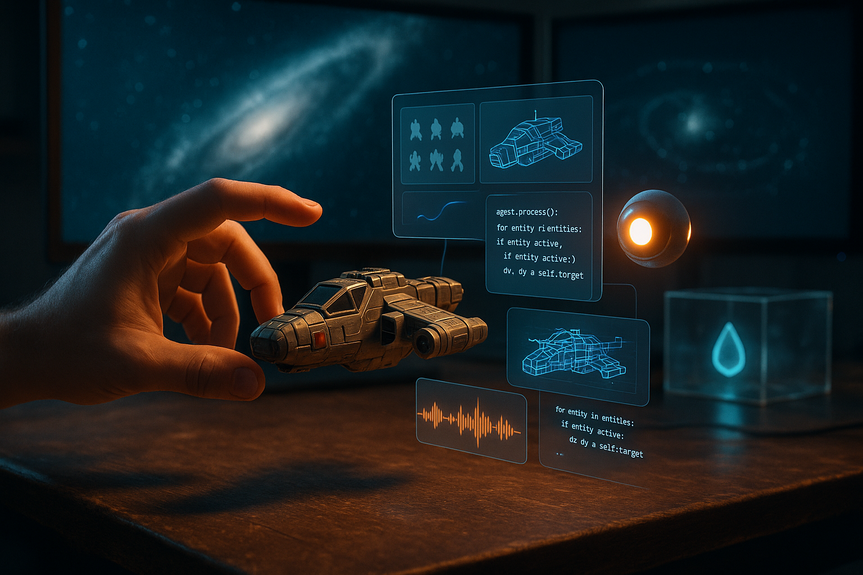
Fleetyard Studios, the team behind Starship Simulator, shared a clear policy on how it uses AI to work faster without lowering quality. The studio treats most generated assets as placeholders, leans on coding agents for repetitive tasks, and tests the idea of LLM-driven NPCs with strict rules. Their approach shows how to turn hype into practical gains while staying open with players.
Shorten iteration time on code, art, and audio
Expose design flaws earlier through quick prototypes
Free human time for systems, polish, and playtests
Hold schedules steady when resources are thin
The key is control. Tools should assist, not replace, human craft. That means strict limits, human review, and a shared definition of “done.”
Boilerplate code and wrappers
Data parsing and import pipelines
Unit test scaffolding and refactor support
Editor scripts and build automation
Guardrails to keep quality high:
Ship with tests, not vibes: require tests for every agent-generated change
Review diffs with human eyes: lint, static analysis, and code review are non-negotiable
Lock down architecture: devs design; agents implement
Track impact: measure defect rates, cycle time, and rework
When agents handle syntax, humans can spend more time on game feel, balance, and performance.
Follow a style guide so placeholders match scale, color, and mood
Tag every temp asset and set a clear removal date
Use provenance tools and keep a manifest for each build
Protect the pipeline: final passes are human-made and reviewed for cohesion
Placeholders should speed discovery, not set the final look. Players notice when temp art leaks into launch.
Clear training constraints: avoid unlicensed data and keep lore consistent
Content filters: block unsafe or off-tone replies
Cost controls: token limits, caching, and on-device fallback where possible
Latency targets: prefetch or stage dialogue for smooth play
Author oversight: writers define persona, mood, and guardrails
Pilot the feature in a small mode or crew role first. Measure player delight and session length against server cost and support load.
Publish a brief AI policy: what tools you use, where, and why
Disclose model choices and known trade-offs
Audit training sources for consent and licensing
Track approximate compute, cost, and emissions where feasible
Offer opt-outs for online AI features when practical
Player trust grows when teams show receipts, admit limits, and improve over time.
Example picks: build scripts, asset tagging, UI strings, localization prep, test data
Define success: time saved, bugs reduced, or pull-request cycle time
One code model, one image tool, one vector/audio helper to start
Set usage caps and log prompts for reproducibility
Store and version prompts next to scripts
Write brief “prompt docs” with examples and failure modes
Enforce code review and style rules for AI output
Reject changes that reduce readability or test coverage
Prototype one NPC or feature flag a single ship role
Measure player engagement, cost per session, and bug reports
Tell your community what is AI-assisted and what is hand-made
Invite feedback; retire features that do not earn their keep
Use AI for speed, not for soul: placeholders now, human art later
Automate drudge code; keep design and review human-led
Explore LLM NPCs with strict training, tone, and cost controls
The studio also shows that environmental and ethical claims should be tested, not taken at face value. Track your own impact, share what you learn, and adjust.
In the end, the goal is simple: ship a better game, sooner, with fewer surprises. When teams define clear boundaries and measure outcomes, AI becomes a lever, not a crutch.
Good tools do not replace craft. They give craft more time to shine. With careful rules and honest communication, AI tools for indie game development help small teams move faster, keep quality high, and earn trust from players.
Why AI tools for indie game development matter now
Small studios face tough trade-offs: long task lists, short budgets, and the need to keep up with bigger teams. Used with care, AI can:Coding agents: faster progress, fewer headaches
Fleetyard’s team uses coding agents to handle “boring, time-consuming” tasks. This is a smart first step. Agents are well-suited for:Placeholder art and audio that serve the craft
Fleetyard uses AI-generated 2D, 3D, and audio as placeholders only. This helps block in levels, UI, and FX while the art team develops final assets. To make placeholders useful and safe:Smarter NPCs with LLMs: promise and pitfalls
The studio is exploring an in-game LLM for NPC crewmate interactions. Done right, this can boost immersion. Done wrong, it can break tone or raise costs. What to require before shipping:Responsible workflows, from data to datacenters
Fleetyard says it prefers Anthropic models for lower environmental impact, citing cloud partner claims about water efficiency and goals to be water-positive by 2030. At the same time, reporting from groups like Consumer Reports shows rising strain from AI data centers on power and water in some regions. This tension is real, so studios should:A simple playbook to adopt AI, step by step
You do not need a giant plan. Start small, learn fast, and scale what works.1) Pick two high-friction chores
2) Choose a stable toolchain
3) Make prompts part of your codebase
4) Keep humans in control
5) Pilot narrative AI in a safe sandbox
6) Communicate early and often
Lessons from Starship Simulator’s approach
Fleetyard’s policy has three strong ideas any indie can borrow:For more news: Click Here
FAQ
Q: What are AI tools for indie game development and why do they matter?
A: According to the article, AI tools for indie game development cut busywork, speed prototyping, and help small teams ship features faster. They shorten iteration time on code, art, and audio, expose design flaws earlier, and free human time for systems, polish, and playtests.
Q: How is Fleetyard Studios using AI in Starship Simulator’s development?
A: Fleetyard’s policy treats AI-generated 2-D, 3-D, and audio assets as placeholders until human-crafted assets are made, uses coding agents for “boring, time-consuming” tasks, and is considering an in-game LLM for NPC crewmate interactions with strict prerequisites. Lead dev Dan Govier also said the studio uses Anthropic models exclusively citing lowered environmental impact, though the article notes reporting that such claims should be tested against data about datacenter impacts.
Q: What tasks are coding agents best suited for and what safeguards are recommended?
A: The article says coding agents are well suited for boilerplate code and wrappers, data parsing and import pipelines, unit test scaffolding and refactor support, editor scripts, and build automation. When using AI tools for indie game development, recommended safeguards include requiring tests for every agent-generated change, human review of diffs with lint and static analysis, locking down architecture so developers design while agents implement, and tracking defect rates, cycle time, and rework.
Q: Can AI-generated art and audio be used in final releases?
A: Fleetyard uses AI-generated 2D, 3D, and audio strictly as placeholders to block in levels, UI, and FX until final human-made assets are produced, and it requires tagging temp assets, setting clear removal dates, and keeping a provenance manifest for each build. The article emphasizes that in AI tools for indie game development workflows placeholders should speed discovery rather than set the final look because players notice when temporary art leaks into launch.
Q: How should indie studios pilot LLMs for NPC interactions?
A: Fleetyard recommends strict prerequisites before shipping an in-game LLM, including clear training constraints to avoid unlicensed data, content filters, cost controls like token limits and caching, latency targets, and author oversight for persona and tone. As part of AI tools for indie game development, the studio advises piloting the feature in a small mode or single ship role first and measuring player delight, session length, and support costs.
Q: What environmental and ethical concerns should developers consider when using AI?
A: The article notes Fleetyard prefers Anthropic models citing lowered environmental impact but also highlights reporting from groups like Consumer Reports about rising strain from AI datacenters on power and water in some regions. It recommends publishing a brief AI policy, disclosing model choices and trade-offs, auditing training sources for consent and licensing, tracking approximate compute, cost, and emissions, and offering opt-outs for online AI features when practical.
Q: What simple playbook can an indie team follow to adopt AI responsibly?
A: The article lays out a step-by-step playbook: pick two high-friction chores to automate, choose a stable toolchain with usage caps and prompt logging, store and version prompts next to scripts, and enforce code review and style rules for AI output. Pilot narrative AI in a sandboxed role, define success metrics like time saved or bugs reduced, and communicate early with your community as part of practical AI tools for indie game development adoption.
Q: How should teams measure success and maintain player trust when using AI?
A: Measure success with defined metrics such as time saved, bugs reduced, pull-request cycle time, defect rates, and rework, and track the impact of AI changes over time. Maintain player trust by publishing a brief AI policy, disclosing model choices and trade-offs, keeping provenance manifests, inviting feedback, and retiring features that do not earn their keep.
Keep reading, keep building
Three things from our own workshop that fit this topic:
- Diktly Free is our dictation app for Mac: speech becomes text entirely on your own machine, nothing goes to the cloud. Free version, Basic 14.99 €.
- 1000+ Prompts to Level Up Your Life is our most downloaded pack. Pay what you want, including 0.
- OpenAI Agent Mode for Beginners walks you through letting AI agents handle tasks for you. 19.99 $.
Our own products. Tech Moments is our newsletter on AI and tech in plain language, one email, no noise. Subscribe below.
Contents