 AI-generated
 AI News
08 Oct 2026
Read 10 min
How to detect AI-generated media instantly and for free
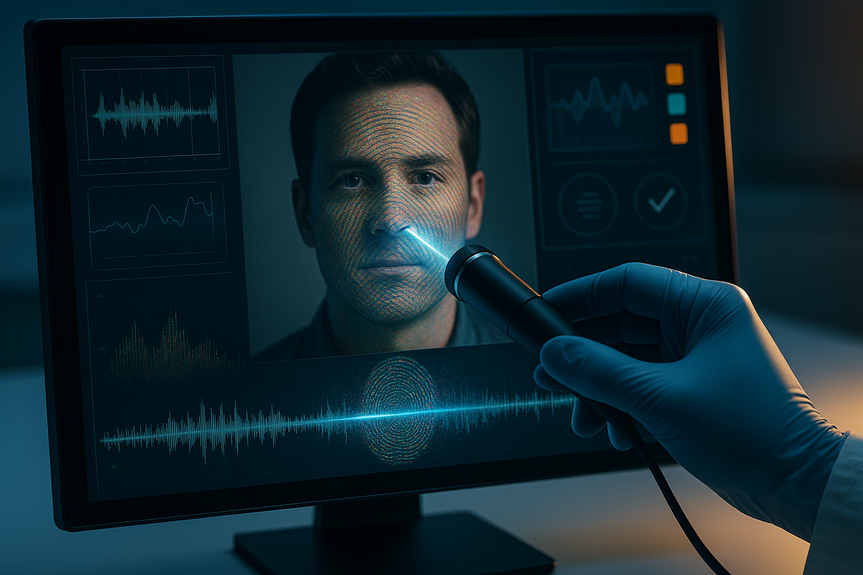
how to detect AI-generated media fast and free using Google's SynthID to verify images audio and video
To learn how to detect AI-generated media fast and free, start with Google DeepMind’s SynthID Detector. Upload an image, video, or audio file and it checks for invisible watermarks from major AI models. Combine it with basic checks and platform tools to verify text and spot edits.
AI content spreads fast. Platforms now add hidden watermarks so you can verify what is real. Google says its SynthID system has marked more than 180 billion images and videos and 240,000 years of audio. Laws like the EU AI Act push this change. If you want to know how to detect AI-generated media without paying, the steps below will help.
Open the SynthID Detector from Google DeepMind.
Upload your image, video, or audio file. You can also paste a link if the tool supports it.
Read the result. It will tell you if an AI watermark is present and how confident it is.
Re-test after simple edits (crop, filter, trim). SynthID’s watermarks are designed to survive common changes.
What it covers:
Works with content made by Google, OpenAI, Nvidia, Kakao, and Apple platforms.
Does not change how media looks or sounds. It does not reduce quality.
Limitations to note:
If a file was made by an unsupported tool, the detector may not find a mark.
If someone rebuilt the media from scratch, the watermark may be gone.
OpenAI’s textGrain adds a hidden pattern to ChatGPT text. Anthropic says it has similar tech for Claude.
These watermarks can break if a human edits the text. Public checkers for text may be limited.
Ask for source links, dates, and author names. Compare with trusted sites to confirm claims.
In Google Search, the Gemini app, and Chrome, open content info panels to see source details and context.
Look for when a page was first seen and who published it.
Use reverse image search to find earlier versions of a picture and trace its origin.
Scan for warped text, strange hands, or bent patterns. AI often slips on small details.
Check shadows and reflections. They should match light and angle.
Search for the image online. If you find an older real photo, the “new” one may be edited.
Listen for odd breaths, room noise that never changes, or perfect timing that feels robotic.
Compare a voice sample with known clips from the same person or channel.
Watch for repeated phrases, vague claims, and missing sources.
Copy a sentence and search it. If many near-matches appear with the same wording, it may be AI text.
These simple habits show how to detect AI-generated media even when a watermark is missing or the tool is unsure.
Google reports more than 180 billion images and videos and 240,000 years of audio now carry hidden marks. That scale helps the public check content quickly.
EU rules require AI outputs to be identifiable by automated systems. Watermarks help meet that rule.
A US case showed how AI-made songs earned millions on streaming sites over years. Better detection can limit these scams.
Media outlets, schools, and brands can screen uploads to protect their audience.
Not all models add them. Some tools remove or blur marks during heavy edits.
Text watermarks can weaken after human edits or copy-paste.
Detectors may only verify content from certain providers today.
Scan all submissions with SynthID Detector before posting.
Keep a short log of checks and results for audits.
Ask contributors to state if AI helped and which tool they used.
Watermark your own AI assets so partners can verify them later.
Check influencer posts and ads before launch to avoid deepfakes.
Flag unclear results for manual review with the quick checks above.
Staying consistent is key. Use a detector first. Then use the quick checks. Document what you find.
In short, you now know how to detect AI-generated media with a free, fast workflow: run SynthID Detector for images, video, and audio, look for platform signals on text, and backstop with simple manual checks. This mix gives you speed, proof, and confidence when you need it most.
(p.s. If a result is uncertain, assume it needs more review and ask for the original file or source.)
How to detect AI-generated media: free tools you can use now
Use Google DeepMind’s SynthID Detector (images, video, audio)
Check AI-written text with platform signals
Use built-in Google verification features
Fast manual checks when tools don’t give a clear answer
For images and video
For audio
For text
Why watermarks matter now
Trust and safety
Fighting fraud and abuse
Where watermarks fall short
How teams and creators can stay ahead
Publishers and educators
Brands and marketers
(Source: https://www.the-independent.com/tech/google-ai-detector-synthid-image-video-b3063273.html)
For more news: Click Here
FAQ
Q: What is Google DeepMind’s SynthID Detector and what can it check?
A: To learn how to detect AI-generated media fast and free, start with Google DeepMind’s SynthID Detector. It lets you upload an image, video, or audio file (or paste a link if supported) and checks for invisible watermarks that Google says have been added to over 180 billion images and videos and 240,000 years of audio.
Q: Which AI platforms does the SynthID Detector currently recognise?
A: The detection tool currently works with content generated using Google, OpenAI, Nvidia, Kakao and Apple platforms. It may not find a watermark on media created with unsupported tools or after a file has been rebuilt from scratch.
Q: Do SynthID watermarks change how media looks or sounds?
A: No, the watermarks do not change how an image or video appears to human users and do not reduce quality, and they are designed to survive common edits such as filters and cropping. However, heavy edits, rebuilding the media, or human edits to text can remove or weaken watermarks.
Q: What are the basic steps to use SynthID Detector to check a file?
A: Open the SynthID Detector on Google DeepMind, upload your image, video, or audio file (or paste a link if the tool supports it), and read the result to see whether an AI watermark is present and how confident the tool is. Re-test after simple edits like a crop or filter since SynthID’s marks are designed to survive common changes, and this provides a quick way to learn how to detect AI-generated media.
Q: How can I check if text was generated by AI?
A: Look for platform signals like OpenAI’s textGrain and Anthropic’s similar technology, which add hidden patterns to text that automated systems can detect when unedited. Also ask for source links, dates and author names and compare claims with trusted sites, because such watermarks can break if a human edits the text and public checkers may be limited.
Q: What manual checks help when detectors are unsure or a watermark is missing?
A: For images and video, scan for warped text, strange hands, bent patterns or mismatched shadows and use reverse image search to trace origins, and for audio listen for odd breaths, unchanging room noise or unnaturally perfect timing. For text, watch for repeated phrases, vague claims and missing sources and copy a sentence into search to find near-matches, because these simple habits show how to detect AI-generated media even when a watermark is missing.
Q: Why are invisible watermarks being added to AI outputs?
A: Watermarks help provide context and meet rules like the EU AI Act, which requires generative AI products to make their outputs identifiable by automated systems. They also support trust and safety at scale and can help fight fraud, as shown by a US case where AI-generated songs earned millions on streaming platforms.
Q: What should publishers or educators do as part of a verification workflow?
A: Scan submissions with SynthID Detector before posting, keep a short log of checks and results for audits, and ask contributors to state if AI was used and which tool produced the content. If a result is uncertain, assume it needs more review, ask for the original file or source, and flag unclear results for manual inspection.
Keep reading, keep building
Three things from our own workshop that fit this topic:
- Diktly Free is our dictation app for Mac: speech becomes text entirely on your own machine, nothing goes to the cloud. Free version, Basic 14.99 €.
- 1000+ Prompts to Level Up Your Life is our most downloaded pack. Pay what you want, including 0.
- OpenAI Agent Mode for Beginners walks you through letting AI agents handle tasks for you. 19.99 $.
Our own products. Tech Moments is our newsletter on AI and tech in plain language, one email, no noise. Subscribe below.
Contents