Crypto
01 Oct 2026
Read 13 min
How to fix 502 Bad Gateway error and restore uptime *
how to fix 502 Bad Gateway error and quickly restore site uptime with stepwise server and plugin fixes
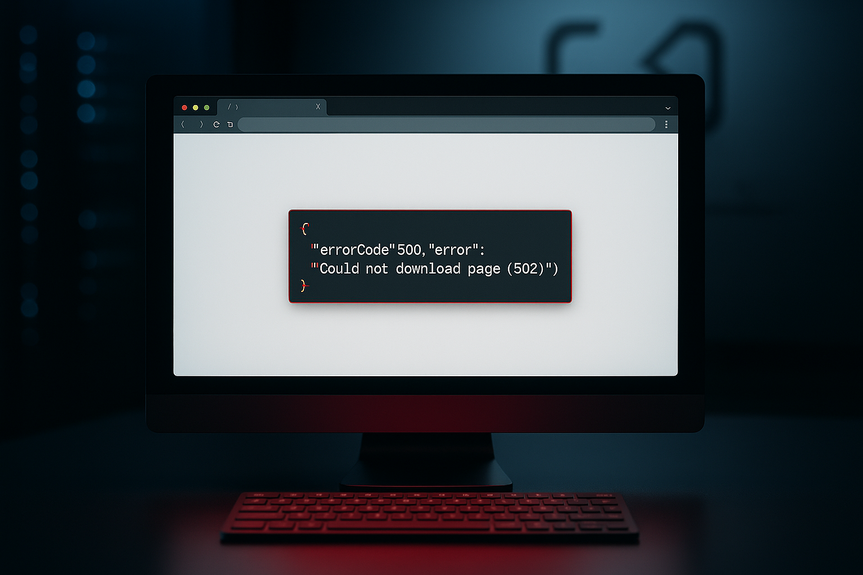
Seeing a 502 Bad Gateway? It means your gateway got a bad response from the origin. Here is how to fix 502 Bad Gateway error fast: check your DNS, restart services, raise timeouts, purge CDN cache, and watch logs. Do this in order to restore uptime.
A 502 shows up when a server in front, like a reverse proxy or load balancer, cannot get a good answer from the server behind it. It looks like a browser problem, but most of the time the issue sits on the server, the CDN, or the network path. This guide gives you clear steps to find the cause, fix it fast, and bring your site back online.
The origin is down, overloaded, or restarting.
The proxy cannot reach the origin due to DNS, firewall, or network issues.
The origin is too slow and hits a timeout.
SSL/TLS is misconfigured and the handshake fails.
Cached or stale routes point to dead servers.
When you see a 502, ask two questions:
Can the gateway reach the origin?
When it reaches the origin, does the origin answer in time?
Refresh the page, or try another browser.
Clear the browser cache. A bad cached route can mask a fix.
Test from a different network (mobile hotspot vs. office Wi‑Fi).
If the error stays the same, move to the server side.
Confirm your domain points to the correct load balancer or CDN edge.
If you changed DNS, allow time to propagate or lower TTL in advance.
If you use private DNS or split-horizon, make sure internal and public records match the intended targets.
Bad DNS sends traffic to the wrong place, which triggers 502s at the edge.
Log into the origin server and check CPU, memory, and disk. Free up space if needed.
Restart core services: web server (Nginx/Apache), app runtime (PHP-FPM, Node, Python app), and database if safe.
Hit the origin directly on its private IP and port to confirm it serves requests without the proxy.
If you manage many nodes, rotate restarts to keep capacity online. This is the most common fix when people ask how to fix 502 Bad Gateway error during traffic spikes.
Increase timeouts slightly so slow but valid requests complete. Keep them reasonable to avoid tying up workers.
Raise buffer sizes if responses are large.
Ensure upstream server lists are current and do not include dead hosts.
Turn on keepalive between proxy and origin to cut connection setup overhead.
A proxy that times out too fast or forwards to dead backends will return 502s under load.
Check recent deploys. Roll back if the error began after a release.
Profile slow endpoints and cache heavy queries.
Offload long tasks to a background queue and return 202 Accepted where possible.
If your app sometimes needs extra time, make sure your timeouts match that reality, and cache hot responses.
Confirm certificates are valid, not expired, and trusted by the proxy.
Match TLS versions and ciphers between the gateway and origin.
Ensure SNI is correct if multiple sites share one IP.
TLS mistakes often look like “upstream sent no valid response,” which the proxy reports as 502.
Open the right ports from the proxy to the origin (often 80/443 or custom app ports).
Allow health-check IPs and CDN egress ranges.
Review WAF rules for false positives that block valid traffic.
Security rules that are too strict can silently break upstream calls.
Purge the CDN cache for the affected routes.
Disable “origin shield” or custom rules that forward to wrong paths.
Check CDN health checks and origin failover settings.
If you still wonder how to fix 502 Bad Gateway error while using a CDN, set a low TTL, enable graceful failover to a healthy origin, and serve a custom static fallback page when the origin is slow.
Verify the load balancer is sending traffic to only healthy nodes.
Scale up (bigger instances) or scale out (more instances) during spikes.
Use auto scaling tied to CPU, latency, or queue depth.
Overloaded origins drop connections, which surface as 502s at the gateway.
Check database health, connection pool size, and slow queries.
Verify third-party APIs are up; add retries with backoff and timeouts.
Use circuit breakers so a failing dependency does not take down all requests.
Your app is only as strong as its slowest dependency.
Proxy access and error logs: Look for upstream timeouts, connect failures, or refused connections.
Application logs: Match timestamps to the proxy errors and find slow or crashing handlers.
System logs: Spot restarts, OOM kills, or disk full messages.
Use a correlation ID. Add a request ID header at the edge and pass it to the app. Then you can trace a single failing request across layers.
curl the origin directly by IP and port to skip DNS and the proxy.
Check DNS with dig or nslookup to confirm current records.
Trace routes with mtr or traceroute if you suspect network issues.
Test TLS with openssl s_client to see cert and SNI problems.
These quick tests help you confirm where the failure starts.
5xx rate at the edge and at the origin.
Latency percentiles (P50, P95, P99) on key endpoints.
CPU, memory, disk I/O, and connection counts.
Queue depth and worker utilization.
Alert on trends, not just spikes, so you can react before users feel pain.
Run at least two origin instances across zones.
Use health checks with automatic failover.
Keep a warm standby or blue/green setup for fast rollbacks.
Set balanced timeouts: long enough for real work, short enough to free resources.
Tune connection pools and worker counts for your traffic pattern.
Cache hot responses and static assets at the CDN.
Document the steps in this guide with your exact commands and dashboards.
Store one-click actions: purge CDN, restart services, scale a group.
Define roles and escalation paths for on-call responders.
Run game days to rehearse a 502 scenario.
After each incident, do a blameless review, capture root cause, and fix it at the source.
Track mean time to detect (MTTD) and mean time to restore (MTTR) to measure progress.
Serve a friendly error page with status updates and a retry link.
Post on your status page and social channels early and often.
Offer a static fallback for key pages during outages.
Clear messages reduce support load and keep trust even when things go wrong.
When a 502 hits, breathe, verify the gateway, test the origin, and fix the smallest thing that restores service. Then keep digging until you remove the root cause. With these steps, your team can restore uptime fast and keep it high.
Bringing it all together: now you know how to fix 502 Bad Gateway error with a simple, repeatable checklist. Start with DNS and health checks, confirm the origin, tune proxy timeouts, clear caches, and watch logs. Build safeguards like scaling, caching, and circuit breakers so the next spike stays smooth and users stay happy.
What a 502 Bad Gateway really means
A gateway or proxy sits between the user and your app. It forwards requests to your origin, waits, and returns the response. A 502 happens when:Step-by-step: how to fix 502 Bad Gateway error
Follow these steps in order. They start with quick checks and move to deeper fixes. Stop as soon as the site is stable, then circle back for root cause.1) Rule out simple client issues
2) Check DNS and routing
3) Verify the origin is healthy
4) Adjust reverse proxy settings
5) Fix application bottlenecks
6) Review SSL/TLS between layers
7) Check firewall, security groups, and WAF
8) Fix CDN and cache problems
9) Balance load and add capacity
10) Inspect upstream dependencies
Debug faster with logs and simple tools
Good logs turn a mystery into a map. Turn on enough detail to see the path from edge to origin.Logs to check first
Handy commands and tests
Metrics and alerts to watch
Prevent repeats and restore uptime quickly
Fixing the incident is step one. Step two is building guardrails so it does not happen again.Reduce single points of failure
Harden configurations
Create a clear incident playbook
Practice and learn
Communicate with users
(Source: https://finance.yahoo.com/markets/stocks/articles/bmnr-stock-forms-golden-cross-170445383.html)
For more news: Click Here
FAQ
Q: What does a 502 Bad Gateway error mean?
A: A 502 Bad Gateway means a gateway or proxy received a bad response from the origin server. Common causes include the origin being down or overloaded, DNS or network issues preventing the proxy from reaching the origin, timeouts, SSL/TLS handshake failures, or stale cached routes pointing to dead servers.
Q: What quick client-side checks should I run before troubleshooting the server?
A: Refresh the page, try another browser, and clear the browser cache to ensure a bad cached route isn’t masking a fix. Also test from a different network such as a mobile hotspot to rule out local network issues.
Q: How do I check DNS and routing when I see a 502?
A: Confirm your domain points to the correct load balancer or CDN edge, and remember that DNS changes need time to propagate or benefit from lower TTLs if planned in advance. If you use private DNS or split-horizon setups, make sure internal and public records match the intended targets.
Q: How can I verify the origin server’s health to fix a 502?
A: Log into the origin server and check CPU, memory, disk space, and restart core services like the web server and app runtime if safe, then hit the origin directly by private IP and port to confirm it responds without the proxy. Rotating restarts across many nodes can keep capacity online, and this is often the most common fix when people ask how to fix 502 Bad Gateway error during traffic spikes.
Q: What reverse proxy settings should I adjust to reduce 502 errors?
A: Increase timeouts slightly so slow but valid requests can complete, raise buffer sizes for large responses, and ensure upstream server lists do not include dead hosts. Also enable keepalive between proxy and origin to reduce connection setup overhead.
Q: What SSL/TLS issues can present as a 502 and how do I check them?
A: Confirm certificates are valid, unexpired, and trusted by the proxy, match TLS versions and ciphers between gateway and origin, and ensure SNI is correct when multiple sites share one IP. TLS mistakes often show up as messages like “upstream sent no valid response,” which the proxy reports as a 502.
Q: Which logs and simple tools help debug a 502 quickly?
A: Check proxy access and error logs for upstream timeouts or connect failures, application logs for slow or crashing handlers, and system logs for restarts or OOM kills, using a correlation request ID to trace a single request across layers. Use quick tests like curl to the origin by IP and port, dig or nslookup for DNS, traceroute or mtr for network paths, and openssl s_client to inspect TLS and SNI.
Q: How can I prevent 502 errors from recurring and restore uptime quickly?
A: Reduce single points of failure by running at least two origin instances across zones, use health checks with automatic failover, and keep warm standbys or blue/green setups for fast rollbacks. Harden configurations by balancing timeouts, tuning connection pools and worker counts, caching hot responses at the CDN, document an incident playbook with one-click actions, and serve friendly error pages and a status page during outages.
* The information provided on this website is based solely on my personal experience, research and technical knowledge. This content should not be construed as investment advice or a recommendation. Any investment decision must be made on the basis of your own independent judgement.
Contents