AI News
28 Jun 2026
Read 10 min
How to fix third-party content timeout and restore pages
how to fix third-party content timeout by increasing wait time to restore reliable page loads now.
Learn how to fix third-party content timeout fast: find the slow dependency, set safe request time limits, add retries and fallbacks, and load non-critical scripts after render. Use caching and service workers to show saved content when a vendor times out. Your page stays usable, fast, and revenue-safe.
When a third-party script, widget, or API call stalls, your page can hang, flash errors, or ship a blank slot. Timeouts happen due to slow vendors, network trouble, DNS issues, or blocked main thread work. The fix is simple in idea: protect the page first, then improve the dependency. You can restore pages by adding fallbacks and by pulling content from cache when the live call fails.
Blank spaces where widgets should render
Slow first paint or layout shift after delay
Blocked user input while a script loads
Inconsistent data between cache and live content
Common causes:
Vendor outage or rate limits
Large scripts that block the main thread
Poor mobile network or DNS delays
Server request limits too low
Set clear time budgets and enforce request timeouts
Make third-party non-blocking (async, defer, lazy load)
Add retries with backoff and circuit breakers
Show placeholders and cached content on failure
Monitor with RUM logs and vendor status alerts
Self-host or swap vendors when risk is high
Load scripts with async or defer so they do not block rendering.
Lazy load widgets when they enter the viewport.
Wrap fetch calls with an AbortController. Abort after a set time (for example, 3–5 seconds).
Show a skeleton or simple fallback first, then hydrate if the vendor responds.
Use rel=preconnect and dns-prefetch for critical hosts.
Use a Service Worker to cache last-known-good responses. Serve that if live calls time out.
Set upstream timeouts in your HTTP client (connect, read, total). Keep them short but realistic.
Retry idempotent GETs with exponential backoff. Cap total time.
Use a circuit breaker. If a vendor is failing, stop calling them for a cool-off period and serve cached or default content.
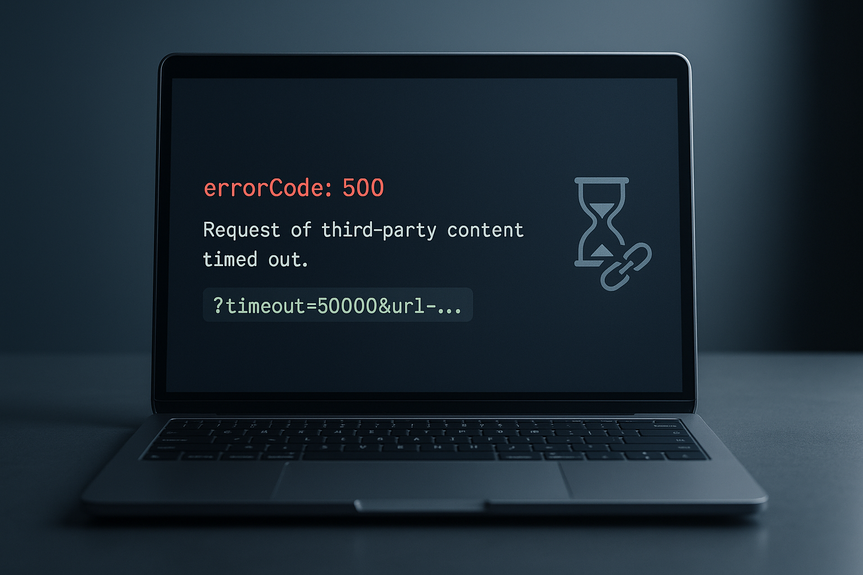
Increase the vendor’s wait parameter only when needed. For endpoints that accept it, append a timeout query like ?timeout=50000&url=…
Cache vendor responses at the edge (CDN). Use stale-while-revalidate so users see content even during outages.
Upgrade to HTTP/2 or HTTP/3, enable compression, and keep connections warm with pooling.
Review their status page and SLA. Open a ticket if timeouts spike.
Switch to a lighter integration (REST over heavy JS SDK, or a static embed).
Use allowlists in CSP to make sure the browser can reach vendor domains.
Always render a placeholder first (ad frame, product box, review shell).
Replace the placeholder only when data arrives. If not, keep the shell with a message like “Content will load soon.”
Avoid layout shift by reserving space for embeds.
Cache HTML fragments or JSON responses. Serve from cache if the live call fails or times out.
Use a Service Worker to store the last good version. Display it during vendor failures and refresh in the background.
For critical pages, keep a static snapshot that loads if third-party calls fail hard.
Set a time budget for each vendor (for example, 100 ms main-thread, 3 s network max).
Gate integrations behind feature flags. If timeouts rise, flip a switch to disable or degrade the vendor.
Self-host small, critical assets (fonts, core libraries) to cut remote risk.
Create a controller and a timer (setTimeout).
Call fetch with the controller’s signal.
On timeout, controller.abort(), clear the timer, show fallback, and log.
Retry on network errors or 5xx up to 2–3 times.
Wait 200 ms, then 400 ms, then 800 ms between tries.
Stop if total time passes your max budget. Serve cached content instead.
Track time to first byte (TTFB), resource timing, and long tasks in RUM.
Log timeout errors with tags for vendor, route, region, and device.
Alert when error rate or p95 latency crosses your budget.
Keep a rollback plan: disable the vendor via flag, switch to cache, and post an incident note.
If a vendor often times out or breaks SLAs, test another provider.
If possible, self-host small scripts or images to cut risk.
Negotiate better SLAs and status webhooks so you can automate fallbacks.
Strong pages do not depend on perfect network calls. They render fast, then enhance. They give useful defaults and keep layout stable. With the steps above, you know how to fix third-party content timeout, protect users, and keep conversions steady.
In short, protect the page first, then improve the dependency. Add timeouts, retries, and fallbacks. Cache smartly. Monitor and switch when needed. That is how to fix third-party content timeout and restore pages fast.
What a third-party content timeout means
Third-party content includes ads, analytics, chat, maps, social embeds, and remote APIs. A timeout is when your request waits longer than a limit and then stops. Symptoms include:How to fix third-party content timeout: Quick checklist
Client-side fixes
Server-side and proxy fixes
Vendor-side checks
Build resilient pages that recover fast
Fallbacks and placeholders
Caching and offline restore
Performance budgets and safety switches
Examples you can apply today
Set a longer but safe vendor timeout
If your provider supports it, raise the wait time only where it helps. Append a timeout parameter like ?timeout=50000&url=… to give a slow endpoint more time, while still keeping your own guardrails in place.Client request with an AbortController
Wrap fetch with a timer. If it runs long, abort and show cached or default content. Example steps:Retry with exponential backoff
Measure, monitor, and roll back
When to switch or self-host
(Source: https://www.theverge.com/tech/955831/figma-code-design-tools-config-2026-announcements)
For more news: Click Here
FAQ
Q: What does “Request of third-party content timed out” mean?
A: It means a third-party script, widget, or API call waited longer than the configured limit and was aborted. Symptoms include blank spaces where widgets should render, slow first paint or layout shifts after a delay, blocked user input, or inconsistent data between cache and live content.
Q: What commonly causes third-party content requests to time out?
A: Common causes are vendor outages or rate limits, large scripts that block the main thread, poor mobile networks or DNS delays, and server request limits that are set too low. These conditions make requests exceed your time budget and trigger the timeout.
Q: How can I prevent third-party scripts from blocking page rendering?
A: Load third-party scripts with async or defer and lazy-load widgets when they enter the viewport so they do not block first paint. Reserve layout space for embeds, use rel=preconnect or dns-prefetch for critical hosts, and show a skeleton or simple fallback while the vendor responds.
Q: How should I set timeouts and retries when fixing third-party timeouts?
A: When deciding how to fix third-party content timeout, set clear time budgets and enforce request timeouts, aborting client fetches after a few seconds and configuring upstream connect/read/total limits on the server. Retry idempotent GETs with exponential backoff but cap total retry time and use a circuit breaker to stop calling a failing vendor and serve cached or default content instead.
Q: What client-side patterns restore content when a vendor times out?
A: Use a Service Worker to cache last-known-good HTML fragments or JSON and serve those when live calls time out, while immediately showing a skeleton or placeholder UI. Wrap fetch calls with an AbortController to abort long requests, display cached or default content, and log the timeout for monitoring.
Q: How can server-side or proxy changes reduce third-party timeouts?
A: Set realistic upstream timeouts, retry idempotent GETs with exponential backoff and a capped total time, and deploy a circuit breaker to stop calling a failing vendor during a cool-off period. Cache vendor responses at the edge with stale-while-revalidate and, when supported, selectively increase the vendor wait parameter (for example ?timeout=50000&url=…) only when it helps.
Q: When should I switch vendors or self-host third-party assets?
A: If a vendor routinely times out, breaks SLAs, or spikes error rates, test alternative providers or self-host small critical assets to reduce remote risk. Also review vendor status pages, open support tickets, and gate risky integrations behind feature flags so you can disable them quickly if problems persist.
Q: What monitoring and quick fixes should I use to keep pages usable during outages?
A: Track RUM metrics like TTFB, resource timing, and long tasks, log timeout errors with vendor and route tags, and alert when p95 latency or error rates cross your budget. For quick fixes, render placeholders or cached content, enforce short timeouts, add retries with backoff, and flip feature flags or serve static snapshots to restore the page and protect conversions.
Contents