Crypto
25 Sep 2026
Read 11 min
How to increase third-party request timeout and stop errors *
how to increase third-party request timeout by adding a timeout value to ensure remote content loads.
Learn how to increase third-party request timeout without breaking your app. This guide explains how to increase third-party request timeout, when it makes sense, and how to prevent 500 errors from slow partners. You will learn the right values to set, where to set them, and which safety nets stop failures.
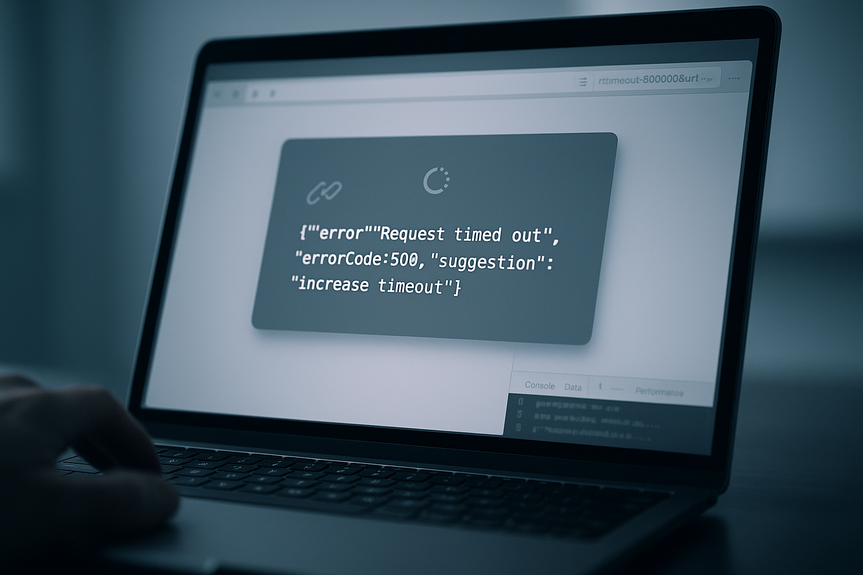
Your app called an outside service. It took too long. You saw a 500 error like: Request of third-party content timed out. Some services even hint at a fix: add a timeout query string, such as …?timeout=50000&url=…. That sounds easy, but simply cranking up limits can harm users and servers unless you do it the right way. Let’s walk through a practical plan that reduces errors and protects performance.
Understand what a timeout really is
The four common types
- Connect timeout: How long you wait to open a TCP/TLS connection.
- Write timeout: How long you wait to send the request body.
- Read timeout: How long you wait for the server to send data.
- Total deadline: A hard cap for the whole request, including retries.
UI versus background jobs
- User-facing calls: Keep timeouts short (2–10 seconds) so the page does not hang.
- Background tasks: You can allow longer timeouts (30–120 seconds), but add retries and alerts.
How to increase third-party request timeout safely
Start with data, not guesses
- Measure current latency: Look at p50, p95, and p99 for each endpoint and region.
- Check provider status: Rate limits, maintenance windows, or quotas may be the real cause.
- Audit your own stack: DNS, proxies, and TLS can add seconds if misconfigured.
Right-size recommended ranges
- Connect: 1–3 seconds for most clouds; 5 seconds on shaky mobile networks.
- Read: 5–15 seconds for UI; 30–60 seconds for background jobs.
- Total deadline: UI 2–8 seconds; background 20–90 seconds.
Apply settings in common stacks
- JavaScript (Axios): Set timeout: 30000 for 30 seconds. For fetch, use AbortController and abort after your deadline.
- Node HTTP agent: Limit sockets and set requestTimeout and headersTimeout to avoid hangs.
- Python (requests): Use timeout=(connect, read), for example timeout=(3, 10). In aiohttp, use ClientTimeout(total=20).
- Java (OkHttp): Set connectTimeout, readTimeout, writeTimeout, and callTimeout for a full deadline.
- .NET (HttpClient): Set Timeout for total, and SocketsHttpHandler settings for granular control.
- Go (net/http): Use Dialer Timeout, TLSHandshakeTimeout, ResponseHeaderTimeout, and a context with deadline for total.
- cURL: Use –connect-timeout and –max-time; for services with a query param, add ?timeout=50000 when allowed.
Do not forget your proxies and servers
Reverse proxies can cut off slow replies even if your client waits longer.- NGINX: proxy_connect_timeout, proxy_send_timeout, proxy_read_timeout, and keepalive_timeout must be equal to or above your client’s read timeout.
- Cloud load balancers: Many have 30–60 second default idle timeouts; raise them to match your longest safe read.
- App servers: For example, Gunicorn timeout, Express server headersTimeout, or Spring server.connection-timeout.
Stop errors with resilience patterns
Retry the right way
- Use exponential backoff with jitter (for example, 0.5s, 1s, 2s, 4s) and a small max retries (2–3).
- Retry only on safe, idempotent methods (GET, some PUTs) and on transient errors (429, 502, 503, 504, network timeouts).
- Honor Retry-After headers to stay friendly to the provider.
Circuit breakers and fallbacks
- Circuit breaker: Open the circuit after N failures to protect your threads and return a quick fallback response.
- Graceful degradation: Show cached data, a partial view, or a “Try again” option instead of a crash.
- Queue long work: Offload heavy calls to background jobs and notify users when ready.
Deadlines over timeouts
Give each user request a deadline that all inner calls share. Pass this as a context, header, or token. This prevents a long chain of calls from stacking individual timeouts and blowing your total page budget.Testing and monitoring after the change
Load test before rollout
- Replay real traffic with timeouts raised by 25–50% to see resource impact.
- Test slow-start cases: DNS slowness, cold TLS handshakes, and large responses.
- Simulate provider slowness with fault injection to validate fallbacks.
Observe the right signals
- Timeout counts by endpoint and partner.
- Latency percentiles (p50/p95/p99) and tails during peak hours.
- Thread/connection pool saturation and queue depths.
- Retry rate and success-after-retry rate.
- End-user latency and error rate (SLI/SLO compliance).
Common pitfalls to avoid
- “Bigger is better” thinking: Very high timeouts tie up threads, sockets, and memory.
- Unsynced layers: Client waits 60 seconds, but proxy drops at 30; you get 504s.
- Infinite retries: They magnify traffic during incidents and trigger rate limits.
- Ignoring mobile: Cellular networks often need longer connect timeouts and smaller payloads.
- No per-endpoint tuning: Search, uploads, and reporting have different profiles. Tune each one.
- Skipping provider docs: Many APIs have specific caps, headers, or timeout params that you must honor.
Quick recipes you can use today
- Per-request param: If the API allows it, add ?timeout=50000 only on slow endpoints like report downloads, not on every call.
- Client + proxy sync: Set client read timeout to 15s, NGINX proxy_read_timeout to 20s, and load balancer idle timeout to 30s.
- Retries with backoff: Try up to 3 retries on 502/503/504 with jitter and a total deadline of 8–10s for UI.
- Background jobs: For exports, set a 60s read timeout, queue the job, and email when done; keep the UI under 5s with a status poll.
- Graceful fallback: If a partner is slow, show cached data with a “Refresh” button and log a warning.
For more news: Click Here
FAQ
Q: What timeout types should I consider when planning changes to third-party calls?
A: When planning how to increase third-party request timeout, consider the four common types: connect timeout, write timeout, read timeout, and a total deadline for the whole request. If you only raise one number you may still hit another limit, so match client, proxy, and server settings.
Q: When is it appropriate to raise timeouts for user-facing calls versus background jobs?
A: For guidance on how to increase third-party request timeout, keep user-facing calls short (typically 2–10 seconds) so pages don’t hang, and allow longer timeouts for background tasks (30–120 seconds) with retries and alerts. Choose values that fit your latency budget rather than arbitrarily raising limits.
Q: How do I determine the right timeout values before making changes?
A: Start with data when considering how to increase third-party request timeout: measure p50, p95, and p99 latency per endpoint and region, check provider status and rate limits, and audit DNS, proxies, and TLS in your stack. Aim to cover p99 plus a small buffer and avoid setting infinite timeouts.
Q: How should I apply increased timeouts in common client stacks?
A: Apply settings in each client and keep the layers consistent when you change how to increase third-party request timeout. For example, use Axios timeout: 30000 or fetch with AbortController, Python requests timeout=(3,10) or aiohttp ClientTimeout(total=20), Java OkHttp’s connect/read/write/call timeouts, .NET HttpClient Timeout, Go’s Dialer and context deadlines, and cURL’s –connect-timeout/–max-time or ?timeout=50000 when allowed.
Q: How do reverse proxies and load balancers affect timeout changes?
A: Remember to sync proxies and servers when learning how to increase third-party request timeout, because reverse proxies can cut off slow replies even if the client waits longer. Configure NGINX proxy_connect_timeout, proxy_send_timeout, proxy_read_timeout, and keepalive_timeout to be at or above your client read timeout, raise cloud load balancer idle timeouts (many default 30–60 seconds), and adjust app server timeouts like Gunicorn or Spring accordingly.
Q: What resilience patterns should I use instead of just raising timeouts?
A: Rather than only changing settings when learning how to increase third-party request timeout, use resilience patterns like retries with exponential backoff and jitter (for example 0.5s, 1s, 2s, 4s) with a small max retries (2–3), retrying only safe idempotent methods and transient errors while honoring Retry-After headers. Also add circuit breakers to open after N failures, graceful degradation such as cached or partial views, and queue long work to background jobs.
Q: How should I test and monitor after increasing timeouts?
A: After you change how to increase third-party request timeout, load test first by replaying real traffic with timeouts raised 25–50% and simulate DNS slowness, cold TLS handshakes, and slow provider responses with fault injection. Monitor timeout counts by endpoint and partner, p50/p95/p99 latency, thread and connection pool saturation, retry rates and success-after-retry, end-user SLI/SLOs, and add tracing with correlation IDs to see where time is lost.
Q: What common mistakes should I avoid when increasing third-party request timeouts?
A: Common mistakes when you change how to increase third-party request timeout include assuming bigger is better (which ties up threads, sockets, and memory), leaving layers unsynced so proxies drop connections, and allowing infinite retries that magnify traffic during incidents. Also avoid ignoring mobile network constraints, failing to tune per-endpoint, and skipping provider documentation about caps or timeout parameters.
* The information provided on this website is based solely on my personal experience, research and technical knowledge. This content should not be construed as investment advice or a recommendation. Any investment decision must be made on the basis of your own independent judgement.
Contents