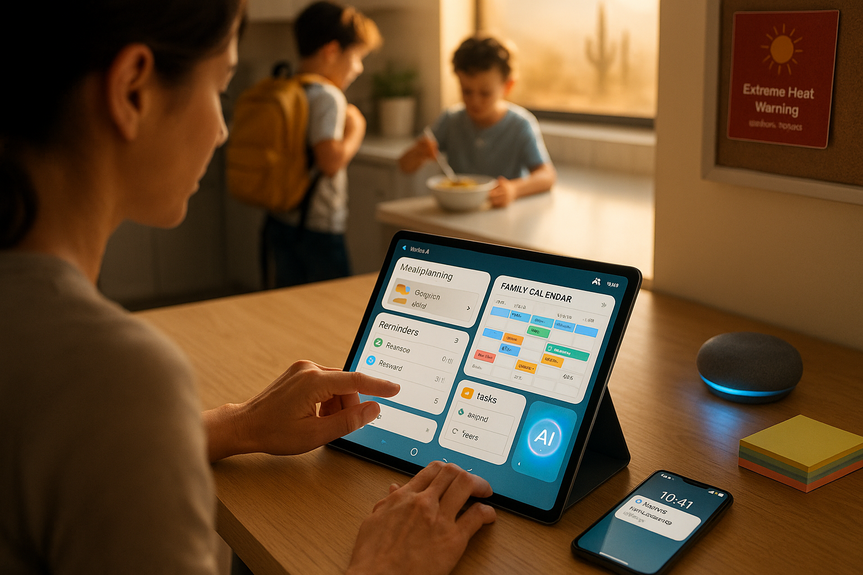
 AI-generated
 AI News
23 Aug 2026
Read 11 min
How to save time with best AI scheduling tools for busy moms
Best AI scheduling tools for busy moms automate calendars, cut planning time, and free time for family.
Busy moms can win back hours each week with the best AI scheduling tools for busy moms. These apps block time for tasks, auto-reschedule when plans change, and share updates with family. Start with one tool, sync it to your phone, and set three smart routines. You will feel the difference in days.
Life with kids moves fast. School drop-offs, sports, work, meals, and errands all compete for time. AI and smart calendars can do the heavy lifting. They find open spots, add travel time, and send reminders before you forget. With a few simple habits, your calendar becomes a calm command center.
Time blocking: Automatically place tasks into your calendar with realistic durations.
Smart reminders: Get nudges before you leave, when traffic builds, or when an email creates a new event.
Auto-reschedule: If a doctor visit runs long, your tasks shift to the next best time.
Shared visibility: Color-coded family calendars keep everyone on the same page.
Focus protection: Tools hold space for dinner, workouts, and bedtime so work does not spill over.
Best for: Busy days with many moving parts.
Why it saves time: Motion auto-creates a daily plan. It prioritizes tasks and places them on your calendar. If plans change, it rebooks tasks for you.
Quick start: Add your must-do tasks and set work and family hours. Turn on travel-time estimates.
Best for: Protecting routines like school runs, workouts, meal prep, and reading time.
Why it saves time: Reclaim AI creates “habits” that flex. If your morning shifts, it finds another slot that day.
Quick start: Connect Google Calendar. Create habits for school drop-off, dinner, and one self-care block.
Best for: Families on Android and Gmail.
Why it saves time: Events from emails auto-add to your calendar. Smart suggestions pick times and add drive time. Assistant can say, “Remind me to pack snacks at 7 AM.”
Quick start: Turn on “Events from Gmail,” enable “Working hours,” and create a Family calendar to share.
Best for: Simple, shared family planning.
Why it saves time: Cozi keeps one color-coded calendar, lists, and meal plans. Connect via Zapier or IFTTT to mirror events into your main calendar or send auto-texts.
Quick start: Create family members, color-code, and sync with your phone’s calendar. Set weekly reminders for groceries and activities.
Best for: Turning to-dos into a doable plan.
Why it saves time: Smart Schedule suggests due dates and balances your week. Great for chores, school projects, and errands.
Quick start: Add tasks with natural language like “Return library books Friday 4 pm.” Use Upcoming view to auto-spread tasks.
Best for: Booking lessons, carpools, or parent-teacher chats fast.
Why it saves time: Share one link. People pick times that fit your rules. No back-and-forth texting.
Quick start: Set school-hour limits, buffer time, and a minimum notice window. Add locations like phone, in-person, or video.
If you want autopilot planning: Motion or Reclaim AI.
If your family needs a shared hub: Cozi plus your phone calendar.
If email rules your schedule: Google Calendar + Assistant/Gemini.
If tasks overwhelm you: Todoist with Smart Schedule.
If you book lots of appointments: Calendly or Cal.com.
Open your calendar and task list.
Drag must-do tasks before noon.
Check travel times and adjust leave alerts.
Lock dinner and bedtime with “busy” status.
Create repeating events: drop-off, pickup, sports, homework.
Add 10–15 minutes of buffer for transitions.
Use location reminders for “grab water bottle” when leaving home.
Share the Family calendar so older kids see rides and practices.
Batch errands to one window each week.
Let your tool group tasks near each store.
Set a recurring reminder to refill meds, return library books, and prep uniforms.
Turn on weather alerts in your calendar or phone.
When heat or storms hit, your plan can shift outdoor play to early morning and move errands to another day.
Pick one primary calendar app. Turn on sync across devices.
Create a shared Family calendar. Color-code each person.
Add fixed events first: school, work, meals, bedtime.
List top 10 weekly tasks. Set default durations (15–60 minutes).
Enable travel-time and smart reminders.
Create three automations: groceries, laundry, and carpool.
Invite your partner or caregiver. Agree on colors and naming rules.
Name events clearly: “Pickup – Ava – Soccer – Field B.”
Set buffers: 10 minutes before leaving, 15 minutes after arrival.
Use “focus” or “do not disturb” during dinner and bedtime.
Keep one list for each: meals, errands, school, home.
Review on Sunday night. Archive old calendars each season.
Your day starts with a clear plan and ends on time.
Fewer last-minute scrambles because reminders come early.
Kids know the plan without asking.
You protect time for yourself, not just tasks for others.
The daily juggle, simplified
Best AI scheduling tools for busy moms: top picks
Motion
Reclaim AI
Google Calendar + Assistant/Gemini
Cozi Family Organizer (with automations)
Todoist with Smart Schedule
Calendly (or Cal.com) for appointments
How to choose the right fit
Choosing the best AI scheduling tools for busy moms depends on your phone, email, and how many people share plans. Start with one primary calendar and add one helper app.
Routines that save an hour a day
The 10-minute morning plan
School day autopilot
Errands in one loop
Weather and safety nudges
15-minute setup checklist
Pro tips most people miss
What success feels like
Conclusion
The best AI scheduling tools for busy moms help you plan once and breathe all week. Start small: one calendar, one automation, one shared routine. In a few days, you will spend less time juggling and more time living the moments that matter.(Source: https://www.fox10phoenix.com/video/fmc-f3h0zkk8srq5espc)
For more news: Click Here
FAQ
Q: What features do AI scheduling apps offer to help busy moms manage daily life?
A: The best AI scheduling tools for busy moms typically include time blocking, smart reminders, auto-reschedule, shared visibility, and focus protection to hold space for meals and bedtime. They also estimate travel time and send nudges before events so tasks move smoothly when plans change.
Q: Which apps does the article list as top picks for busy families?
A: Top picks in the article are Motion, Reclaim AI, Google Calendar with Assistant/Gemini, Cozi Family Organizer (with automations), Todoist with Smart Schedule, and appointment tools like Calendly or Cal.com. Each tool fits different needs, from autopilot planning and habit protection to shared family calendars and fast appointment booking.
Q: How can I set up a calendar system quickly using these tools?
A: Start by picking one primary calendar app, syncing it across devices, and creating a shared Family calendar with color-coded members. Then add fixed events like school and bedtime, list top weekly tasks with default durations, enable travel-time and smart reminders, and create simple automations for groceries, laundry, and carpool.
Q: Which tools are best for autopilot planning and protecting routines?
A: Motion and Reclaim AI are recommended for autopilot planning because Motion auto-creates a daily prioritized plan and Reclaim builds flexible habits that move when your schedule shifts. Both tools can rebook tasks and protect routines like school runs, workouts, and meal prep when plans change.
Q: How can I keep my family on the same page with a shared schedule?
A: Create a color-coded Family calendar and sync it to your phone so everyone sees the same events and ride or practice details. Tools like Cozi act as a simple shared hub with lists and meal plans, and you can use automations to mirror events into your main calendar or send auto-texts for extra visibility.
Q: What simple routines in the article can help save an hour a day?
A: The article recommends a 10-minute morning plan to drag must-do tasks before noon, check travel times, and lock dinner and bedtime with a busy status. It also suggests school-day autopilot with repeating events and buffers, batching errands into one weekly window, and enabling weather alerts to shift outdoor plans when needed.
Q: How do these AI tools handle last-minute changes or delays?
A: Choose tools with auto-reschedule, smart reminders, and travel-time estimates so tasks shift to the next best slot when appointments run long. These features reschedule tasks and send early nudges to reduce last-minute scrambles.
Q: How should I choose which of the best AI scheduling tools for busy moms fits my needs?
A: Choose based on your phone and email ecosystem and how many people share plans; for example, pick Motion or Reclaim AI for autopilot planning, Cozi for a shared family hub, Google Calendar with Assistant/Gemini if email drives your schedule, Todoist for task-heavy weeks, or Calendly/Cal.com for frequent appointments. Start with one primary calendar and one helper app, then set three smart routines so the system begins saving you time quickly.
Keep reading, keep building
Three things from our own workshop that fit this topic:
- Diktly Free is our dictation app for Mac: speech becomes text entirely on your own machine, nothing goes to the cloud. Free version, Basic 14.99 €.
- 1000+ Prompts to Level Up Your Life is our most downloaded pack. Pay what you want, including 0.
- OpenAI Agent Mode for Beginners walks you through letting AI agents handle tasks for you. 19.99 $.
Our own products. Tech Moments is our newsletter on AI and tech in plain language, one email, no noise. Subscribe below.
Contents