AI News
07 May 2026
Read 9 min
How to use Chrome extension to compare AI models quickly
Chrome extension to compare AI models puts top answers side by side so you can pick best answer fast.
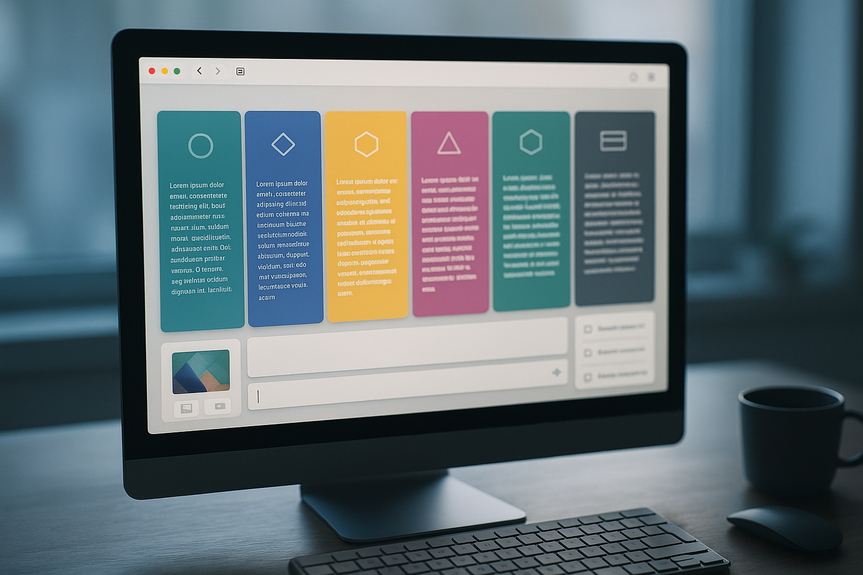
Use a Chrome extension to compare AI models and get side‑by‑side answers from tools like ChatGPT, Claude, Gemini, Llama, and more. Enter one prompt, scan all replies in a single view, and pick the best. It cuts tab‑hopping, speeds research, and helps you learn which model fits coding, writing, or search tasks fastest.
If you bounce between AI tabs to fact‑check, draft code, or polish copy, there’s a faster way. ChatPlayground AI is a Chrome extension that lines up replies from 20+ models in one window. You type once, then compare. It supports heavy hitters like ChatGPT, Claude, Gemini, Llama, Perplexity, and DeepSeek, and it keeps your chats and files in one place for later.
One prompt, many answers: See different tones, facts, and code styles side by side.
Stronger results: Blend the best lines, functions, or sources from multiple models.
Lower cost stress: Skip stacking subscriptions when one dashboard covers many models.
Less bias: Cross‑check claims to reduce hallucinations and spot weak spots fast.
Simple workflow: No more copy‑paste loops or endless tab switching.
Install the extension and pin it to your Chrome toolbar.
Create an account and choose the Unlimited Plan if you want full access.
Open the panel, pick the models you want to test, and start a new chat.
Write a clear prompt with goal, audience, and success criteria.
Run it once and review side‑by‑side answers. Star or copy the best parts.
Iterate: Tweak the prompt, re‑run, and save the top version for reuse.
Use the same prompt across all models to keep the test fair.
State constraints: word count, format, variables, or libraries (for code).
Ask for sources or citations when accuracy matters.
Set evaluation rules before you read answers (speed, facts, style, safety).
Test short and long prompts; some models thrive on brief cues, others on detail.
Lock a temperature or creativity level when available to standardize tone.
Developers: Compare code snippets, error fixes, test cases, and doc strings.
Writers and editors: Balance clarity, voice, and structure across drafts.
Marketers: A/B test hooks, CTAs, and ad variants in minutes.
Researchers and students: Cross‑check facts and summaries before citing.
Support and ops: Draft replies, SOPs, and macros, then pick the clearest one.
Fast side‑by‑side comparisons reveal the best answer quickly.
Image and PDF chat remove typing overhead for long sources.
Saved threads and prompt tools support steady improvement.
A single dashboard reduces subscription sprawl.
Lives in Chrome, so it adds another extension to your browser.
Model‑level rate limits or changes can still affect access.
Quality still depends on clear prompts and careful review.
Why a Chrome extension to compare AI models saves time
What ChatPlayground AI offers
Side‑by‑side replies
You can send a single prompt and view responses from ChatGPT, Claude, Gemini, Llama, Perplexity, DeepSeek, and more in one clean layout. This makes a Chrome extension to compare AI models feel natural, because you judge quality in real time.Prompt engineering helpers
Built‑in tools guide you to add role, tone, and constraints. You can refine prompts quickly, then re‑run them across all chosen models for apples‑to‑apples results.Image and PDF chat
Drop in images or PDFs to get context‑aware answers without retyping long passages. This is great for spec sheets, academic PDFs, or screenshot audits.Saved conversations
The extension stores your chats, so you can return, compare versions, and build a personal library of best prompts and outputs.Unlimited Plan perks
According to the offer, the Unlimited Plan includes unlimited monthly messages, priority support, and priority access to new features and future models.Quick start: Set it up in minutes
Tips for better comparisons
Who benefits most
Real‑world use cases
Debugging and refactoring
Paste an error message and your function. Ask for a minimal fix and a safer refactor. Compare which model explains the change best and passes your tests.Content drafting
Give a brief, audience, and tone. Request a headline, outline, and 150‑word intro. Merge the strongest parts from different models into one clean draft.Market research
Upload a PDF report and ask for a 7‑point summary with source page numbers. Check which model cites clearly and captures the key data.Prompt improvement loop
Use the prompt engineering tools to add role, constraints, and examples. Re‑run across models to see which instruction most improves accuracy.Pricing and availability
At the time of writing, the lifetime deal for ChatPlayground AI’s Unlimited Plan is listed at $74.97 (regular price $619) through May 10. The plan notes unlimited monthly messages, priority customer service, and early access to new features and models. Pricing and availability can change, so check the offer page before you buy.Pros and cons
Pros
Cons
How it stacks up to doing it yourself
You could open many tabs, sign into many accounts, and paste the same prompt everywhere. But a Chrome extension to compare AI models cuts that overhead. It also standardizes testing, stores your history, and encourages a repeatable process, which is hard to maintain by hand. The bottom line: If you write, code, or research daily, this tool helps you think with multiple engines at once. It turns model variety into an advantage instead of a chore. When speed and accuracy matter, a Chrome extension to compare AI models is a practical upgrade. It helps you ask once, judge fast, and ship better work with fewer clicks.(Source: https://mashable.com/article/may-3-chatplayground-ai-unlimited-plan-lifetime-subscriptions)
For more news: Click Here
FAQ
Q: What is ChatPlayground AI and what does it do?
A: ChatPlayground AI is a Chrome extension to compare AI models that lines up replies from 20+ engines in a single window. You type one prompt and review side-by-side answers from tools like ChatGPT, Claude, Gemini, Llama, Perplexity, and DeepSeek.
Q: Which AI models can I compare with this extension?
A: The extension supports over 20 models, including ChatGPT, Claude, Gemini, Llama, Perplexity, and DeepSeek. You pick the models you want and see their responses side by side.
Q: How does comparing multiple models side by side improve my workflow?
A: Seeing different tones, facts, and code styles at once helps you pick the strongest lines or functions and speeds research by cutting tab-hopping. It also makes it easier to cross-check claims and spot weaknesses across models before you finalize output.
Q: What prompt and content features does the extension offer?
A: It includes prompt engineering helpers that let you add role, tone, and constraints and quickly re-run prompts across chosen models. The extension also supports image and PDF chat, saves conversations and files, and the Unlimited Plan notes unlimited monthly messages, priority support, and priority access to new features and models.
Q: How do I set up and start using the extension?
A: Install the extension, pin it to your Chrome toolbar, create an account, and choose the Unlimited Plan if you want full access. Then open the panel, pick models, write a clear prompt with goal and audience, run it, review side-by-side answers, and save or iterate the best output.
Q: Can I use images or PDFs with this tool?
A: Yes, the extension supports image and PDF chat so you can drop in files and get context-aware answers without retyping long passages. That feature is useful for spec sheets, academic PDFs, and screenshot audits.
Q: Will this extension reduce the need for multiple model subscriptions?
A: It can reduce subscription sprawl by letting you view outputs from many models in one dashboard instead of signing into each service separately. However, model-level rate limits or service changes can still affect access and performance.
Q: What does the Unlimited Plan cost and is the lifetime deal permanent?
A: At the time of writing, the lifetime deal for ChatPlayground AI’s Unlimited Plan is listed at $74.97 through May 10, with a regular price of $619. Pricing and availability can change, so check the offer page.
Contents