Laravel AI SDK tools guide helps you pick and integrate guarded, modular tools to build safer agents
Use this Laravel AI SDK tools guide to install only the tools your agent needs, add safe defaults, and stop crashes from API or SQL errors. Learn how one-package-per-tool design, guarded database reads, and vetted search APIs help you ship reliable Laravel AI agents fast.
Toolkit by Ship Fast Labs gives you a growing catalog of small, focused tools for the Laravel AI SDK. Each tool lives in its own Composer package and works without a service provider. You pick the tools your agent needs, wire them in, and get clear string results even when something fails.
Laravel AI SDK tools guide: one package, one tool, safer defaults
How the tools work
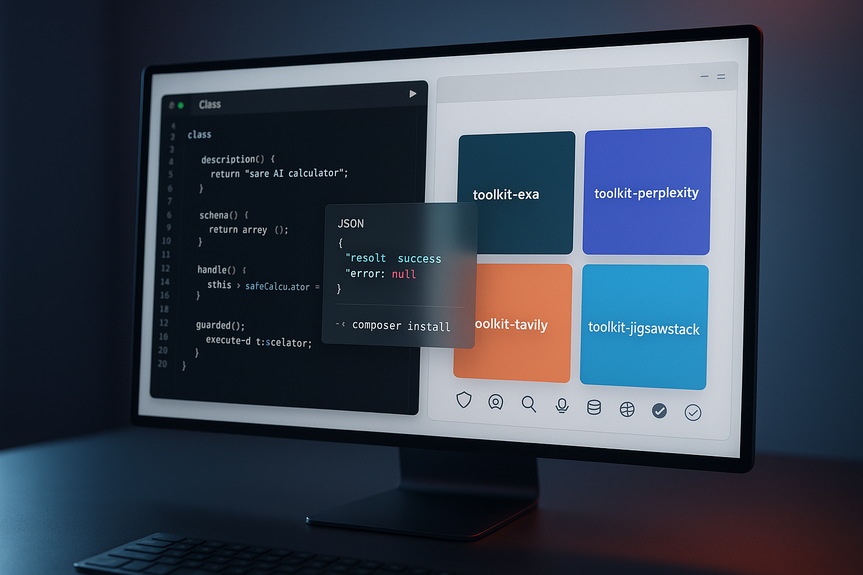
Every tool is a class that implements LaravelAiContractsTool. It has three parts: description(), schema(), and handle(). The description tells the model what the tool does. The schema defines the inputs. The handle method does the work and returns a string. Failures also return strings, so the model can read the error and try again instead of the app throwing.
Why this design helps
You install only what you need, one Composer package per tool.
No shared core and no service provider to register.
Inputs are clear and validated by schema.
Results and errors arrive as plain strings for robust recovery.
Safer math and data access
Calculator without eval()
The Calculator tool evaluates an expression string using a recursive-descent parser, not eval(). It supports +, -, *, /, %, ^ (right-associative), parentheses, unary signs, and decimals. It returns helpful messages on invalid input, divide-by-zero, modulo-by-zero, and non-finite results. It needs no config and adds zero app surface area.
Read-only SQL with guardrails
The DatabaseQuery tool runs a single SELECT and returns pretty-printed JSON rows. It blocks risky behavior by design:
Only one statement that starts with SELECT or a WITH … SELECT CTE is allowed.
INSERT, UPDATE, DELETE, DROP, ALTER, and similar keywords are rejected, even if they appear inside a SELECT.
Queries with semicolon separators are refused.
A LIMIT is added if the query does not include one.
You can set options under ai.toolkit.database in config/ai.php. Point the connection at a read-only replica. Set max_rows (100 by default) to cap result size. This keeps your data safe while still giving the model the context it needs.
Search and research APIs with safety rails
Exa, Perplexity, and Tavily
Toolkit wraps popular research providers with focused tools you can add one by one:
Exa: ExaSearch, ExaFindSimilar, ExaGetContents, ExaAnswer for embeddings search, similarity, content fetch, and sourced answers.
Perplexity: PerplexitySearch and PerplexityAsk for ranked sources and cited answers across Sonar models with web, academic, and sec modes.
Tavily: TavilySearch, TavilyExtract, TavilyCrawl, and TavilyMap for search, extraction, crawl, and sitemaps.
Each provider reads its API key from config/services.php and optional defaults from ai.toolkit.*. Numeric inputs are clamped to valid ranges. Enum values fall back to safe defaults. API errors are caught and returned as strings so your agent does not crash mid-run.
JigsawStack: many endpoints, one approach
The JigsawStack package exposes one tool per endpoint across categories:
General: sentiment, summary, embeddings, text-to-SQL, time-series prediction
Translation: text and image translation
Web: search and AI scraping
Vision: VOCR and object detection
Audio: speech-to-text
Validation: NSFW, profanity, spell, and spam checks
Each tool returns pretty-printed raw JSON so the model can use every field. Calls time out after 60 seconds. If a key is missing, the tool returns a clear “not configured” message. This makes debugging fast and safe.
Quick start setup
Install and configure
Install a tool with Composer, for example: composer require shipfastlabs/toolkit-calculator.
For remote APIs, set provider keys in config/services.php and your .env file.
Optional: add ai.toolkit.* settings to config/ai.php (for example, database connection and max_rows).
Instantiate tools and pass them to your agent with tools([new CalculatorTool, …]).
Test with a prompt that should call the tool and check the returned string or JSON.
Use this Laravel AI SDK tools guide when you wire up each tool. Keep descriptions crisp, keep schemas tight, and log both successes and error strings so you can improve prompts and constraints.
Best practices for safer agents
Route database access to a read-only replica and set a strict max_rows.
Prefer tools that return structured or pretty-printed JSON for easy parsing.
Set timeouts and check for “not configured” messages in logs.
Start with a small set of tools; expand only as the agent proves safe.
Describe each tool’s purpose well; this helps the model choose the right one.
Clamp or validate numeric inputs in your prompts to match tool ranges.
Why this approach lowers risk
Fewer moving parts
There is no extra service provider or config file. You add a package, create an instance, and go. This reduces setup errors and keeps your app surface small.
Clear error reporting
Tools return strings for both success and failure. Your agent can read, reason, and recover. Your logs stay readable and your app stays up.
Guarded external calls
API keys live in services config. Defaults live under ai.toolkit.*. Inputs are clamped. Enums use safe fallbacks. Timeouts and “not configured” notices stop silent failures.
This Laravel AI SDK tools guide helps you build agents that stay within strict lines, query data safely, and handle outside APIs without surprises. Pick the tools you need, wire them in with clear schemas, and ship safer Laravel AI features with confidence.
(Source: https://laravel-news.com/toolkit-reusable-ai-tools-for-the-laravel-ai-sdk)
For more news: Click Here
FAQ
Q: What is Toolkit and how does it work with the Laravel AI SDK?
A: Toolkit is a community catalog of small, focused reusable tools by Ship Fast Labs for the Laravel AI SDK. This Laravel AI SDK tools guide explains that the tools live in one monorepo but ship as separate Composer packages so you install only the ones an agent needs.
Q: How do individual Toolkit packages integrate with an agent?
A: Every tool is a class implementing LaravelAiContractsTool with description(), schema(), and handle(), and you require the package, instantiate the tool class, and pass instances to an agent’s tools() method. There is no shared core or service provider to register, and tools return results and errors as plain strings so the model can read failures instead of throwing.
Q: How does the Calculator tool evaluate expressions and avoid eval()?
A: The Calculator tool uses a recursive‑descent parser rather than PHP’s eval() and supports +, -, *, /, %, ^ (right‑associative), parentheses, unary signs, and decimals. It returns helpful plain‑string messages for invalid input, divide‑by‑zero, modulo‑by‑zero, and non‑finite results and requires no config.
Q: What guardrails does the DatabaseQuery tool enforce to keep SQL safe?
A: The DatabaseQuery tool only allows a single statement that starts with SELECT (or a WITH … SELECT CTE) and returns matching rows as pretty‑printed JSON. It rejects INSERT/UPDATE/DELETE/DROP/ALTER and similar keywords even if they appear inside a SELECT, refuses queries containing semicolon separators, and appends a LIMIT if the query lacks one.
Q: Where do I configure API keys and defaults for remote search tools?
A: Remote‑API tools read their provider API key from Laravel’s config/services.php with the matching .env entry and read optional defaults from ai.toolkit.* in config/ai.php. Numeric parameters are clamped, enum values fall back to safe defaults, and API errors are caught and returned as strings rather than thrown.
Q: What does the JigsawStack package provide and how do its tools behave?
A: The JigsawStack package exposes one tool per endpoint across categories like general, translation, web, vision, audio, and validation, covering features such as sentiment, summary, embeddings, text‑to‑SQL, translation, VOCR, object detection, and speech‑to‑text. Each tool returns the raw JSON response (pretty‑printed), calls time out after 60 seconds, and returns a clear “not configured” message when an API key is missing.
Q: How do I install, wire, and test a Toolkit tool in my agent?
A: Install the specific tool via Composer (for example composer require shipfastlabs/toolkit-calculator), set any provider keys in config/services.php and optional ai.toolkit.* defaults, then instantiate the tool and pass it to your agent with tools([new CalculatorTool, …]). Test by sending a prompt that should call the tool and verify the returned plain string or pretty‑printed JSON.
Q: What best practices does the Laravel AI SDK tools guide recommend for building safer agents?
A: The Laravel AI SDK tools guide recommends routing database access to a read‑only replica, setting a strict max_rows, preferring tools that return structured or pretty‑printed JSON, and enforcing timeouts and checks for “not configured” messages. It also advises starting with a small set of tools, writing clear descriptions and schemas so the model picks the right tool, and clamping numeric inputs to allowed ranges.