AI News
05 Oct 2026
Read 10 min
How to use LDraw Nova to design LEGO sets
how to use LDraw Nova to generate CAD-ready LEGO designs with AI and cut hours off part planning now
Learn how to use LDraw Nova to turn text prompts into detailed LEGO CAD models. Install the web app, connect an AI model, write a clear brief, then let the agent plan, code, and render. Review images, refine, and export LDraw files you can open in Studio, LDView, or LeoCAD. Always check stability before building.
AI can now design large LEGO sets with thousands of real parts. LDraw Nova is an open-source web app that lets an AI agent write Python code to generate LDraw files, render images, and iterate until the design looks right. It already produced builds like a 2,175-piece Sakura Garden, a cathedral, and more. Below is a simple guide on how to use LDraw Nova well and avoid common pitfalls.
Docker installed to run the web app
API key for an AI provider (OpenAI “Astra,” Anthropic “Claude Opus,” or OpenRouter)
Optional: TypeSafe Jev API key for smarter part search reranking
An LDraw-capable viewer/editor (Studio, LDView, or LeoCAD) to inspect or edit the output
A modern browser; VR (Meta Quest 3) is experimental and not required
Launch the LDraw Nova Docker web app and open it in your browser.
Paste your AI provider key in the settings. Choose a strong model for better results. Frontier models handle big builds best.
Optionally add the Jev rerank key for improved part picking. If you skip it, Nova falls back to full-text search.
Confirm the LDraw parts library is available, then create a new project.
Describe your idea with clear constraints: theme, size, part limit, colors, and submodels.
Example: “Build a 32×32 Japanese garden with a five-story pagoda, torii gate, koi pond, and cherry trees. Limit 2,200 pieces. Use common parts.”
Start the run. The agent will draft a JSON plan, generate Python, output LDraw, render images, and iterate.
State the target scale (minifig scale, micro scale, or Technic).
Set a piece limit and footprint. This keeps costs and run-times down.
Ask for modular submodels (base, facade, roof, landscape). This improves structure and editability.
Mention important building rules (stud direction, color palette, symmetry).
After each render, note what to fix: “Pagoda roof too flat,” “Replace rare parts,” “Strengthen base.”
Rerun with your notes. The agent updates the plan/code and renders again.
Repeat until proportions, colors, and submodels look right.
Export the LDraw file (.ldr) for the main model and submodels.
Open in Studio, LDView, or LeoCAD to inspect connections, hinge ranges, and piece availability.
Clean minor issues, swap rare parts, and create building steps if you plan to publish or build.
Agents avoid tricky geometry by writing Python that produces LDraw lines (one line per placed part).
They plan the model in JSON, compile it to code, generate LDraw, render, critique, and loop.
The gallery tags builds with the model used and the prompt, like Sakura Garden (Claude Opus 5.5) or a cathedral (Astra).
Collisions are checked, but stability is not. Expect to reinforce walls, roofs, and long spans.
Bigger, accurate builds need strong models and time. Token costs can add up; one Technic mechanism was estimated around $5.
VR support exists but has performance issues. Treat it as experimental.
No one has physically built these large AI designs yet. Plan extra time for real-world tweaks.
Keep early projects under 1,000–1,500 parts to learn how to use LDraw Nova efficiently.
Define a sturdy core: plates and bricks stacked in interlock, or Technic frames for tall builds.
Ask the agent to use common colors (black, light bluish gray, tan) and widely available elements.
Zoom into renders. Look for floating parts, thin connections, and walls just one stud thick.
Call out rare or expensive parts for swaps. Ask for “more common alternates.”
Request modularization: “Split roof and tower into separate submodels.”
For architecture and landscapes, frontier models like Astra or Claude Opus 5.5 shine.
For Technic, start small: gearboxes, linkages, or cranes in sections. Note that physical strength will need human review.
Try jev-rerank for smarter part search; it can improve piece choices and reduce cleanup.
Open your LDraw in Studio and generate steps. This reveals awkward assemblies and weak joins.
Reinforce load paths: add plates, pins, or brackets where weight concentrates.
Shorten long unsupported spans or add columns and trusses.
Set a hard part count target in your prompt to control cost.
Favor common parts and colors for cheaper sourcing.
Expect to revise for stability and price before you place orders.
With Model Context Protocol servers, an agent can send files to a 3D printer (Kiln) and monitor jobs via OctoEverywhere.
This is useful for quick mockups or custom elements, but most LEGO builds should stick to official parts.
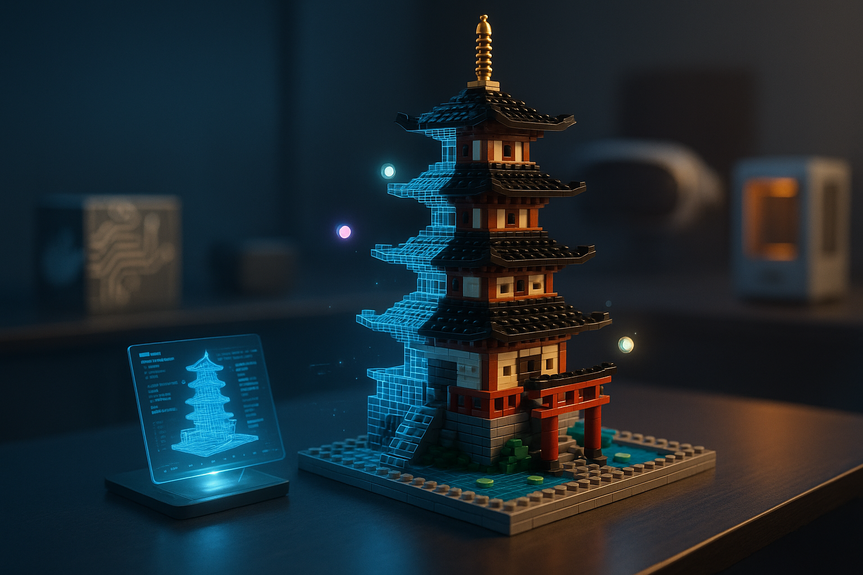
Sakura Garden (about 2,175 parts): layered landscape, tall pagoda, clear submodels.
Cathedral: complex facade and towers; good for studying symmetry and window patterns.
Atlas Crane (unfinished) and Tidal Observatory: show how to break big builds into modules.
If renders stall, simplify the prompt and reduce part limits.
If parts are odd or rare, enable jev-rerank or explicitly list allowed elements/colors.
If structure looks flimsy, ask the agent to increase wall thickness and add internal bracing.
If costs spike, switch to smaller test scenes, then scale up once the style is locked.
You now know how to use LDraw Nova to go from a short prompt to a solid LEGO CAD model. Start small, set clear limits, guide each render loop, and always check stability in Studio before buying parts. With practice, learning how to use LDraw Nova can turn the set in your head into a build you can share—or one day, build for real.
How to use LDraw Nova: Quick start
What you need
Setup and first run
Prompt your model
Plan, prompt, and iterate like a pro
Write prompts the model can execute
Guide the loop with image feedback
Export and inspect
What LDraw Nova does under the hood
Limits and gotchas to watch
Practical tips for better results
Design scope and constraints
Iterative checks
Choosing models
From CAD to real bricks
Validate before buying parts
Budget and availability
Optional: connect 3D printing and more
Examples to study
Troubleshooting when learning how to use LDraw Nova
For more news: Click Here
FAQ
Q: What is LDraw Nova and what can it do?
A: LDraw Nova is an open-source Docker web app that lets AI agents generate Python code to produce LDraw CAD files and rendered images for LEGO designs. This guide explains how to use LDraw Nova to turn text prompts into detailed LEGO CAD models and iterate until the design looks right.
Q: What do I need to run LDraw Nova?
A: You need Docker to run the web app and an API key for an AI provider such as OpenAI Astra, Anthropic Claude Opus, or OpenRouter. Optionally add a TypeSafe Jev API key for reranking part searches and have an LDraw-capable viewer like Studio, LDView, or LeoCAD plus a modern browser.
Q: How should I write prompts so the model can execute them?
A: Describe your idea with clear constraints including theme, scale, piece limit, footprint, colors, and submodels so the agent can plan effectively. Asking for modular submodels and explicit building rules like stud direction or symmetry helps the agent produce editable and structured outputs.
Q: How does the agent create and refine a CAD model?
A: An agent writes a JSON plan that fully describes the model and submodels, compiles it into Python that emits LDraw lines (one per part), renders images, inspects the result, and iterates until satisfied. This process avoids complex geometry math and lets the agent loop on visual feedback to update the plan and code.
Q: How do I export and inspect the LDraw files before building?
A: Export the model and its submodels as .ldr LDraw files and open them in Studio, LDView, or LeoCAD to inspect connections, hinge ranges, and part availability. Use those tools to generate steps, identify weak joins or rare parts, swap common alternates, and reinforce structures before buying parts.
Q: What are the main limitations and costs to be aware of?
A: Nova checks collisions but currently lacks physics-based stability modeling, so you should expect to reinforce walls, roofs, and long spans manually, and VR support is experimental with performance issues. Generating large, accurate builds is time-consuming and not free to run; Antelo estimated a “wild” token cost of around $5 for Astra to build one Technic mechanism.
Q: Can I turn an LDraw Nova design into a real LEGO model or 3D print?
A: None of the large AI designs have been built with real bricks yet, though the developer has considered 3D-printing a small model. You can validate and strengthen designs in Studio, then use Model Context Protocol services like Kiln to start prints and OctoEverywhere to monitor or control printing for mockups or custom parts.
Q: What troubleshooting tips help when learning how to use LDraw Nova?
A: If renders stall, simplify your prompt and reduce part limits, and enable jev-rerank or explicitly list allowed elements and colors if the agent chooses rare parts. If structures look flimsy ask the agent to thicken walls or add internal bracing, and control costs by iterating on small test scenes before scaling up.
Contents