AI News
27 Apr 2026
Read 10 min
Meta employee keystroke monitoring 2026: How to stay private
Meta employee keystroke monitoring 2026 reveals how to reclaim privacy and secure your work device
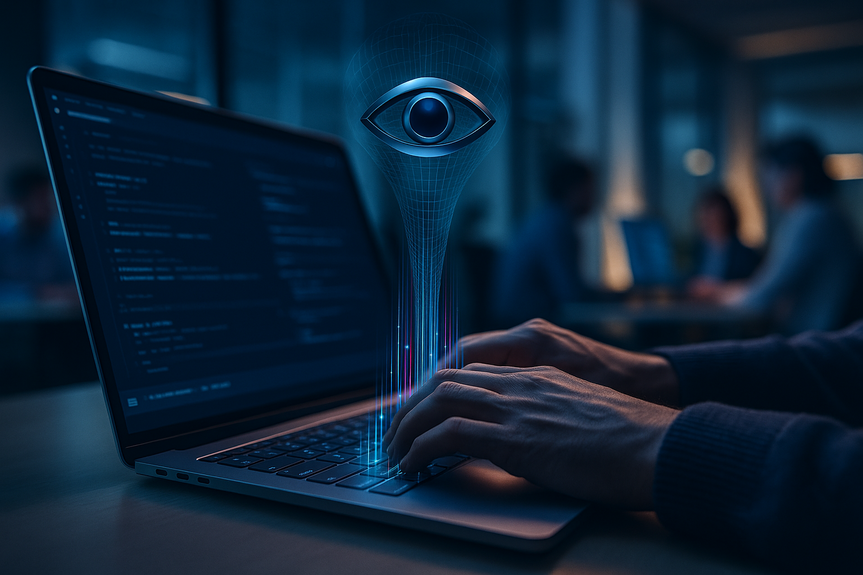
Meta employee keystroke monitoring 2026 tracks mouse clicks, keys, and limited screen content on U.S. work laptops to train AI. It is mandatory with no opt-out and applies to select work apps. Here’s what it collects, why it matters, and simple steps to keep your personal life private.
Meta is rolling out software on U.S. employee laptops that records keyboard inputs, mouse movements, click spots, and some on‑screen context inside approved work tools. The company says this data will teach AI agents how people actually use computers. Staff reactions show worry about privacy, and leaders say there is no opt-out on work devices. Meta notes that safeguards exist and that monitoring of work devices is not new. The program currently targets a defined list of work apps and sites, and only on computers.
Keystrokes, mouse movements, and click locations
Limited screen content for context within approved work apps
Activity tied to a list of tools (for example, email, chat, code editors, and an internal AI assistant)
Train AI models to handle real computer actions like dropdowns and keyboard shortcuts
Improve “agent” behavior across common office workflows
Applies to company laptops used by U.S.-based employees and contractors
Targets pre-approved work applications and URLs
Does not apply to phones, according to Meta’s current guidance
Assume this activity is logged when you work in covered tools. Even if the program says “work apps only,” it is smart to treat all actions on a work laptop as observable.
Personal email, banking, health portals, and private chats can bleed into monitored inputs if you open them on a work device
Clipboard contents (like passwords or codes) can expose sensitive data if pasted into monitored fields
Any dataset with inputs and screen context is valuable and sensitive
Data access, retention, and anonymization controls matter for breach and misuse risk
Clear rules and strong guardrails help reduce employee anxiety
Managers should explain the program’s scope and safe-use habits
Do not do personal tasks on your work computer. Use your personal phone or home computer instead.
Do not sign into personal email, banking, health accounts, or social media on a work device.
Keep personal messaging off work chat tools. Use your personal device for private conversations.
Close personal tabs before you start your workday.
Disable desktop alerts from any personal accounts you may have signed into in the past, then sign out fully.
Assume screenshots or context frames could capture nearby windows. Keep only work-related windows open.
Avoid pasting passwords or one-time codes on your work device. Use an authenticator app on your personal phone or a hardware key.
Turn off clipboard syncing between devices to prevent cross-device leakage.
Do not store personal files or photos on your work laptop or cloud folders tied to work.
Avoid using personal password managers on your work device. Keep personal credentials on your personal device.
Use strong, unique passwords and 2FA for all accounts. Keep personal account management on your personal devices.
Do not save personal passwords in work browsers. Clear any saved personal logins if they exist.
Review browser profiles. If you ever created a “personal” profile on a work laptop, sign out and remove it.
Read the official policy, FAQs, and internal wiki on the program (often called the Model Capability Initiative).
Ask HR or IT about data retention, who can access the data, and how data is anonymized or redacted.
Report accidental capture of highly sensitive personal data to IT immediately.
If you manage a team, share clear “do/don’t” guidance and remind staff to keep personal life off work machines.
Private browsing does not stop input or screen-context capture inside monitored apps. It only limits local history and cookies.
Profiles help organize tabs, but they still run on the same device. Monitoring at the OS or app level can still collect activity.
Pop-up toasts can reveal personal messages or codes. Disable them and keep personal apps off your work device.
Enforce strict app whitelists and strong client-side redaction for sensitive fields (passwords, health, finance)
Aggregate and anonymize by default; restrict raw replay access to a small, audited group
Set short retention windows and publish them
Commission independent privacy and security audits; run red-team tests against the pipeline
Offer clear notices, tooltips, and dashboards that show what is in scope
Document purposes, data flows, and access controls in plain language
Create exception paths for high-sensitivity roles and legal obligations
Provide safe channels for employee feedback and concerns
This program is focused on U.S. workers and work devices. State and federal laws still apply.
If you handle regulated data (health, finance, legal), confirm specific rules with compliance teams.
This article offers general guidance, not legal advice. Check your company policy and local laws.
Your best defense is simple: keep personal life off work hardware. Use your own phone or computer for private tasks. Read the official materials and ask clear questions about scope, retention, and safeguards. With Meta employee keystroke monitoring 2026 in place, small daily habits will protect your privacy without breaking company rules.
(p(Source: https://www.businessinsider.com/meta-new-ai-tool-tracks-staff-activity-sparks-concern-2026-4)
What Meta employee keystroke monitoring 2026 means
What is collected
Purpose
Scope and limits
Why this matters for your privacy
Personal spillover risk
Security and compliance
Workplace trust
Practical steps to stay private on a monitored work laptop
1) Separate work and life
2) Control what shows on screen
3) Reduce sensitive data exposure
4) Practice safer account behavior
5) Communicate and document
Common myths to avoid
“Incognito mode hides me”
“A separate browser profile is safe”
“Notifications are harmless”
What companies can do to build trust
Technical guardrails
Policy and transparency
Legal and ethical notes
For more news: Click Here
FAQ
Q: What data does Meta’s new monitoring software collect?
A: Meta employee keystroke monitoring 2026 records keystrokes, mouse movements, click locations, and limited on-screen content within approved work applications on U.S. company laptops. The program targets inputs and screen context to train AI models to understand real computer workflows.
Q: Why is Meta collecting employees’ mouse movements and keystrokes?
A: The company says the data will train AI agents to learn how people actually use computers, including actions like choosing from dropdowns and using keyboard shortcuts. Business Insider obtained an internal announcement saying real examples from day-to-day work will improve model behavior.
Q: Who is covered by the rollout and can employees opt out?
A: The rollout applies to U.S.-based full-time employees and contingent workers using company laptops, and internal communications indicate there is no opt-out on work-provided devices. The internal post also specifies the tool applies to computers and not employees’ phones.
Q: Which applications and devices are in scope for the monitoring?
A: Scope is limited to a pre-approved list of work-related applications and URLs, with examples cited including Gmail, GChat, Metamate, and VSCode, and the monitoring applies only to computers. The announcement says the capture is constrained to those approved tools.
Q: What privacy risks should employees be most concerned about?
A: Personal email, banking, health portals, and private chats can bleed into monitored inputs if opened on a work device, and clipboard contents like passwords or codes may be exposed if pasted into monitored fields. The guidance is to assume actions on a work laptop are observable to avoid accidental data spillover.
Q: What practical steps can employees take to keep personal information private?
A: Do personal tasks on a personal phone or home computer, sign out of any personal accounts, disable desktop alerts and clipboard syncing, and avoid storing personal files on work laptops. Also avoid pasting passwords or one-time codes into work devices and use personal authenticators or hardware keys for sensitive logins.
Q: How can managers and companies reduce employee anxiety about monitoring?
A: Companies can build trust by enforcing strict app whitelists, strong client-side redaction for sensitive fields, aggregating and anonymizing data by default, and restricting raw replay access to a small, audited group. They should also publish retention windows, commission independent audits, document data flows and access controls, and provide clear notices and feedback channels.
Q: Is this monitoring covered by law and what should employees handling regulated data do?
A: The program is focused on U.S. workers and work devices and state and federal laws still apply, so employees who handle regulated data should confirm specific rules with their compliance teams. The article notes this is general guidance, not legal advice, and recommends reading company policy and internal FAQs for details.
Contents