AI News
13 Jul 2026
Read 8 min
Meta Muse Image for advertisers How to boost ad ROI
Meta Muse Image for advertisers speeds photoreal ad variations that keep brands on-brand to lift ROI.
Meta Muse Image for advertisers helps brands make more winning ad visuals, fast. It learns from your top posts, then restyles images, pulls crisp stills from video, and keeps product details true. Use it to test more creative, match platform trends, and lift ROAS with less manual work.
Meta is rolling out a stronger AI image engine for ad creative on Facebook and Instagram. Built by its Superintelligence team, Muse Image can read a full brief, follow brand cues, and generate fresh versions from your proven ads. It can also turn video into high‑quality stills and keep products accurate and sharp. Early testers report better photorealism, faster cycles, and steady brand fit. If you want more wins from the same budget, this is a practical upgrade.
Reference-based restyling: Start from a strong ad and ask for fresh angles or themes.
Video-to-still: Extract sharp hero frames from video for feed, Stories, or Reels covers.
Photorealism and integrity: Preserve logos, packaging, and fine details.
Guided reasoning: Follow a clear brief, not just single keywords, to hit your ask faster.
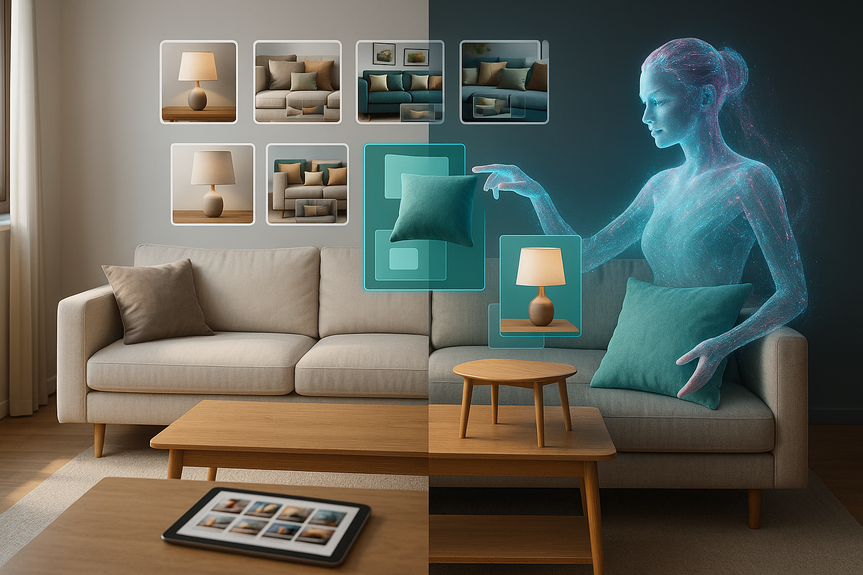
Visual discovery: Let shoppers upload a room photo and see it restyled with real catalog items.
Pick top ads as references to guide look and feel.
Upload clean product shots and native video files.
Connect your product catalog so items appear true to life.
State the goal: “Drive add-to-cart for summer drop.”
Describe scene, style, and mood in plain words: “Bright kitchen, morning light, fresh fruit, friendly tone.”
Call out must-keep elements: “Do not change label, color, or shape.”
Ask for sizes: “Square 1080×1080, vertical 1080×1920.”
Guide text use: “No heavy text on image; leave space for headline.”
Brand safety: “No kids, no alcohol, no medical claims.”
Pick frames that show product face-on and in focus.
Match crops to placement (square for Feed, vertical for Reels/Stories).
Keep style consistent across the ad set to help learning.
Seasonal restyles: Swap backgrounds and props to fit holidays or weather.
UGC look: Add natural lighting and casual settings to mimic real posts.
Lifestyle staging: Place products in daily scenes that match your audience.
Comparison grids: Show colorways or bundle options side by side.
Benefit close‑ups: Tight shots that highlight key features or textures.
Room restyle shopping: Let users see catalog items placed in their own space.
With Meta Muse Image for advertisers, these tests are quick to run and easy to scale.
Run A/B tests with one change per variant (background, angle, or color) to learn what moves the metric.
Track CTR, cost per add-to-cart, cost per purchase, and holdout conversions.
Use Advantage+ or dynamic creative to let the system pick winners.
Check outputs for rights, policy, and representation before launch.
Align the landing page with the winning creative to protect conversion rate.
Over-editing the product so it no longer matches what ships.
Mismatched promise between ad and landing page.
Low‑res input images that limit output quality.
Skipping human review; always spot-check for errors or odd artifacts.
Ignoring comments; audience feedback often points to the next test.
Muse Image helps you push more ideas into market, faster, with less spend per asset. The brands that win on Meta keep a steady loop: brief, generate, test, learn, and ship the next round. If you want faster creative lift and stronger ROAS, start using Meta Muse Image for advertisers in your daily workflow.
(p(Source: https://www.socialmediatoday.com/news/meta-improves-ai-image-generation-tools-for-advertisers/824650/)
How Meta Muse Image for advertisers works
Muse Image studies your current creative and makes smart changes that stay on brand. It can adjust backgrounds, lighting, style, and layout while keeping the product the same. It also learns what formats and looks get response on each app, so outputs match feed behavior. Key capabilities:Why it can boost ROI on Facebook and Instagram
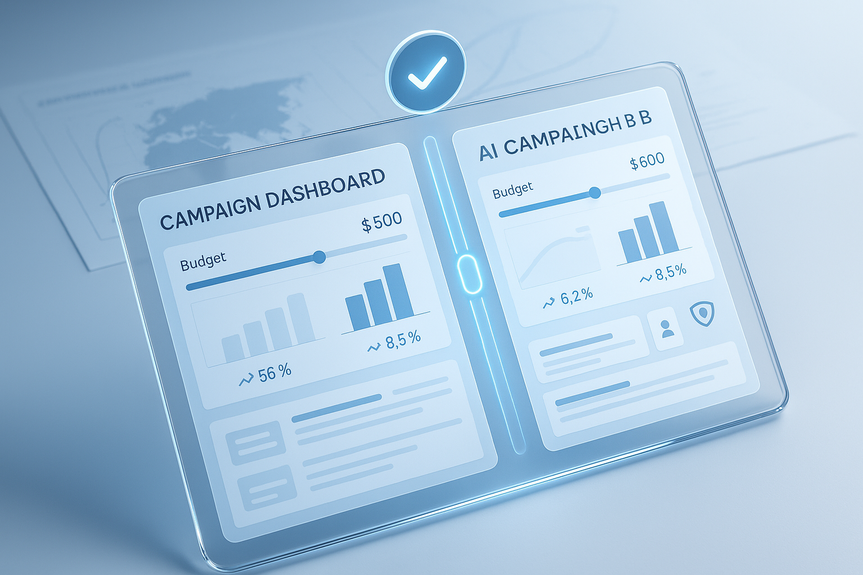
The fastest way to improve ROAS is to test more good ideas. Using Meta Muse Image for advertisers, you can spin up many on-brand variants in minutes, then let the algorithm find winners. Better fit to platform style, more formats per asset, and faster iteration lower cost per result. With millions of advertisers already using Meta’s generative tools, this model pushes quality higher and cuts manual edits.Set up a lean workflow
Start with your best inputs
Prompt for on-brand results
Use video-to-still smartly
Creative plays to test now
Measure impact and stay safe
Common pitfalls to avoid
For more news: Click Here
FAQ
Q: What is Meta Muse Image for advertisers?
A: Meta Muse Image for advertisers is Meta’s updated AI-powered image generator designed to help brands create more ad variations on Facebook and Instagram. Built by the Superintelligence Labs team, it can restyle images, generate photorealistic stills from video, and preserve product details to produce on‑brand creative faster.
Q: How does Meta Muse Image for advertisers generate on-brand variations?
A: It studies your current creative as a reference and uses agentic visual reasoning and self-refinement to adjust elements, swap styles, and follow full briefs rather than single keywords. This approach produces multiple high-quality variants with fewer iterations while matching formats and looks that get response on each app.
Q: Can Muse Image create stills from video and how should I prepare video assets?
A: Yes — Muse Image can extract sharp hero frames from video to create high-quality stills for feed, Stories, or Reels covers. To improve results, upload native video files, pick frames that show the product face-on and in focus, and match crops to the intended placement.
Q: How can using Meta Muse Image for advertisers improve ad ROI?
A: By letting advertisers spin up many on-brand variants quickly and matching outputs to platform styles, Meta Muse Image for advertisers enables faster testing and iteration. That speed and better audience fit can lower cost per result and help algorithms identify winning creative sooner.
Q: What inputs and prompts produce the most reliable results with Muse Image?
A: Start with top ads as references, clean product shots, native video files, and a connected product catalog so items appear true to life. Provide clear briefs that state the goal, describe scene and mood, call out must-keep elements, request sizes and text guidance, and include brand-safety constraints.
Q: What measurement and testing approaches should I use with outputs from Muse Image?
A: Run A/B tests with one change per variant and track CTR, cost per add-to-cart, cost per purchase, and holdout conversions. Use Advantage+ or dynamic creative to let the system pick winners, and check outputs for rights, policy, and representation while aligning the landing page with the winning creative.
Q: What common pitfalls should advertisers avoid when using Muse Image?
A: Avoid over-editing the product so it no longer matches what ships, mismatched promises between ad and landing page, and using low-resolution inputs that limit output quality. Always include human review to spot errors or odd artifacts and monitor audience feedback rather than skipping checks.
Q: Who is Muse Image intended for and how widely are Meta’s generative ad tools used?
A: Muse Image is aimed at advertisers on Facebook and Instagram who want faster creative testing and scale, and more than 8 million advertisers already use at least one of Meta’s generative AI ad creative tools. Built by Meta’s Superintelligence team, Muse Image expands generation capacity and adds features like room restyling and photorealistic product placement.
Contents