AI News
19 Nov 2025
Read 16 min
TikTok AI content settings: How to control your feed
TikTok AI content settings let you control how much AI-generated content appears in your For You feed.
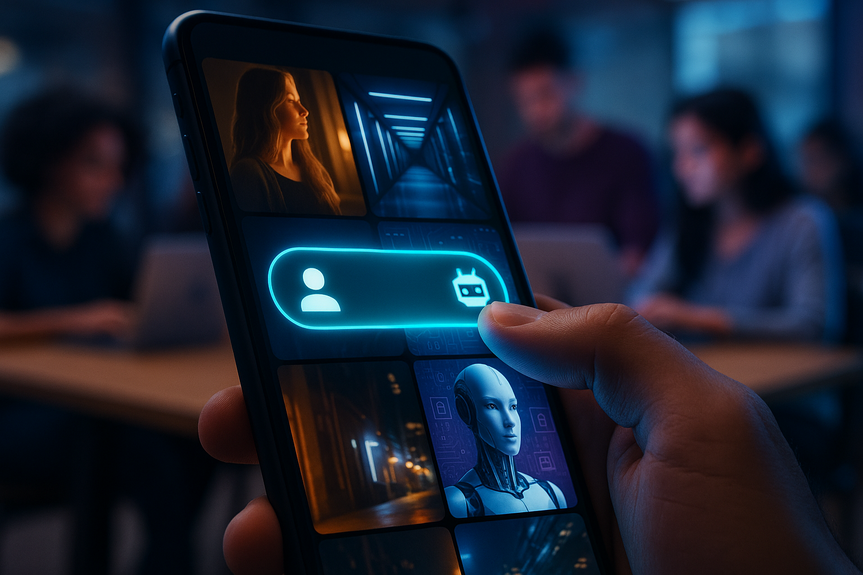
TikTok just made it easier to control how much AI you see. With the new TikTok AI content settings in the Manage Topics tool, you can move a slider to see more or less AI-generated videos in your For You feed. The update also adds stronger labels and invisible watermarks to flag AI-made clips.
TikTok grew on real people and real moments. Now AI-made videos are common on the app, from fantasy scenes to fake celebrity clips. TikTok’s new controls let you say how much of that you want. The change arrives as Meta pushes its Vibes feed and OpenAI rolls out Sora, both built around AI video. TikTok’s answer keeps you at the wheel, not the algorithm.
To add special effects or new scenes without a big budget
To animate still photos or generate storyboards
To make voiceovers in different languages
To remix news and culture into quick, shareable formats
This boom brings fun and risk. AI boosts creativity, but it can also spread hoaxes or copy someone’s likeness. That is why the new controls and labels matter.
Open TikTok and tap your profile
Go to Settings
Select Content Preferences
Tap Manage Topics
Find the AI-generated content option and move the slider to see less or more
A few key points:
The control changes how often you see AI-generated clips in your For You feed. It does not remove every AI video.
You can adjust the slider anytime. Try small changes and watch how your feed responds for a few days.
Your likes, shares, comments, and watch time still impact what shows up. The slider adds another signal to the algorithm.
The TikTok AI content settings do not block creators or categories. They tune frequency. If you set “less,” you may still see AI highlights that are trending or fit your interests strongly. If you set “more,” you will likely see a wider range of AI clips, from edits and duets to full AI shorts.
Skip or mark “Not interested” on AI clips you do not like
Follow creators who match your taste, whether they use AI or not
Engage with formats you enjoy, like live streams or how-to videos
Think of the slider as a steering tool. Your daily actions are the gas and brakes.
Add invisible watermarks to AI content made with TikTok tools like AI Editor Pro
Add invisible watermarks to uploads that already carry C2PA Content Credentials
Keep reading C2PA credentials and keep showing labels on AI content
With both systems working together, TikTok can label more AI content more reliably, even after edits. That helps users decide what to trust and helps the platform enforce its rules.
Use TikTok’s AI tools when possible so the invisible watermark is present
Keep C2PA Content Credentials attached when you export from third-party tools
Label realistic AI content so viewers are not misled
Why it helps you:
Clear labeling can boost trust and reduce takedowns
Brands and partners often require proof of authenticity and proper disclosure
Invisible watermarks make it easier to prove your content’s origin if others copy it
Good faith beats viral tricks. Most audiences do not mind AI, but they do mind being fooled.
Signal over noise: AI can flood feeds. A slider helps you reduce spammy edits and keep what you enjoy.
Trust and safety: Better labels and invisible watermarks make it harder to pass off fakes as real.
User choice: Not everyone wants the same diet of content. Some love AI art. Others prefer human stories.
The TikTok AI content settings meet people where they are. Students might pick “less” during study weeks. Creators might pick “more” to study AI trends. Parents might tune the mix to help younger users avoid confusing deepfakes.
Set the AI-generated content slider to the middle
Watch your For You feed for 48 hours without big changes
If AI clips crowd your feed, slide to “see less” and use “Not interested” on obvious AI videos
If you enjoy AI edits and storytelling, slide to “see more” and follow creators who focus on AI
Continue to select topics in Manage Topics like Sports or Food & Drinks
Mute or report misleading content
Clear your watch history if you want a fresh start
These small steps, plus the TikTok AI content settings, can reshape your feed within days.
User labels: Creators must label realistic AI content
Industry metadata: C2PA Content Credentials show generation and edits
Invisible watermarks: A hidden mark that TikTok can detect
Model clues: Automated checks look for visual patterns common in AI images and video
Together, these help the app spot AI content, even after cross-posting. If the app mislabels a video, creator appeals and updates can correct it.
The slider affects your For You feed. It may not change what appears when you search or visit a creator’s profile.
Trending events can still surface AI content, even at “see less,” if the clip is highly relevant.
Your selections in Manage Topics work with your activity signals. Keep interacting with what you like.
Rollout takes a few weeks. If you do not see the feature yet, check again soon.
Audit your creative: Tag which assets are AI-assisted or fully synthetic
Adopt C2PA workflows: Export with Content Credentials and keep them intact
Use clear disclosures: If a person or scene is synthetic, say so in the caption or on-screen
Test format diversity: Mix live action, screen recordings, UGC-style footage, and AI scenes
Watch engagement splits: Compare results between AI-heavy and human-first creative
Choice builds trust: Transparent labeling reduces friction and negative comments
Better matching: If users set “see more” for AI, your AI creative is more likely to find them
Resilience across platforms: Watermarks and credentials help protect your assets and claims
AI should serve the story, not replace it. Use it to cut costs, boost ideas, and localize content. Keep real people and real value at the center.
Look for labels: “AI-generated” or “synthetic” tags mean a model helped make the clip
Use context clues: Faces, hands, and text overlays can look off in AI videos
Cross-check: Search for sources when a claim seems too perfect or too wild
Lean on controls: Move the slider if your feed feels noisy or misleading
AI literacy is not about fear. It is about basics: ask, verify, and choose what you watch.
Better detection models that reduce false labels
Wider use of invisible watermarks across partner tools
More granular controls, like separate sliders for AI voices, images, or full AI videos
Education content built into safety centers and creator tools
Creators who embrace honest labeling and smart use of AI will stand out. Brands that mix human stories with AI polish will win attention without losing credibility. Viewers who use the controls will get feeds that feel right to them.
The bottom line: your feed should work for you, not the other way around. If AI is your thing, turn it up. If not, turn it down. The tools are there now.
With these changes, TikTok is giving people simple choices at the point that matters most: the For You feed. Use the slider. Watch the labels. Enjoy the creative boom, and skip the noise you do not want. With the TikTok AI content settings, you decide the balance.
What counts as AI content on TikTok today
AI-generated content covers any video or image that a model made or heavily changed. On TikTok, that ranges from short skits with AI voices, to historical recreations made with image generators, to glossy celebrity deepfakes. Some clips are obviously synthetic; others look close to real. Creators use AI tools for many reasons:How to use TikTok AI content settings
The new slider lives inside Manage Topics, where you already choose broad interests like Dance, Sports, and Food & Drinks. Here is how to find it:What changes in your feed when you move the slider
When you pick “see less,” TikTok down-weights videos the system detects as AI-made. You will see more clips shot and edited by people, including live footage, vlogs, and traditional edits. When you pick “see more,” the system up-weights AI videos that match your interests and your past behavior. Your feed learns from both the slider and your actions:Labels and watermarks: how TikTok marks AI
TikTok already asks people to label realistic AI content. It also reads Content Credentials from the C2PA standard, a cross-industry system that adds metadata to images and videos. This metadata can say which tool generated a clip and how it was edited. The problem: metadata can disappear when people download, edit, or reupload content to other platforms. That breaks the chain of trust. To fix this, TikTok is testing “invisible watermarking.” This is a hidden signal inside the media that only TikTok can read. It is hard to strip out without damaging the file. Here is what TikTok says it will do:What this means for creators
If you make videos with AI, plan for transparency:Why these controls matter now
Short-form video is moving fast. Meta’s Vibes and OpenAI’s Sora are pushing all-AI feeds. TikTok is taking a different path. It lets you set the mix. That is useful for three reasons:Practical tips to get better recommendations
To make the most of these tools, try a simple routine:Start with a baseline
Dial in your preference
Use existing controls together
How TikTok’s detection works (in simple terms)
No system is perfect, but TikTok uses several signals:Key things to know before you change your settings
For brands and marketers: plan for the new mix
If you run ads or post organic content, the audience you reach is about to shift. Many users will pull back on AI in their feeds. Others will lean in. That means you should plan for both groups.What to do right now
Why it helps performance
Safety and learning: the literacy push
TikTok is also backing a $2 million AI literacy fund. It plans to support experts and nonprofits, like Girls Who Code, to make content that teaches how AI works and how to stay safe. That is a good sign. People need simple tools and simple lessons to judge what they watch. Here are quick habits anyone can use:What this means for the future of short video
AI will keep growing on every platform. The question is not “AI or no AI?” It is “How much, when, and why?” TikTok’s approach centers on user choice with the TikTok AI content settings, plus stronger signals that tell you what is synthetic. That mix respects creativity and protects trust. Expect more updates:For more news: Click Here
FAQ
Q: What are TikTok AI content settings and what do they do?
A: The TikTok AI content settings are a slider in the Manage Topics tool that lets you choose how much AI-generated content appears in your For You feed. It adjusts how often the algorithm shows AI-made videos but does not remove them entirely.
Q: How do I find and change the TikTok AI content settings?
A: Open TikTok, tap your profile, go to Settings, select Content Preferences, then tap Manage Topics and move the AI-generated content slider. The TikTok AI content settings can be adjusted anytime and you should watch your feed for a few days to see the effect.
Q: Will moving the TikTok AI content settings slider remove all AI videos from my feed?
A: No, the TikTok AI content settings tune frequency by down-weighting or up-weighting videos the system detects as AI-made rather than blocking them entirely. Trending events or highly relevant AI clips may still appear even if you set the slider to “see less”.
Q: How does TikTok detect which videos are AI-generated for the TikTok AI content settings to work?
A: TikTok uses a mix of signals including creator labels, C2PA Content Credentials metadata, automated model-detection clues, and a new invisible watermarking test to spot AI content. These detection methods inform the TikTok AI content settings so the app can label and weight videos in your feed.
Q: What is invisible watermarking and how does it relate to TikTok AI content settings?
A: Invisible watermarking is a hidden signal embedded in media that only TikTok can read, making it harder for others to remove labels after edits or cross-posting. Combined with C2PA credentials and creator labels, invisible watermarks help the TikTok AI content settings label AI-made clips more reliably.
Q: What should creators do to make sure their AI-made videos are properly labeled and recognized by TikTok AI content settings?
A: Creators should use TikTok’s AI tools like AI Editor Pro when possible, keep C2PA Content Credentials attached when exporting from third-party tools, and label realistic AI content transparently. Following these steps helps the TikTok AI content settings and TikTok’s detection systems protect origin and build trust.
Q: How quickly will I notice changes after adjusting the TikTok AI content settings slider?
A: You may see your For You feed shift within a couple of days if you make small adjustments, and the article recommends watching for about 48 hours to judge the effect. The TikTok AI content settings work alongside your likes, comments, and watch time, so ongoing engagement will further shape recommendations.
Q: Does the TikTok AI content settings slider affect searches, creator profiles, or trending content?
A: The slider specifically affects the For You feed and may not change results when you search or visit a creator’s profile, and trending events can still surface AI content even at “see less”. Use Manage Topics together with reporting, muting, and clearing watch history for broader control beyond the TikTok AI content settings.
Contents