AI News
24 May 2026
Read 9 min
Universal Commerce Protocol integration guide: How to scale
Universal Commerce Protocol integration guide helps merchants scale checkout and boost conversions
This Universal Commerce Protocol integration guide shows retailers how to scale with Google’s UCP: connect a cross-retailer cart, enable Google Pay and buy now, pay later, power on-the-spot buying in ads, and use AI tools like performance insights, conversational attributes, and Ask Advisor. Expand to new categories like hotels and food delivery, and go global with confidence.
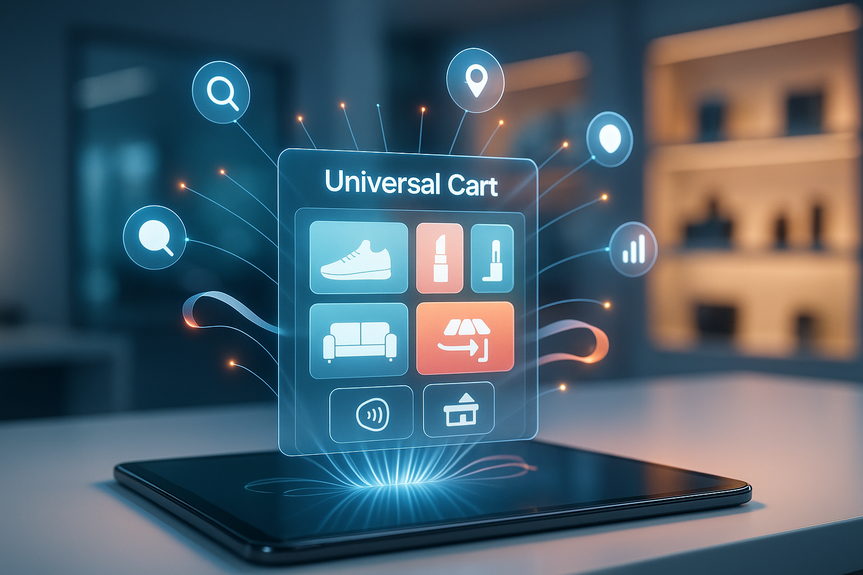
Google is turning agentic commerce into action. UCP links a smart cart across Search, Gemini, and YouTube, and lets shoppers check out with Google Pay or finish on a retailer’s site. Brands keep the sale as merchant of record. New tools also help you reach buyers, measure impact, and improve product content with AI.
Let people add and buy across Google surfaces without friction.
Offer Google Pay in a few taps, plus Affirm and Klarna for buy now, pay later.
Allow cart transfer to your site when shoppers prefer.
You remain merchant of record across all flows.
Your brand, policies, and fulfillment stay in place.
You gain more conversions without losing ownership.
Enable on-the-spot buying from Direct Offers and Shopping ads on YouTube with product feeds in DemandGen campaigns.
Cut steps from discovery to purchase, especially on mobile.
Adopt UCP to connect the Universal Cart with your catalog, pricing, inventory, shipping, and tax.
Turn on Google Pay for fast, secure payment.
Offer Affirm and Klarna in Google Pay to boost AOV and approval rates.
Enable both in-cart checkout and cart transfer to your site.
Map order states, refunds, and customer support to your systems so service stays smooth.
Activate UCP-powered checkout for Direct Offers and YouTube Shopping ads with product feeds in DemandGen.
Use clear calls-to-action like “Buy now with Google Pay.”
Plan for hotel booking and local food delivery use cases as UCP expands.
Test conversational booking in AI Mode and ordering in Google Maps when available.
Launch in the U.S., then roll out to Canada and Australia, with the U.K. following.
Localize prices, taxes, shipping, and BNPL compliance per market.
In Merchant Center, compare your share of voice against similar brands on AI surfaces like AI Mode and Gemini.
Identify product gaps and prioritize campaigns. Insights roll out in Australia, Canada, India, New Zealand, and the U.S.
Rewrite titles and descriptions to match natural, question-style searches.
Example: “Running shoes for rainy 10K training” instead of only “Men’s running shoes.”
Add care, fit, material, and use-case details that AI can surface.
In Merchant Center, Ask Advisor shares goal-based insights, completes tasks, and connects to Google Ads and Google Analytics.
Use it to fix feed issues, adjust bids, and launch experiments in fewer steps.
Catalog: Accurate titles, variants, GTINs, rich images, and conversational attributes.
Price and availability: Real-time sync to prevent out-of-stock and price mismatches.
Payments: Test Google Pay tokens, refunds, and partial captures; enable BNPL rules.
Shipping and tax: Surface delivery dates, fees, and return windows upfront.
Order ops: Map order statuses and customer messages across UCP and your OMS.
Security and privacy: Follow PCI rules, consent, and regional data requirements.
Measurement: Link Merchant Center, Google Ads, and Analytics; enable enhanced conversions; tag checkout events.
Creative: Provide YouTube-ready product feeds and short videos where possible.
Pick 50–200 SKUs with strong margins and stock.
Target key audiences on YouTube and Search.
Measure cart adds, checkout completion, AOV, ROAS, and support tickets.
Enable Direct Offers and YouTube Shopping ads with product feeds in DemandGen.
Test creative that highlights fast checkout and BNPL options.
Roll out to more SKUs, then to new categories like hotels or local food delivery as they open.
Localize for Canada and Australia first; prep the U.K. next.
Inconsistent product data that confuses AI and shoppers.
Slow merchant pages that break cart transfer conversions.
Missing tags that hide true conversion lift.
Unclear ownership of post-purchase support and refunds.
Push more inventory into the Universal Cart once your metrics stabilize.
Use AI performance insights weekly to find share-of-voice gaps and fix them fast.
Keep content fresh with conversational attributes as trends change.
Let Ask Advisor automate routine fixes so teams focus on growth.
The path is clear: connect your cart, light up checkout, extend into ads, and let AI do the heavy lifting on discovery and operations. Follow this Universal Commerce Protocol integration guide from pilot to global rollout, and turn curiosity into checkouts across Search, Gemini, and YouTube.
In short, this Universal Commerce Protocol integration guide helps you scale faster, sell smarter, and keep control of your customer relationship in the agentic commerce era.
(Source: https://blog.google/products-and-platforms/products/shopping/shopping-updates-google-marketing-live/)
For more news: Click Here
Why UCP matters right now
Meet buyers where they shop
Keep control of your business
Reach new buyers through ads
A practical Universal Commerce Protocol integration guide
1) Wire up cart and checkout
2) Support flexible purchase paths
3) Extend UCP to ads
4) Prepare for new categories
5) Go global in stages
Optimize with AI to drive discovery and sales
Use AI performance insights
Improve product content with conversational attributes
Work faster with Ask Advisor
Data and tech checklist
Use this Universal Commerce Protocol integration guide as a checklist to avoid friction:Scaling playbook: from pilot to rollout
Start with a focused pilot
Turn on high-intent surfaces
Expand by category and market
Common pitfalls to avoid
How to scale impact
FAQ
Q: What is the Universal Commerce Protocol and what does this integration guide cover?
A: The Universal Commerce Protocol links a smart Universal Cart across Google surfaces like Search, Gemini, and YouTube so shoppers can check out with Google Pay or transfer items to the retailer’s site. This Universal Commerce Protocol integration guide shows how retailers can wire up cart and checkout, extend UCP into ads, and use AI tools while remaining the merchant of record.
Q: Which technical steps should I follow to wire up my cart and checkout with UCP?
A: Adopt UCP to connect your Universal Cart with catalog, pricing, inventory, shipping, and tax, and turn on Google Pay for fast, secure payment. You should also support BNPL options like Affirm and Klarna within Google Pay and test payment flows such as tokens, refunds, and partial captures.
Q: How can I support flexible purchase paths while keeping full control of orders?
A: Enable both in-cart checkout and cart transfer to your site so shoppers can choose their preferred path, and map order states, refunds, and customer messages into your systems to preserve operational continuity. You remain the merchant of record and keep your brand, policies, and fulfillment in place.
Q: How do I extend UCP to ads and what ad types support on-the-spot buying?
A: Activate UCP-powered checkout for Direct Offers and Shopping ads on YouTube using product feeds in DemandGen campaigns to enable on-the-spot buying. Use clear calls-to-action like “Buy now with Google Pay” and surface BNPL options where available.
Q: What AI tools should I use to improve discovery and conversions with UCP?
A: Use AI performance insights in Merchant Center to compare your share of voice against similar brands and identify product gaps. Update product content with conversational attributes for more natural search queries, and use Ask Advisor to get goal-based insights, complete tasks, and connect with Google Ads and Analytics.
Q: What markets and categories should I plan for when rolling out UCP?
A: Plan a staged global rollout starting in the U.S. and expanding to Canada and Australia with the U.K. to follow, while localizing prices, taxes, shipping, and BNPL compliance per market. Also prepare for new categories such as hotel booking and local food delivery as UCP integrations expand.
Q: What common pitfalls should I avoid during a UCP integration?
A: Avoid inconsistent product data that confuses AI and shoppers, slow merchant pages that break cart transfer conversions, missing measurement tags, and unclear ownership of post-purchase support and refunds. Address these issues early by fixing feeds, optimizing page speed, and clarifying support and refund workflows.
Q: What data and measurement steps should be on my UCP checklist before scaling?
A: Follow the Universal Commerce Protocol integration guide checklist: ensure accurate catalog data and conversational attributes, real-time price and availability sync, test payments and BNPL rules, surface shipping, tax, and return details, and map order operations across your OMS. Also secure compliance with PCI and regional data rules, and link Merchant Center, Google Ads, and Analytics with enhanced conversions and checkout event tagging.
Contents