AI News
23 Apr 2026
Read 10 min
Vercel security breach 2026 How to protect secrets
Vercel security breach 2026 urges teams to rotate secrets and tighten OAuth to curb supply-chain risk
The Vercel security breach 2026 began with a compromised third-party AI tool and led to access to some internal systems and a subset of customer credentials. Here’s what happened and how to protect secrets now: rotate keys fast, mark sensitive env vars, restrict OAuth apps, monitor logs, and harden Google Workspace.
Vercel confirmed that attackers accessed parts of its internal systems after taking over a staff Google Workspace account through an OAuth token from a small AI tool. A limited number of customer credentials and some environment variables not flagged as sensitive were at risk. This guide explains the Vercel security breach 2026 and gives clear steps to protect your secrets today.
Rotate everything fast: environment variables, API keys, database passwords, webhooks, third-party tokens, and Deployment Protection tokens.
Mark secrets as Sensitive in Vercel so they cannot be read in the dashboard or exposed by logs and previews.
Review Activity Log and deployment history for odd changes, new integrations, or unfamiliar users.
Lock down who can read environment values. Limit access to admins and service accounts only.
Use least privilege roles. Remove stale members from projects and teams.
Restrict which branches can deploy to production. Require approvals for PR previews.
Re-issue any long-lived tokens and switch to short-lived tokens where possible.
Enable SSO with MFA for all users. Enforce hardware keys for admins and org owners.
Block “Allow All” app permissions. Require admin review for third-party OAuth apps.
Create an OAuth allowlist. Only approve apps that your security team has vetted.
Disable or restrict risky Chrome extensions. Use extension allowlists for managed browsers.
Audit OAuth grants and tokens. Revoke unused and suspicious grants and refresh tokens.
Turn on login and OAuth risk alerts. Send high-risk alerts to on-call responders.
Limit domain-wide delegation. Scope service accounts to only what they need.
Enforce MFA for all users, with phishing-resistant methods for admins.
Use Context-Aware Access to restrict sensitive apps by device posture, location, or network.
Export and review audit logs (Admin, Drive, OAuth). Hunt for new grants, mass reads, and abnormal API calls.
Default to sensitive. Treat all environment variables as secrets unless proven otherwise.
Separate secrets by environment. Use different keys for dev, staging, and prod.
Limit who can view secret values. Prefer write-only updates and masked displays.
Store root credentials in a dedicated secrets manager (Vault, AWS Secrets Manager, GCP Secret Manager, Azure Key Vault).
Use KMS-integrated encryption and access policies with clear ownership and rotation rules.
Fetch secrets at runtime using least privilege, not baked into images or code.
Adopt OIDC or workload identity to mint short-lived tokens for cloud access where supported.
Set strict TTLs, automatic rotation, and immediate revocation paths for all tokens.
Avoid static long-lived keys. If you must use them, scope them tightly and rotate often.
Pin dependencies and verify integrity. Use lockfiles and checksum verification.
Sign builds and commits. Require code review and protected branches for releases.
Block secret exposure in logs. Sanitize build and runtime logs automatically.
Restrict preview deployments from reading production secrets.
Enable secret scanning across repos and artifacts. Block commits with leaked secrets.
Create saved searches for odd environment changes and new OAuth grants.
Run tabletop exercises for OAuth token theft and account takeover scenarios.
Maintain a rotation playbook with contact lists, scripts, and rollback plans.
Control third-party access. Use OAuth allowlists and block broad permission grants.
Assume compromise and limit impact. Treat all env vars as sensitive by default.
Prefer short-lived, scoped tokens over long-lived keys.
Rotate fast, monitor hard, and practice your response.
Strong secret hygiene turns a breach into a contained event rather than a disaster. Learn from the Vercel security breach 2026, close OAuth gaps, and protect the secrets that power your apps.
What we know about the Vercel security breach 2026
How attackers got in
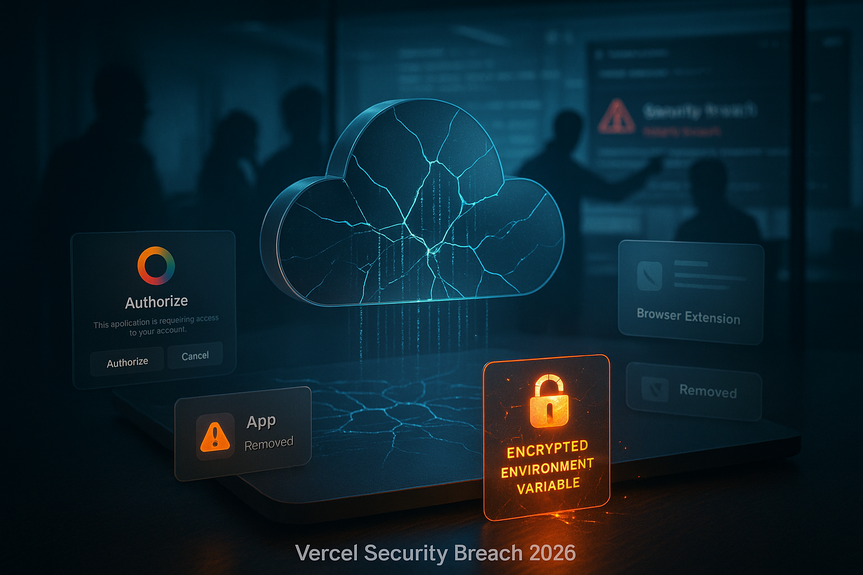
Investigators say a compromised OAuth app from a third-party AI office suite let an attacker hijack a Vercel employee’s Google Workspace account. With that access, the attacker reached some Vercel environments and read environment variables that were not marked “sensitive.” Vercel stores environment variables encrypted at rest, but non-sensitive values could be read once the identity was taken over. The OAuth app tied to the compromise was later linked by researchers to Context.ai. Context reported an earlier incident in their AWS environment and said OAuth tokens for some users were likely exposed. One Vercel employee appears to have granted broad “Allow All” permissions during signup with a work account, which increased risk.Impact and current status
Vercel says only a limited subset of customers were affected. Impacted teams were notified and told to rotate credentials and review logs. The company engaged Google Mandiant and other firms, expanded monitoring, and notified law enforcement. Vercel also said that Next.js, Turbopack, and related open source projects remain safe. A claim on a criminal forum that hyped a massive supply-chain attack was removed, and a group named in the post denied involvement.Immediate steps to protect your secrets
For Vercel projects
For Google Workspace admins
Build a stronger secret management foundation
Classify and minimize exposure
Use purpose-built secret stores
Prefer short-lived credentials
Harden CI/CD and deployments
Detect and respond fast
Why this incident matters
The Vercel security breach 2026 shows how one risky OAuth grant can widen the blast radius fast. Third-party AI tools and browser extensions add hidden doors into your workspace. Even when data is encrypted at rest, an attacker with the right identity can ask the system to reveal it. Strong defaults, tight scopes, and logging make the difference.Key takeaways from the Vercel security breach 2026
(Source: https://www.helpnetsecurity.com/2026/04/20/vercel-breached/)
For more news: Click Here
FAQ
Q: What happened in the Vercel security breach 2026?
A: Cloud deployment platform Vercel suffered a breach that began with a compromised third-party AI tool and resulted in attackers accessing some internal systems and compromising credentials for a limited subset of customers. Attackers used a hijacked Vercel employee Google Workspace account via an OAuth token to reach environments and read environment variables that were not marked as sensitive.
Q: How did attackers gain access to Vercel’s systems?
A: Investigators found the incident originated from a compromised OAuth app in a small third-party AI office suite which allowed the attacker to take over a Vercel employee’s Google Workspace account. With that access the attacker reached some Vercel environments and read environment variables that had not been designated as sensitive.
Q: Which customers were affected and what did Vercel advise them to do?
A: Vercel said a limited subset of customers had credentials exposed and impacted teams were notified directly. Affected customers were advised to immediately rotate credentials and environment variables, review activity logs and environments for suspicious activity, rotate Deployment Protection tokens if used, and check for unexpected deployments.
Q: What immediate steps should Vercel project owners take to protect their environment variables and keys?
A: Rotate everything immediately — environment variables, API keys, database passwords, webhooks, third-party tokens, and Deployment Protection tokens — and review activity logs and deployment history for suspicious changes. Mark variables as Sensitive in Vercel, restrict who can read environment values, enforce least-privilege roles, limit which branches can deploy to production, and enable SSO with MFA for all users.
Q: What should Google Workspace administrators do in response to this breach?
A: Block broad “Allow All” app permissions, require admin review for third-party OAuth apps, and create an OAuth allowlist to limit risky app access. Administrators should also audit and revoke suspicious OAuth grants and tokens, disable or restrict risky Chrome extensions, enable login and OAuth risk alerts, and enforce phishing-resistant MFA and scoped domain-wide delegation.
Q: Are Next.js, Turbopack, and other Vercel open source projects affected?
A: Vercel stated it has analyzed its supply chain and that Next.js, Turbopack, and its many open source projects remain safe for the community. The company also engaged external experts, extended monitoring, and notified law enforcement as part of the ongoing investigation.
Q: Did any criminal group claim responsibility for the breach and is that attribution confirmed?
A: A BreachForums post claimed the compromise and attempted to sell stolen information, naming ShinyHunters or an impersonator, but the post was removed and the real ShinyHunters denied involvement. Attribution remains uncertain while the investigation continues and Vercel has involved Mandiant and other cybersecurity firms.
Q: What long-term secret management changes does the article recommend to reduce future risk?
A: The article recommends defaulting to Sensitive for environment variables, separating secrets by environment, and using purpose-built secret stores such as Vault, AWS Secrets Manager, GCP Secret Manager, or Azure Key Vault with KMS-integrated encryption and rotation rules. It also advises preferring short-lived credentials via OIDC or workload identity, enabling secret scanning and CI/CD hardening like signed builds and protected branches, and maintaining rotation playbooks and tabletop exercises to detect and respond quickly after incidents like the Vercel security breach 2026.
Contents