
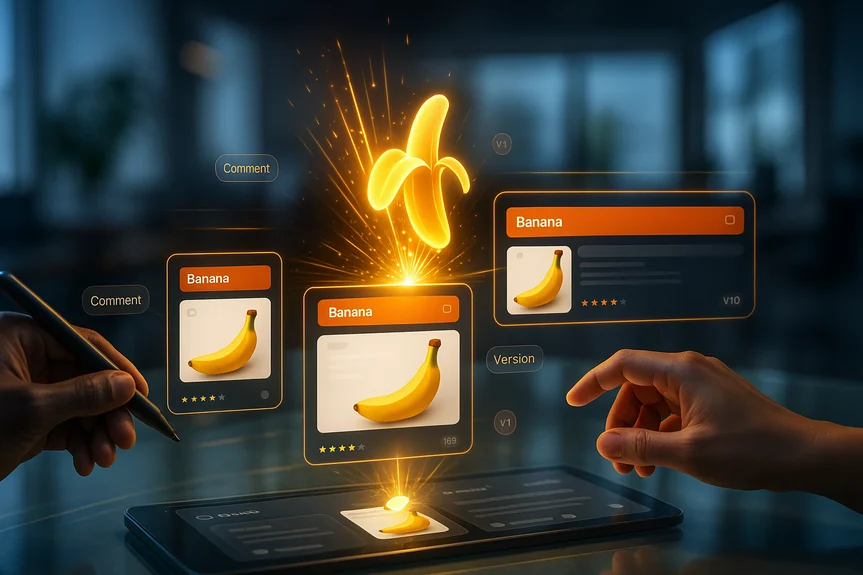
 AI-generated
AI News
24 Nov 2025
Read 16 min
AI image generation for creative teams cuts design time
AI image generation for creative teams slashes approvals by 67% and delivers print-ready visuals fast.
Mixboard’s new nano banana pro features bring AI image generation for creative teams into the daily workspace. The update removes app switching, speeds drafts to under 10 seconds, and boosts quality to 2K with smart 4K upscaling. Teams keep brand consistency, cover any aspect ratio, and shorten approval cycles from days to minutes.
AI image generation for creative teams: What changes now
Creative work often slows down when people move files between tools, wait for exports, and wrangle formats. Mixboard integrates nano banana pro into the same place where teams plan, comment, and deliver. This means images are born inside the workflow, not imported after the fact. The result is less friction and far fewer handoffs.
According to Mixboard, creatives lose about 23% of their time to file management between apps. When generation runs next to comments, tasks, and version history, that lost time turns into extra capacity. In week one, a marketing leader at Velocity reported a 67% drop in concept-to-approval time. Teams now share finished visuals while they are still in the meeting, not in a follow-up email.
Quality that is ready for print and screen
Nano banana pro generates at native 2K and adds smart 4K upscaling in one flow. Designers no longer export to a separate tool to clean up edges or sharpen details. This helps when you need crisp typography in UI mockups or clean gradients in ads. The output holds up on large displays and in high-resolution print.
Speed that supports live feedback
Complex visuals process in under 10 seconds. That speed changes the tone of feedback. Instead of guessing how a change may look, you try it. Instead of taking notes to test later, you test now. Stakeholders see options side by side. Decisions move forward while the context is still fresh.
Consistency across campaigns and channels
The nano banana 2 system carries character traits, brand colors, and recurring motifs across many generations. When you need the same spokesperson in a dozen scenes, you get it. When you need a seasonal style to match the main campaign, you can keep it without manual tweaks. This supports brand trust and reduces retouch work.
Any size, any screen
From 1:1 social tiles to 16:9 video thumbnails to 21:9 wide hero images, the platform covers common aspect ratios. You do not need to rebuild layouts per channel. You can create a set once and adapt it quickly for posts, stories, banners, and slides. This is helpful for multi-market launches that span many placements.
Before and after: the new creative workflow
In the old flow, a designer bounced between a whiteboard app, a generator, an upscaler, and a file share. Comments arrived by email or chat. Versions multiplied in folders. Approvals lagged. In the new flow, content lives in one place, with generation built in. See the shift below.
The old way
- Write a brief in the planning tool
- Generate drafts in a separate app
- Export and upscale elsewhere
- Upload files to a drive, paste links in chat
- Collect feedback across threads
- Repeat for each version and channel size
The new way
- Open the task in Mixboard
- Generate drafts with nano banana pro inside the workspace
- Apply smart 4K upscaling automatically
- Share a live board; comments sit on each asset
- Track versions with automatic history
- Resize to any aspect ratio in the same session
This reduces noise and reduces errors. Remote teammates see the same board, run the same prompts, and use the same presets. The system captures who made each change and when, which improves accountability.
Use cases that deliver quick wins
Different teams can benefit on day one. Here are common scenarios where the integration helps.
Marketing campaigns and content
- Build mood boards quickly and evolve them to final key visuals
- Keep characters and styling consistent across ads, landing pages, and emails
- Produce localized variants with the same look and feel
- Create social sets for multiple ratios with one source concept
Product and UX teams
- Render UI mockups that include readable, accurate interface text
- Create polished demo screenshots for launch notes and store pages
- Test visual treatments for onboarding flows without blocking engineers
- Hand off images with clear version history and comments
Sales, success, and leadership
- Upgrade pitch decks with on-brand visuals in minutes
- Prepare investor presentations with consistent scenes and characters
- Produce case study graphics that align with marketing assets
- Reduce spending on small design requests that slow down creative teams
Distributed and hybrid teams
- Give remote designers the same generation power as on-site staff
- Keep feedback in one place for round-the-clock collaboration
- Avoid sending large files over email
- Maintain clear ownership with automatic version control
Governance and brand safety made practical
Fast images only help if they follow your brand rules. Mixboard’s approach supports order, not just speed.
Reusable style guides
Store color palettes, typography, and visual cues as presets. Apply them to new generations so each output starts on-brand. This reduces manual corrections later.
Approval flows and locks
Set who can publish, who can edit, and who can view. Lock approved assets so no one changes them by mistake. Route sensitive work through reviewers with a click.
Context-rich comments and audits
Attach feedback directly to an image. Keep an audit log of prompts, settings, and edits. This makes training and compliance easier. It also helps a new teammate learn the history of a campaign.
Rights and provenance
Add metadata and watermarks as needed. Keep track of usage notes for partners or retailers. This reduces risk when you reuse or distribute assets.
Measuring impact and ROI
Leaders need proof that change works. Set a simple baseline, then track gains over the first month.
Metrics to watch
- Cycle time: brief to approved asset
- First-pass acceptance rate
- Rework hours per asset
- Assets shipped per week per designer
- Number of review meetings per project
- External design spend for small requests
A real example shows the upside. Sarah Mitchell, a marketing director at Velocity, reported a 67% faster concept-to-approval time in the first week with the new process. That kind of shift frees budget and headspace for higher-value work.
Sample calculation
Assume a team ships 40 assets per week. If each asset used to lose 15 minutes to file transfers, that is 10 hours of wasted time weekly. Remove those transfers and you gain more than a workday of output, without hiring. Add sub-10-second drafts and faster feedback, and the gain compounds.
When you embed AI image generation for creative teams in the place where work happens, the lift shows up in both cycle time and morale. People spend more time solving creative problems and less time moving files.
How to roll out in one quarter
You do not need a long migration. Pro and Enterprise accounts can switch this on in current workspaces. Use the steps below to guide a smooth rollout.
Step-by-step plan
- Enable nano banana pro for a pilot group inside Mixboard
- Import brand presets: colors, logos, character guidance
- Define roles and approval steps in the workspace
- Pick one campaign or product area as the pilot
- Train the team with short videos and hands-on sessions
- Set baseline metrics and review them weekly
- Connect the API for custom workflows if needed
- Collect feedback, refine presets, and expand to more teams
Keep the pilot tight. Aim for three sprints. Share wins early. Then scale with confidence.
Technical notes for operations and IT
Ops leaders want to know how the system behaves under real load. Here are the practical details that matter.
Performance and quality
- Native 2K generation with smart 4K upscaling in one pass
- Sub-10-second processing for complex scenes under typical load
- Stable character and style reproduction across many outputs
- Support for common ratios: 1:1, 4:5, 16:9, 21:9, and more
Integration and control
- API documentation for custom triggers and pipelines
- Single sign-on and role-based access controls
- Automatic versioning, naming conventions, and asset history
- Options for data retention aligned with policy
Collaboration and handoff
- Comments pinned to assets, not lost in chat threads
- Export when needed without leaving the workspace
- Share boards with external partners using permissions
- Dedicated support channels for advanced setups
How to choose the right platform
If your team is still evaluating tools, use this checklist to keep the focus on value.
Capability checklist
- Generates high-quality images fast enough for live review
- Supports brand presets and consistent character features
- Covers all needed aspect ratios without rebuilding
- Runs inside your main collaboration workspace
- Provides strong version control and audit logs
- Offers API access for automation and custom flows
- Delivers onboarding help and enterprise-grade support
Common pitfalls and how to avoid them
Fast tools can still lead to slow projects if you miss the basics. Look out for these patterns.
Too many options, no presets
If every project starts from scratch, you will burn time. Build and maintain presets. Update them after every major campaign.
Skipping creative direction
AI is fast, but it needs a clear brief. Write short, focused prompts. Include tone, color, and subject. Set examples in the board for reference.
Ignoring quality control
Speed tempts teams to ship first drafts. Keep a simple checklist: brand colors, logo placement, legible text, rights notes, and final ratio checks.
Letting versions sprawl
Name versions clearly and lock approved ones. Use the board’s history to prevent duplicates and confusion.
What this means for your next quarter
Integrated generation changes creative operations. You can bring stakeholders into the process without slowing down. You can test more options with less cost. You can deliver consistent visuals across channels on a reliable schedule. And you can do it without juggling five different apps.
Mixboard’s nano banana pro integration gives teams speed, quality, and control in one place. It fits into current workspaces, keeps feedback attached to assets, and supports both office and remote teammates. With a simple pilot, you can prove value fast and scale without a heavy lift.
In the end, the teams that win will be the teams that reduce friction. Embedding AI image generation for creative teams inside the daily workflow is a direct way to do that. It saves time, protects brand standards, and turns meetings into moments where ideas become finished visuals.
(Source: https://www.martechcube.com/mixboard-launches-nano-banana-pro-ai-tools-for-creative-teams/)
For more news: Click Here
FAQ
Keep reading, keep building
Three things from our own workshop that fit this topic:
- Diktly Free is our dictation app for Mac: speech becomes text entirely on your own machine, nothing goes to the cloud. Free version, Basic 14.99 €.
- 1000+ Prompts to Level Up Your Life is our most downloaded pack. Pay what you want, including 0.
- OpenAI Agent Mode for Beginners walks you through letting AI agents handle tasks for you. 19.99 $.
Our own products. Tech Moments is our newsletter on AI and tech in plain language, one email, no noise. Subscribe below.
Contents