AI News
02 Aug 2026
Read 8 min
Copilot super app launch date: What it means for you
Copilot super app launch date brings unified AI to Windows, streamlining tasks and saving you time.
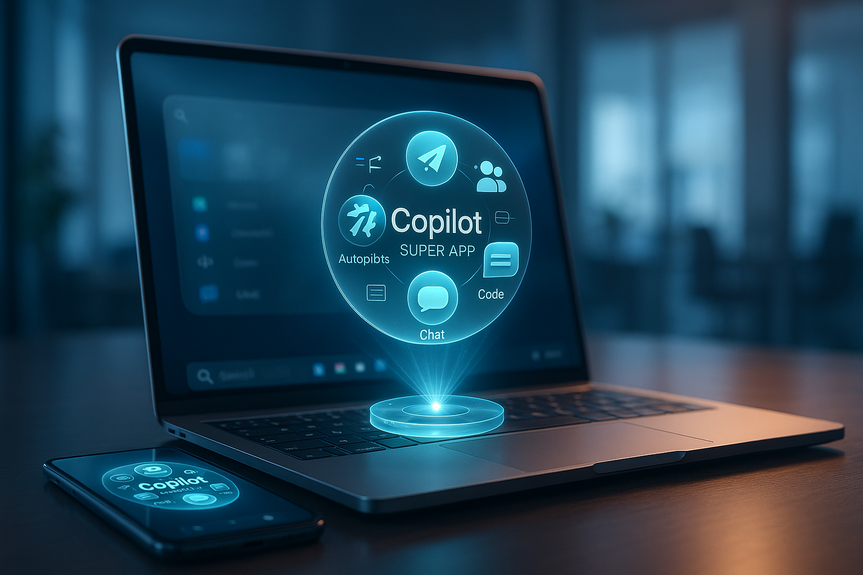
Microsoft says its Copilot “super app” will arrive this quarter, bringing Autopilots, Cowork, Code, and chat into one place for consumers and businesses. The Copilot super app launch date matters because it may roll out as a Windows 11 update without a separate download, streamlining everyday AI tasks across your devices.
Microsoft is folding many Copilot tools into a single, easy app. CEO Satya Nadella called it a major step for the company’s AI plans. If you use Windows 11, you may see the new app show up through a regular update. Here’s what to expect and how to get ready.
Windows 11 updates that add a single Copilot entry point
Sign-in options for personal Microsoft accounts and work tenants
Links from apps like Outlook and Teams pointing to the new hub
Less clutter: fewer stray Copilot entry points
Faster access: one hub for chat, Autopilots, Cowork, and Code
Smoother handoff: start in chat, continue in Office apps, and finish in a document or email
Update Windows: Turn on automatic updates so you get the app when it ships.
Check privacy settings: Review data-sharing and history options inside Copilot.
Try simple wins: Ask Copilot to summarize PDFs, draft a polite reply, or plan a trip.
Define policies: Decide which Copilot features employees can use and how data is handled.
Pilot first: Start with a small group to measure time saved on email, notes, and docs.
Train on prompts: Show staff how to write short, clear prompts with goals and context.
Copilot super app launch date: When to expect it
Microsoft confirmed the launch is set for this quarter. That lines up with a staged rollout that could arrive through Windows Update. Nadella said the app will serve both consumers and commercial users, so you can expect it to tie into personal PCs and work accounts. As the Copilot super app launch date approaches, watch for:What’s inside the new Copilot app
Autopilots
Microsoft’s Autopilots aim to handle multi-step tasks. Think of actions like summarizing a long document, extracting key points, and drafting a response—without you hopping between apps.Cowork
Cowork acts like a helper that sits beside your daily tools. It can assist in planning, note-taking, and follow-ups, so you can move work forward faster with less app switching.Code
Code gives developers AI support for writing, explaining, and refactoring code. It brings the coding help people know from Copilot into the new unified interface.Chatbot core
The chat experience stays central. Ask questions, get drafts, or generate ideas. The app brings chat together with action tools, so your prompts can trigger real work, not just answers.One place, consumer and business
Expect one surface that works with your Microsoft account at home and with your work identity. This is why the Copilot super app launch date is a big deal: it reduces friction across your daily tasks.How it compares to rivals
OpenAI launched ChatGPT Work, a “super app” for business tasks. Anthropic offers Claude Cowork for similar goals. Microsoft’s edge is integration with Windows and the Microsoft 365 stack. If you already use Outlook, Teams, and Windows 11, the Copilot hub may feel more native and easier to access.What this means for Windows 11 users
Some users pushed back on AI features added across Windows. Microsoft even pulled Copilot from a few low-value spots earlier this year. The new approach favors a clear, central place for AI instead of scattering buttons everywhere. That could make Copilot easier to find and less distracting.Early signals on engagement
Nadella said Copilot satisfaction scores have doubled, and conversations per user nearly doubled year over year. He also said weekly use is on par with Outlook and Teams. Microsoft did not share detailed metrics, and it’s unclear how much of this includes Copilot actions inside other apps, like meeting recaps or email drafts.How to prepare before rollout
For everyday users
For teams and IT
Why the timing matters
The Copilot super app launch date is set for this quarter, so planning now can save time later. If it arrives through a Windows 11 update, you can skip manual installs and focus on training and workflow changes. The sooner your team learns the hub, the faster you can combine chat, task automation, and coding help in daily work. As Microsoft moves to one Copilot surface, it aims to cut friction, reduce app switching, and make AI feel like a normal part of Windows and Microsoft 365. Keep an eye on Windows Update and your Microsoft 365 admin messages so you can take advantage of new features on day one. The bottom line: With the Copilot super app launch date landing this quarter, expect a single, stronger AI entry point on Windows that blends chat with Autopilots, Cowork, and Code—ready to speed up how you work and create.(Source: https://www.pcmag.com/news/microsoft-confirms-plan-for-copilot-super-app-merging-its-ai-tools)
For more news: Click Here
FAQ
Q: What is the Copilot super app and what does it combine?
A: The Copilot super app brings Autopilots, Cowork, Code, and chat together into a single interface for both consumers and commercial users. Microsoft says the goal is to reduce app switching and make AI a more integrated part of Windows and Microsoft 365.
Q: When will the Copilot super app launch?
A: The Copilot super app launch date is set for this quarter, according to Microsoft CEO Satya Nadella. Microsoft also indicated the app could roll out through Windows Update and might appear on Windows 11 without a separate download.
Q: Will Windows 11 users need to download the Copilot super app separately?
A: If Microsoft includes the app in Windows 11, it may arrive via a regular update so you will not need a separate download. Turn on automatic updates to increase the chance of receiving it as soon as Microsoft ships the rollout.
Q: What features will the Copilot super app include?
A: It will include Autopilots for multi-step tasks, Cowork for planning, note-taking, and follow-ups, Code for developer assistance, and a central chat core. The integration is designed so prompts can trigger actions across apps rather than only returning answers.
Q: How might the Copilot super app change how I use Outlook, Teams, and other Microsoft apps?
A: The app provides a single hub that links chat and action tools with Outlook, Teams, and Office to make workflows smoother. Microsoft says this approach should reduce clutter from scattered entry points and speed handoffs between chat, drafts, and documents.
Q: How does Microsoft’s Copilot super app compare to competitors like OpenAI and Anthropic?
A: OpenAI has ChatGPT Work and Anthropic offers Claude Cowork, which similarly combine advanced tools with chat. Microsoft’s stated advantage is deeper integration with Windows and the Microsoft 365 stack, which could make its Copilot hub feel more native for existing users.
Q: What should everyday users do to prepare for the Copilot super app rollout?
A: Turn on automatic Windows updates and review Copilot privacy and history settings so you are ready when the app becomes available. Try simple tasks like asking Copilot to summarize PDFs, draft polite replies, or plan a trip to learn how the tools can help your daily routines.
Q: What steps should IT teams take in advance of the Copilot super app launch date?
A: With the Copilot super app launch date set for this quarter, IT teams should define which Copilot features employees can use and how data will be handled. Start with a pilot group and train staff on concise, goal-oriented prompts before a wider rollout.
Contents