AI News
02 Oct 2025
Read 19 min
Claude Sonnet 4.5 API guide: How to build reliable agents
Claude Sonnet 4.5 API guide helps developers build robust, long-running agents with improved safety.
Use the Claude Sonnet 4.5 API guide to build reliable, long-running AI agents fast. This article shows how to set up the model, design safe tool use, manage memory, handle errors, and ship real workflows. Learn the SDK parts, key prompts, and tests that keep agents on task and improve results over time.
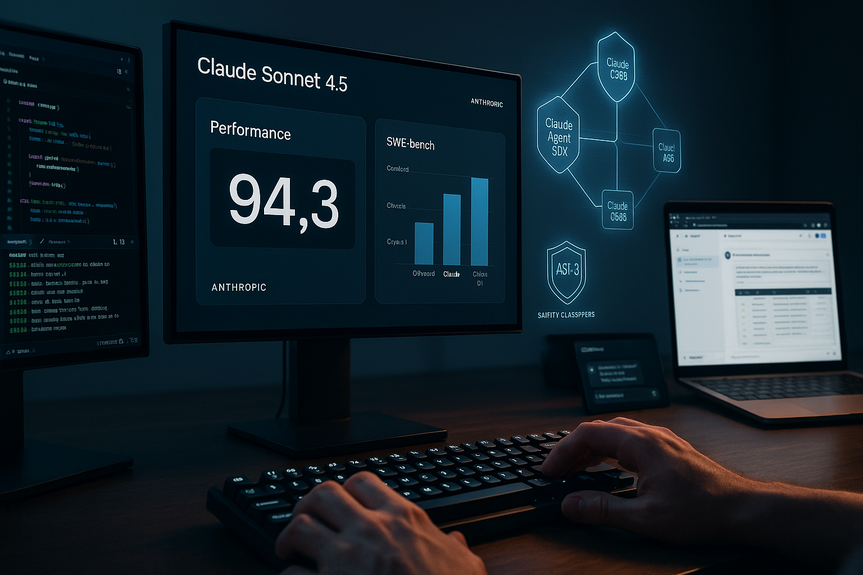
Claude Sonnet 4.5 sets a new standard for coding and agent work. It leads on SWE-bench Verified and now scores 61.4% on OSWorld, up from 42.2% just months earlier. It can stay focused for more than 30 hours on multi-step tasks. It writes and fixes code, runs tools, uses a browser, fills spreadsheets, and reasons through math and logic with fewer mistakes. It also comes with stronger alignment and ASL-3 protections. The new Claude Agent SDK gives you the same building blocks Anthropic uses to power its own agents. That means you can move from a simple script to a robust agent quickly, and you can do it with safety in mind.
This guide turns those strengths into a clear plan you can use today. You will learn how to wire the API, shape the prompt, define tools, add memory, and monitor behavior. You will also learn how to use checkpoints, context editing, and the VS Code extension to speed up shipping.
Why this model raises the bar for agent work
Claude Sonnet 4.5 delivers both skill and stamina. The model performs well on hard coding tasks and day-long workflows. It uses computers with more accuracy than before, as shown by its lead on OSWorld. It handles domain work in finance, law, medicine, and STEM with better recall and reasoning than earlier Claude versions, including Opus 4.1. It is also safer. It reduces risky behaviors like sycophancy, deception, and power-seeking. It defends better against prompt injection. It ships with ASL-3 protections, including classifiers that detect unsafe content related to chemical, biological, radiological, and nuclear topics. Anthropic reports a 10x drop in false positives since classifiers were first described, and a 2x drop since Opus 4. That helps your agents stay helpful while staying safe. On the practical side, pricing is stable at $3 per million input tokens and $15 per million output tokens. You get more reliability without a price hike. With checkpoints in Claude Code, a refreshed terminal, a native VS Code extension, context editing and memory tools in the API, code execution and file creation in the apps, and a Chrome extension, you can build and ship faster across your whole stack.Claude Sonnet 4.5 API guide: Setup and basics
Getting started is simple. You select the model name claude-sonnet-4-5 in the Claude API. Then you design your agent’s loop and connect the right tools. In this Claude Sonnet 4.5 API guide, we focus on choices that improve reliability from day one.Pick the right endpoint and pricing
Start with text generation if you want reasoning, planning, or summaries. Add tool use when your agent needs to call APIs, run code, open a browser, or write files. Watch token usage. Set per-request and per-session budgets. Log token counts in every run. This keeps costs in check as your agent scales.Plan your agent’s loop
Agents act in steps. Each step reads the current state, plans the next action, and executes it. Keep this loop simple and predictable:- Set a clear goal and constraints in the system prompt.
- Provide the current state and tool results as input.
- Ask the model to explain its plan in 1–3 lines.
- Run the selected tool or produce the next reply.
- Checkpoint progress after each meaningful step.
Design safe and capable tool use
Tool use turns the model into an effective worker. It should never be vague. Tools need clear names, descriptions, inputs, and expected outputs.Define tools with crisp contracts
Your tools should be strict. Reject bad inputs. Return typed outputs. Use stable error codes. Wrap side effects (like writing files or sending emails) behind a permission layer. This keeps the agent from doing unsafe things without review.- Describe each tool in one sentence: when to use it and what it returns.
- List all inputs and their types.
- Show one correct example and one incorrect example.
- Document timeouts and rate limits.
- Include a “dry_run” option for testing.
Permissions and user control
Give the user the final say when actions matter. Ask for approval when the agent wants to:- Send external messages or emails
- Change data in production systems
- Spend money
- Generate or run code on live servers
Memory and context that last
Long-running work needs memory. The API now includes context editing and a memory tool to extend sessions without losing the thread. Use both short-term and long-term memory.Short-term working memory
Your agent needs a compact view of what just happened. Keep a rolling window that includes:- Goal and constraints
- Last user message
- Recent tool outputs
- Latest plan summary
Long-term memory and context editing
For long tasks, save durable facts and decisions:- Project brief and success criteria
- Known constraints and deadlines
- Data sources already checked
- Hard-won insights or fixes
Reliability tactics you should ship on day one
Reliability is not a feature you add later. It is a habit. Build it in from the start. This section in our Claude Sonnet 4.5 API guide covers tactics that reduce errors and user friction.- Structured outputs: Ask for JSON with fixed keys. Validate it. Fail fast if invalid. Repair with a short “fix” prompt.
- Self-checks: Ask the model to check its answer against the goal in one sentence. If it finds a mismatch, allow one short correction pass.
- Guardrails in prompts: State “Do not fabricate. If missing data, ask for it.” Repeat this rule in every step.
- Deterministic planning: Keep temperature low for planning steps. Use higher temperature only for creative writing or UI text.
- Retries with backoff: Retry transient failures (network, 429 errors) with jitter. Limit retries to protect costs.
- Checkpoints and rollbacks: Save state after key steps. If a step fails, roll back to the last good state. Claude Code’s checkpoints are a strong model for this flow.
- Time-boxing: Set per-step time limits. If a step runs long, ask the model to summarize progress and propose a shorter plan.
- Health metrics: Track step success rate, average tokens per step, tool error counts, and user interruptions. Alert on spikes.
Evaluation and monitoring that reflect real work
Benchmarks matter, but your users matter more. Measure what maps to their tasks.Offline tests before launch
Build a small test suite that looks like real sessions. Record:- Inputs with edge cases and missing data
- Expected outputs or acceptance checks
- Tool stubs that return realistic errors
Online monitoring after launch
In production, capture:- Session goals, steps, and outcomes
- Tool calls and durations
- Token usage per session
- User ratings and edit rate
- Safety classifier flags and resolutions
Security and safety you cannot skip
Prompt injection is a real risk, especially with browsing and file tools. Block it with layers:- Isolate untrusted content: Do not let raw web pages or files change your system prompt. Treat them as data only.
- Sanitize tool inputs: Strip scripts, URLs, and links that try to change behavior.
- Use allowlists: Only let the agent visit approved domains or use approved APIs in high-risk flows.
- Human-in-the-loop: Require approval for sensitive actions. Log all such actions with who approved and why.
- Safety classifiers: Keep ASL-3 filters on. Route flagged sessions to a safer model or a human review.
Shipping environments and tooling
Anthropic ships the tools you need to move from idea to production fast.- Claude Agent SDK: Use the same infrastructure behind Claude Code. It helps with memory, permissions, and coordinating subagents. It is not only for coding. You can use it for research, support, ops, and more.
- Claude Code: Work with checkpoints, a cleaner terminal UI, and instant rollbacks. This improves developer speed and reduces risk.
- VS Code extension: Chat with the model in your IDE. Let it read your workspace, suggest changes, and run tasks.
- Code execution and file creation in apps: Generate spreadsheets, slides, and docs inside your chat. Keep the flow in one place.
- Claude for Chrome: Give the model controlled access to the browser. It can navigate sites and complete tasks with your oversight.
Example blueprint: a browser-and-spreadsheet research agent
Use this blueprint to build a helpful research assistant that visits approved sites and fills a spreadsheet with findings.Goal
Collect facts from a short list of trusted pages and produce a clean table with sources.Tools
- browser_get(url): Returns page text only from an allowlist
- extract_table(text, schema): Pulls rows into a structured format
- sheet_write(rows): Writes rows to a target sheet with headers
- save_checkpoint(state): Stores progress and last good table
- dry_run flag on write tools for preview mode
Prompt skeleton
- System: “You are a careful research agent. Do not fabricate. If a field is missing, mark it ‘N/A’ and include the source. Follow the schema exactly.”
- Context: goal, schema, allowlisted domains, last checkpoint summary
- User: list of target URLs
Loop
- Plan: Pick the next URL. State what you expect to find.
- Fetch: Call browser_get. If blocked, explain and skip.
- Extract: Call extract_table with a strict schema.
- Validate: Check each row for required fields. Add source URL to every row.
- Write: Run sheet_write in dry_run. Show a diff for approval if rows will overwrite existing data.
- Approve: Ask user to confirm. If yes, write for real and save_checkpoint.
- Repeat: Continue until done. Return a final summary with counts and any gaps.
Reliability add-ons
- Self-check: “Have I met the schema? Are sources present? If not, fix once.”
- Timeouts: Abort any fetch over 8 seconds and move on.
- Fallback: If extraction fails twice, store raw text snippet and mark rows “Needs review.”
Costs, speed, and scale
To manage costs:- Keep messages tight. Summarize long histories.
- Use context editing to insert only the facts that matter.
- Lower temperature for planning. Use higher temperature only when needed for writing.
- Batch tool calls when safe.
- Set per-user and per-session budgets with alerts.
- Cache answers to repeated questions.
- Shorten the chain of thought. Ask the model to think in bullet points.
- Parallelize independent tool calls where possible.
- Use checkpoints to skip rework after failures.
- Roll out changes with feature flags.
- Shadow-test new prompts on a slice of traffic.
- Keep a safe rollback path to the last stable prompt and tool set.
Putting it all together
Claude Sonnet 4.5 is built for agents that do real work. It writes code and fixes bugs. It uses tools well. It stays focused over long tasks. It is safer and easier to guide. With the Claude Agent SDK, checkpoints, context editing, and the VS Code extension, you can ship faster and with fewer surprises. Start small. Define a single clear goal. Add one tool at a time. Log everything. Tighten your prompt, your tool contracts, and your memory rules with each release. Run offline tests and watch live metrics. Add human approval where the stakes are high. When you follow these steps, your agent will plan better, fail less, and recover faster. That is what users feel as reliability. And that is how you turn a capable model into a trusted product. Use this Claude Sonnet 4.5 API guide as your map from a working prototype to a stable, safe agent in production. (Source: https://www.anthropic.com/news/claude-sonnet-4-5) For more news: Click HereFAQ
Q: What does the Claude Sonnet 4.5 API guide cover?
A: The Claude Sonnet 4.5 API guide explains how to build reliable, long-running AI agents by showing setup, safe tool use, memory management, error handling, and shipping workflows. It also covers the SDK parts, key prompts, checkpoints, context editing, and tests that keep agents on task and improve results over time.
Q: How do I select and call Claude Sonnet 4.5 in the API?
A: Select the model name claude-sonnet-4-5 in the Claude API and start with the text generation endpoint for reasoning, planning, or summaries. Add tool use when your agent needs to call APIs, run code, open a browser, or write files, and watch token usage by setting per-request and per-session budgets and logging token counts.
Q: What agent loop structure does the guide recommend?
A: The guide recommends a simple, predictable agent loop that reads the current state, plans the next action, and executes it. Steps include setting a clear goal and constraints in the system prompt, asking the model to explain its plan in 1–3 lines, running the chosen tool or producing the next reply, and checkpointing progress after each meaningful step.
Q: How should I define and manage tools and permissions for agents?
A: Define tools with crisp contracts: clear names and descriptions, typed inputs and outputs, stable error codes, one correct and one incorrect example, documented timeouts and rate limits, and a dry_run option for testing. Wrap side effects such as writing files or sending emails behind a permission layer so agents cannot perform sensitive actions without explicit approval.
Q: How should memory and context be managed for long-running agents?
A: Use short-term working memory as a rolling window containing the goal, the last user message, recent tool outputs, and the latest plan summary, and summarize as you go to remove noise. For durable facts and decisions, use long-term memory and context editing to save project briefs, constraints, checked data sources, and hard-won insights, tagging each memory with a title and timestamp and rotating old items when they stop helping.
Q: What reliability tactics should I implement from day one?
A: Ship reliability tactics such as structured JSON outputs with validation and fail-fast repair prompts, self-checks that compare answers to the goal, and prompt guardrails that state “Do not fabricate” and require clarification when data is missing. Also use deterministic planning with low temperature for planning steps, retries with backoff, checkpoints and rollbacks, time-boxing, and health metrics like step success rate and tool error counts to monitor failures.
Q: How should I test and monitor agents before and after launch?
A: Before launch, run offline test suites that mimic real sessions, include inputs with edge cases and missing data, expected acceptance checks, and tool stubs that return realistic errors while keeping golden transcripts for comparison. After launch, capture session goals, tool calls and durations, token usage, user ratings and edit rate, and safety classifier flags to find weak spots and iterate on prompts, tool contracts, and memory rules.
Q: What safety and deployment safeguards does the guide recommend, including ASL-3 protections?
A: To mitigate prompt injection and CBRN risks the guide recommends isolating untrusted content so it cannot change the system prompt, sanitizing tool inputs, and using allowlists for approved domains or APIs in high-risk flows. It also advises requiring human approval for sensitive actions, keeping ASL-3 safety classifiers enabled, routing flagged sessions to a safer model or human review, and documenting mitigations and test results for audits.
Contents