AI News
26 Apr 2026
Read 9 min
LinkedIn Crosscheck AI comparison Discover the best model
LinkedIn Crosscheck AI comparison helps professionals test multiple models and pick the right tool.
LinkedIn Crosscheck AI comparison lets Premium members in the U.S. test top AI models side by side. Enter a prompt, see two blind responses, and rate which one works better. Leaderboards and feedback loops help users choose the right model while developers learn from real-world prompts.
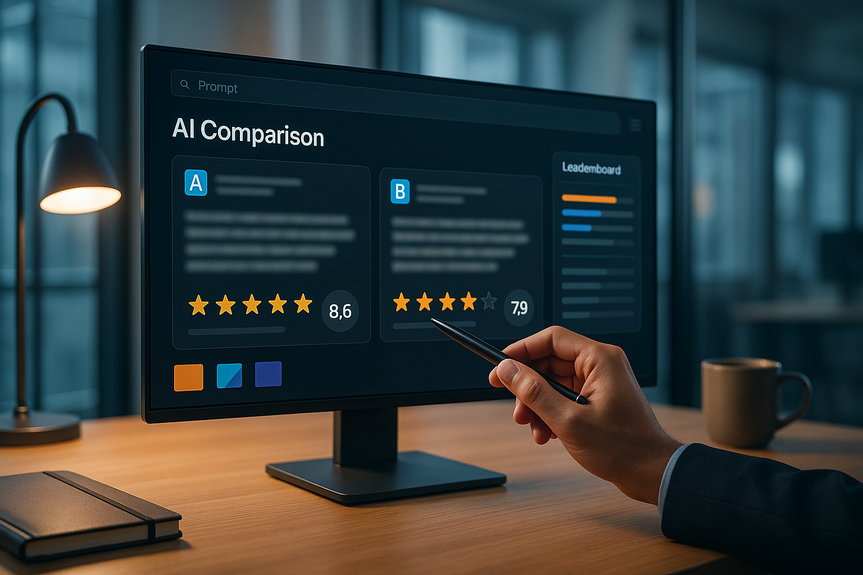
LinkedIn is rolling out Crosscheck to help people judge AI quality without hype. You can try models from OpenAI, Anthropic, Google, Microsoft, and more in one place. You type a prompt. Crosscheck returns two answers from different models and hides the model names. You rate the results. Your ratings help train better tools.
Access: U.S.-based LinkedIn Premium members can use Crosscheck now.
Prompt: Paste any task, like “summarize this report” or “draft a cold email.”
Compare: See two blind answers from different AI models.
Rate: Pick the better reply and give feedback on quality.
Explore: Check leaderboards by topic to see which tools perform best.
Model matching: Crosscheck routes your prompt to multiple AI models.
Blind testing: It hides brand names to reduce bias.
Feedback loop: LinkedIn shares your conversation and ratings with model makers to improve their systems.
Sales outreach: Test subject lines and short pitches for open and reply rates.
Marketing drafts: Compare ad copy, social posts, and meta descriptions for clarity.
Research support: Ask for outlines, definitions, and source suggestions.
Data tasks: Try table cleanups, regex help, or simple spreadsheet formulas.
Coding help: Compare explanations, snippets, and debugging steps.
Job search: Improve resumes, summaries, and interview answers.
Be specific: “Write a 120-word LinkedIn post for HR managers about onboarding KPIs.”
Define success: “Use plain English. Include 1 statistic and a clear CTA.”
Provide context: Add role, audience, tone, and constraints.
Accuracy: Facts, math, and citations are correct.
Clarity: Short sentences and clear structure.
Actionability: Next steps are clear and useful.
Safety: No private data, bias, or risky claims.
Run the same prompt across different topics to see consistency.
Try short and long prompts to gauge instruction-following.
Ask for revisions to measure how well a model adapts.
Day 1: Pick three common tasks (email, summary, data cleanup). Write one strong test prompt for each.
Day 2: Run each prompt in Crosscheck three times. Record winners and reasons.
Day 3: Stress-test with tricky inputs (long text, edge cases, vague asks).
Day 4: Define your “default model” per task and two backups.
Day 5: Document prompts, rubrics, and safe-use rules. Share with the team.
Availability: It’s for U.S.-based Premium members at launch.
Two-at-a-time view: You only see two responses per test, which may hide a strong third option.
Unknown models: You do not see names up front, so reproducing exact runs may be hard.
Data sharing: Your content and ratings may be shared with developers.
Keep prompts consistent across tests.
Ask for sources and verify claims.
Use plagiarism and fact checks on output.
Iterate with follow-up prompts to refine results.
Track time saved to measure real impact.
The push to use AI at work is real, but value comes from smart testing and clear guardrails. If you use the LinkedIn Crosscheck AI comparison to run fair, repeatable trials, you can pick the right model for your job, improve your workflow, and move closer to results that matter.
(pSource: https://www.socialmediatoday.com/news/linkedins-new-tool-lets-you-test-the-outputs-of-various-ai-models/818149/)
How the LinkedIn Crosscheck AI comparison works
What you can do today
What happens behind the scenes
Why this matters for work
AI results vary by task. One model may write clearer emails. Another may follow instructions better. A third may be stronger at coding. The LinkedIn Crosscheck AI comparison gives a simple, fair way to see which model helps you finish work faster.High-impact use cases to try
How to run fair, useful tests
Set clear prompts
Use a simple scoring rubric
Test with variations
Privacy, data, and safe use
LinkedIn says it shares user conversations and feedback with AI developers. Do not paste sensitive or confidential data. Avoid client names, private numbers, or unreleased plans. When in doubt, replace details with placeholders like [Client] or [Figure]. Keep a local copy of anything important.Reading the leaderboards without bias
Leaderboards show top models by category based on Crosscheck ratings. They can point you in the right direction, but they are not the whole story. LinkedIn’s parent company, Microsoft, has invested heavily in OpenAI and also builds its own models. That could shape coverage or defaults. Still, Crosscheck shows variety across providers, and blind tests reduce brand sway. Your best pick depends on your tasks, data, and compliance needs.What this means for productivity
A recent NBER study of 6,000 executives across the U.S., U.K., Germany, and Australia found 89% saw little or no change in labor productivity over the past three years, even with AI adoption. Gains may grow as people learn to use AI better. The LinkedIn Crosscheck AI comparison can help close that gap by matching the right model to the right job, not just the most popular brand to every job.Quick start guide for teams
In one week, build an internal playbook
Limits to keep in mind
Best practices for better outcomes
For more news: Click Here
FAQ
Q: What is LinkedIn Crosscheck and who can use it?
A: LinkedIn Crosscheck AI comparison is a LinkedIn feature that lets users test outputs from multiple AI models side by side. It is currently available to U.S.-based LinkedIn Premium members.
Q: How does the tool compare responses from different AI models?
A: When you submit a prompt, Crosscheck routes it to multiple AI models and returns two blind responses from different providers without showing model names. You then rate which answer is better and can provide feedback on quality.
Q: Which AI providers does Crosscheck let you test?
A: Crosscheck enables testing models from OpenAI, Anthropic, Google, Microsoft and other providers that the system can access. The comparisons put those outputs side by side so users can see differences in performance.
Q: What happens to my prompts and ratings after I use Crosscheck?
A: With the LinkedIn Crosscheck AI comparison, LinkedIn shares user conversations and ratings with AI developers to help improve their models. Because of this data sharing you should avoid pasting sensitive or confidential information and use placeholders when necessary.
Q: How do Crosscheck leaderboards work and what are their limitations?
A: Leaderboards show top-performing models by category based on Crosscheck ratings, giving a quick view of which tools score well for specific query types. They are informative but not definitive, and LinkedIn’s parent company Microsoft’s investment in OpenAI could shape coverage or defaults even though blind testing reduces brand bias.
Q: What tasks is Crosscheck most useful for in a professional setting?
A: Crosscheck is useful for sales outreach, marketing drafts, research outlines, data cleanup, coding help, and job-search materials like resumes and interview answers. Using the LinkedIn Crosscheck AI comparison can help you identify which model performs best for each specific task.
Q: What are the main limitations of Crosscheck that users should be aware of?
A: Crosscheck is limited at launch to U.S.-based Premium members and only displays two responses per test, which may hide other viable model outputs, and model names are not shown so exact reproduction can be difficult. The platform also shares content and ratings with developers, so privacy and data-sharing considerations apply.
Q: How can teams run fair, repeatable tests with Crosscheck?
A: Run consistent, specific prompts, define success criteria like accuracy and clarity, and use a simple scoring rubric to compare outputs across runs and topics. Follow a short playbook—run each prompt multiple times, stress-test edge cases, pick default models per task with backups, and document prompts and safe-use rules.
Contents