AI News
16 Nov 2025
Read 16 min
AI IEP translation guide: How to decode IEPs quickly
AI IEP translation guide helps SF parents decode dense IEPs quickly and advocate confidently today
Parents across San Francisco are using AI to turn dense, 50-page Individualized Education Plans into clear action. This AI IEP translation guide explains how tools like AiEP translate, summarize, and highlight services down to the minute so families can prepare for meetings, spot mistakes, and protect privacy while they advocate for their children.
San Francisco families know the drill: an IEP can read like a wall of jargon. It is legal. It is long. It is easy to miss what matters, like minutes of speech therapy or reading support. Translation can also take days, and some parents wait even longer. That is why a new wave of civic AI is getting attention. Built by Innovate Public Schools with Northeastern University’s Burnes Center for Social Change and early funding from the Chan Zuckerberg Foundation, AiEP helps parents decode plans fast, in their language, on their phone or computer. The tool is free and open-source, and hundreds of local families have tried it.
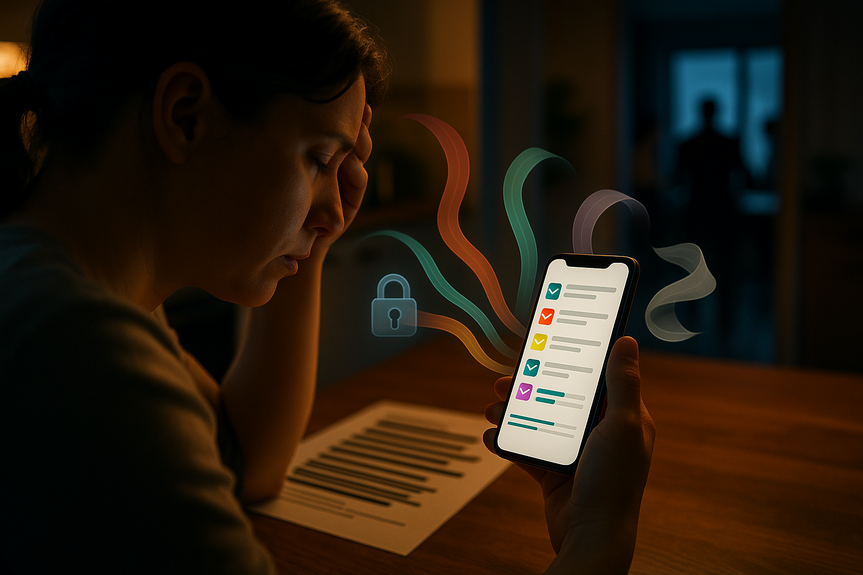
The promise is practical. Parents upload their plan. The system redacts names and ID data. It translates into Spanish, Mandarin, Cantonese, or Vietnamese when needed. Then it creates a plain-language summary with service minutes, accommodations, goals, and a checklist for the next IEP meeting. Several school leaders call the idea “the right approach,” though the district is still reviewing third-party AI tools because of privacy rules. Until that happens, families are using AiEP on their own to stay informed and take action.
Services in the document are binding. If minutes are wrong, your child may get less support.
IEPs drive schedules and staffing. Missing details can mean missed minutes.
Parents must agree before changes stick. Clarity matters before you sign.
Families in San Francisco also face staff shortages and large caseloads. When schools are stretched, parents need clear information so they can track what was promised and what was delivered. This is where simple, fast translation and summarization help.
Find the most recent IEP in PDF or DOC format.
Check for readability (scans should be clear; if needed, ask the school for a clean digital copy).
If you are worried about identifiers, you can manually remove a student ID on a copy before upload (the tool also auto-redacts).
Upload your IEP to the tool on your phone or computer.
The system removes names and ID data first and destroys the original upload after redaction.
Select your language if you want a translated summary: Spanish, Mandarin, Cantonese, or Vietnamese.
Start with the summary. Look for a clean list of services with exact minutes per week or month.
Scan goals and accommodations in plain English (or your chosen language).
Use the checklist to prepare questions for school staff.
Cross-check the summary with your original IEP. Note page numbers for each item you want to discuss.
Compare what you were told in meetings with what is written in the IEP.
Look for minute counts that seem too low or missing services you expected.
Write down the exact lines that need correction so you can ask for amendments.
Download or print the summary and checklist.
Bring them to your IEP meeting and take notes.
After the meeting, request any agreed changes in writing and ask for the updated IEP.
If you prefer a structured approach, use this AI IEP translation guide section as your pre-meeting script: What services are listed? How many minutes per week? Which accommodations are active? Which goals will be measured this year? Who delivers each service? Where and when will it happen?
Spanish
Mandarin
Cantonese
Vietnamese
Parents say this matters. Quick access in the right language means they can prepare sooner, ask sharper questions, and understand what they are agreeing to.
A list of services with minutes (for example: 120 minutes/week speech therapy; 90 minutes/week reading support).
Placement details (general education, resource setting, separate class time if applicable).
Accommodations (reduced distractions, smaller group instruction, extended time, visual supports).
Goals and progress markers (how improvement will be measured and when).
A meeting checklist (what to ask, which pages to reference, what to sign).
One parent in San Francisco discovered a major error this way. The school team had described more than three hours of weekly language arts help in conversation, but the IEP recorded only 100 minutes. The parent saw the mismatch in the summary, requested a correction, and ensured the plan matched the promise. This is a core use case: fast detection of small numbers that have big effects.
First, the tool removes personal identifiers from the upload.
It deletes the original file after redaction.
It uses the redacted version to generate translations and summaries.
Developers report they cannot view personal information.
Parents can delete their summaries and account data at any time.
No personal data is used to train the AI models.
Districts must follow strict rules for student records. San Francisco Unified is still reviewing third-party AI tools and does not yet approve district uploads. Many families use AiEP on their own devices. If you decide to use a tool like this, add these safety steps:
Use a personal, password-protected device and a secure network.
Avoid public Wi-Fi for uploads.
Keep a local copy of your IEP on an encrypted drive if possible.
Delete your data from the tool if you no longer need it.
Run the IEP through the tool and get the summary in your language.
Circle every service and minute count. Write the page numbers next to each item.
List three questions for each service: who provides it, where it happens, how progress is measured.
Flag any mismatch between what you were told and what is written.
Ask for an interpreter if needed and confirm before the meeting.
Bring the summary, the original IEP, and a pen for notes.
Ask the team to correct errors on the record and issue an updated IEP.
After the meeting, track delivery of services for four weeks and follow up in writing if minutes are missed.
Run a district review for privacy and security.
Pilot the tool with a small group of families and educators.
Collect feedback and refine summaries and checklists.
Integrate with district timelines for IEP meetings and services.
Provide training for staff and parent leaders in multiple languages.
When schools and families use the same clear summary, they spend less time decoding and more time solving problems.
Trusting the summary without checking the original. Always verify.
Sharing files through email threads or social apps. Keep data private.
Missing deadlines for consent or meetings. Note dates on your calendar.
Assuming services will happen without tracking. Monitor minutes delivered.
Signing before you understand. Ask for time or an interpreter if you need it.
Why IEPs are hard to read—and easy to misunderstand
IEPs are legal documents. They list services, goals, placement, and accommodations. They also set weekly or monthly minutes for supports like occupational therapy, counseling, language arts help, or speech services. The detail is helpful, but the language can be hard. Many plans run 40–60 pages. For parents who speak a language other than English, the wait for translation adds stress. San Francisco Unified says it targets about 10 days for IEP translation, but even that delay can slow services or changes. The stakes are real:AI IEP translation guide: Step-by-step to decode plans fast
This AI IEP translation guide walks you through the basic workflow many families now use with AiEP. The tool is designed for clarity and speed, so you have the right details before you walk into an IEP meeting.Step 1: Prepare your file
Step 2: Upload, redact, and translate
Step 3: Read the summary, then the original
Step 4: Flag gaps and mismatches
Step 5: Save, share, and follow up
Languages the tool supports
The current translation options include:What the summaries look like—and how to use them
The summaries focus on the parts families need most before a meeting:Privacy, security, and consent
Parents and schools share valid concerns about student data. AiEP’s builders describe a setup that puts privacy first:What schools say—and why adoption is slow
Some school leaders like the idea because it helps families prepare and can lighten the back-and-forth on basic questions. But districts are cautious. They need formal reviews and clear agreements that align with student privacy laws. Special education teams also carry heavy caseloads. Teachers and specialists need tools that work with existing systems, not against them. A principal in the city summed it up this way: the idea is right, but the connection to district systems is not there yet. Teachers’ unions point to workload and staffing gaps as the main bottleneck. A clear summary will not replace a speech therapist or a paraprofessional. It can, however, help parents track services, which supports accountability and follow-through.Real wins—and real limits
When translation lags and documents run long, small mistakes slip through. In one family’s case, a child qualified for one-on-one classroom help after a new diagnosis in 2024, but the support did not arrive until the end of the 2025 school year. When parents have a clear summary with minutes and accommodations, they can refer to the exact lines and ask for updates sooner. The tool will not fix staffing shortages. It will not settle every dispute. But it gives families a faster way to read, question, and confirm. That alone can change outcomes, because services in an IEP are driven by what is written, not just what is said in meetings.How to prepare for an IEP meeting with AI on your side
Use this practical checklist as you work through this AI IEP translation guide:Beyond San Francisco: open-source potential
AiEP is free and open-source. It grew from focus groups with San Francisco parents, special education experts, and advocates. Families tested early versions, suggested simpler wording, and pushed for exact minute tallies. That community input shaped a tool that points to a broader future: fast, secure translation and summarization that many districts could adopt. For other cities, the path looks similar:Common pitfalls to avoid
Where AI fits in special education
Used well, AI is a reading tool, not a decision-maker. It helps you see what the document says, faster and in your language. It helps you ask better questions. It helps you compare meeting notes to the actual IEP. That is the value that families in San Francisco report: more confidence, more clarity, and more time to advocate for what their child needs. The path to district-wide approval may take time. Privacy reviews matter. Staff buy-in matters. But parents do not need to wait to start understanding their documents. They can use a secure, private tool, keep their data under their control, and go into meetings prepared. Clarity is power in special education. With a secure summary, an accurate translation, and a simple checklist, families can act sooner when services fall short, celebrate progress when goals are met, and keep everyone focused on what matters—the child. In short, this AI IEP translation guide shows how to turn a long, dense plan into a clear map you can use. Translate it, summarize it, check the minutes, and bring the right questions to your next meeting. That is how you decode IEPs quickly and advocate with confidence.(Source: https://thefrisc.com/this-ai-software-translates-special-education-plans-for-sf-parents/)
For more news: Click Here
FAQ
Q: What is AiEP and how can it help San Francisco parents?
A: AiEP is a free, open-source tool created by Innovate Public Schools with engineers at Northeastern University that translates, redacts, and summarizes Individualized Education Plans into plain language. This AI IEP translation guide explains that the tool translates IEPs into Spanish, Mandarin, Cantonese, and Vietnamese and produces lists of services, minute counts, goals, and checklists for meetings.
Q: How does AiEP protect student privacy?
A: The tool auto-redacts identifying information, destroys the original uploaded file after redaction, and uses the redacted version to generate summaries and translations. Developers and engineers say they cannot access personal information, and parents can delete their summaries and account data at any time.
Q: Which languages can AiEP translate IEPs into?
A: AiEP currently supports translations into Spanish, Mandarin, Cantonese, and Vietnamese. After translation it creates plain-language summaries and highlights service minutes, accommodations, and goals so parents can prepare for meetings.
Q: How accurate are the summaries and how should parents use them?
A: The summaries are designed to highlight key IEP elements—service minutes, placements, accommodations, and goals—but parents are advised to cross-check the summary with the original document and note page numbers for items to discuss. The AI IEP translation guide recommends using the checklist from the summary to prepare specific questions and request corrections in writing after meetings.
Q: Can San Francisco Unified School District officially use AiEP?
A: Not yet—SFUSD is reviewing third-party AI tools and has not formally approved any for use with student records, and the district says it cannot put students’ personal information into outside AI tools at this time. Many families are using AiEP independently while the district conducts privacy and security reviews.
Q: Is AiEP connected to ChatGPT or other large language models?
A: No—developers say AiEP is a closed-off environment not related or tied to larger models like ChatGPT. The project was built specifically for San Francisco parents in a collaboration between a local nonprofit and researchers at Northeastern.
Q: How should parents prepare their IEP file before using AiEP?
A: The AI IEP translation guide suggests finding the most recent IEP in PDF or DOC format, ensuring scans are readable, and optionally removing identifying details on a copy before upload since the tool also auto-redacts. It also recommends using a personal, password-protected device and a secure network when uploading files and keeping a local encrypted copy if possible.
Q: What are the limitations of AiEP and what shouldn’t families expect from it?
A: AiEP can speed translation, simplify jargon, and help parents spot mismatches in minutes or services, but it will not fix district staffing shortages or settle every dispute over services. The AI IEP translation guide emphasizes that the tool is a reading and preparation aid—not a decision-maker—and always recommends verifying summaries against the original IEP and following up in writing.
Contents