
AI News
08 Sep 2026
Read 10 min
AI intake tools for law firms: how to boost conversions fast
AI intake tools for law firms boost conversions by answering leads in minutes, closing more clients.
AI intake tools for law firms can cut response times to minutes, capture leads 24/7, and route calls or chats to the right person fast. Firms that answer first win most clients. With smart scripts, secure data, and quick human handoffs, small teams can compete with bigger rivals.
Clients reach out at all hours. Most pick the first lawyer who replies. That is why speed and coverage now decide who wins the case, not just brand or budget. Intake AI gives every firm a 24/7 front door, logs every inquiry, and triggers fast follow-up without guesswork.
Why speed wins new cases
Answer first, win more
Clio’s Legal Trends data shows 78% of clients hire the first attorney who responds. Separate research found replies within seven minutes boost conversion rates by about 80% compared to waiting 30 minutes or more. Speed-to-lead is now a core intake metric, not a nice-to-have.Meet clients where they are
Prospects start on Google, then call, text, chat, email, or message on social. If your team must check five inboxes, someone will slip through. Intake AI captures all channels in one place, tags the matter type, and alerts a human to follow up right away.AI intake tools for law firms: what they actually do
24/7 coverage that does not sleep
Bots greet visitors on your site, answer phones after hours, and triage chats. They collect names, contact details, location, matter type, and urgency. They set clear expectations: “We are not giving legal advice,” and they schedule a callback or consult.Smart routing and instant alerts
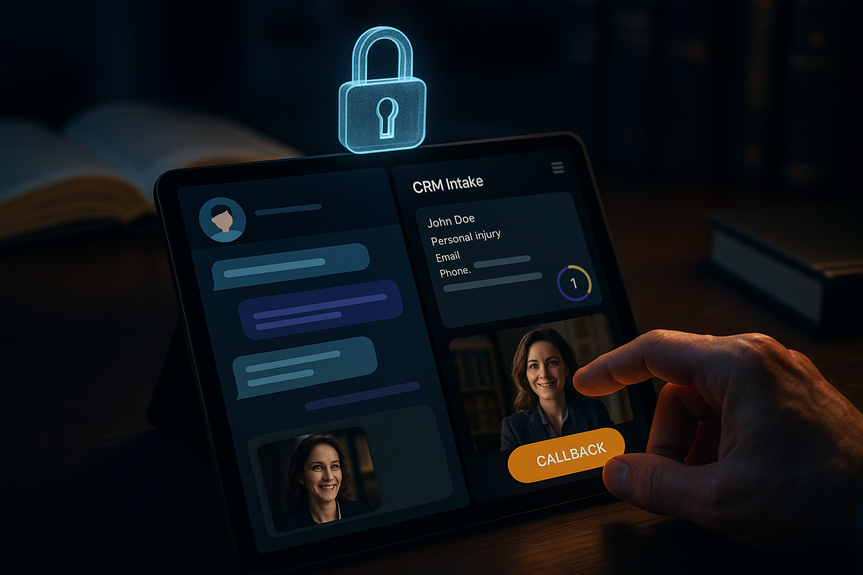
The system sends a text, email, or app push to the right person based on practice area, language, or ZIP code. It books time on a shared calendar or drops a warm transfer to a live intake specialist.Clean data and CRM handoff
Intake AI logs each lead with source, timestamp, transcript, and status. It pushes records into your CRM or case management tool and starts the next step: conflicts check, retainer workflow, and welcome packet.Vendors and options
You can choose stand-alone chat, virtual reception, or end-to-end intake suites. Examples in the market include:- LawDroid, Gideon, Intaker
- Smith.ai, Rally Legal Assistant
- QualifyAI, Josef
- Lawmatics AI Chat, Clio Grow
A fast rollout plan
Map your first-response flow
Sketch the path from lead to booked consult:- Capture: phone, web chat, form, text, social
- Qualify: practice area, jurisdiction, conflict flags, urgency
- Route: who is on call now
- Book: time, channel (phone/Zoom/in-person)
- Confirm: SMS/email reminders and intake forms
Write safe, plain-language scripts
Use short prompts that collect facts, show empathy, and avoid legal advice:- “I’m here to help connect you with our team.”
- “I can share general information, not legal advice.”
- “Let’s schedule a quick call with an attorney.”
Connect calendars and phones
Offer instant booking on shared calendars. Use call routing and warm transfers for high-intent leads. Send automatic confirmations, directions, and documents to reduce no-shows.Start small, then scale
Pilot one practice area and one channel. Review transcripts daily for a week. Fix unclear questions and dead ends. Then add more channels and teams.Ethics, privacy, and trust
No legal advice from bots
Model Rule 5.5 bars unauthorized practice of law. Your scripts must include clear disclaimers. Some states even spell out safe software use if you state that bots are not a substitute for an attorney. Treat your bot like a supervised staffer and review its outputs.Secure the data trail
Protect client inquiries from exposure:- Use encryption in transit and at rest
- Turn on MFA and role-based access
- Collect only what you need; set short retention for unconverted leads
- Sign DPAs or BAAs where needed; log access and changes
- Mask sensitive fields in notifications
Human handoff for sensitive matters
Family law, criminal defense, or trauma calls often need a person right away. Set rules: if the lead mentions safety, minors, or immediate risk, skip the bot and ring a trained staffer.What to measure and improve
Core intake KPIs
Track weekly:- First-response time (goal: under 5 minutes)
- Speed-to-consult (time from first contact to booked meeting)
- Connection rate (live conversation within 24 hours)
- Booking rate (inquiries to scheduled consults)
- Retain rate (consults to signed clients)
- Cost per retained client
Test messages and channels
A/B test:- Homepage CTA text and placement
- Voicemail and after-hours scripts
- SMS vs. email confirmations
- Short vs. long intake forms
Blending automation with empathy
Some firms report that chat alone does not lift conversions because it can feel impersonal. A strong mix is often best: let the bot capture basics fast, then offer a clear path to a real person for case-specific questions. Prominently show your team’s names, photos, and calendar links to build trust. With the right setup, AI intake tools for law firms create a real edge: they answer first, qualify cleanly, protect data, and hand off to a caring human fast. Use simple scripts, tight security, and clear metrics. Start small, learn quickly, and keep the human touch front and center. That is how AI intake tools for law firms boost conversions fast.(Source: https://molawyersmedia.com/2026/09/07/ai-aided-law-firm-intake-tools-are-leveling-the-playing-field/)
For more news: Click Here
FAQ
Q: What are AI intake tools for law firms and what do they do?
A: AI intake tools for law firms act as a 24/7 front door that captures leads across phone, chat, text, email, and social channels, logs the inquiry, and tags matter type and urgency. They triage contacts, route them to the right person, schedule consults, and push records into your CRM or case management system.
Q: How do AI intake tools for law firms improve conversion rates?
A: Speed is the main driver: Clio found 78% of clients hire the first attorney who responds, and other research showed replies within seven minutes raise conversion rates by about 80% compared with waiting 30 minutes or more. By cutting response times to minutes and routing leads quickly, intake AI helps firms capture prospects they might otherwise lose.
Q: What security and ethical safeguards are important when using AI intake tools?
A: Firms should use encryption in transit and at rest, multi-factor authentication, role-based access, minimal data collection with short retention for unconverted leads, and signed DPAs or BAAs where needed while logging access and changes. Scripts must clearly state that the tool is not giving legal advice, attorneys should supervise outputs to avoid unauthorized practice under Model Rule 5.5, and some states such as Texas provide statutory rules for software that clearly says it is not a substitute for an attorney.
Q: When should a law firm route a prospect to a human instead of letting the intake bot handle the interaction?
A: Set rules to bypass the bot for sensitive or high-risk leads such as family law, criminal defense, trauma, mentions of safety concerns, minors, or immediate risk and ring a trained staffer instead. Many firms use intake AI only for initial screening and shift to voice-to-voice contact with attorneys or staff as quickly as possible for sensitive matters.
Q: Which metrics should firms track to measure intake performance?
A: Track core KPIs like first-response time (goal: under five minutes), speed-to-consult, connection rate (live conversation within 24 hours), booking rate, retain rate, and cost per retained client. Regularly A/B test messages and channels to spot friction and improve those metrics based on transcripts.
Q: How do AI intake tools integrate with calendars and existing workflows?
A: Intake systems can book time on shared calendars, send SMS and email confirmations and reminders, and perform smart routing or warm transfers to the right person based on practice area, language, or ZIP code. They also log source, timestamp, transcript, and status and push records into CRMs to trigger conflicts checks, retainer workflows, and welcome packets.
Q: What should firms consider when choosing an AI intake vendor?
A: Pick vendors based on channel coverage, CRM integrations, security posture, and pricing model such as per lead or per seat, and match the vendor to the channels your prospects use. Examples in the market include LawDroid, Gideon, Smith.ai, Intaker, Rally Legal Assistant, QualifyAI, Josef, Lawmatics AI Chat, and Clio Grow.
Q: How can firms roll out AI intake tools without losing the human touch?
A: Start small by piloting one practice area and one channel, review transcripts daily for a week, fix unclear questions and dead ends, and write safe plain‑language scripts that collect facts and avoid legal advice. Let the bot capture basics quickly, then offer a clear handoff to a real person with calendar links, names, and photos to build trust and boost conversions.
Contents





