AI News
19 May 2026
Read 9 min
Anthropic Claude Cowork Westlaw integration How to save time
Anthropic Claude Cowork Westlaw integration helps firms automate research and review statutes fast.
Anthropic’s move to connect Claude Cowork with Westlaw could cut hours from legal research and drafting. The Anthropic Claude Cowork Westlaw integration brings case law, citations, and documents into one workspace, so lawyers can search, analyze, and draft without jumping between tools. Early signals point to faster memos, cleaner cites, and stronger quality checks.
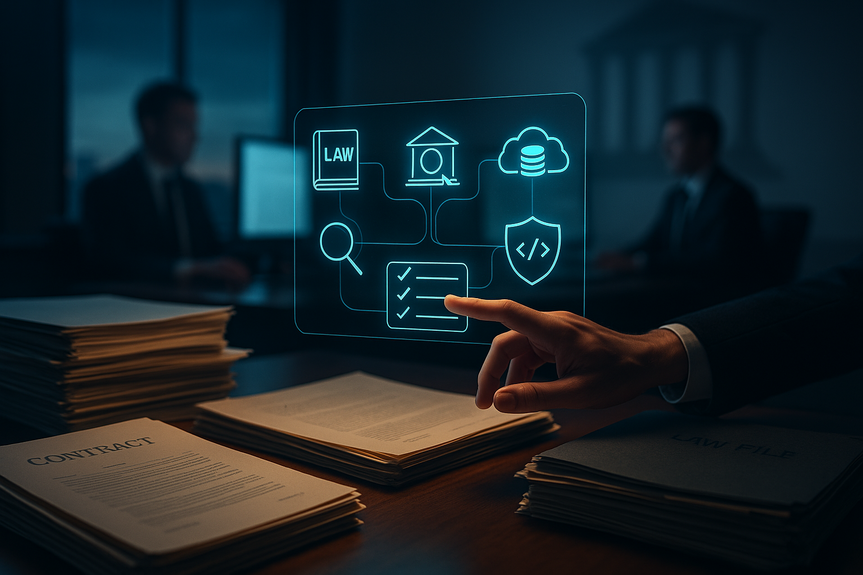
Law firms want more work done in less time. The new legal tools inside Claude Cowork aim at that goal. They connect to Westlaw, CourtListener, Definely, Courtroom5, Box, and Harvey in a single screen. This setup helps associates, partners, and legal ops keep focus, reduce clicks, and control risk while they move a matter forward.
Search Westlaw and CourtListener for cases, statutes, and decisions.
Pull key passages, extract rules, and generate clean, linked citations.
Compare clauses with Definely and flag risky language fast.
Store and retrieve exhibits, drafts, and PDFs from Box without context switching.
Coordinate with Harvey-style workflows when you need specialized prompts or playbooks.
Less tab-juggling means fewer errors and more time for legal thinking.
Linked sources help you check every claim before it leaves your desk.
Centralized history makes it easy for a partner to review and for a team to hand off.
Ask Claude to outline the issues and key elements for the claim.
Use the Anthropic Claude Cowork Westlaw integration to pull leading cases and recent updates.
Have Claude summarize holdings and split them into pro-plaintiff and pro-defense points.
Insert quotes with citations, then open Definely to compare policy language against model terms.
Drop exhibits from Box, and ask for a short memo with a risk rating and next steps.
Search Westlaw for new decisions or AG guidance in your state.
Highlight changes in enforcement trends and map them to your client’s data flows.
Run a clause check with Definely and note gaps.
Produce a redline plus a client-friendly summary in Word via Claude’s Office add-ins.
Ask for a first-draft section only after you fetch sources through Westlaw or CourtListener.
Use short prompts: “Summarize this case, holdings only, include pincites.”
Keep citations live so any reviewer can click and verify.
Load the contract and your standard clause library.
Run a pass that flags indemnity, limitation of liability, and data terms.
Export a point-by-point issues list with suggested edits and justifications tied to sources.
Save chats, sources, and drafts in the matter file for audit trails.
Set role-based access through SSO and DLP for sensitive files.
Use red-teaming prompts to catch missing cites or overconfident claims before delivery.
Enable Westlaw, CourtListener, Box, and Definely first. Keep it simple.
Create two prompt templates: one for research, one for drafting with source checks.
Pin a style guide and a cite format card in the workspace.
Teach associates to verify every factual or legal claim with a link.
Use short, specific prompts. Avoid long, fuzzy instructions.
Pilot on one practice (employment or privacy) and track time saved per deliverable.
Courts and leaders see the shift. The Chief Justice noted that work once done by juniors in days can now take minutes with AI help.
Microsoft’s AI lead said many white-collar tasks may see heavy automation soon; whether timelines hold or not, firms that learn now will be ready.
Interest is high. Tens of thousands registered for Anthropic’s legal webinar, showing broad demand for practical gains.
Claude for Word, Excel, and PowerPoint is in beta for teams, which means memos, charts, and decks can update without copy-paste loops.
Expect more structured outputs: chronologies, privilege logs, issue lists, and trial outlines that stay linked to source law.
Anthropic also launched tools that scan code for risks and suggest fixes. For legal tech teams, that points to deeper end-to-end automation with stronger controls.
Strong firms win on focus and facts. The Anthropic Claude Cowork Westlaw integration puts sources, drafting, and review in one place, so teams spend more time on strategy and less on clicks. Start with one practice, connect the core tools, measure cycle time, and ship work product that is fast, accurate, and easy to trust.
How the Anthropic Claude Cowork Westlaw integration speeds legal research
What you can do in one window
Why this matters
Build a faster legal workflow
Example: Employment investigation memo
Example: Privacy policy refresh
Drafting, review, and guardrails
Draft better, cite better
Contract review that sticks
Governance you can show
Setup tips to see value in week one
Connect the right systems
Train for speed and safety
Signals from the market
Beyond research: where this heads next
Microsoft Office, meet Claude
Security and code, too
(Source: https://finance.yahoo.com/news/anthropic-targets-law-firms-custom-102245290.html)
For more news: Click Here
FAQ
Q: What is the Anthropic Claude Cowork Westlaw integration and what does it do?
A: The Anthropic Claude Cowork Westlaw integration connects Claude Cowork to Westlaw so lawyers can access case law, citations, and documents within a single workspace. It lets users search, analyze, and draft without switching between multiple tools, aiming to reduce time spent on research and drafting.
Q: Which platforms and tools can law firms connect through Claude Cowork?
A: Claude Cowork connects to Westlaw, CourtListener, Definely, Courtroom5, Box, and Harvey according to the article. These integrations let lawyers pull cases, manage contracts, and store exhibits in one interface.
Q: How does the Anthropic Claude Cowork Westlaw integration speed up legal research and drafting?
A: By bringing case databases, citations, and documents into one window, the Anthropic Claude Cowork Westlaw integration reduces tab-juggling and helps generate faster memos with cleaner cites and quality checks. Users can pull key passages, extract rules, and keep citations live so reviewers can verify sources quickly.
Q: Can the integration support specific workflows like an employment investigation memo?
A: Yes, the article describes a workflow where you ask Claude to outline issues, use the integration to pull leading cases from Westlaw, have Claude summarize holdings into pro-plaintiff and pro-defense points, insert quotes with citations, compare clauses with Definely, and add exhibits from Box. That process aims to produce a short memo with a risk rating and next steps without switching tools.
Q: What are quick setup tips to see value from the integration in the first week?
A: To see value from the Anthropic Claude Cowork Westlaw integration in the first week, connect Westlaw, CourtListener, Box, and Definely first, keep the setup simple, and create two prompt templates: one for research and one for drafting with source checks. Pin a style guide and cite-format card, pilot on a single practice area, and track time saved per deliverable.
Q: How does the integration help with governance, security, and audit trails?
A: The integration lets teams save chats, sources, and drafts in the matter file to create audit trails, and it supports role-based access via SSO and DLP for sensitive files. Firms can also use red-teaming prompts to catch missing citations or overconfident claims before delivery.
Q: What market signals or industry comments were noted about AI’s impact on legal work?
A: The article cites Chief Justice John Roberts warning that AI will make it “really tough for young lawyers,” noting a partner can now have a statute reviewed in minutes rather than days, and Microsoft AI chief Mustafa Suleyman predicted many white-collar tasks may see heavy automation soon. The piece also notes broad interest in Anthropic’s legal tools, with tens of thousands registering for a recent webinar.
Q: What are practical next steps firms should take after adopting the integration to expand beyond research?
A: After adopting the Anthropic Claude Cowork Westlaw integration, firms should connect Claude for Word, Excel, and PowerPoint betas to produce linked memos, charts, and decks and expect more structured outputs like chronologies and privilege logs. They should pilot additional automation such as code-scanning tools for security and map results back to cycle-time metrics to measure impact.
Contents