
AI News
09 Aug 2026
Read 9 min
best AI productivity tools 2026 How to Double Your Output
best AI productivity tools 2026 speed research, verify sources, generate images and voiceovers quickly.
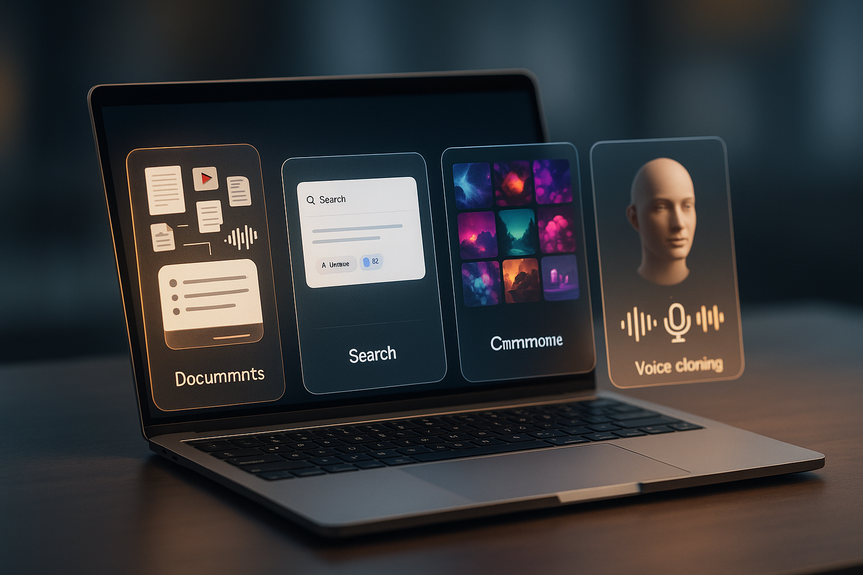
Looking for the best AI productivity tools 2026? Start with four apps that do real work: Gemini Notebook for source-grounded research, Perplexity for fast, cited answers, Midjourney for vivid visuals, and ElevenLabs for clear voiceovers. Used together, they cut busywork, speed learning, and help you publish faster.
AI is more than chat. These tools change how you read, search, design, and speak. They reduce errors, save clicks, and ship results. If you want the best AI productivity tools 2026 for real output, start here and build simple workflows that fit your day.
Gemini Notebook: Turns your files into a focused research assistant with audio overviews.
Perplexity: Answers with citations and reads the web for you.
Midjourney: Creates striking images with strong style and control.
ElevenLabs: Gives you high-quality voiceovers and voice cloning.
Grounded answers: It sticks to the sources you upload, which reduces hallucinations.
Flexible inputs: Add PDFs, Google Docs, sites, YouTube links, audio, or note collections.
Audio overview: Get a podcast-like briefing of your materials while you do other tasks.
Summarize long papers into short, accurate briefs.
Prep for meetings with quick overviews of project docs.
Onboard faster by turning team knowledge into clear explainers.
Tip: Keep your source set tight. The smaller and cleaner your documents, the crisper the output. This is one reason Gemini Notebook earns a spot among the best AI productivity tools 2026 for research-heavy roles.
Natural language queries: Say what you need, why you need it, and your criteria.
Cited answers: Check claims fast with inline links to sources.
Focused browsing: It evaluates pages to match the spirit of your request.
Replace many open tabs with one clear, cited answer.
Refine results by chatting, not by rewriting keyword strings.
Use it as a first pass, then verify key facts on the linked sources.
Perplexity can miss or mislink on rare occasions, so click through to confirm. Still, for daily research, it trims hours into minutes and pairs well with Gemini Notebook for deeper dives.
Distinct look: Prompts often yield artful composition and rich color.
Fine control: You get more dials than many built‑in chatbot image tools.
Fast iteration: Explore styles and variations quickly.
Thumbnails, blog headers, and social graphics with a consistent vibe.
Mood boards and concept art for clients or internal review.
Visual A/B tests to see what grabs clicks.
As of recent updates, Midjourney keeps refining quality and control. If visuals matter to your brand, this is a go-to pick from the best AI productivity tools 2026.
Natural text-to-speech: Clear, human-like voices for video, training, and podcasts.
Free tier: Enough credits for about 10 minutes of audio to try it out.
Creator plan: Around $22/month with about 12x more credits than free.
Voice cloning (higher tiers): Create a model of your own voice for consistent narration.
Turn scripts into voiceovers when you lack gear or a voice actor.
Localize content if your accent or language is hard for your audience.
Keep audio style consistent across episodes or courses.
Note: Always get consent for voice cloning and label AI voice use when it matters to trust.
Use Perplexity to find sources with citations.
Import key docs and links into Gemini Notebook for grounded summaries and an audio overview.
Draft your post while listening, then fact-check with the cited links.
Pull key themes from your draft.
Prompt Midjourney for a set of on-brand images.
Export the best versions and reuse styles for a consistent feed.
Write your script from Gemini Notebook notes.
Record narration with ElevenLabs in your own cloned voice.
Add b-roll and a Midjourney thumbnail. Publish.
These small pipelines stack. You reduce clicks, context switches, and rework. You also keep quality high by grounding claims and keeping brand style steady.
Gemini Notebook for deep, source-tied learning.
Perplexity for quick, cited answers to start any task.
Midjourney for fast, consistent graphics and concepts.
Perplexity for trend scans and competitor overviews.
ElevenLabs for narration and course audio.
Gemini Notebook for making lesson explainers and audio briefs.
Put simply, the best AI productivity tools 2026 help you do more of the work that matters and less of the work that doesn’t.
You do not need every feature on day one. Start with one workflow that saves you 30 minutes a day. Add a second once it sticks. Within weeks, you will research faster, design faster, and publish faster—with fewer errors and a better user experience.
The four tools above stand out because they are practical, grounded, and ready for daily use. If you commit to clear prompts, tight sources, and quick verification, the best AI productivity tools 2026 will help you double your output without burning out.
The best AI productivity tools 2026 at a glance
Gemini Notebook: Make your research come to life
Why it works
Where it shines
Perplexity: Search that actually helps you think
What sets it apart
How it saves time
Midjourney: An image generator with soul
Why creators love it
Use cases
ElevenLabs: Give your words a voice
What you get
Best uses
Simple workflows to double your output
Research to publish
Content to visuals
Script to voice
Who should use which tool?
Writers and researchers
Designers and marketers
Creators and educators
(Source: https://www.howtogeek.com/forget-chatbotsthese-4-ai-tools-actually-change-how-you-work/)
For more news: Click Here
FAQ
Q: Which tools count as the best AI productivity tools 2026 to start with?
A: If you’re looking for the best AI productivity tools 2026, start with Gemini Notebook for source-grounded research, Perplexity for fast cited answers, Midjourney for vivid visuals, and ElevenLabs for clear voiceovers. Used together they cut busywork, speed learning, and help you publish faster.
Q: How does Gemini Notebook help with research and reduce hallucinations?
A: Gemini Notebook is built to work with only the sources you upload—PDFs, websites, Google Docs, YouTube links, audio recordings, or note collections—so it sticks to source material and reduces hallucinations. It also creates an audio overview that turns those materials into a podcast-like briefing you can listen to while you work.
Q: What makes Perplexity different from standard search or AI overviews?
A: Perplexity is a web-connected AI tool designed for natural-language queries that evaluates online sources and returns cited answers with inline links. You can explain what you need and your criteria in detail, use it as a first pass to replace many open tabs, and then verify key facts on the linked primary sources.
Q: Why might creators choose Midjourney over built-in chatbot image generators?
A: Midjourney focuses exclusively on image generation and offers more artistic control, a distinct aesthetic, and fast iteration compared with many built-in chatbot image tools. It is well suited to thumbnails, blog headers, social graphics, mood boards, concept art, and visual A/B tests.
Q: What features and pricing does ElevenLabs offer for creators?
A: ElevenLabs provides natural-sounding text-to-speech, voice cloning on higher tiers, and a free tier with enough credits for about 10 minutes of speech. The mid-tier “Creator” plan mentioned in the article is $22 per month and offers about 12 times the credits of the free tier.
Q: How can I combine these tools into a simple workflow to publish faster?
A: Use Perplexity to find sources with citations, import key documents and links into Gemini Notebook for grounded summaries and an audio overview, then draft while listening and fact-check with the cited links. For visuals and narration, pull themes from your draft to prompt Midjourney for images and record narration with ElevenLabs or a cloned voice before publishing.
Q: Which roles benefit most from each tool?
A: Writers and researchers should use Gemini Notebook for deep, source-tied learning and Perplexity for quick, cited answers. Designers and marketers get value from Midjourney for consistent graphics and Perplexity for trend scans, while creators and educators can use ElevenLabs for narration and Gemini Notebook for lesson explainers.
Q: What precautions should I take when using these AI tools?
A: Keep your Gemini Notebook source set tight for crisper output, click through Perplexity’s links to confirm facts because it can rarely mislink or hallucinate, and always get consent and label AI voice cloning when it matters to trust. Start with one workflow that saves you about 30 minutes a day and add another once it sticks to avoid overload.
Contents





