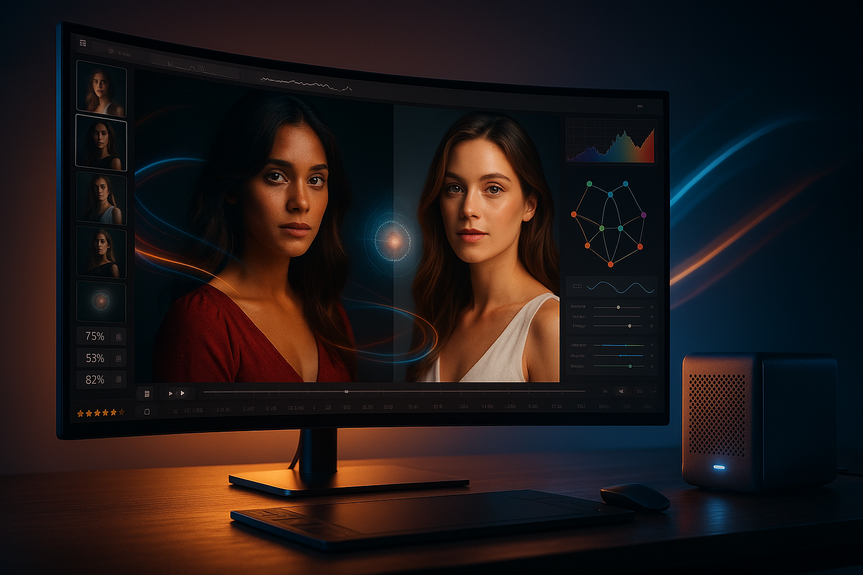
DaVinci Resolve 21 photo editing features enable Hollywood-grade node color and GPU batch exports.
DaVinci Resolve 21 photo editing features bring a full Photo page, smart AI tools, and broad RAW support into a single pro app. You can organize albums, import Lightroom catalogs, grade with nodes, and batch export fast. Editors, colorists, and audio teams also see major upgrades that streamline everyday work.
Blackmagic Design just shipped one of its biggest Resolve updates ever. It adds a still-photo workflow inside a tool many filmmakers already trust. Here is what stands out for photographers and hybrid creators, plus key boosts for video, color, audio, and motion graphics.
What’s New: DaVinci Resolve 21 photo editing features
The new Photo page workflow
The Photo page lets you stay inside Resolve from import to export.
Organize with albums, ratings, favorites, tags, and collections
Import Lightroom catalogs to keep edits and structure close at hand
Use Apple Photos integration on macOS
Work in a clean, focused layout made for stills
Node-based grading for stills
Resolve brings its film-grade color tools to photos. You can build precise looks with:
Curves, qualifiers, power windows, and LUTs
ResolveFX effects and grading panels
Layer-list views and up to eight-layer node stacks for complex grades
This approach makes selective edits simple and repeatable across batches of images.
RAW and color space support that matters
If you shoot RAW, the DaVinci Resolve 21 photo editing features now read more formats natively:
Canon CR3, Panasonic Lumix RW2, Fujifilm RAF, Apple ProRAW
Compressed Sony ARW from the a7 V and newer models
Improved Nikon NEF handling and broader HDR stills support
Colorists and photographers also gain Adobe RGB support, improved ACES workflows, and better HDR monitoring controls.
Speed and export boosts
GPU-accelerated batch exports for fast deliveries
Searchable settings and smarter metadata tools
Blackmagic Cloud sync up to 3x faster for remote teams
AI tools that save time
Smarter search and focus control
IntelliSearch finds clips and assets quickly using intelligent matching
CineFocus lets you adjust focal emphasis after capture to guide the viewer’s eye
Face and portrait helpers
AI-driven facial refinement and portrait tools improve skin and features without round-tripping to other apps
These additions keep edits inside Resolve and reduce reliance on third-party plugins.
Editing and motion graphics upgrades
Keyframing and text get an overhaul
Four-point Bézier controls, advanced easing, looping, and reverse animation
Keyframe effects, titles, generators, and Fusion comps directly on the timeline
Better font browsing, live previews, spell-check, emoji, and color fonts
Media and timeline management
Multicam improvements and timeline comparison tools
Enhanced subtitle handling and track visibility controls
Expanded replay features for live production setups
Web-to-video asset support
Native Lottie animations and OGraf HTML graphics for faster motion graphics handoff
Fusion grows with Krokodove
More tools for advanced motion design
100+ new motion graphics tools, including 70+ Krokodove effects
Macro Editor to build reusable tools and publish them to the Edit page
Improved MultiText controls and USD support
Native relief map creation and audio-driven animation
With Lottie and OGraf support in Fusion too, motion designers can move assets between platforms with less friction.
Color and audio polish
Colorists get flexibility
Layer-list node graphs and up to eight-layer stacks for clear, modular looks
Better ACES handling plus Adobe RGB and HDR monitoring tweaks
Group grading with grade versions for easier collaboration
Fairlight for faster mixes
Folder tracks help teams collapse and expand groups to navigate large sessions
Collaboration and performance
Search project settings and preferences directly
Tabbed media pools and improved metadata handling
Blackmagic Cloud sync up to three times faster for shared timelines
Dynamic project switching for multi-user workflows
Import/export Final Cut Pro 12 XML for stronger cross-app workflows
Pricing and availability
DaVinci Resolve 21 is free to download. DaVinci Resolve 21 Studio costs $295 and adds extra AI features, editing beyond 4K, and full-resolution photo exports.
Bottom line: Blackmagic has turned Resolve into a true hybrid tool for stills and video. The DaVinci Resolve 21 photo editing features give photographers pro-grade control, smooth RAW handling, and fast exports, while editors, colorists, and mixers gain speed and flexibility across the board.
(Source: https://petapixel.com/2026/06/03/davinci-resolve-21-officially-released-with-new-photo-editing-ai-tools-and-much-more/)
For more news: Click Here
FAQ
Q: What does the new Photo page in DaVinci Resolve 21 let photographers do?
A: The DaVinci Resolve 21 photo editing features introduce a dedicated Photo page that lets photographers import, organize, edit, and export still images within Resolve. It includes album management, ratings, favorites, tags, collections, Lightroom catalog import, and Apple Photos integration on macOS.
Q: Which RAW formats and color spaces are supported for stills in DaVinci Resolve 21?
A: DaVinci Resolve 21 adds native decoding for Canon CR3, Panasonic Lumix RW2, Fujifilm RAF, Apple ProRAW, and compressed Sony ARW from the a7 V and newer cameras, with improved Nikon NEF handling. Color updates include Adobe RGB support, improved ACES workflows, and enhanced HDR monitoring controls.
Q: How does node-based grading work for photos in DaVinci Resolve 21?
A: Resolve brings its film-grade node-based color tools to stills, allowing edits with curves, qualifiers, power windows, LUTs, ResolveFX effects, and grading panels. Users can work with layer-list views and up to eight-layer node stacks to build precise, repeatable selective grades.
Q: What AI-powered tools help speed up photo editing and search in Resolve 21?
A: DaVinci Resolve 21 includes IntelliSearch for intelligent asset search, CineFocus for adjusting focal emphasis after capture, and AI-driven facial refinement and portrait tools that improve subjects without round-tripping to other apps. These features keep more of the photo workflow inside Resolve and reduce reliance on third-party plugins.
Q: Can Resolve 21 handle batch exports and faster cloud synchronization for photographers?
A: Yes, the DaVinci Resolve 21 photo editing features provide GPU-accelerated batch exports for fast deliveries and Blackmagic Cloud synchronization that is reportedly up to three times faster than in previous versions. Project settings can be searched directly and media pools gain tabbed layouts and improved metadata handling to streamline workflows.
Q: What Fusion and motion-graphics upgrades benefit hybrid creators in Resolve 21?
A: Fusion receives the Krokodove toolset with more than 100 new motion-graphics effects, including over 70 Krokodove graphics, plus a Macro Editor to build reusable tools and publish them to the Edit page. Fusion also adds improved MultiText controls, USD support, native relief-map creation, audio-driven animation, and native Lottie and OGraf HTML support for easier asset handoff.
Q: How have editing and keyframing workflows improved in DaVinci Resolve 21?
A: The Cut and Edit pages gain expanded keyframing with four-point Bézier controls, advanced easing, looping, reverse animation, and support for multiple clip selections, and users can keyframe effects, titles, generators, and Fusion compositions directly on the timeline. Text creation is also improved with better font browsing, live previews, spell-checking, emoji support, and color fonts.
Q: What are the pricing and availability details for DaVinci Resolve 21 and Studio?
A: DaVinci Resolve 21 is available now as a free download from Blackmagic Design, while DaVinci Resolve 21 Studio costs $295 and includes additional AI features, editing beyond 4K resolution, and full-resolution photo exports. The final release follows months of public beta testing and brings hundreds of new features across photo, video, color, and audio workflows.